

It doesn’t matter if you need a wearable to track your fitness goals or to simply keep better tabs on your incoming notifications; buying a smartwatch in 2026 means that you no longer have to worry if you’re tied to a strict budget. There’s no shortage of epic budget smartwatches out there and thanks to the hard work of our tech experts, we know which ones are the best ones to buy.
Brands like Xiaomi, Fitbit and Honor have long since led the charge on wearables that don’t cost a small fortune, but over the years we’ve seen more affordable entries from the likes of Samsung, Apple and OnePlus (still nothing from Google), so there really is plenty of choice available when shopping at the lower end of the market.
As always, such an abundance of choice can be a double-edged sword as you can run the risk of picking up a wearable that doesn’t quite match your needs, but that’s exactly why you can rely on us. The Tech Advisor team spends countless hours and days each year testing the latest budget smartwatches as they come in, seeing how well they perform so you can know ahead of time whether or not they’re worth your hard-earned cash.
Here we have our top 10 cheap smartwatch recommendations for 2026, all costing under £250/$250, while many are well under £100/$100. You’ll find detailed information on each, plus you can click through to read the full, in-depth reviews. After the list is detailed buying advice and information on how we test smartwatches.
If you decide that you’d rather spend a bit more to have a greater array of features, then our guide to the best smartwatches should be your next port of call. Otherwise you can also see our current rankings of the best Fitbits and the best smart rings if those would suit your needs.
Best budget smartwatch reviews
1. Huawei Watch Fit 4 – Best Overall
Pros
- Elegant and comfortable
- Some big feature additions
- Lots of fitness and health smarts
- Affordable
Cons
- A mixed bag for staple smartwatch features
- NFC on only one colour
- Screen doesn’t sit flush

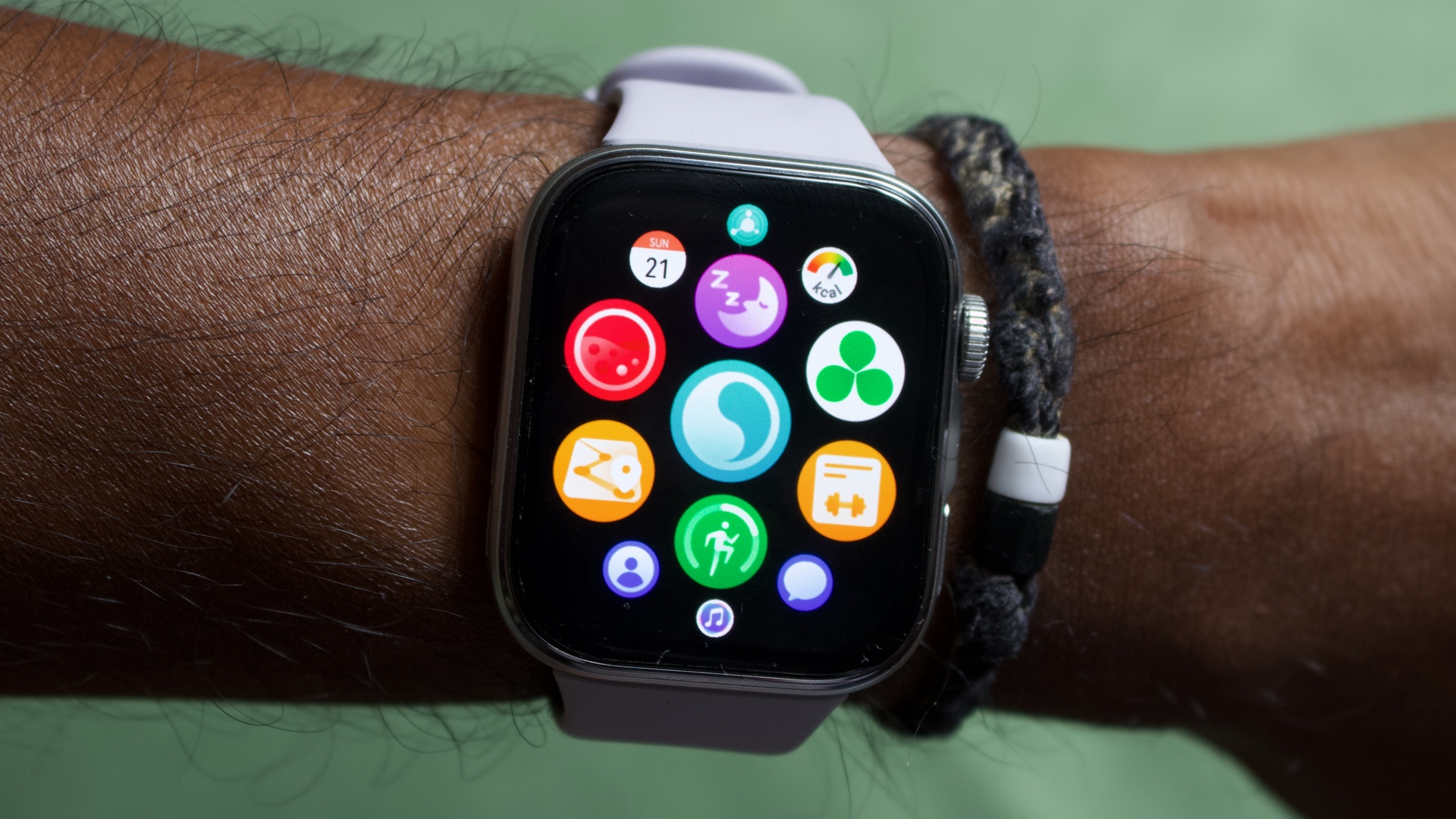
Look, we know what you’re all thinking and yes, the Huawei Watch Fit 4 is the spitting image of an Apple Watch. For many, though, that won’t be a bad thing. The Apple Watch is still one of the most stylish wearables out there and by following the same aesthetic, so is the Huawei Watch Fit 4.
Aside from its design, the display goes a long way towards making you think that the Fit 4 is anything but a budget smartwatch. With a peak brightness of 2000 nits, it reaches the same level as the new Apple Watch Series 11, making it very easy to read in the great outdoors.
Speaking of which, the Watch Fit 4 boasts dual-frequency GPS so if you are an avid runner then you can enjoy a sturdy connection here, which then feeds into the many fitness metrics that Huawei offers up in the accompanying Huawei Health app. The battery can even run for up to 10-days at a time, so forgetting to bring your charger with you during a weekend away shouldn’t be cause for concern.
As you may have guessed, the key thing that holds the Watch Fit 4 back is its lack of third-party apps in the West. If you want access to the likes of Google Maps or WhatsApp then you’re better off with the Apple Watch SE 3 or the Samsung Galaxy Watch FE.
For those who aren’t that fussed, you’ll be perfectly content with what Huawei offers here and you could also look for a cut-price Watch Fit 3.
Who should buy the Huawei Watch Fit 4?
Anyone who wants an Apple Watch-style wearable without the Apple Watch price tag.
Huawei Watch Fit 4: Further considerations
The lack of third-party apps puts it behind budget options from Apple and Samsung.
2. CMF Watch 3 Pro – Best Value
Pros
- Eye-catching design
- Thoughtfully designed watch faces
- Vastly more affordable than most smartwatches
- Long battery life
Cons
- Swappable bezels are gone
- Not the brightest screen
- Confusing waterproofing
- No NFC
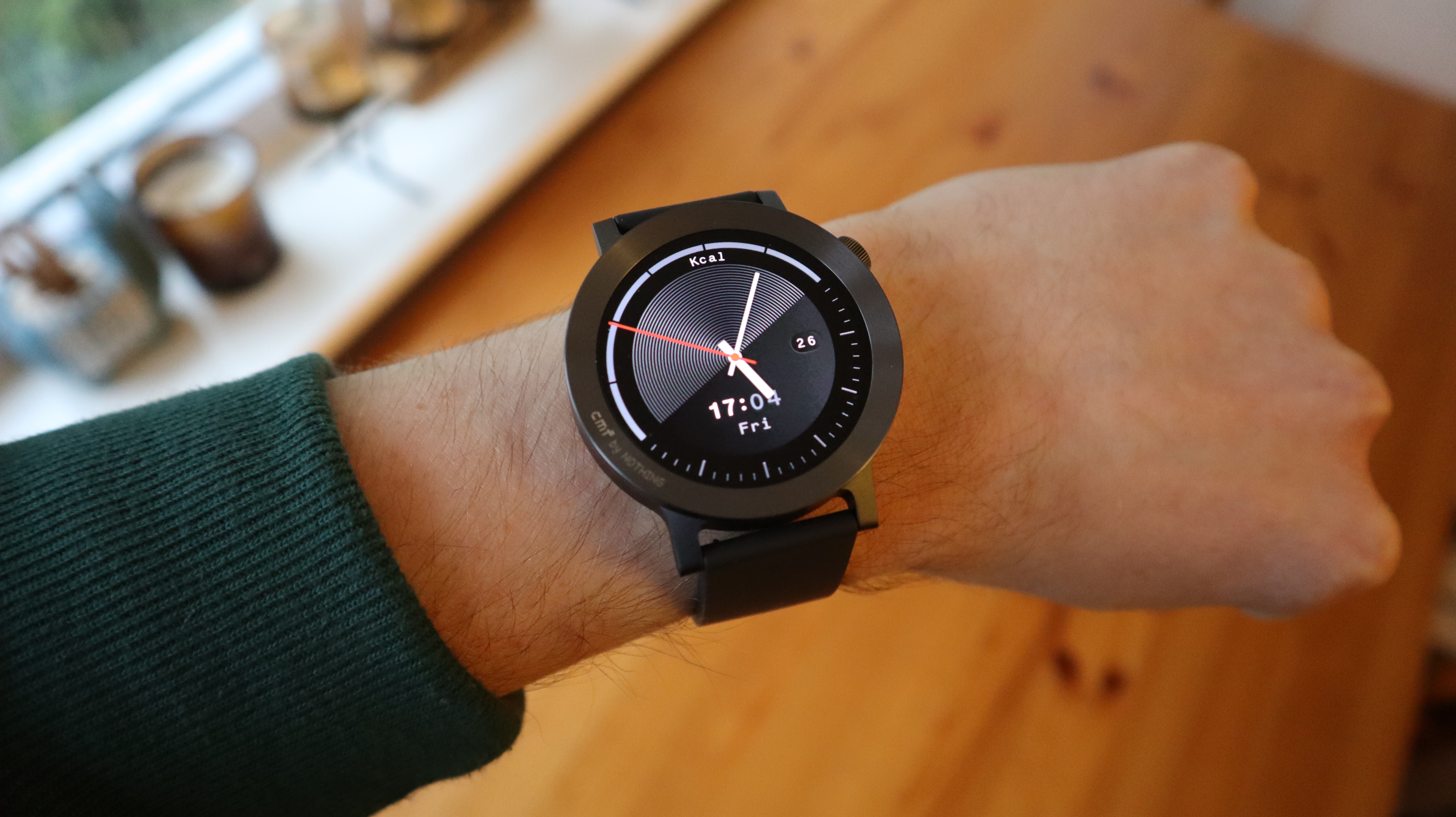
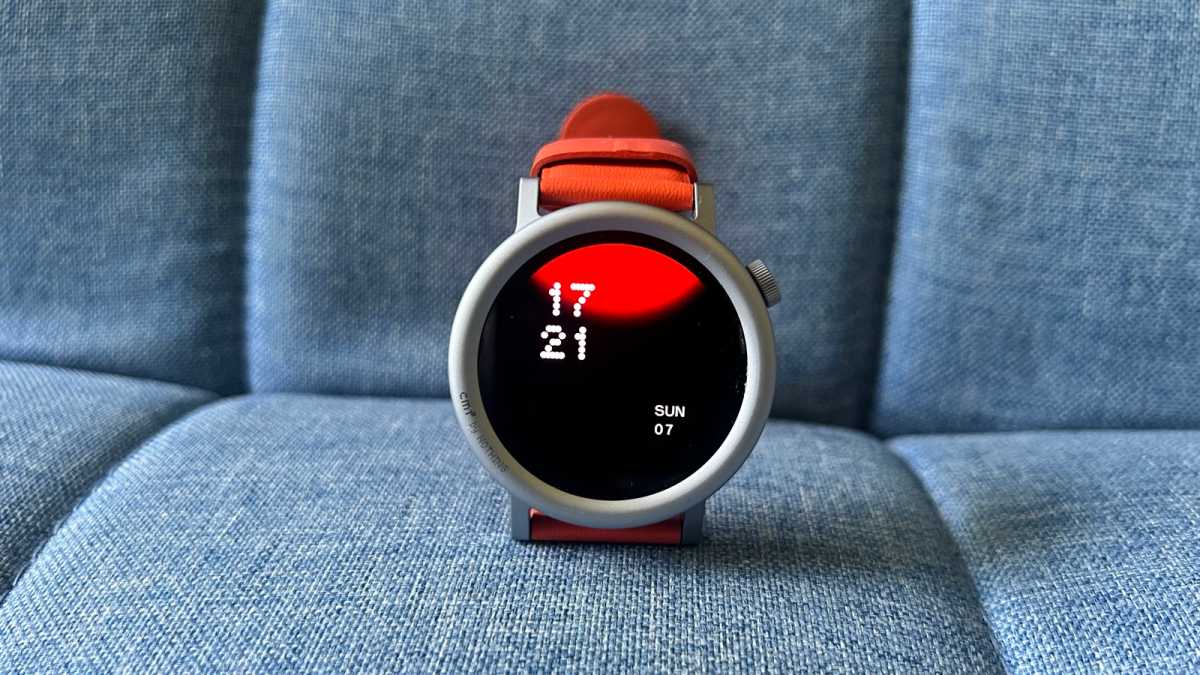
In the short time that it’s been around, Nothing’s subsidiary brand CMF has made itself known as one of the go-to manufacturers when it comes to finding style at the budget end of the market. The CMF Phone 2 Pro stands above the competition for its eye-catching aesthetic, and the CMF Watch 3 Pro adheres to that same appreciation for a colourful yet minimalist style.
With a single rotating crown input and a large 1.43-inch circular display, the CMF Watch 3 Pro is the perfect pick for anyone who wants a budget smartwatch that looks like a more premium wearable. The collection of mostly monochrome watch faces also complements the look that CMF is going for, which is more than can be said for most budget options that tend to overlook the importance of a well-designed watch face library.
It is a shame however that CMF removed the swappable bezels of the Watch Pro 2, as it was a great feature to have for expressing oneself, but there is a decent trade-off here in the form of a larger battery which can run for up to 13-days at a time. That drops to four-days with the always-on display toggled, but that’s still longer than what the Apple Watch Series 11 can achieve.
Fitness tracking is fairly straightforward, and there is a helpful running coach that provides assistance for anyone who’s starting out on their fitness journey. If swimming is your workout of choice however then you’ll want to look elsewhere as the CMF Watch 3 Pro cannot be submerged in water, meaning that a dip in the pool is out of the question.
Who should buy the CMF Watch 3 Pro?
Style enthusiasts who want an eye-catching smartwatch that doesn’t cost a fortune.
CMF Watch 3 Pro: Further considerations
The lack of proper waterproofing prevents the watch from being taken on a swim.
Read our full CMF Watch 3 Pro review
3. Amazfit Active 2 – Most Stylish
Pros
- Great range of features for the price
- Fitness tracking is good
- Simple design with AMOLED screen
- Good battery life
Cons
- Not as accurate for heart rate as some alternatives
- You have to pay more for NFC
- Not the most comfortable
Between the CMF Watch 3 Pro and now the Amazfit Active 2, the amount of value that can be expected below the £100/$100 mark has never been better. Sure, you’re not going to get the exact same user experience as what the pricier smartwatches bring to the table, but the basics are taken care of and, in the case of Amazfit’s offering, it’s all wrapped up in a very stylish look.
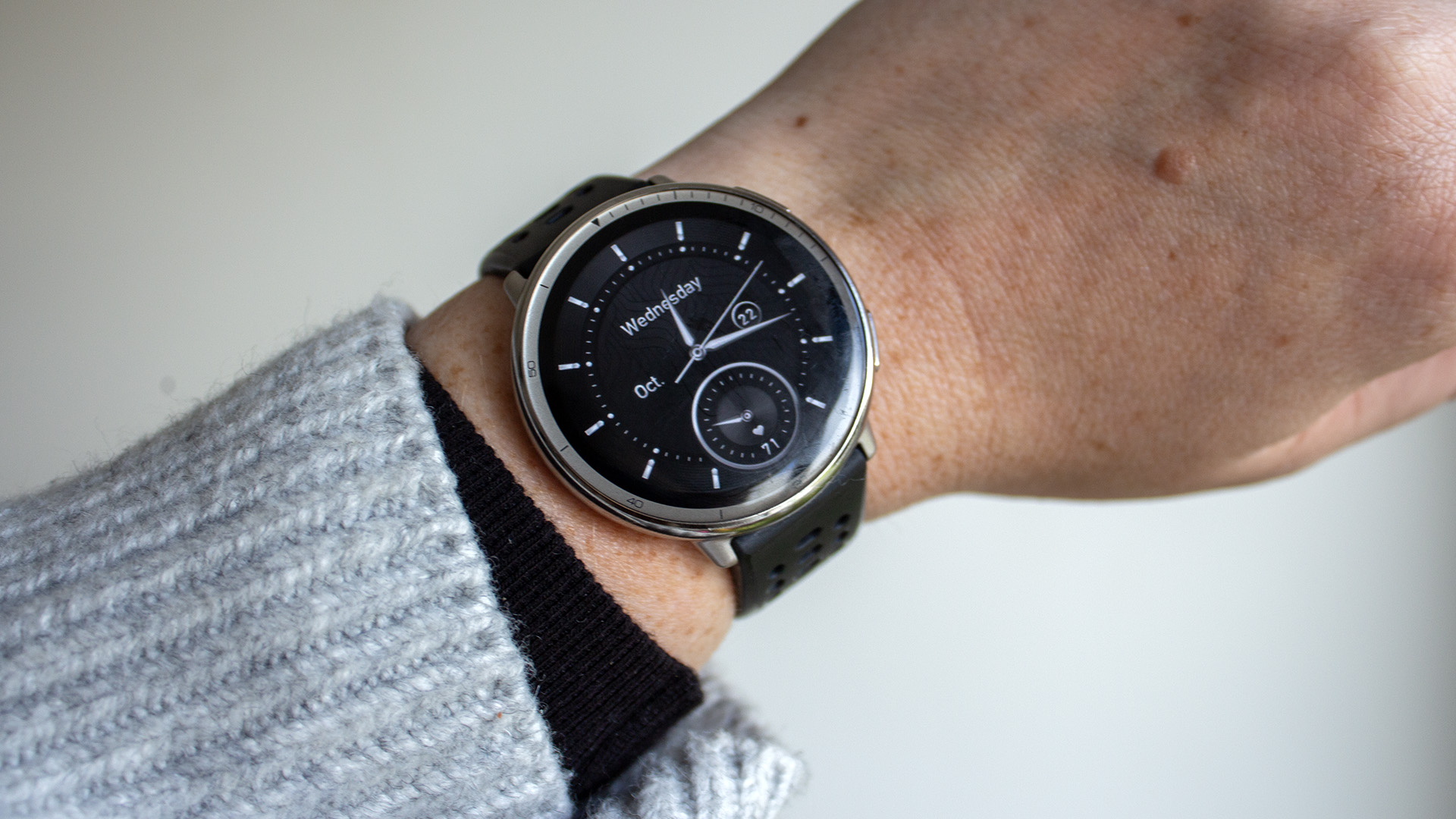
With a stainless steel case that allows flashes of silver to be seen on the outer rim of the display, the Amazfit Active 2 doesn’t look or feel anything like many budget watches. In fact, with one of the more classic, analogue-style watch faces in tow, you might even convince someone that this isn’t a smartwatch at first glance.
Inside that chassis, Amazfit has packed the Active 2 with all of the technology required to make a great fitness tracker, as there are no less than 164 sports modes to dive into. It can even track your rest and recovery, and when compared to the Oura Ring 4, we found the insight here to be on the mark. The same can’t be said for heart rate data which isn’t as accurate as we had hoped, so it’s best not to put too much credence into the results provided.
In terms of smart features, Amazfit’s UI is easy to use and it’s fast to jump from one menu to another. It’s a fairly standard experience compared to pricier smartwatches, but that’s to be expected. What is a shame is that there is a version of the watch that boasts NFC for contactless payments, but you’ll have to pay a bit more (£129.90/$129.99 instead of £99/$99) for the privilege.
Who should buy the Amazfit Active 2?
Budget buys who still value style above all in a wearable.
Amazfit Active 2: Further considerations
You’ll have to pay more for the version with NFC or the square shaped model.
Read our full Amazfit Active 2 review
4. Apple Watch SE (2nd generation) – Best for iPhone
Pros
- Good value
- Solid feature set
- Great integration with iPhone
Cons
- No always-on display
- So-so battery life
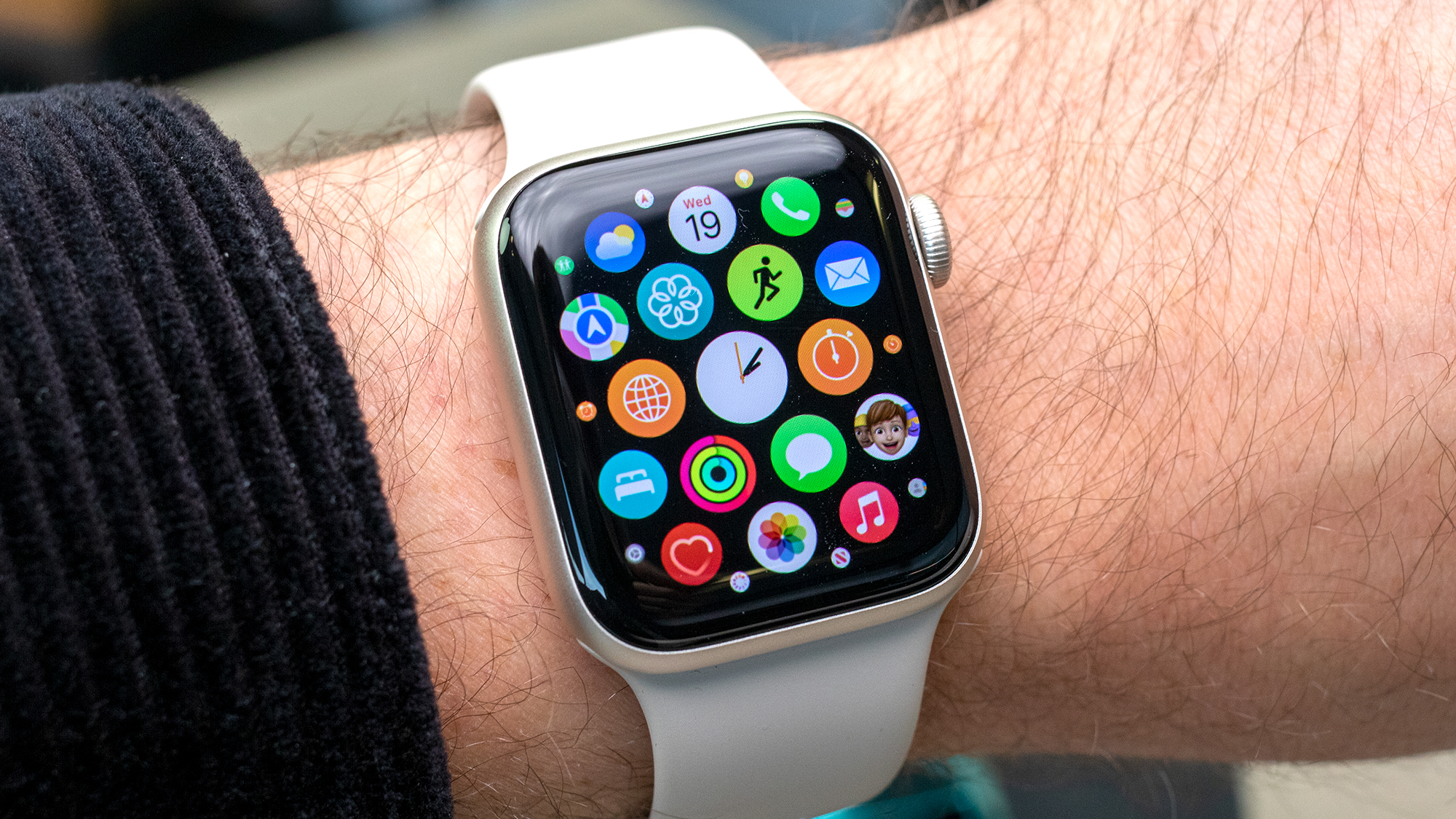
The SE 2nd-generation is the best Apple Watch option for most people with an iPhone who want a smartwatch without paying the prices of the flagship models or an ancient edition.
While the newer Apple Watch SE 3 is now available, we have yet to publish our full review so make sure to check back later to see if our rankings have changed. In the meantime, the Apple Watch SE 2 is still a great option that has many of the features of the more expensive models, while maintaining the modern and iconic design with the same chipset as the Series 8.
If you equally value smart features like third-party app integration, music storage, contactless payments and full fitness tracking, the Apple Watch is still the best smartwatch if you have an iPhone. The SE does everything surprisingly well, considering it’s supposed to be a budget-buy.
Who should buy the Apple Watch SE 2?
You want the cheapest Apple Watch currently available to use with your iPhone.
Apple Watch SE 2: Further considerations
The Apple Watch SE 3 is now available, although this will drive down the price of remaining Watch SE 2 stock.
Read our full Apple Watch SE (2nd generation, 40mm) review
5. Amazfit Bip 6 – Best Battery Life
Pros
- Excellent screen
- Plenty of features
- Long battery life
- Very cheap
Cons
- App is a bit busy
- An odd storage bug
- AI assistant a bit disjointed
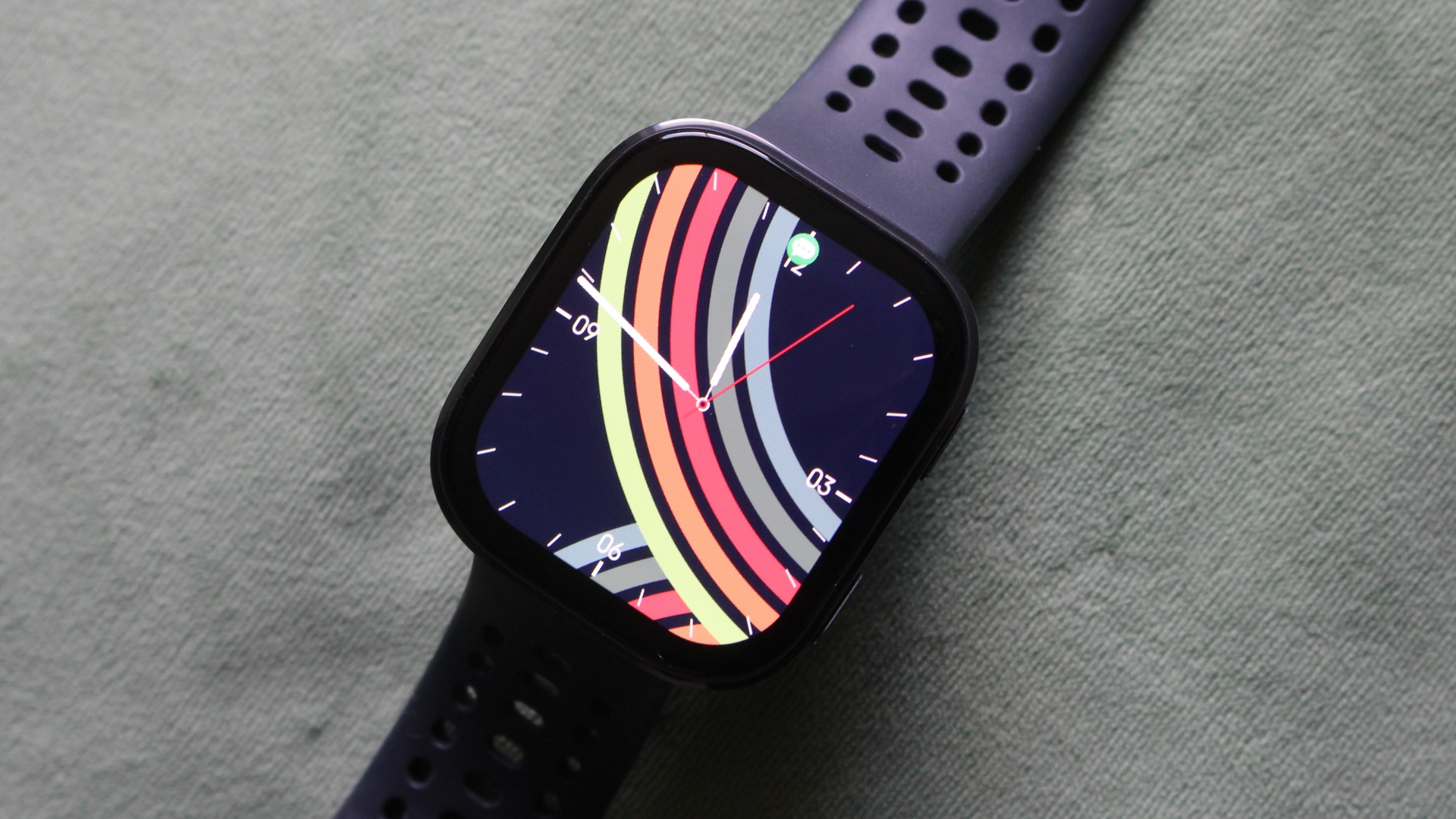
The Bip has been a smartwatch that from the very first version, has punched above its weight in terms of features and performance. For the Bip 6, Amazfit has certainly gone big with the upgrades.
For starters, it’s swapped TFT for a big and bright 1.97-inch AMOLED display and it instantly makes this budget smartwatch feel a lot less budget.
Features-wise, you’re getting the ability to make calls over Bluetooth, load on transport cards to make it easier to travel and have access to the Zepp Flow AI Assistant that’s worked well in some, but not all, scenarios.
In the fitness department, it has built-in GPS to track outdoor runs and rides the smarts to record Hyrox workouts. You track heart rate and blood oxygen levels and it will serve up useful scores to tell you if you’re ready to tackle a stressful day. There’s also room for free offline maps for adventurers, which is a rare feature to find on a smartwatch this cheap.
Topped off with up to 14-day battery life or around 6 days in heavier use, and there’s few better smartwatches at this price that can compete with what the Amazfit Bip packs and also delivers.
Overall, it’s a lot of smartwatch for not much over £50/$50 making it a top value option.
Who should buy the Amazfit Bip 6?
You want a big OLED screen for well under £100/$100 as well as lots of features and excellent battery life.
Amazfit Bip 6: Further considerations
Look elsewhere for a better software experience, particularly on the companion app.
6. OnePlus Watch Lite – Best Style Alternative
Pros
- Gorgeous display
- Long-lasting battery
- Eye-catching design
- Accurate heart rate data
Cons
- Limited NFC
- No Wear OS

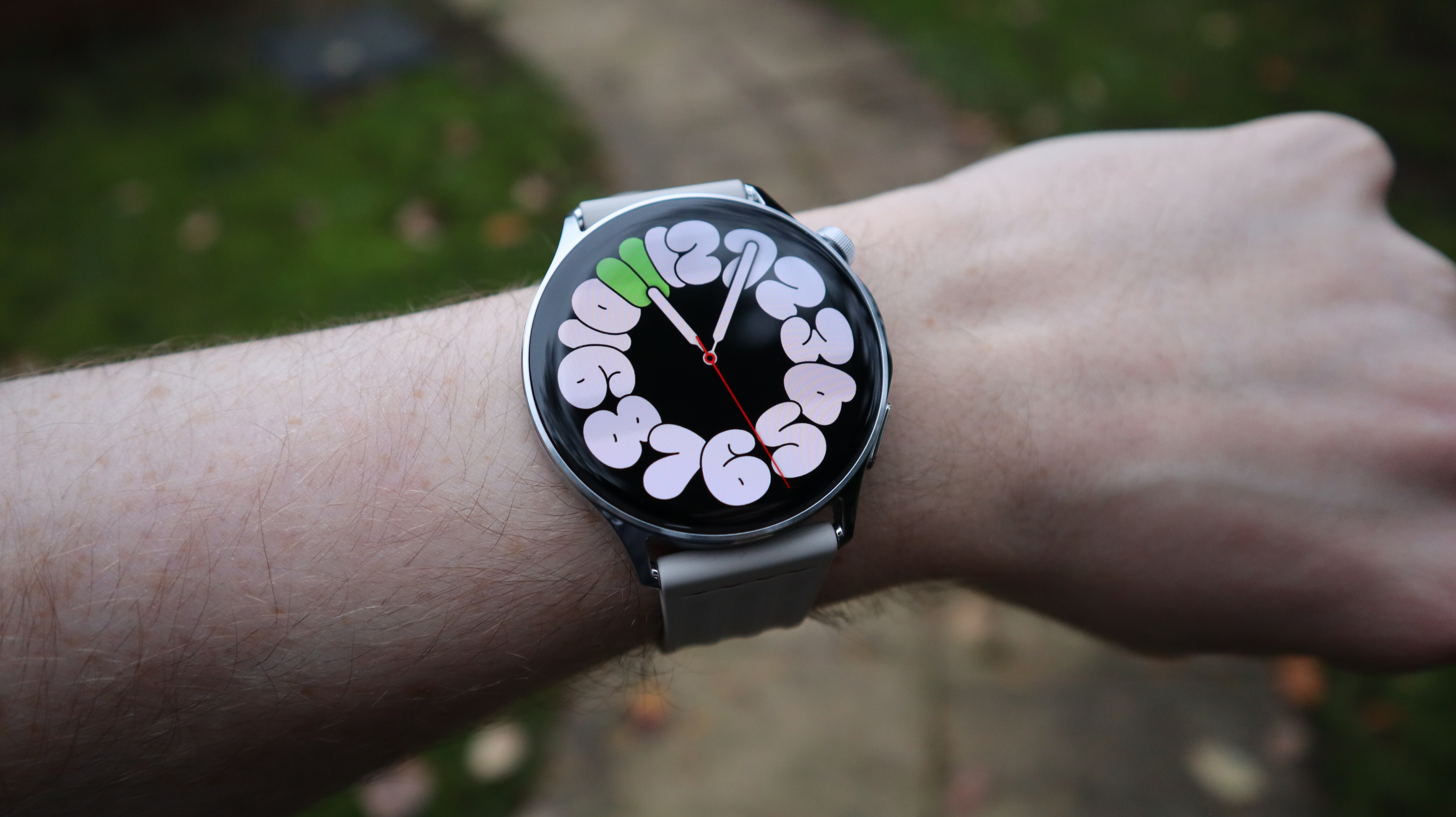
There was definitely some concern that OnePlus’ plan to revisit a non-Wear OS smartwatch would end up being too similar to the company’s dreadful first-generation OnePlus Watch, but fortunately, the firm has created something truly spectacular in the OnePlus Watch Lite.
Although it runs OnePlus’ proprietary software and doesn’t feature third-party apps as a result, the Watch Lite still makes it mark largely thanks to a design that puts most flagship smartwatches to shame. The watch itself is just 8.9mm thin and the Silver Steel colourway will make everyone think that you’re wearing a watch that costs far in excess of its £179/€179 price tag.
In the absence of a typical app-driven ecosystem, the Watch Lite makes the smart decision of focusing almost completely on fitness tracking, which massively works to its benefit. The 60-second Wellbeing Overview can offer up an insight into your key metrics quickly, and when compared to a dedicated chest-worn monitor, we found the watch’s heart rate data to be largely on the money.
There is NFC built into the watch but it can only be used for digital locks/keys, whereas we would love to see it expanded to cover wireless payments in a successor. At the very least, you do get to benefit from extraordinary battery life with the ability to run for up to 10 days between charges.
Who should buy the OnePlus Watch Lite?
Fitness-focused users who want a fashionable, long-lasting wearable for health tracking.
OnePlus Watch Lite: Further considerations
The Apple Watch SE 2 and the Galaxy Watch FE can oftentimes be found for around the same price, and sometimes even less.
Read our full Oneplus Watch Lite review
7. Xiaomi Watch S4 – Best Changeable Design
Pros
- Rotating crown is a good addition
- Software has more mature look
- Still delivers good battery life
- Interchangeable bezels
Cons
- Smart home controller needs Xiaomi smartphone
- Some features missing for iOS users
- New gesture controls for Xiaomi devices only
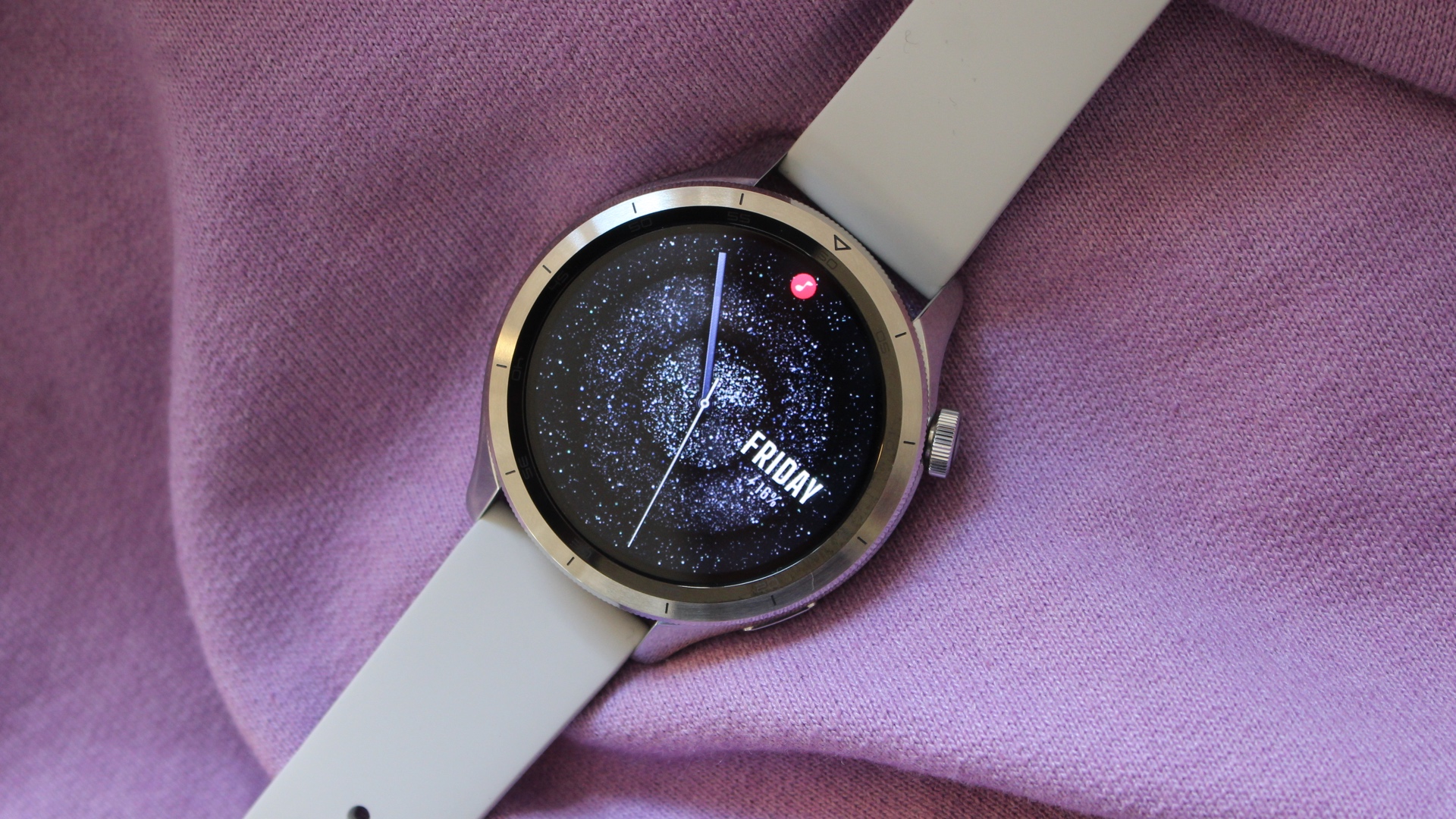
Xiaomi’s smartwatch with a switchable bezel builds on the very likeable look on the Watch S3 while adding new software features that aim to make it a much smarter smartwatch.
There’s the welcome addition of a rotating crown, which makes navigating Xiaomi’s HyperOS 2 software a nicer thing to do, with those swappable bezels now growing in number and generally feeling a touch more refined and polished.
Xiaomi’s added a brighter AMOLED display though it doesn’t keep the LTE connectivity included on the China version of the Watch S4 to make it more useful when away from your phone. Most of the new software smarts, like using it as a smart home controller, require owning additional Xiaomi hardware to use them, with the tweaked operating system now feeling like a better match for its sleek design surroundings.
There’s no shortage of fitness and health features onboard, including the latest dual-frequency GNSS to offer a boost for outdoor sports tracking and you can get anywhere from a few days to a couple of weeks of battery out of this solid performer and a more sophisticated yet affordable smartwatch package.
Who should buy the Xiaomi Watch S4?
You want a flagship style watch at a very affordable price with features like changeable bezels.
Xiaomi Watch S4: Further considerations
Look elsewhere for Wear OS.
Read our full Xiaomi Watch S4 review
8. Samsung Galaxy Watch FE – Best Health Tracking
Pros
- Responsive auto-tracking
- Clean Wear OS software
- Classic design
- Affordable
Cons
- Old processor
- Not the best battery life
- Some hiccups with non-Samsung phone
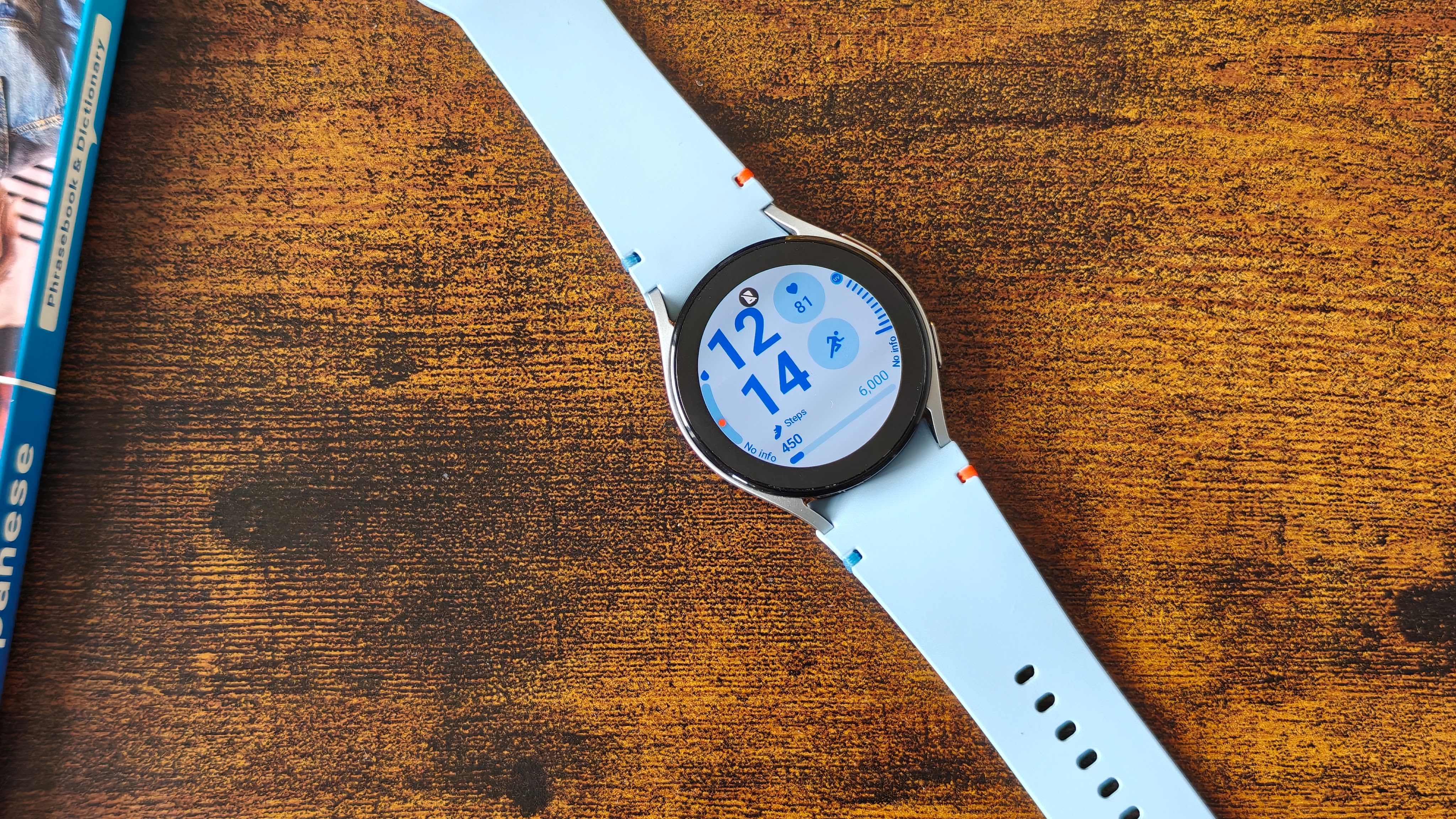
The Samsung Galaxy Watch FE essentially sees Samsung take its older Galaxy Watch 4 and give it a bit of software tune up to make it a viable alternative to its pricier Galaxy Watch 7.
Given the Galaxy Watch hasn’t radically changed all that much over the last few versions, the FE has a look very much in keeping with the latest Watch, with three colour options available and features a punchy 1.2-inch Super AMOLED display. Unlike newer watches, it comes with just the one 40mm case size option.
Originally running on Google’s Wear OS 4 with Samsung’s One UI 5 overlaid on top (but since updated to the latest software), the FE still gives you Google apps like Google Maps and access to the Google Play Store for more big-name apps to download.
When it’s time to work out, there’s your pick of over 100 workout modes and also usefully includes a running coach mode for running newbies. It’ll track steps, sleep and even packs an ECG sensor, which is only accessible if you own a Samsung smartphone.
If you like the idea of a Samsung Galaxy Watch that looks and runs mostly like its latest Watch and you’re an Android phone owner, this might be one for you.
Who should buy the Samsung Galaxy Watch FE?
Samsung fans looking for the cheapest Galaxy Watch.
Samsung Galaxy Watch FE: Further considerations
Look elsewhere for better performance and better value prices.
Read our full Samsung Galaxy Watch FE review
9. Xiaomi Watch 2 – Best Budget Wear OS

Pros
- Sleek design
- High-quality display
- Slick Wear OS software
- Lots of health and wellness features
Cons
- Erratic heart rate sensor
- Underwhelming battery life
- Not the latest software version
- No automatic workout tracking
The Xiaomi Watch 2 gives you a more affordable route to Google’s Wear OS when you’d typically have to spend a lot more to get access to Google’s apps, user interface and all-important access to the Google Play Store.
Xiaomi gets plenty right with the design, matching up an aluminium case and the choice of a more exercise-friendly strap or leather and braided bands. The swim-proof smartwatch also hosts a good-sized, 1.43-inch AMOLED that’s bright, vivid and can stay on at all times.
There’s good all-round performance powered by one of Qualcomm’s Snapdragon W5+ Gen 1 chipsets with 32GB of storage to play with and 2GB of RAM to keep things running nice and smooth.
Along with access to Google’s best through Wear OS, there are over 160 workout modes to pick from, built-in GPS and an optical heart rate sensor that wasn’t the best-performing during exercise. Like many budget options, it’s a better fitness and sleep tracker. One Wear OS undesirable is that the battery isn’t exactly stellar and lasts typically a day.
If you want a cheap route to Wear though, the Watch 2 will give you that.
Who should buy the Xiaomi Watch 2?
You want a very affordable and sleek smartwatch running Wear OS.
Xiaomi Watch 2: Further considerations
Look elsewhere for better battery life and tracking.
Read our full Xiaomi Watch 2 review
10. Xiaomi Smart Band 9 Pro – Best Fitness Tracker Hybrid
Pros
- Attractive design
- Bright, vibrant display
- Built-in GPS
- Very affordable
Cons
- No physical buttons
- Some spotty fitness tracking accuracy
- Mi Fitness app still needs some work
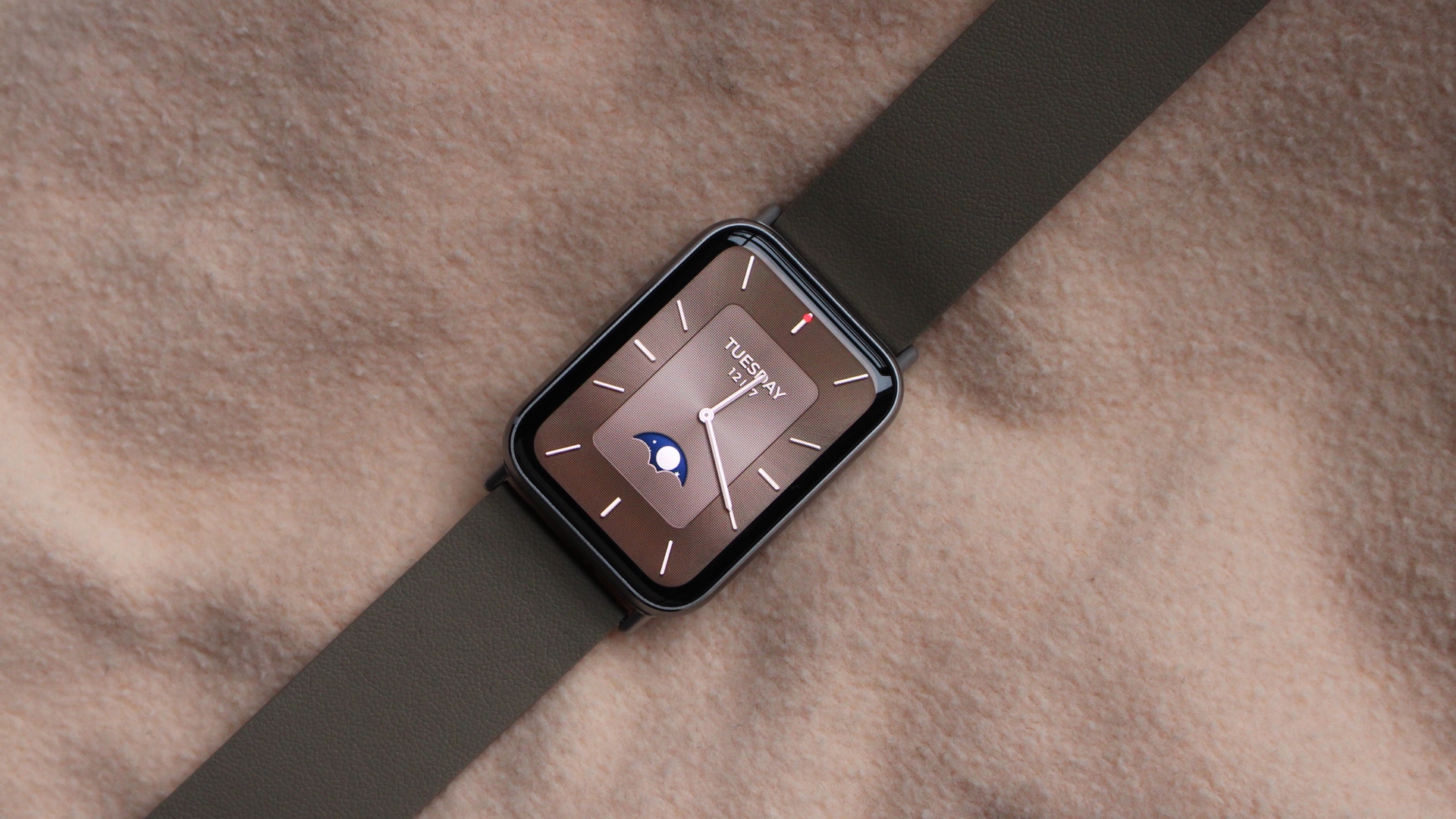
If you like your smartwatches slimmer and more fitness tracker in form, that’s exactly what the Xiaomi Smart Band 9 Pro serves up.
There’s three strong colour options to pick from with the ability to switch in more stylish strap options and while it’s a button-less design, it helps to create a more minimalist profile where the emphasis is placed on tapping and swiping on a now brighter 1.74-inch AMOLED screen.
While its smartwatch features are kept to the basics like displaying notifications and controlling music playing on your phone, it’s a smartwatch that does play nice with third party apps including Apple Health, Google Health and even Strava.
There’s enough room to squeeze in built-in GPS that’s best suited for casual workout users, though the promise of improved heart rate and blood oxygen tracking isn’t the way things played out in our testing.
Battery life of up to 21 days typically worked out to closer to a week with key features in regular use, which is still a good showing for a smartwatch that looks like a fitness tracker and is going to appeal to anyone looking for a nice Fitbit alternative.
Who should buy the Xiaomi Smart Band 9 Pro?
You want an affordable smartwatch with a big screen and GPS.
Xiaomi Smart Band 9 Pro: Further considerations
Look elsewhere for better software and tracking.
Other budget smartwatches tested
With more budget smartwatches constantly hitting the market, there’s just no way to include all of the better-performing ones in this list. After all, the 10 picks that are featured above encompass a wide variety of ecosystems and price tags, so you should be able to find the right option for you from our personal favourites. However, if you do want to expand your search, then there are a few extras that are worth considering.
While they’ve since been replaced by newer devices, the Huawei Watch Fit 3 and the CMF Watch Pro 2 (below) are still excellent wearables that are worth picking up if you find them at a reduced price (which is currently easy). The Watch Pro 2, in particular, still has the benefit of swappable bezels, which the Watch 3 Pro sadly did away with. For the folks who like having additional ways to style their smartwatch, this could be a more appealing option.
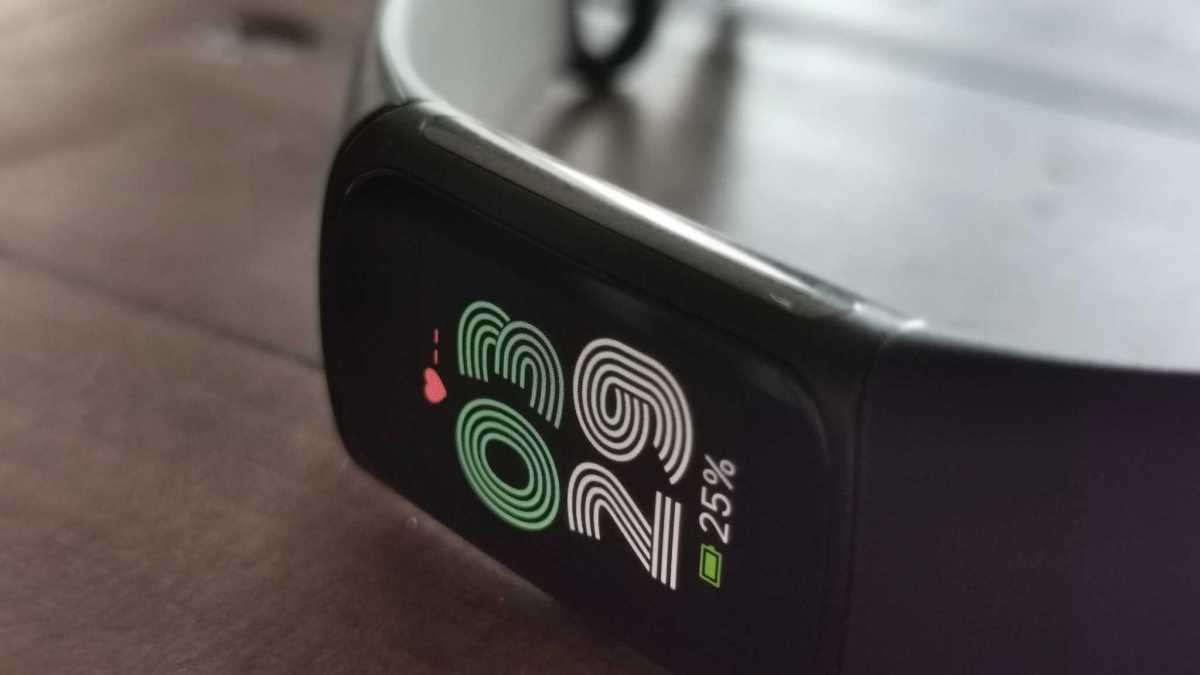
Although it makes more sense to feature amongst our collection of the best fitness trackers, the Fitbit Charge 6 still deserves a mention here as it has a few smart features that you don’t typically expect to see. Despite its affordability, the Charge 6 has onboard controls for YouTube Music playback which is always helpful in the middle of a workout, alongside support for Google Pay which can’t be found on any other budget wearable except the Galaxy Watch FE.
Mike Sawh
The Honor Watch 4 previously featured as a top pick but was removed to make way for newer contenders like the Amazfit Active 2. Because the watch has been available for a few years now, it’s possible to find it for far less than its original asking price, making it even more of a bargain. The watch originally impressed us with its bright 1.75-inch AMOLED display and a zippy UI to go with it, not to mention the fact that it’s lightweight at just 32g and very comfortable on the wrist as a result.
The Amazfit GTS 4 was also recently swapped out for the newer and very fashionable OnePlus Watch Lite, and even though the GTS 4 has been on the market for some time now, it is still being sold and at a reduced price. In fact, the GTS 4 is also stylish in its own right (particularly the Autumn Brown colourway), and you can enjoy a week-long battery life between charges which is great for those who don’t want to carry around yet another charging cable.
Budget smartwatch news that could affect your buying decision
Although there isn’t much to report at the time of writing (January), rest assured that 2026 will no doubt have plenty in store with regards to new budget smartwatches. We already know that Google is planning to release a new Fitbit device this year so if you’re a fan of Fitbit’s ecosystem then it might be worth holding off until we know more.
Otherwise, you can bet on more affordable picks from the likes of Huawei and Xiaomi in the not too distant future. If you’re interested primarily in picking up a cheaper Apple Watch then stay tuned for our Apple Watch SE 3 review which is set to appear imminently and will let you know whether or not the brand’s latest family-friendly wearable is worth the upgrade.
Can I get a better budget smartwatch deal?
When shopping for a budget smartwatch, there’s always the temptation to hold out and see if you can get a particular wearable for even less. Thankfully, with this very guide, there’s no need to start scouring the web as our helpful deals widgets have already gone ahead and done that for you.
In the widget that accompanies each entry on this list, you’ll see an up-to-date look at which of the major retailers have the best price available. This means that if you make a decision on which smartwatch is best for your needs, you can see the cheapest price right away and make use of it there and then. No need to overspend or waste time searching for a better deal.
Of course, it is worth mentioning that there are times of the year when smartwatches do tend to be a bit cheaper. Any of Amazon’s Prime Day sales are a good shout, but if you’re not subscribed to Prime then Black Friday is your best bet. Typically reserved for the last weekend of November (although usually expanded to cover the entire month), Black Friday sees a ton of retailers drop their prices at the same time in an attempt to attract your custom. If you don’t need a new smartwatch right away then holding out for any of these sales can be rewarding.
Matt Farrington-Smith / Foundry
How we test budget smartwatches
We review all wearables the same way and it’s simple – we put them on our wrists, connect to our main smartphone and use them 24/7 for at least a week. In many cases, much longer.
This is the only proper way to test wearables to see how the battery life performs in real-world usage and get to grips with all the available features. Of course, there might be some features we can’t test such as crash detection, menstrual cycles or 150 different sport modes.
Why you should trust Tech Advisor for budget smartwatch reviews and buying advice
We’ve been testing technology for almost 30 years at Tech Advisor and we are experts at providing buying advice. We’ve tested hundreds of smartwatches over the years from many different brands with all kinds of designs, features and gimmicks. All our in-house team and freelance contributors are highly experienced in reviewing tech products.
Who curated this article?
Mike is one of Tech Advisor’s regular contributors and one of the leading tech experts for all things wearables and regular marathon runner. He’s tested just about every smartwatch, fitness tracker and smart ring that’s ever been launched. Our Managing Editor, Chris, assists and was one of the first people in the world to see the LG G Watch, the first Android Wear smartwatch, back in 2014 and has been covering wearable tech ever since.
How to choose the best budget smartwatch
If you’re looking to pick up a cheap smartwatch, there are some key things to look for.
An obvious one is to make sure it’s compatible with your smartphone – you can’t use an Apple Watch with an Android phone, for example – but in addition to that, make sure all of the features advertised actually are available when paired to your phone. There can often be some differences in supported features for things like music players, using it to control your phone camera and enjoying the richest notification support.
If you like the idea of a smartwatch that can keep its display on at all times, make sure the smartwatch supports it, because it isn’t always the case. Also, pay attention to what keeping that screen on does to the promised battery. Most smartwatch makers like to shout about the best battery life, but that figure rarely relates to when the screen is kept on.
Having GPS is great if you like to track your exercise outside predominantly, whether that’s the built-in kind or connected GPS, which will mean launching the companion smartphone app to let you more accurately track your workouts.
How much you should spend depends on your wishlist. Do you want a premium metal design and comprehensive health tracking? If yes, then you likely need to spend a bit more. If you’re happy with a more basic set of features, then you can opt for the cheapest models featured here.
Budget smartwatch FAQ
What brands make cheap smartwatches?
There are a number of brands that now make cheap smartwatches with the likes of Amazfit, Xiaomi and Nothing’s spin-off brand CMF among the most notable names.
Samsung is also making cheaper smartwatches too – you’ll see the Galaxy Watch FE above. If you’re on the hunt for a cheap Apple Watch, the Apple Watch SE is only just over the £200/$200 mark and can often be found for less in a good deal.
What can a smartwatch do without a phone?
Cheap smartwatches can do a fair bit without huge reliance on your smartphone.
While you need it to view your phone’s notifications, sync over weather forecasts or calendar appointments, most have the motion and optical sensors to enable activity tracking features like step counting, heart rate monitoring and also let you track your sleep when you take them to bed. It also means you can track your exercise without your phone, too.
You also don’t need your phone to access the pre-loaded watch faces, where often you’ll need to reach for your phone and the companion app to get more faces to choose from.
Do Google watches work with iPhone?
Compatibility is an important part of buying your smartwatch and there’s a lot of confusion about whether you can use a Google-powered wearable with iPhone.
At one point in time, it was possible to connect Google-powered smartwatches with an iPhone, but ever since Google introduced Wear OS 3 back in 2021, it has not been possible to pair with Apple’s smartphones.
You are far better off sticking to an Apple Watch for the best experience. However, there are many devices listed here that don’t run Wear OS and do have support for both Android and iOS, including options from CMF, Huawei and Xiaomi, all of which are significantly cheaper than an Apple Watch.