


Fitbits were once synonymous with fitness trackers at large, but the world of health tracking tech has changed quite a bit since the brand first hit the scene. With so much choice available, the latest Fitbit devices certainly have their work cut out for them to stay competitive, but there’s still a lot to like about what Fitbit brings to the table and we should know – we’ve tested them all.
Ever since Fitbit was acquired by Google in 2021, the brand’s trajectory hasn’t been the same. This isn’t too unexpected given that Google has been trying to find a way to have Fitbit stake its claim on the market, but without luring people away from the company’s Pixel Watch range.
Releases of Fitbit devices have been more irregular than in the past, but even so, these wearables still have plenty to offer, not least because Fitbit’s software is arguably the most accessible of its kind, making it a great option for anyone who’s just starting out on their fitness journey.
If that’s piqued your interest, then keep on reading to see which Fitbit devices impressed our team and why, but for a more general look at what these wearables are up against, take a gander at our round-ups of the best fitness trackers and the best smart rings.
Alternatively, if you decide that you want a watch with more smartphone-like features in tow, then our guides to the best smartwatches and the best budget smartwatches can be of assistance.
Best Fitbit reviews
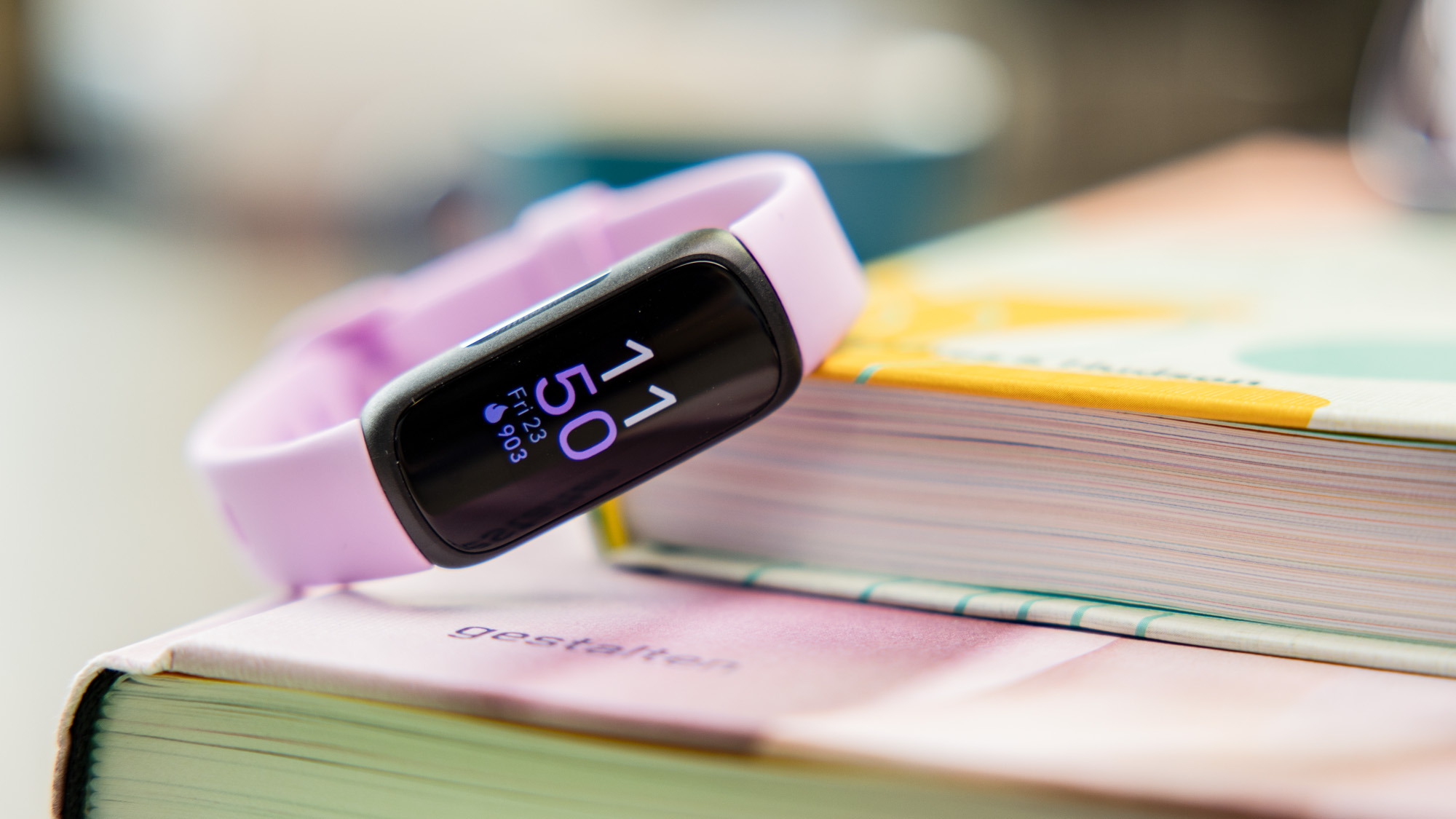
1. Fitbit Inspire 3 – Best Simple Fitbit
Pros
- Always-on colour screen
- Stylish & comfortable
- Comprehensive tracking
- Good battery life & charging
Cons
- Tiny screen
- Short charging wire
- No GPS

The Inspire 3 is the best version yet of Fitbit’s simple fitness band, adding a colour screen for the first time. It’s subtle and comfortable and comes with three strap colour options.
Tracking is automatic and in our tests was very accurate for steps and heart rate, the two main metrics you will get from the Inspire 3. With the always-on display turned off you can eke 10 days of battery life before charging too.
As this is on the cheaper end of the Fitbit range there is no GPS built-in, so i you want to track the GPS route of your runs or cycles you’ll have to take your phone with you. And although the screen is now in colour it is very small in deed so is only good for glancing at the time or basic fitness stats. Though it can display smartphone notifications, it’s too tiny.
As with every Fitbit, you can only dig deeply into your day and night tracking stats if you pay for Fitbit Premium. But if you want the Fitbit basics and nothing else, this is the Fitbit for you.
Who should buy the Fitbit Inspire 3?
Anyone after a bit of everything from Fitbit’s feature-set, but without spending a fortune.
Fitbit Inspire 3: Further considerations
The screen isn’t as spacious as the Charge 6.
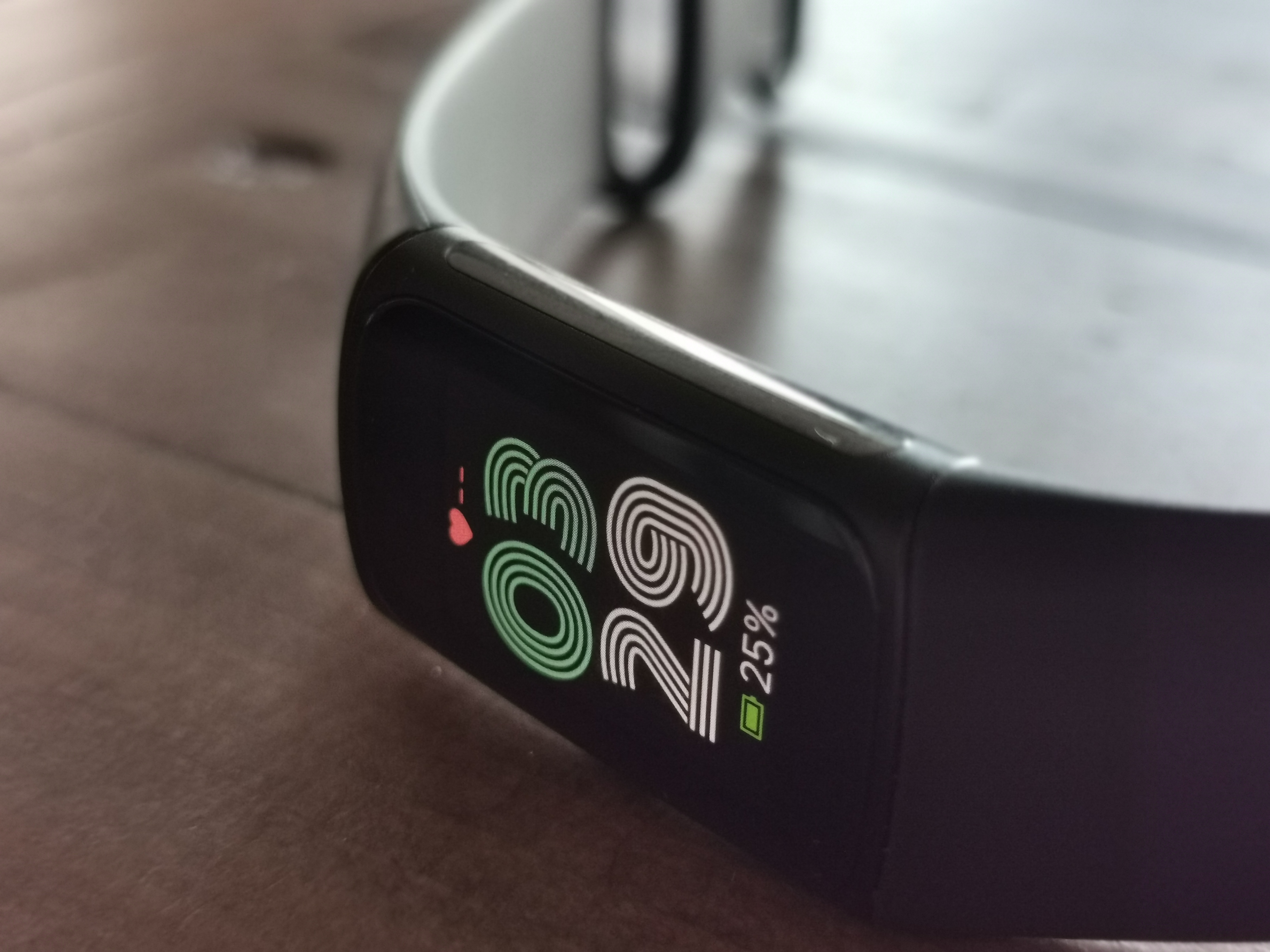
2. Fitbit Charge 6 – Best Premium Tracker
Pros
- Google Maps & Fitbit Pay
- Stylish
Cons
- Connected rather than built-in GPS
- Some features require Premium subscription

With the Charge 6, Fitbit has added useful Google apps to the familiar fitness tracker experience.
You can now access Google Maps, Google Pay and YouTube Music directly from your wrist, which is great…provided you use these services. It’s a shame that no alternative music streaming services are available.
Still, there’s plenty to like elsewhere, including an advanced heart rate sensor, ECGs and EDA stress tracking. It can be used to track more than 40 exercise modes (some automatically) and your sleep.
The side button is great for navigation, while you can even sync it with some gym equipment for personalised feedback. The hardware is largely unchanged, and only really let down by the inconsistent built-in GPS.
As with all Fitbits, you’ll need a Premium subscription for the full experience, and there are some occasional bugs. But on the whole, this is a very good fitness tracker.
Who should buy the Fitbit Charge 6?
Fitness enthusiasts who want the most fully-featured Fitbit tracker available.
Fitbit Charge 6: Further considerations
It requires Fitbit Premium to make the most of what’s included.
Read our full Fitbit Charge 6 review
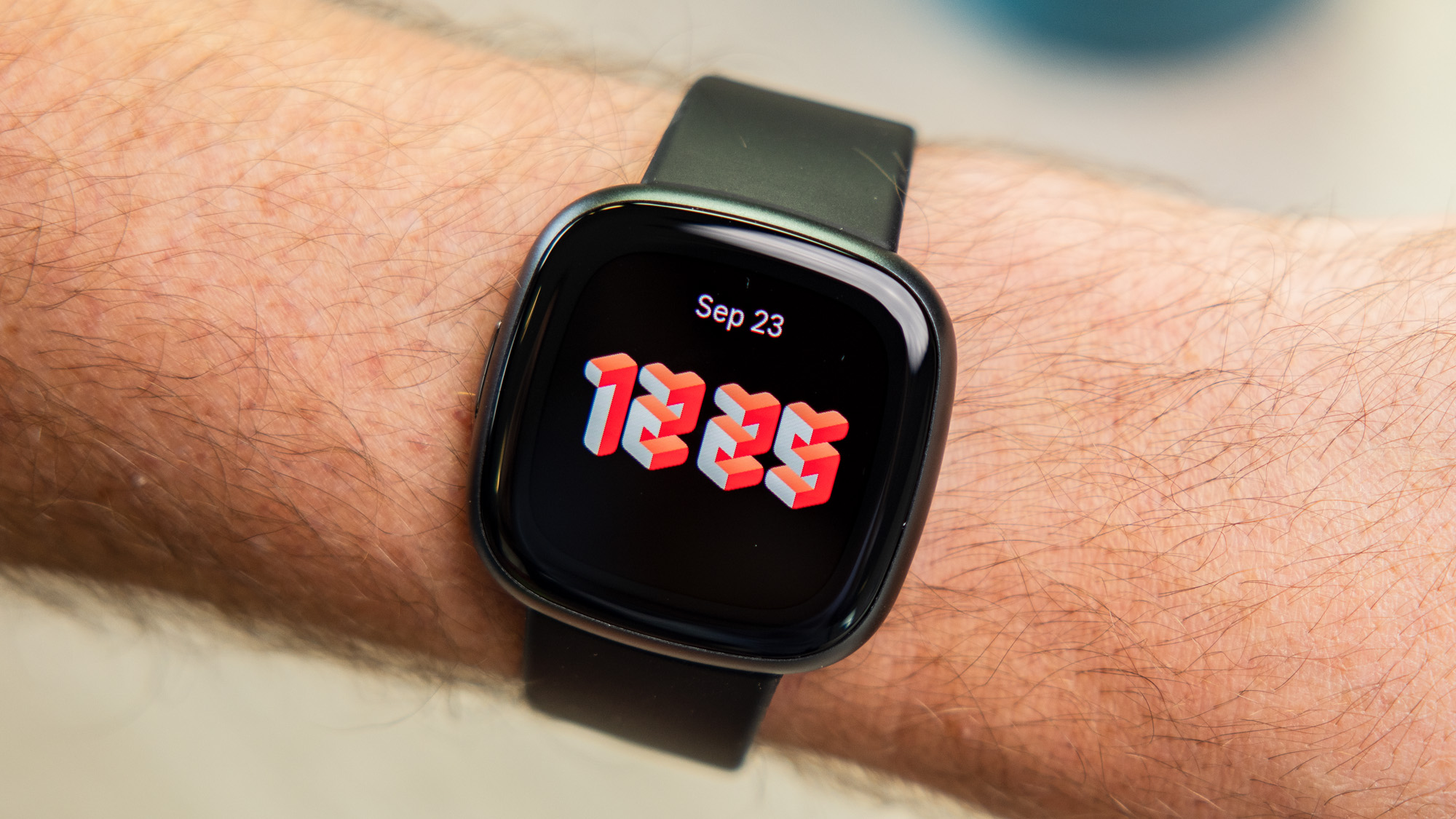
3. Fitbit Versa 4 – Best Fitbit Smartwatch
Pros
- Good battery life
- Physical button
- Alexa built-in
Cons
- Some features locked behind Premium subscription
- No Google Assistant or music control
- Some Bluetooth connection problems
- No third-party apps
The Fitbit Versa 4 is good, but it’s weirdly not as good as the Versa 3 that came out in 2020. Just like with the Fitbit Sense 2, Fitbit decided to remove music controls and third-party app support from the Versa 4 despite being features of the Versa 3. It’s a weird decision that makes us hesitate to call the Versa 4 a smartwatch – it’s more a fitness tracker that looks like a watch.
Thankfully it’s a great fitness tracker and the previous generations are discontinued so this is your main choice for a smartwatch-style other than the Sense 2.
With in-built GPS you can easily track run, swim, and cycle routes, while battery life is good enough to get at least three days if you are hammering it, and possibly more if you are a light user.
It has a physical side button instead of the fiddly touch button on the older model, and it has Amazon’s Alexa voice assistant – but no Google Assistant, despite Google now owning Fitbit.
Who should buy the Fitbit Versa 4?
Those who appreciate having a larger display for data mid-workout.
Fitbit Versa 4: Further considerations
It’s quite a bit more expensive than the Fitbit Charge 6.
Read our full Fitbit Versa 4 review
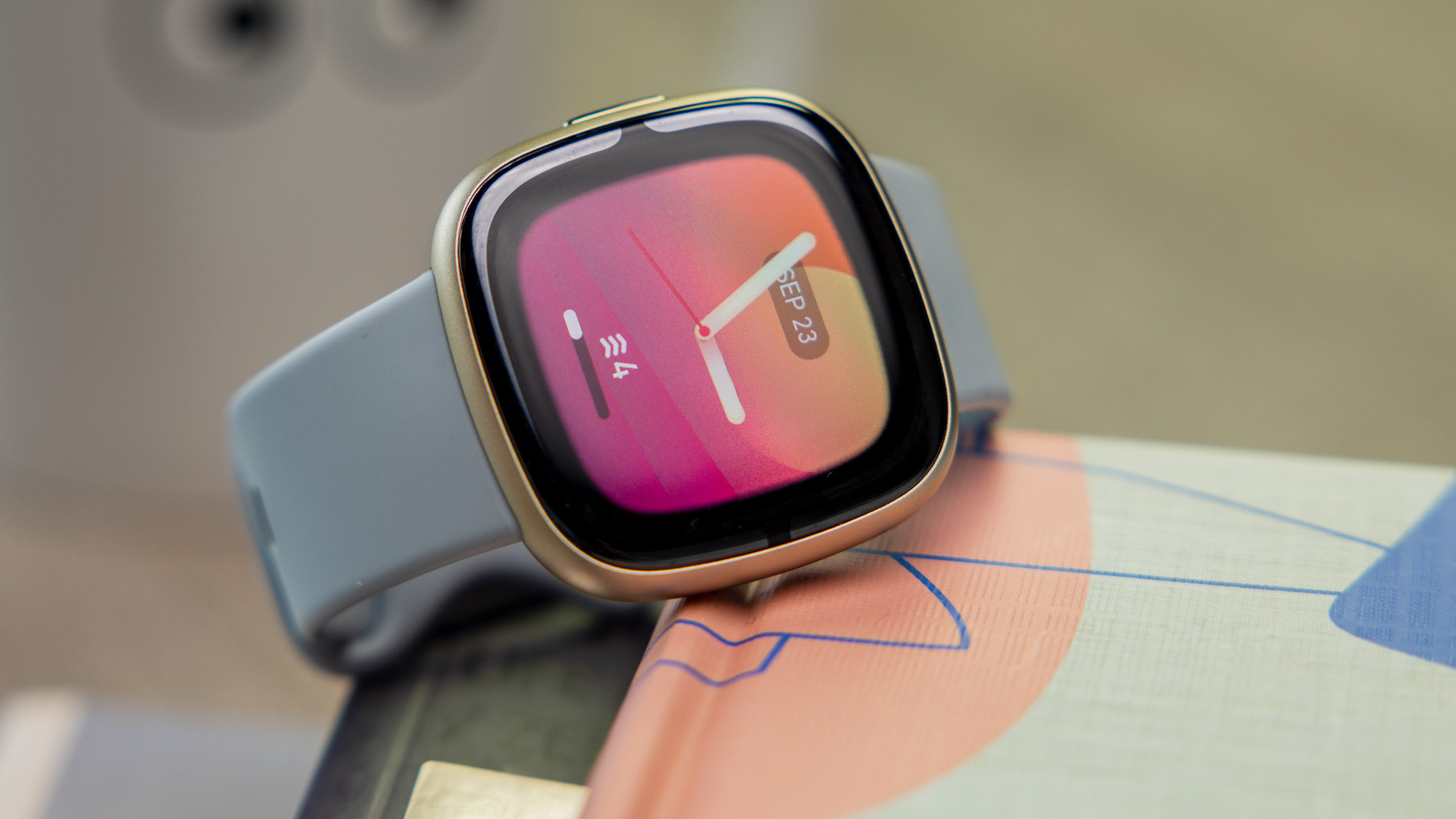
4. Fitbit Sense 2 – Latest But Not Greatest
Pros
- Improved software
- Deep metric tracking
- Solid battery life
Cons
- Clunky user experience
- No music controls
- No third party apps
The Fitbit Sense 2 is the sequel to 2020’s Fitbit Sense, but the new model is two steps forward and one step back. The Sense 2 does not have access to third-party apps such as Starbucks and Spotify, and nor does it have music controls for changing the track on your phone – all things the first-gen product has.
We’re certain this is because Google – who owns Fitbit – wants apps and smartphone controls to be exclusive to its Pixel Watch. But it’s very frustrating that the Sense 2 doesn’t have features of older Fitbits, making it less useful.
That’s a shame because the Sense 2 has superior build quality and is a lovely slim smartwatch. It tracks all your core metrics and is the only Fitbit, along with the first Sense, to also track your stress through a ‘body response’ sensor that can measure skin temperature and other signs to try and hep you understand your stressors.
It’s clever, but telling you you’re stressed might make you more stressed. We also hesitate to call the Sense 2 a smartwatch because Google has stripped it of smartwatch features. You’re oddly better off buying the original Fitbit Sense.
Who should buy the Fitbit Sense 2?
Users who want a holistic tracking experience for both health and fitness.
Fitbit Sense 2: Further considerations
It’s an overpriced product for beginners who want a simple fitness tracker.
Read our full Fitbit Sense 2 review
5. Fitbit Ace 3 – Best Fitbit For Children

Pros
- Designed for kids
- Parent and Kid Views
Cons
- Lacks heart monitor
- Less features than others
- Monochrome
The Fitbit Ace 3 is designed especially for younger children. It’s a well-priced, if basic, activity tracker. It lacks most of the more advanced health measurements that you’ll find on the pricier Fitbits but it has enough to motivate a family to up their exercise.
Until recently, children under 13 were not allowed to have a personal Fitbit account. Now the minimum age is 6 – as long as you use the Fitbit Ace 3, which measures Steps and Active Time, plus basic sleep monitoring.
Special family account features mean kids (and parents) can track their basic activity stats through secure Kid View and Parent Views; where they can see their progress, compete in challenges, and earn badges.
The Ace 3 is about exercise, not weight loss – Fitbit hides the calorie counter to stop children from obsessing about their weight.
Older kids might prefer a Fitbit that does more, such as measuring their heart rate. The Fitbit Inspire 2 might lack the Ace 3’s wraparound silicone padding but it offers a big bunch of features, including exercise modes, Cardio Levels, Sleep Score, Guided Breathing and for just £20/US$20 extra, and we’d recommend this for older or more responsible children.
Who should buy the Fitbit Ace 3?
Parents who want to inspire their kids to be more active.
Fitbit Ace 3: Further considerations
The monochrome display can be a bit boring on the eyes.
Read our full Fitbit Ace 3 review
6. Fitbit Luxe – Affordable & Fashionable
Pros
- Fitness and wellness features
- Colour touchscreen
- Fashion accessories
- Stainless Steel case
Cons
- Average battery life
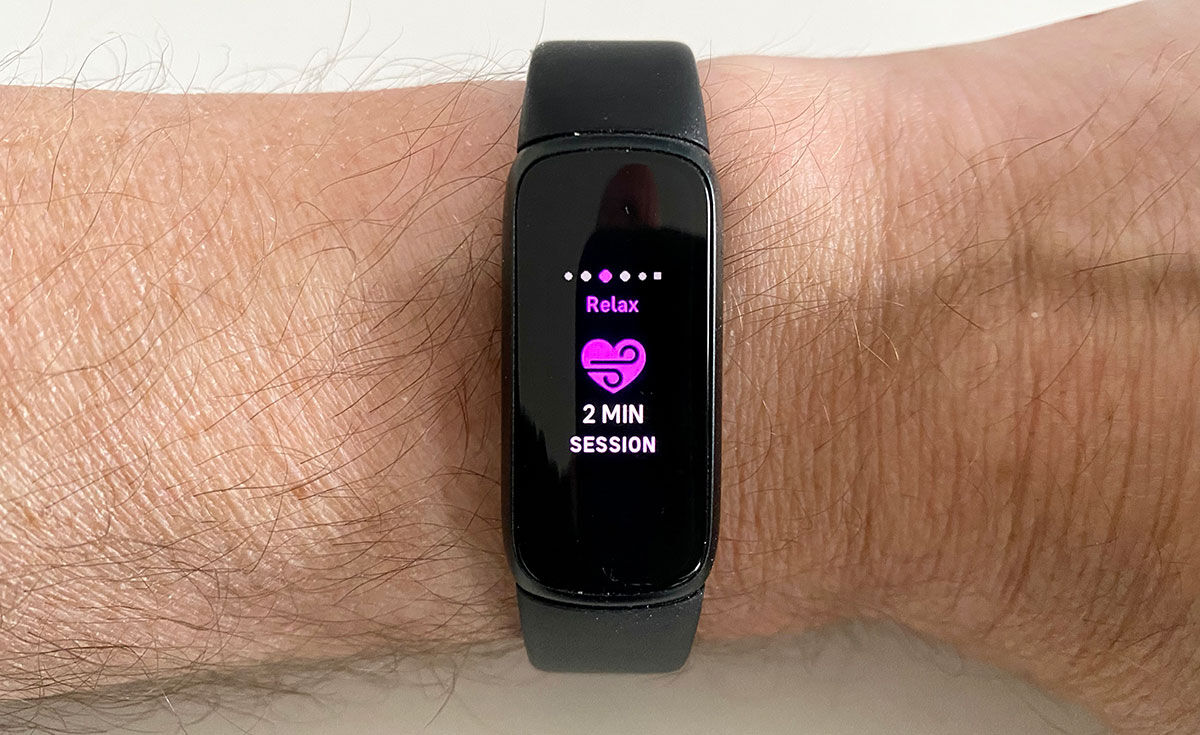
The Fitbit Luxe’s feature set covers all the fitness and wellness basics – steps, calories burned, Active Zone Minutes, distance travelled, heart rate, sleep tracking, swim tracking, guided relaxation breathing, the ability to auto-detect workouts, and smartphone notifications.
The colour touchscreen is really the Luxe’s standout feature in Fitbit’s range of trackers.
Maybe the Luxe stands for “Inspire 3 Deluxe”, as that’s what you get with the superior stainless-steel build and colour screen; an improved Inspire 3 build but with essentially the same fitness-tracking features.
The ability to dress it up with jewellery accessory options will appeal to many. But if you’re after the most affordable Fitbit, we recommend the Inspire 3.
Who should buy the Fitbit Luxe?
Fashionistas who don’t want to be bogged down with tech.
Fitbit Luxe: Further considerations
Battery life suffers due to the compact form factor.
Read our full Fitbit Luxe review
7. Fitbit Aria Air – Best Fitbit smart scale

Pros
- Syncs with Fitbit app
Cons
- Other scales have more metrics
If you couldn’t care less about body fat percentage and other weight and body statistics, and just want your weight to be automatically synced to your Fitbit app, then the Fitbit Aria Air is the scale for you, and will save you a fair bit on the slightly more able Aria 2.
You also get your Body Mass Index (BMI), too, but nothing else.
If you want to dig deeper and monitor your body fat percentage and a raft of other metrics such as body fat percentage, water %, muscle & bone mass, then look at our other best digital smart scales reviews.
Who should buy the Fitbit Aria Air?
Consumers who want a smarter way to keep track of their weight loss journey.
Fitbit Aria Air: Further considerations
Although it syncs with the Fitbit app, the Aria Air isn’t as feature-packed as other scales.
Read our full Fitbit Aria Air review
Other Fitbits tested
Because of how infrequent new releases are in the world of Fitbit, any devices not featured on this list have been removed because they’re no longer easy to find. For example, previous-generation models like the Fitbit Versa 3 and the Fitbit Sense, while still great wearables in their own right, can only be bought second-hand.
Even though these previous-generation options can now be found for significantly less than their launch price (if you shop around), we don’t recommend seeking them out in favour of the current crop of Google-approved models as you may miss out on key updates.
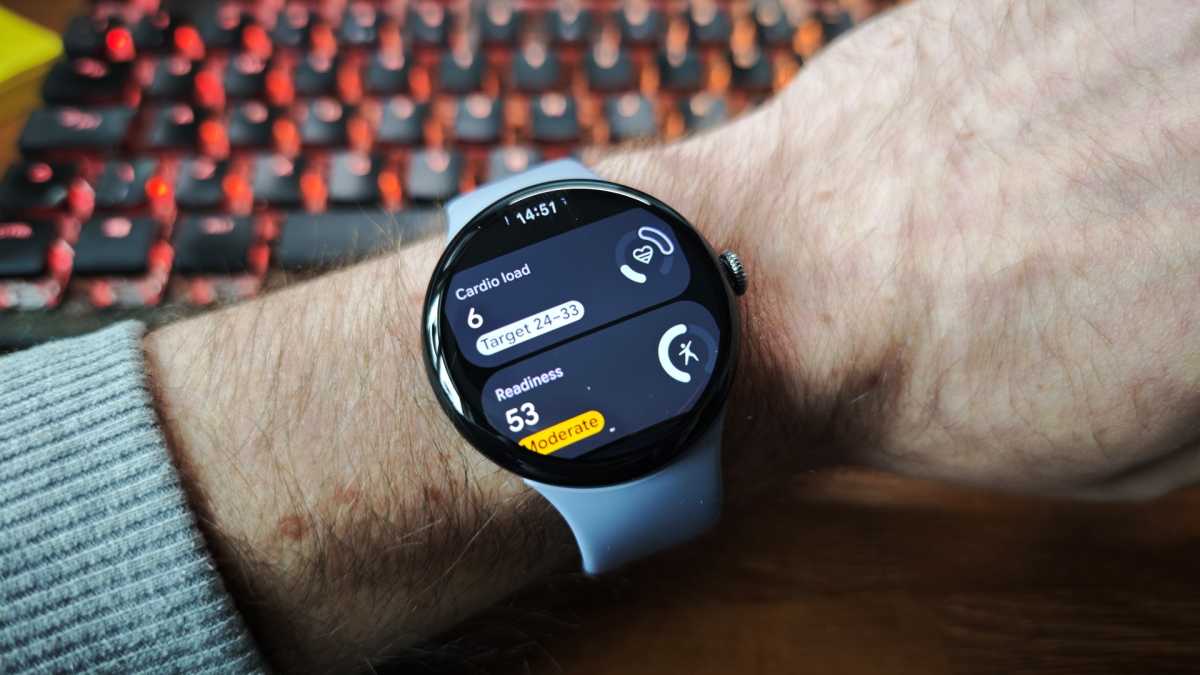
While this list is reserved for devices that have been released under the Fitbit umbrella, there is one key alternative out there that might be preferable to some buyers, and it’s the Pixel Watch 4. Although Google’s latest smartwatch runs on the company’s Wear OS platform, its fitness tracking software is entirely down to Fitbit, so you’re getting a near-identical experience when it comes to staying on top of your workout routine.
Chris Martin / Foundry
The fact that the Pixel Watch 4 can also be used for extra features like getting directions on Google Maps or checking your emails in Outlook, just sweetens the deal even further and makes the watch a must-buy device for anyone who wants the best of both worlds.
You could also consider the older Pixel Watch 3 at a lower price, but remember Google’s smartwatches still need Fitbit Premium to access all features.
Fitbit news that could affect your buying decision
Just like with the greatest plot twists in history, the demise of Fitbit seemed inevitable a few years after its acquisition by Google, but the brand has managed to escape the jaws of death and replace its once bleak future with a timeline that has us intrigued.
According to the most recent news, we could be getting a look at a new set of Fitbit trackers in 2026, alongside a potential reinvention of the Fitbit app. We don’t know exactly when in 2026 these upgrades might appear, but it’s exciting nonetheless, especially if it leads to a much-needed reset for the Fitbit brand that communicates a clear understanding of where Fitbit devices sit on the wearables market as a whole.
With all this in mind, unless you’re able to find one of the current crop of Fitbit wearables at a significantly discounted price, you might want to hold off until we know more about what Google has in store. At the very least, you’ll be doing yourself a favour if these newer devices end up having a certain feature that you’ve been wanting for years.
Can I get a better Fitbit deal?
While you can always rely on Tech Advisor to give you the most in-depth assessments on the latest must-have devices, it also pays to shop via our website as the deals widgets featured on all of our best lists will show you the lowest available price in real time.
Scouring the internet in the background, you’ll be presented with the best offers by default, so you won’t have to waste time looking for them yourself.
Simon Jary / Foundry
Still, if you’re not in a hurry to buy a new Fitbit device anytime soon then you can also wait until either the next Amazon Prime Day or the next Black Friday sale.
Both events typically bring down the price of Fitbit wearables by a considerable amount, although bear in mind that Prime Day, as you may have guessed from its name, requires you to have an active Prime membership in order to access the deals available.
How we test Fitbits
Just like with any other fitness tracker that we test, when a new Fitbit is presented to one of our tech experts, the device is worn for at least a week to see how it performs in everyday scenarios. This includes monitoring the performance at the gym and when out for a run, as well as tracking the battery drain in both heavy and light use-cases, so you can get a sense of what each device is like before you buy one for yourself.
Click here to read more about how we test wearables
Why you should trust Tech Advisor for Fitbit reviews and buying advice
Tech Advisor has covered the entire trajectory of the Fitbit brand, from its first days as a budding pioneer in the fitness tracking space, to its most recent Google-led releases, but over the course of that time our main mission has remained the same: provide insightful reviews for each device so that you can make the correct buying decision every time. That philosophy is key to everything that we do, which is why our tech experts will never steer you wrong.
Who curated this article?
This article was put together by Tech Advisor’s Managing Editor, Chris Martin. As someone who regularly switches between smart and analogue watches, it takes a great deal for a new Fitbit to become one of Chris’ new daily drivers, which is why he can single out the best options better than anyone.
How to choose the best Fitbit
Because there are quite a few options available within Fitbit’s wares, the best place to start is by considering where you are in your fitness journey and what your long-term goals are. For example, if you’re just starting out and trying to ease into a routine then the Inspire series offers a more affordable means of helping you to stay on track.
For the folks who might be a bit further down the line or who have a dedicated goal in mind, such as running a 5K or 10K then the Charge series is made with you in mind. These wearables have a slightly larger display, making them easier to read when getting in an outdoor run.
The only reasons why you would want to spend more and opt for the Versa or Sense devices are to have a few more smart features and more health tracking options. The Sense series in particular is better designed to track your stress levels throughout the day via an EDA sensor, so if you are someone who struggles to stay balanced amidst an avalanche of work and personal responsibilities, then the Fitbit Sense range can help you in that regard.
Alfonso Casas
Your buying guide for Fitbits in 2026
Why should I get a fitness tracker?
The benefits of getting more exercise cannot be exaggerated. Going for regular walks reduces the risk of heart attack or stroke by 31%. A study of 650,000 people found that being active for just 11 minutes a day after the age of 40 yielded 1.8 years of added life expectancy. Being active for an hour or more a day increased life expectancy by 4.2 years.
Exercise strengthens bones, boosts the immune system, lessens the risk of getting diabetes and a number of cancers (such as breast cancer), improves mood, and staves off senility. There is probably not a single organ in the body that does not benefit from exercise.
A healthy heart in our youth and middle age lowers the risk of developing dementia later in life, according to a study by Oxford University.
And it’s not just physical – a 30-minute walk can prevent a build-up of stress during the day, as aerobic activities help keep levels of the stress hormone cortisol in check.
10,000 steps a day is the standard recommended goal, although this has little scientific basis. What’s actually more important is how many minutes you are active in a day – experts recommend at least 150 minutes a week. It’s especially important if your exercise is on a bike, where steps don’t really count.
Unless you want a fully-fledged smartwatch, a fitness tracker is one of the easiest ways to stay on track with your health goals. And despite being bought by Google in 2019, Fitbit remains the leading name when it comes to fitness trackers.
What other features does a Fitbit have?
All Fitbits can measure Active Minutes, but other features often vary between models.
The more sophisticated Active Zone Minutes measurement is nowadays available across more recent Fitbits, including all models of Sense and Versa, plus Inspire 2 and later, Inspire 2 and later and Luxe.
Most Fitbits also have a 24-hour heart-rate monitor (Inspire HR, Inspire 2, Inspire 3, Luxe, Charge 4, Charge 5, Charge 6, Ionic, Versa Lite, Versa 2, Versa 3, Versa 4, Sense and Sense 2) feature Heart Rate Zones, Cardio Fitness Level, and Guided Breathing Sessions.
They also show advanced Sleep Stages data, including duration of Light, Deep and REM sleep, plus give a Sleep Score. Those without the HR (Ace 3, Ace 2, Inspire 1) offer more basic sleep tracking.
Learn more in our separate Fitbit scores and measurements explainer.
Which features do I need on a Fitbit?
All Fitbits have a built-in alarm, ATM water resistance, accelerometer and the ability to notify you of incoming calls and notifications and when you need to move. However, the following all vary considerably between models:
- Altimeter – allows you to measure stairs or height climbed
- Built-in GPS – allows you to record location data without needing to be connected to your phone
- Heart rate monitor
- Blood oxygen monitor
- Cardio Fitness Level – cardiovascular fitness metric based on your VO2 Max
- Six-axis gyroscope – can more accurately track swim strokes and laps
- Built-in speaker and microphone – allows you to answer calls from your wrist
- Automatic workout detection – data recorded even when you don’t manually start a workout
- Sleep tracking
- Guided breathing sessions
- Female health tracking
- Find your Fitbit – uses Tile network
- Fitbit Pay – replaced with Google Pay on some models
- Third-party app support – includes Spotify on some models
- Fitbit Coach app – provides on-screen video workouts
- Voice assistant support – Amazon Alexa or Google Assistant
If one or more of these features are crucial for you, make sure the Fitbit you’re thinking of buying has it. If in doubt, read the full reviews linked to for each of the top 10 above to learn more.
Do all Fitbits use the same app?
Yes. They are all compatible with the same iPhone and Android apps. Despite Google’s purchase of Fitbit in 2021, that looks to remain the case for the foreseeable.
The app displays all your daily and historical stats in beautiful graphs, that expand in landscape orientation, as well as display in portrait view. It’s here that Fitbit really beats its activity-tracking rivals.
The desktop dashboard is another visually attractive and informative place to monitor your activity and fitness statistics.
And as an incentive, you can link with friends, family and colleagues to compete against each other on the leaderboard, get involved in daily or weekly Challenges and Adventures, and win badges determined by passing goals, and historical milestones. These aspects of the Fitbit system really set it apart from many other trackers.
Should I get Fitbit Premium?
It depends what you’re looking for from a Fitbit. After an initial 90-day free trial, Fitbit Premium costs £7.99/$9.99 per month or £79.99/$79.99 per year.
Compared to the free version, it adds the following:
- Daily Readiness Score – gives you an idea each morning whether you’re ready for a workout or should be resting instead
- Workout videos and audio
- More detailed sleep data – just an overall score on free version
- Sleep Profile – monthly analysis of key sleep metrics
- More detailed stress management data – just an overall score on free version
- Mindfulness sessions
- Wellness Report – shows how activity, sleep, stress etc is impacting your body
- Recipes and nutrition tips
- Emergency Sharing, Fall Detection and Safety Check when without your phone – only on 4G LTE watches
Author: Chris Martin, Managing Editor, Tech Advisor

Tech Advisor Managing Editor Chris got his break as a reporter at infamous site The Inquirer and has been with us for more than 12 years. With a BA degree in Music Technology, audio is his specialism, but over the years he has reviewed all kinds of gadgets, from smartwatches to mesh Wi-Fi to coffee machines.