


As great as your smartphone is, it will soon run out of power and be useless. This is less of a problem when you’re near a power point with the right cable and charger, but a disaster if you’re on the move and without a charger or nearby power socket.
Unless you rarely leave your house, you need to carry in your bag or purse a handy power bank that can deliver immediate power to the fading phone and keep you going until you are back at base.
There is a wide variety of power banks to choose from. Don’t just choose on price alone as some models boast features that might be perfect for you and worth paying that little extra for.
Things to consider when buying a portable power bank
Capacity: the larger capacity (measured in milliamp hours or mAh) the longer your phone, tablet or laptop will last until its next re-charge. Standard sizes are 5000mAh (5K) and 10000mAh (10K) but can go higher when you need to recharge a laptop, a phone or tablet more than once, or charge devices multiple times between top ups.
Speed: both in charging your connected device (output) and recharging the bank itself (input). Charging speed is measured in Watts (W)—the more watts the faster the charge. Look for at least 10W and higher if possible. Some Samsung phones can fast-charge at 45W and iPhones around 30W. Don’t worry if the power bank can handle even higher (say, 100W) as the phone will only take in what it can—so higher is as safe as lower, just faster.
Ports: a power bank with more than one port can charge multiple devices at the same time. Make sure it has the right ports for you—either USB-C, USB-A or a mixture of both. Faster-charging USB-C is the more modern reversible connection used by most smartphones these days, but some device’s charging cables persist with the older rectangular USB-A connection—useful if your charging cable is not so new.
Wired or Wireless: many phones don’t need a cable to draw power from the power bank to the phone. Magnetic wireless charging—Apple’s MagSafe or Qi2 are fastest at 15W—is the most efficient wireless technology and is best with Apple’s iPhones from the iPhone 12 and later. Some power banks include a USB-C cable or connector built-in and so don’t require you to always carry a cable around with you. Wired charging is nearly always faster than wireless but often not as convenient or cable-tidy in operation.
Size and weight: a power bank is meant to be portable so it is easy to carry with you, ready for use when your phone is crying out for a recharge. Power banks come in all shapes and sizes and weights, and we have listed these dimensions alongside the reviews.
Displays: all power banks should display some indication of remaining battery life, either in the form of a series of small LED lights or an actual screen with a battery percentage display. The little lights are really all you need but the fancier percentage displays are easier to assess.
We tested each power bank using an iPhone 15 or 16 Pro to give an indication of how much recharge an average phone would get from each fully powered up power bank; results are listed with each review. All the power banks tested here will work with iOS and Android phones and tablets and even USB-C/Thunderbolt laptops.
Choose a trusted brand like the power bank manufacturers tested below. Battery safety is not just about trusting a power bank not to explode but also not to damage your phone or other connected device.
Best power bank reviews
1. Mophie Powerstation Mini 5K – Best compact power bank
Pros
- Compact size
- 100% recharge in tests
- Limited Gold edition
Cons
- Requires you carry USB-C cable
- Just one port

- Capacity: 5000mAh
- Ports: 1x USB-C
- Charging speeds: 20W output, 18W input
- Test result: 100%
- Size: 3 x 1.6 x 1 inches (7.6 x 4 x 2.5cm)
- Weight: 4.3oz (123g)
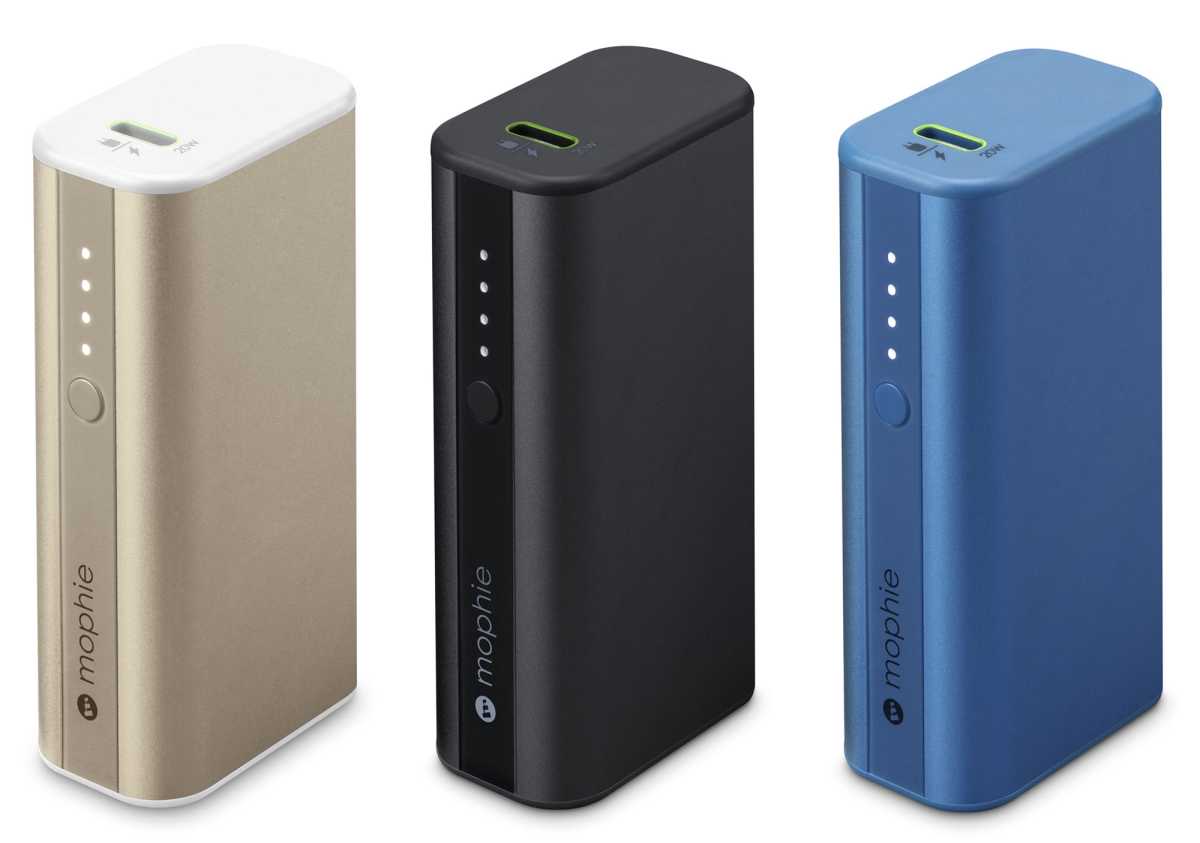
- Colors: Black, Blue, Gold
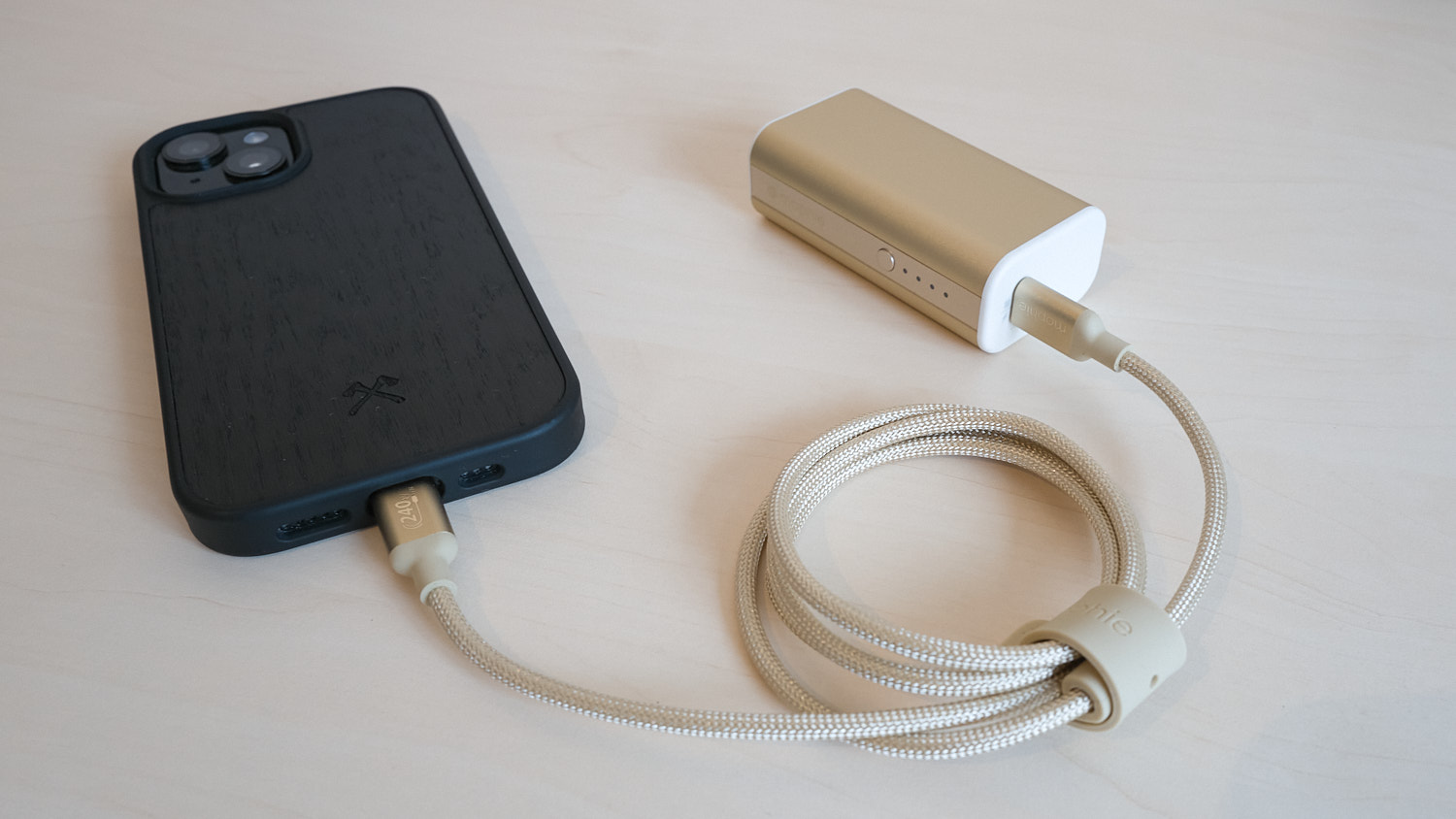
This is a compact power bank that will easily slip into a coat pocket or bag, offering enough power to get you and your phone back to base for a full top-up.
It’s a simple but good-looking power bank with just one USB-C port, which can charge at a reasonable 20W. Remember that you’ll need to bring along a charging cable (one is included in the package) to connect this battery pack to your phone.
In our tests it recharged a flat iPhone 15 pro to the full 100%, which is impressive for a 5K power bank.
Mophie
The Mophie Powerstation Mini 5K available in three colors, with a special Gold model exclusive to the Apple Store in some countries. My colleague on Macworld was rather taken with it; read his Mophie Powerstation Mini 5K review. While Apple sells it, it is just as great at recharging Android phones and other devices.
2. Anker Nano Power Bank – Best compact power bank with USB-C connector
Pros
- Built-in USB-C connector
- Spare USB-C port
- Lightweight
- Color choices
Cons
- Slightly wobbly using connector
- Capacity: 5000mAh
- Ports: 1x USB-C built-in, 1x USB-C port
- Charging speeds: 22.5W output, 18W input
- Test result: 71% recharge
- Size: 3 x 1.4 x 1 inches (7.6 x 3.6 x 2.5cm)
- Weight: 3.6oz (101g)
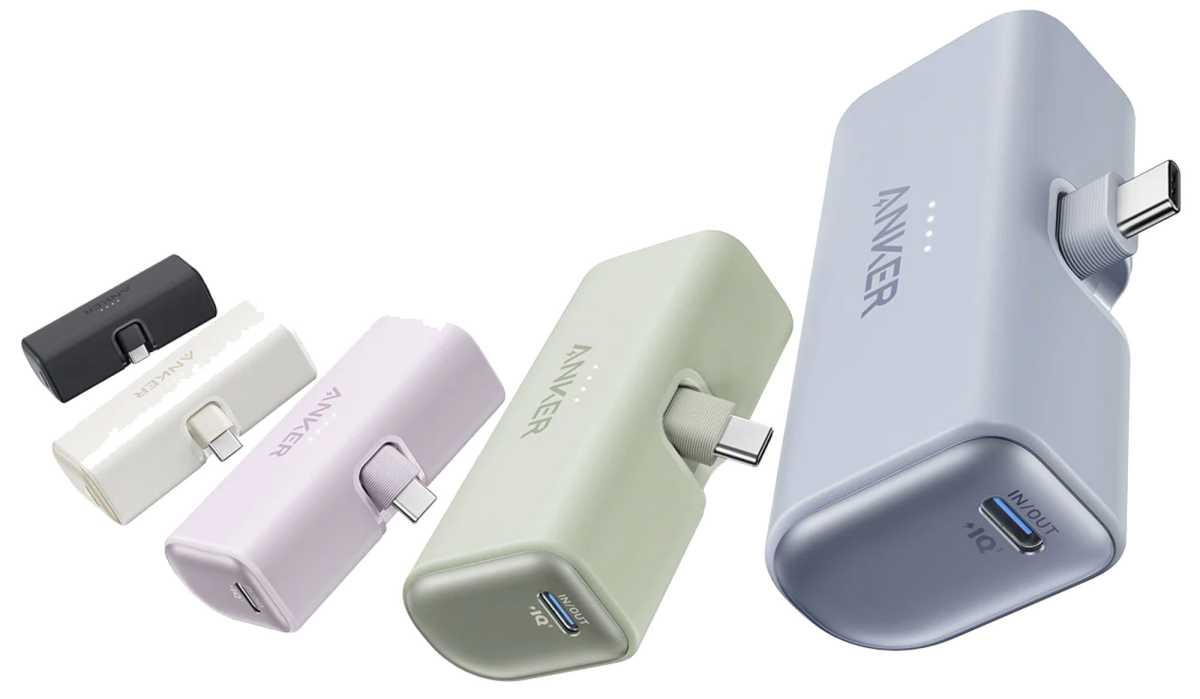
- Colors: Black, White, Blue, Green, Pink
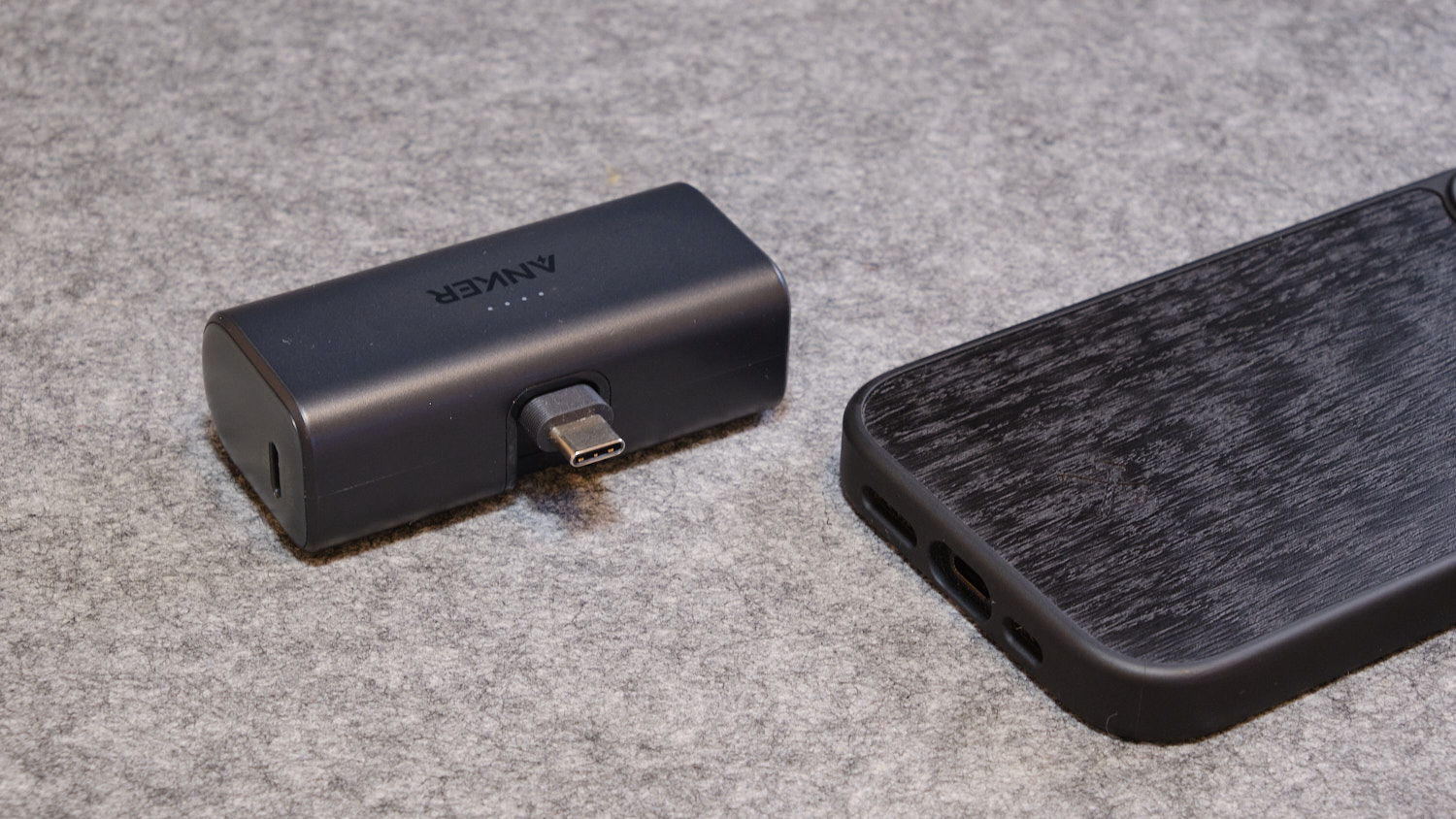
There is no need to carry a charging cable with you when using this compact and lightweight power bank as it includes an integrated USB-C connector. There’s also a spare USB-C port so you could charge two devices or use one to recharge the power bank and another to top up your phone at the same time; a USB-C to USB-C cable is included, too. Note that using both connections will limit total output to 18W—if you want the full 22.5W you should use just one of the charging points.
When using the built-in USB-C connector the power bank is a little wobbly at the end of the phone so would works best at rest on a surface or held firmly in your hand. When on the move, a cable connection might be more secure. Anker’s 30W Nano Power Bank is a better solution for charging while moving as the cable connection is more secure.
We got nearly a three-quarters recharge in our tests, which is about average for a 5K power bank—and possibly all you will need unless on a long-haul trip.
Anker
There’s a decent range of pastel colors to choose from as well as the classic black and white.
Read our full Anker Nano Power Bank (22.5W, Built-In USB-C Connector) review
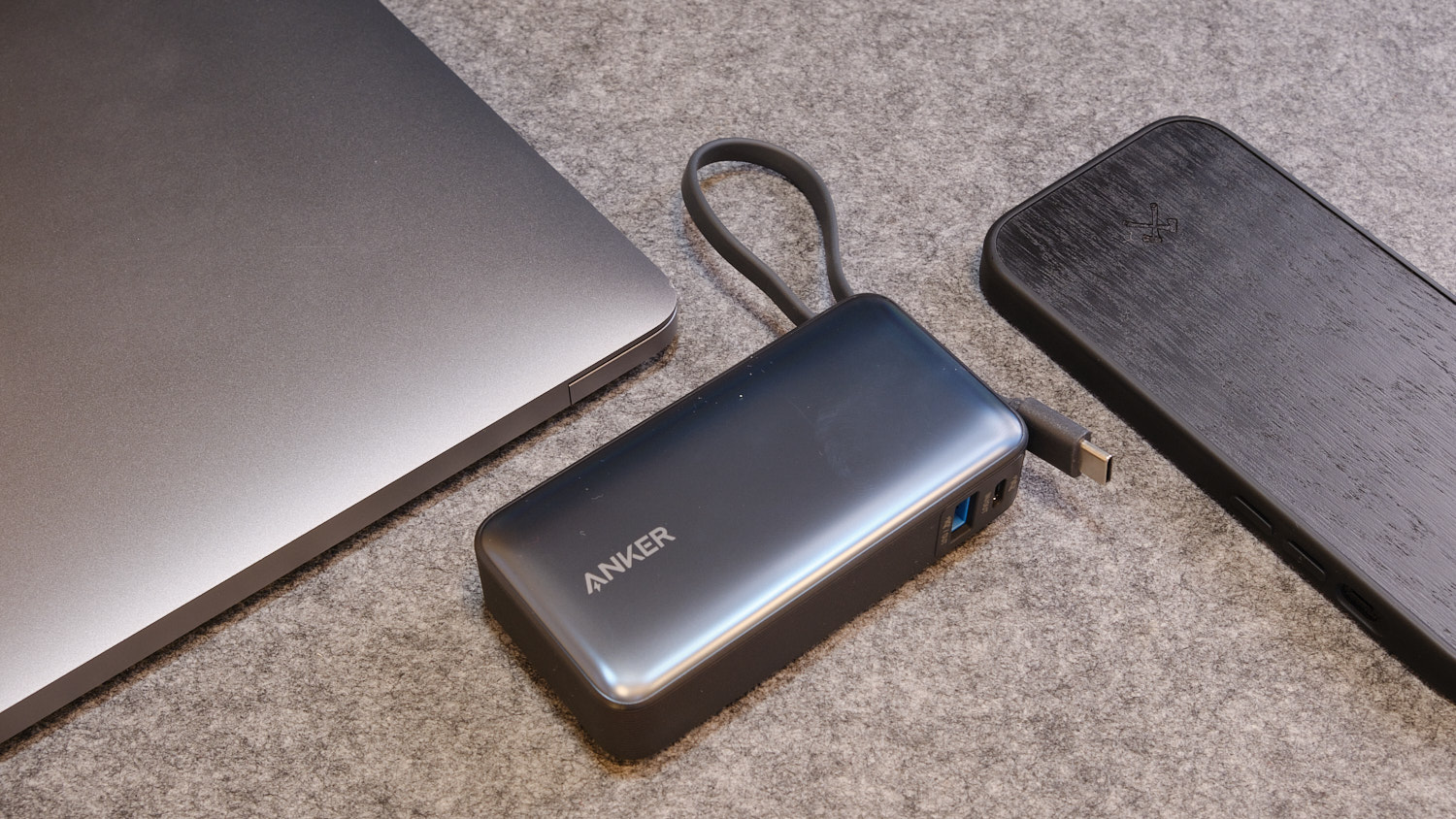
3. Anker 10K Nano Power Bank (30W, Built-In USB-C Cable) – Best power bank with USB-C cable
Pros
- Built-in USB-C cable
- 10K capacity
- 30W output and input
- Color choices
- Capacity: 10000mAh
- Ports: 1x USB-C built-in cable, 1x USB-C port, 1x USB-A port
- Charging speeds: 30W output, 30W input
- Test result: 169%
- Size: 4.1 x 2.1 x 1 inches (10.4 x 5.2 x 2.6cm)
- Weight: 7.6oz (215g)
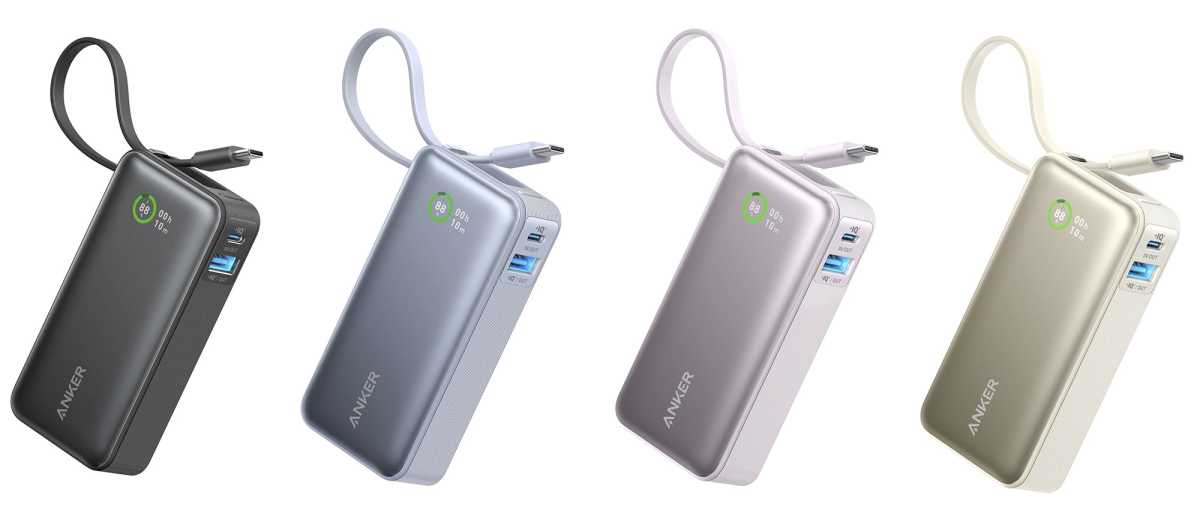
- Colors: Black, White, Blue, Green, Purple
With its own built-in USB-C cable, this version of the Anker Nano Power Bank saves you from carrying a snaking cable with you in your bag—if your phone has a USB-C charging port, of course. Owners of the iPhone 14 and earlier would need to connect using a separate Lightning cable but iPhone 15 and 16 users can plug straight in, as can owners of most modern Android phones.
As there are two spare ports—one USB-C and one USB-A—as well as the integrated cable, there’s plenty of charging flexibility available. You can charge up to three devices at the same time, but note that while either of the USB-C connections can output at 30W, using more than one port limits output to 24W overall.
It performed well in our tests, fully recharging an iPhone 16 Pro once and then again to 69% on second recharge.
Anker
The Anker Nano Power Bank 30W with Built-In USB-C Cable is available in a range of colors, and also in a slightly cheaper version without the cable, which might suit users of phones that don’t use USB-C, such as pre-15 iPhones, but we still recommend the cable version as this can be used to recharge the power bank itself.
Anker has another 10K power bank with a built-in USB-C cable that also boasts a 15W magnetic wireless (Qi2) charging pad—the Anker Zolo Magnetic 10K Power Bank might therefore appeal more to iPhone users.
Read our full Anker Nano Power Bank (30W, Built-In USB-C Cable) review
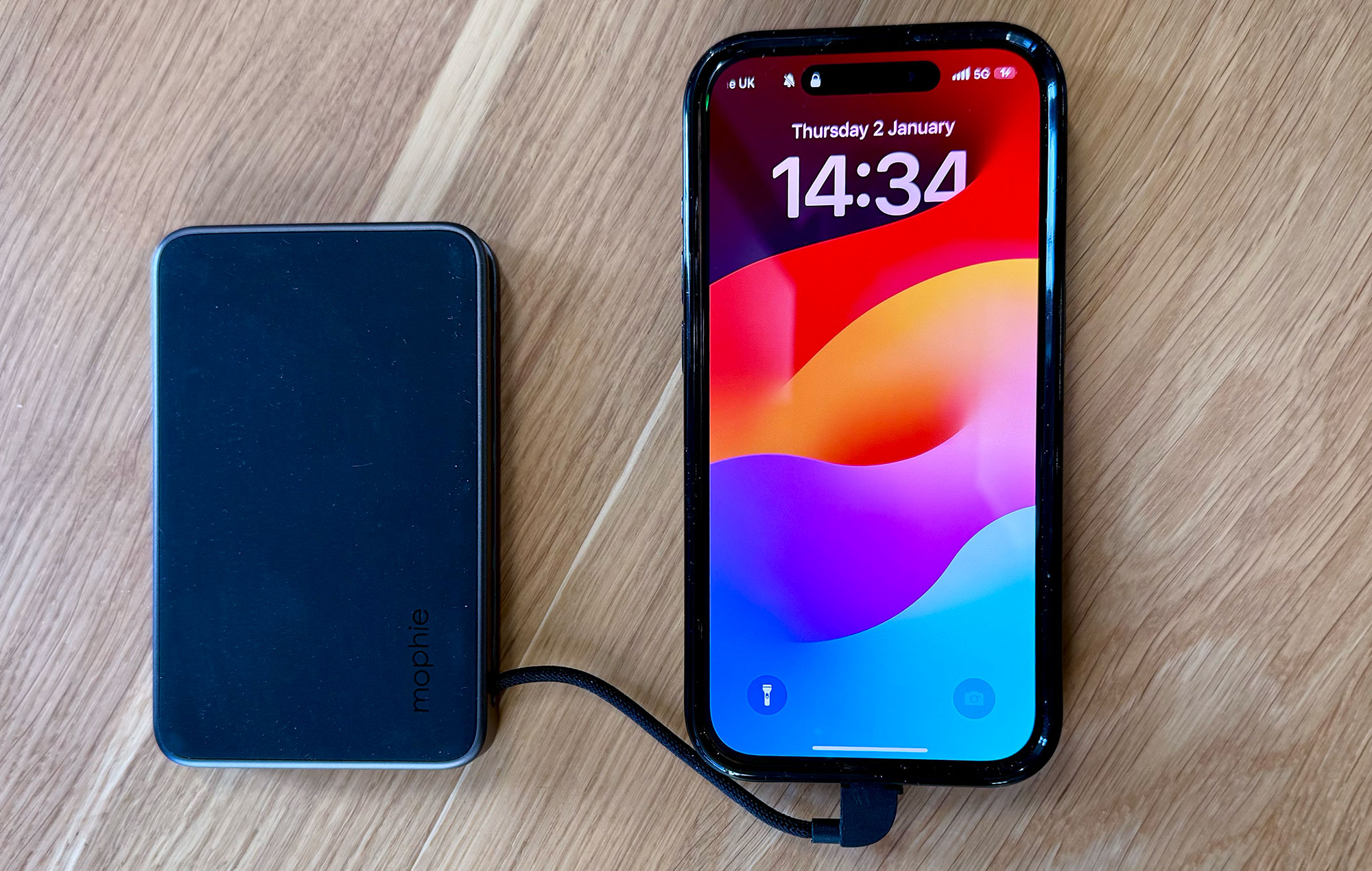
4. Mophie Powerstation Plus Mini 5K – Best slim power bank with USB-C cable
Pros
- Built-in USB-C cable
- Slim
Cons
- Black only
- Capacity: 5000mAh
- Ports: 1x USB-C built-in cable, 1x USB-C port
- Charging speeds: 20W output, 19W input
- Test result: 105%
- Size: 4.5 x 2.8 x 0.4 inches (11.5 x 7.2 x 1.1cm)
- Weight: 6.3oz (178g)
- Colors: Black
This is the slimmest 5K power bank we have tested, which is impressive as it features an integrated 3.5-inch USB-C cable that means it’s all you need carry with you as a power backup if your phone uses USB-C as its charging connector.
The spare USB-C port matches the cable with a decent 20W charging speed, and it can be recharged itself at close to the same rate.
This is a great option to slip into your bag. Mophie’s own cute Powerstation Mini 5K, reviewed above, is a smaller but chunkier alternative but lacks the built-in cable. Both performed well for 5K battery packs in our recharging tests.
Mophie’s Powerstation Plus features a 10K capacity and two built-in cables: one Lightning for older iPhones (pre-15) and one USB-C.
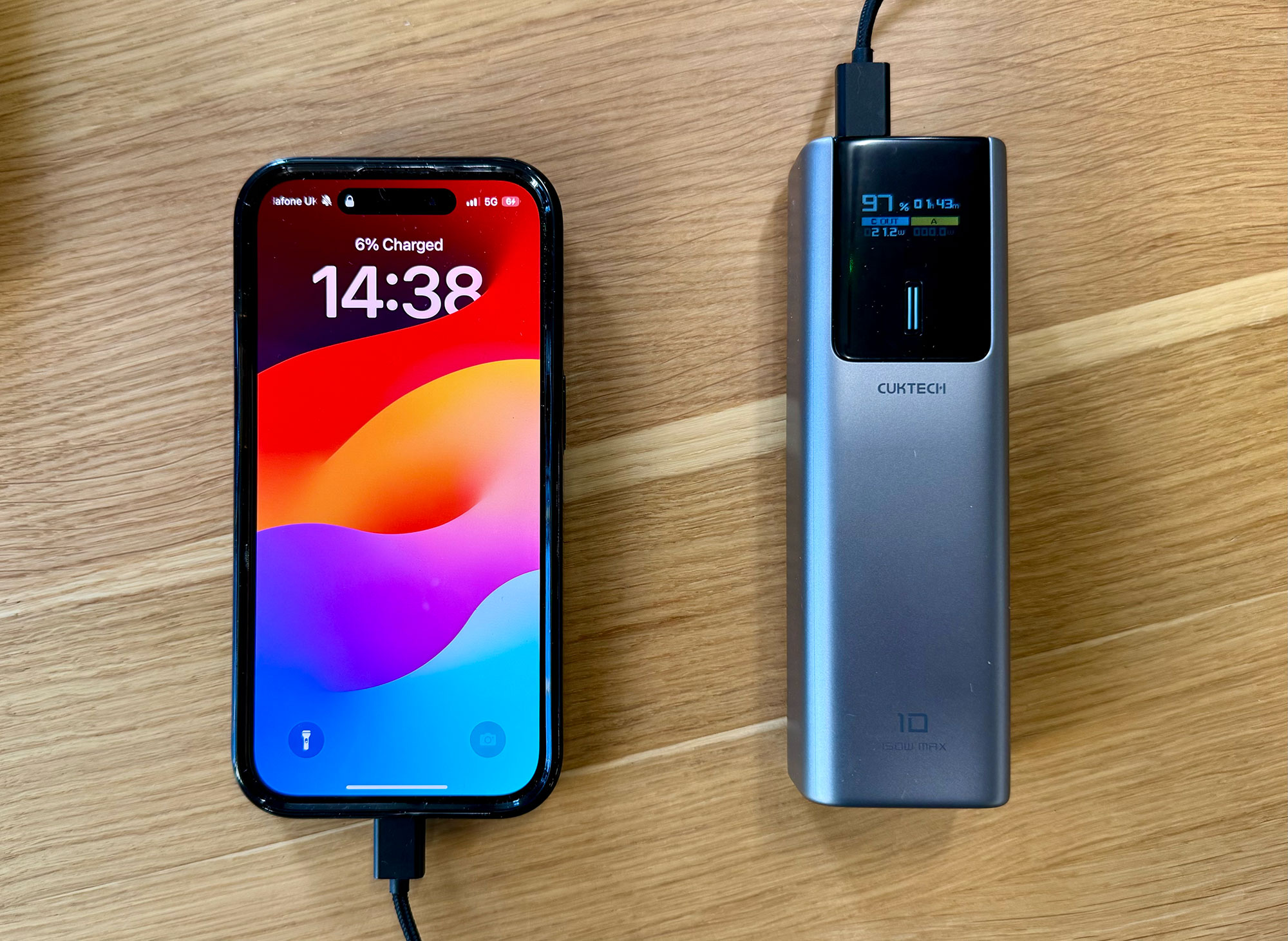
5. Cuktech 10 Power Bank – Best high-capacity power bank for input and output speeds
Pros
- High-capacity battery pack
- 100W output
- 90W input
- Smart display
Cons
- Requires you carry USB-C cable
- Capacity: 10000mAh
- Ports: 1x USB-C, 1x USB-A
- Charging speeds: 100W output, 90W input
- Test result: 160%
- Size: 5.6 x 1.8 x 1.3 inches (14.3 x 4.5 x 3.2cm)
- Weight: 10.2oz (290g)
- Colors: Aluminum
Looking more like a mini laptop power bank, this battery pack is compact enough to slip into a bag or a deep coat pocket for multiple phone top ups or simultaneous two-device charging. You’ll need to carry a USB-C cable with you, and the Cuktech 10 ships with a 240W-capable cable that can more than match its powerful 100W output—again hinting at its laptop prowess.
Use both USB-C and USB-A ports together for a total 133W power output. 90W input means the power bank can be rapidly charged back at base, ready for its next outing.
A smart TFT color screen provides real-time details of the remaining time for both charging and recharging, as well as voltage, current, battery level and power output.
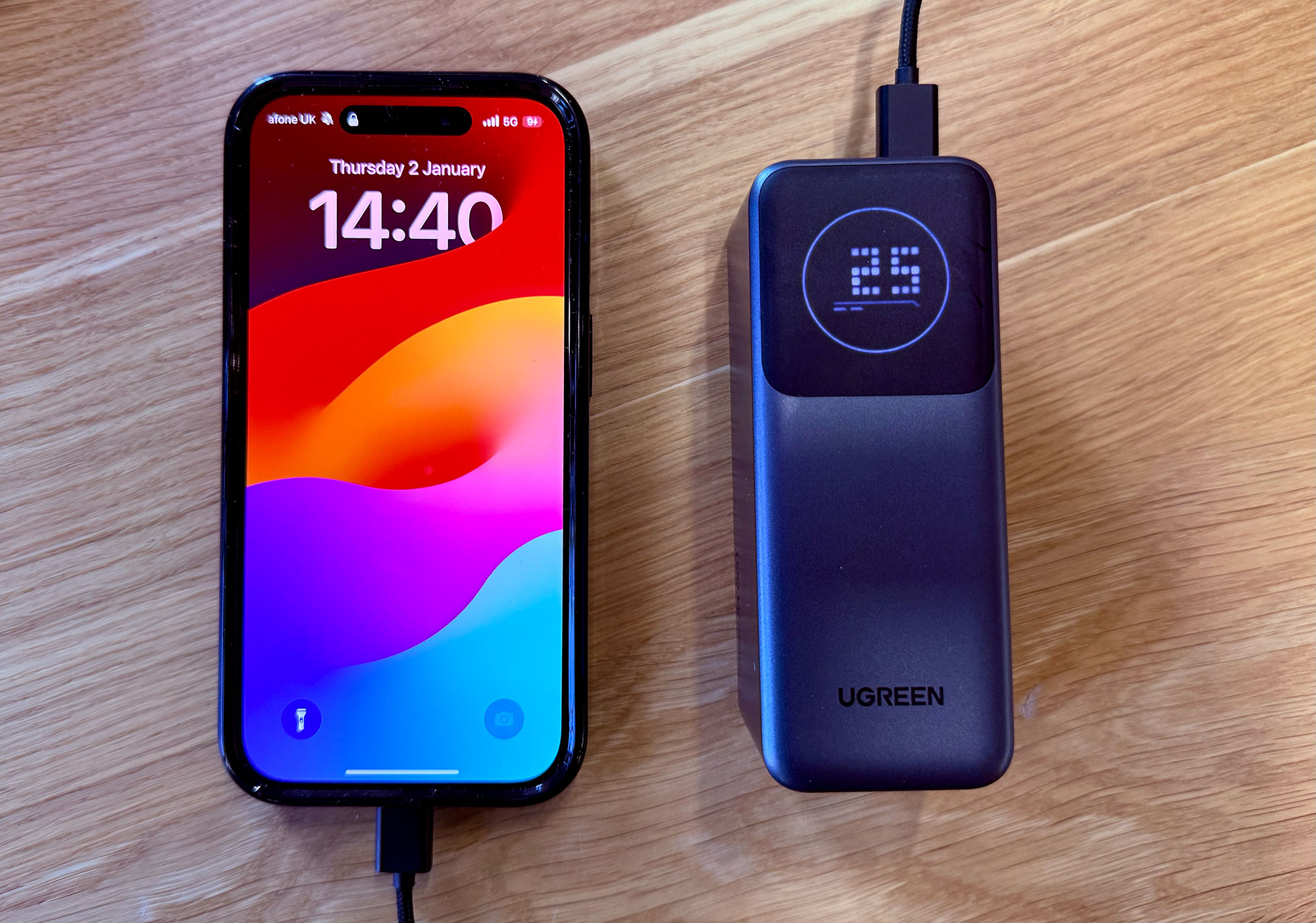
6. Ugreen Nexode 12000mAh (100W) – Best compact high-capacity power bank
Pros
- High-capacity battery pack
- 100W output
- 65W input
- Smart display
Cons
- Requires you carry USB-C cable
- Capacity: 12000mAh
- Ports: 1x USB-C, 1x USB-A
- Charging speeds: 100W output, 65W input
- Test result: 170%
- Size: 3 x 1.6 x 1 inches (7.6 x 4 x 2.5cm)
- Weight: 11.1oz (315g)
- Colors: Black, Blue, Gold
It’s not one to keep in your trouser pocket but this compact stubby 12K power bank fits neatly in hand, is deceptively lightweight and can output at 100W, which is enough for most laptops and easily fast enough for the most demanding phones. Its speedy 65W input means you can refill it quickly too.
There are USB-C and USB-A ports plus a smart screen to show you what’s going in and how much power is left in the power bank.
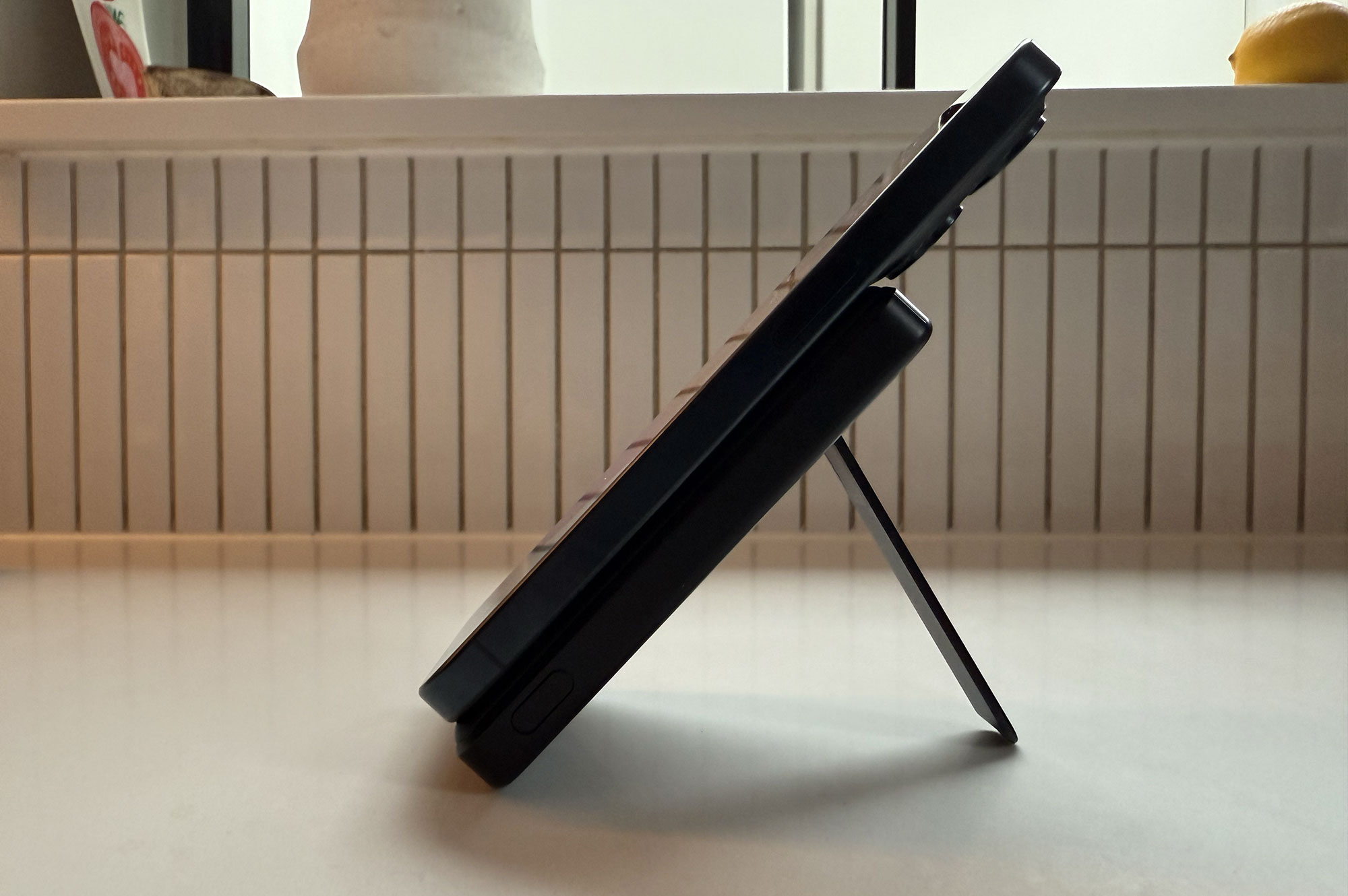
7. ESR Qi2 5K MagSlim Kickstand Power Bank – Best 5K wireless power bank
Pros
- 15W wireless charging
- Built-in kickstand
- Capacity: 5000mAh
- Ports: 1x USB-C, 1x Wireless
- Charging speeds: 20W output USB-C, 15W Wireless, 18W input
- Test result: 75%
- Size: 4.1 x 2.7 x 0.6 inches (10.5 x 6.8 x 1.6cm)
- Weight: 5.3oz (151g)
- Colors: Black, White, Titanium
Most phones can be charged wirelessly using at least Qi (pronounced “chee”) technology. More efficient is magnetic wireless charging using either Apple’s MagSafe or the near-identical Qi2. If it is Apple-certified MagSafe can wirelessly charge at 15W but is restricted to 7.5W if only “MagSafe compatible”. Qi2 matches MagSafe at 15W so charges at the same speed. Phones need to support magnetic wireless charging to reach these speeds. Apple’s iPhone range—from iPhone 12 on—is the most well-equipped for magnetic wireless charging.
ESR’s MagSlim range of power banks use the speedy Qi2 technology and is available in two capacities: 5000mAh ($43.99 / £45.99) and 10000mAh ($55.99 / £64.99). There are also cheaper versions available without the kickstand.
We tested the 5K model and it gave our iPhone 15 Pro a three-quarters recharge, which is a decent result for that capacity battery pack. The two Mophie 5K power banks performed better in our tests but crucially lack the magnetic wireless charging function that will appeal especially to users of the iPhone 12 and later.
This power bank is impressively slim at just just over half an inch—especially considering it has a robust kickstand built in so that you can magnetically clamp the phone to the front during charging and have the phone stand in either landscape or portrait orientation.
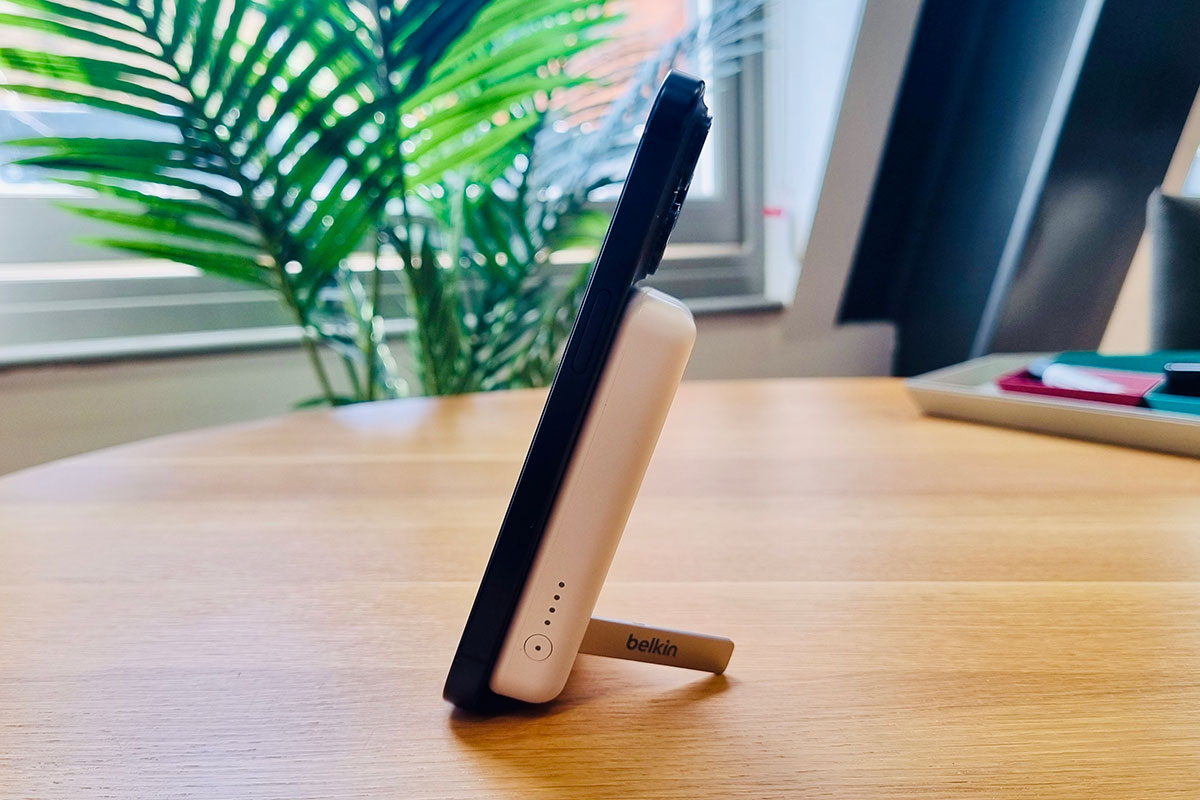
8. Belkin BoostCharge Power Bank 5K + Stand – Best budget 5K wireless power bank
Pros
- 7.5W wireless charging
- Built-in kickstand
Cons
- Not 15W speed
- Capacity: 5000mAh
- Ports: 1x USB-C, 1x Wireless
- Charging speeds: 10W output, Wireless 7.5W, 10W input
- Test result: 79%
- Size: 3.7-x-2.5-x-0.55 inches (9.4-x-6.4-x-1.4cm)
- Weight: 5.4oz (152g)
- Colors: Black, White, Lavender, Purple, Blush Pink
Belkin makes a range of magnetic wireless power banks. This is a great budget option that offers a decent power top up in a slim form with built-in kickstand.
The 5K capacity isn’t huge but our tests proved it a more-than-capable performer, giving a near 80% recharge. The real compromise is charging speed, with 7.5W MagSafe-compatible wireless charging and 10W from the USB-C port. If you’re not in a hurry, this is a well-made cheap solution to carry in your bag for recharging emergencies.
For faster wired and wireless charging, consider the ESR Qi2 5K MagSlim Kickstand Power Bank, reviewed above, or the Anker Zolo Magnetic 10K Power Bank for a larger capacity.
Belkin and Amazon offer a choice of four colors. You can spend a bit more to buy a 15W Qi2 version from Belkin and Amazon in either 5K, 8K or 10K capacities.
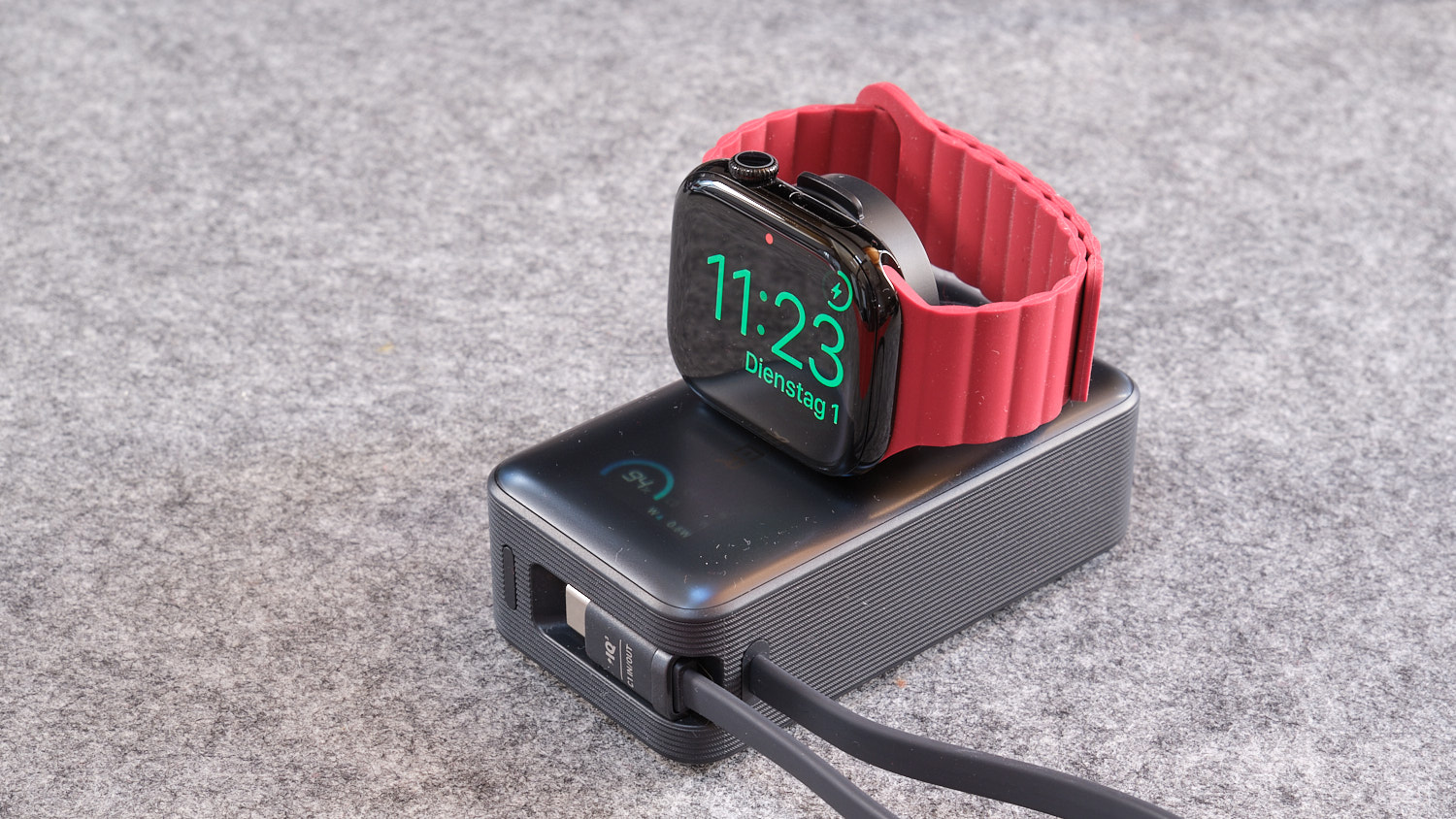
9. Anker MagGo Power Bank 10K for Apple Watch – Best power bank for Apple Watch and phone
Pros
- Fast fold-out Apple Watch charger
- Built-in USB-C cable
- Capacity: 10000mAh
- Ports: 1x USB-C built-in cable, 1x USB-C port, 1x Apple Watch charger
- Charging speeds: 30W output, 5W Watch, 27W input
- Test result: 160%
- 3.7 x 2 x 1.3 inches (9.5 x 5.1 x 3.2cm)
- Weight: 8.7oz (247g)
- Colors: Black, White, Green, Pink
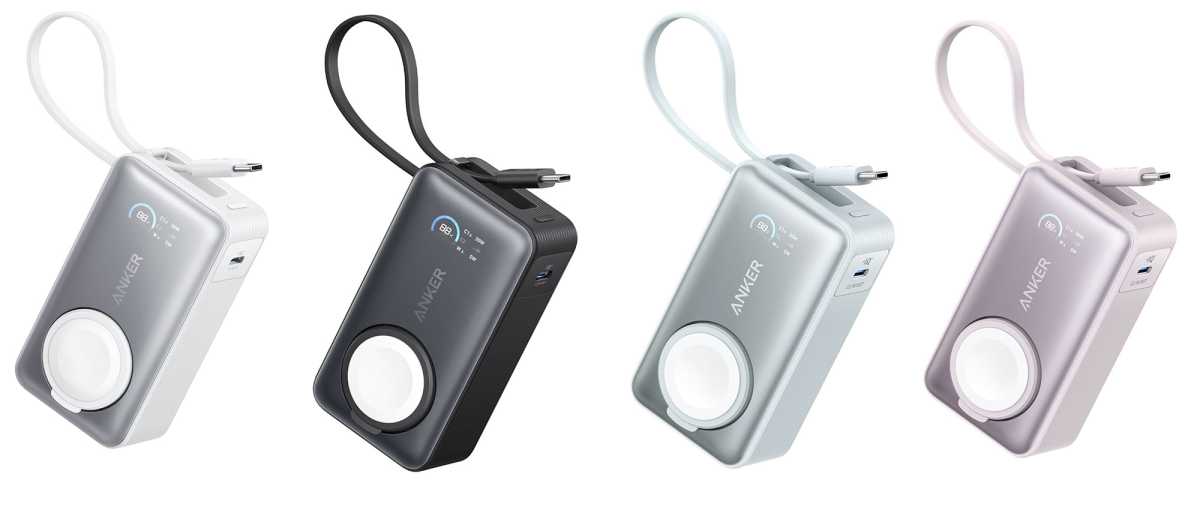
Looking much like the company’s own Nano Power Bank, reviewed above, this version of the Anker MagGo Power Bank includes not just an integrated USB-C cable but an Apple-certified Watch fast-charging pad that folds out of the main body, making it unobtrusive but amazingly useful when your Watch shows signs of flagging when you are away from your regular charger or power socket.
Apple Watch wearers will know the fear that a dead Watch brings with it: loss of activity measurements as well as on-wrist iPhone notifications. You can buy much cheaper Watch battery packs but few as solid and reliable as this one, which is also an able phone charger too, of course.
A third charging point is the spare USB-C port, which is also rated at 30W. Use both the built-in cable and the port at the same time and total output is limited to 24W, but either USB-C plus Watch charger offers the expected 35W maximum.
Anker
As with some of the power banks on test and recommended here, there’s a choice of colors to add a bit of personality to what used to be a black or gray product category.
Read Macworld’s full Anker MagGo 10K Power Bank For Apple Watch review and see its other recommendations for best Apple Watch power banks.
10. Ugreen 48000mAh 300W Portable Power Bank – Best mega-capacity power bank
Pros
- Mega 48K capacity power bank
- 140W output
- 140W input
- Carrying handle
Cons
- Way too large for pocket or bag
- Capacity: 48000mAh
- Ports: 1x USB-C (140W PD 3.1), 2x USB-C (100W PD 3.0); 2x USB-A (22.5W)
- Charging speeds: 140W output, 140W input
- Test result: 850%
- Size: 6.3 x 5.7 x 3 inches inches (16 x 14.5 x 7.6cm)
- Weight: 3.6lb (1.65kg)
- Colors: Gray
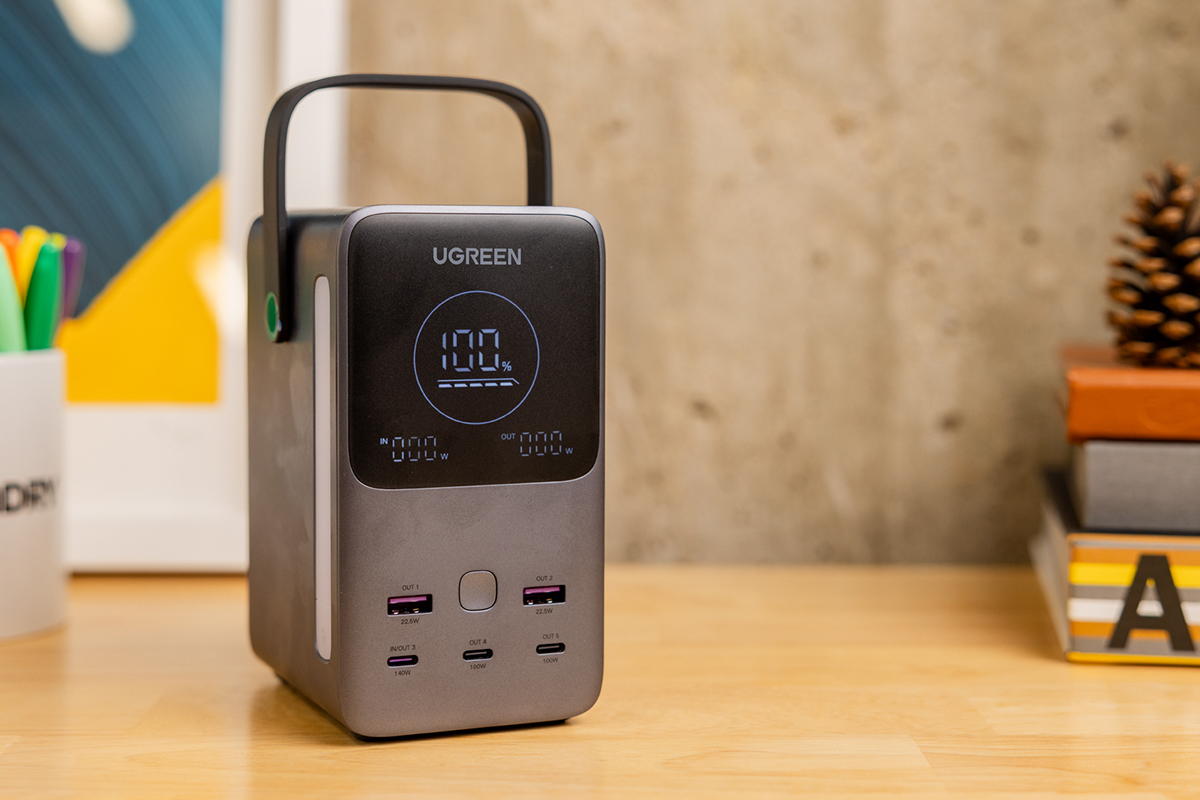
Sure, you won’t be taking this with you in a bag while walking or taking public transport but it’s a handy and compact power bank that is useful around the home, stashed in the trunk of a car or taken on camping trips to recharge multiple devices. Amateur preppers will love it; camo-wearing preppers should consider a larger power station—our colleagues at PCWorld have reviewed the best portable power stations.
In fact, the Ugreen 48000mAh 300W Portable Power Bank is the missing link between a laptop power bank and a full-blown power station. It has a huge battery capacity but is still portable with its carrying handle.
Keep it powered up in case of power outages and it should keep your laptop and phone going for days. In our tests we recharged a 14-inch M2 MacBook Pro 1.8 times, so you can expect to get maybe as many as two charges for a smaller laptop. With a speedy 140W output the power bank charged the laptop from 5% to 90% in an hour, which impressed us. 140W is also enough for the top-end 16-inch laptops that can be fast charged at that PD 3.1 rate.
There are five ports (three USB-C and two USB-A) with a maximum simultaneous power output of 300W. The smart display shows the remaining battery, total input and output power.
Read Macworld’s full Ugreen 48000mAh Portable Power Bank review.
FAQ
What capacity power bank do I need?
Don’t fall into the trap of thinking a 3,000mAh power bank will give your 3,000mAh battery smartphone a full charge, and that a 9,000mAh power bank will charge it three times. No portable charger runs at 100% efficiency. In truth, most average between 60-70%, with the best-performing models able to reach 80-90%. Wireless charging models may be less efficient still.
As a rule of thumb, a 5,000mAh bank is up to a single-charge device, 10,000mAh hits the sweet spot between capacity and portability, and you want to look for closer to 20,000mAh for a laptop. We’ve got some of those high-capacity power banks here—just don’t try to stuff any of them in your pocket!
How long does it take to recharge a power bank?
The time required to recharge a power bank will depend on its capacity, what you are using to recharge its battery and whether or not it’s empty—and the wattage rate at which it can input power.
We’ve listed the input speeds in the power bank reviews above.
For mainstream power banks, the fastest you’ll find is a USB-C inout/output that supports Power Delivery. This standard now goes up to a maximum of 240W, but in portable chargers you should expect to find an 18W port. Using such a port, the average 10,000mAh power bank might recharge in 2-3 hours from empty.
What is passthrough charging?
Passthrough charging allows you to simultaneously charge devices connected to a power bank and the power bank itself. It’s a very handy solution if you are short on mains power outlets and need to get multiple devices charged up overnight, for example. However, not all power banks support it, so be sure to check the spec of your portable charger before you buy.
How do I know how much power is left in my power bank?
Assuming you know how much capacity it had when full, you can work out how much power remains either through a series of LEDs on the casing (usually activated by plugging in a device to charge or pressing a button on the side), or via the LCD display if your power bank has one. LCDs are preferable, because they give a more accurate readout, particularly when it comes to higher-capacity power banks.
What are GaN power banks?
GaN is short for gallium nitride, which requires fewer components than traditional silicone chargers, which means power banks that use the technology can be less bulky and more efficient. If portability is your primary concern, then as well as considering the power bank’s capacity you should also look for one that uses GaN.
What is Power Delivery?
USB-C and USB PD are often confused, but the important thing to remember is that USB-C is a reversible connection type, while USB PD is a power delivery specification, overseen by the USB Implementers Forum (USB-IF) and often expressed simply as ‘PD’. With version 3.1 of the specification, Power Delivery is able to carry up to 240W of power plus data over USB-C (previously limited to 100W), but devices that support Power Delivery can range from 18W right up to 240W.
What is Quick Charge?
Quick Charge is a Qualcomm fast-charging protocol that runs on the Snapdragon processors we see inside many smartphones, hence it has become commonplace in the mobile market.
The latest version is Quick Charge 5, which operates at up to 100W and supports USB PD PPS. However, while they are often seen together, Quick Charge and Power Delivery are not the same thing.
Quick Charge 5 is a massive jump up from Quick Charge 4/4+, more efficient and able to run cooler and safer, and Qualcomm says it can get a device to 50% in just 5 mins. It is backwards-compatible with earlier versions of the protocol, including 18W Quick Charge 2/3, which are still very common in power banks.
Which outputs should I look for in a power bank?
The type and number of outputs you will need on a power bank depends entirely on what device or devices you want to charge. Pretty much all power banks have a USB-C output that you can use to plug in your own cable, and that is the fastest way to deliver a charge to your device. You’ll also find older USB-A and Lightning outputs, magnetic wireless charging pads and AC outlets if you shop around. Some power banks even have built-in cables to stop you needing to carry around your own, though you will still need one handy to recharge the power bank itself.
Why is the maximum output of a power bank important?
Some power banks have multiple outputs for charging your connected devices, but few power banks are able to simultaneously support all of them at the top advertised speed. Watch out for those that have a lower maximum output than the sum of all ports together. Also be wary of those that have multiple outputs but a very low capacity—these aren’t really designed for plugging in multiple devices, only to be versatile. The power banks we review above are all capable of charging multiple deices at the same time.
What happens when my power bank is more powerful than my connected device?
There is no need to worry about plugging devices into ports that are capable of delivering more power than the device is able to accept, since USB devices will draw only the power they need. Many power banks include technology that is able to intelligently dole out this power among ports more appropriately, depending on what devices you are attempting to charge (often known as Power IQ or similar).
What charging speed should I look for in a power bank?
The first power banks on to the market ran at 5W, which is the same speed as the original iPhone chargers (aka slllllloooooowwwww). We wouldn’t recommend anything below 10W these days. Some phones offer “Fast Charging” over 20W, and many of the latest smartphones now support super-fast wired charging, so it seems crazy not to buy a portable charger that supports that top speed if possible.
The standard your phone uses to achieve its top charging speeds is important here. Some have proprietary technologies that work only with accessories manufactured and sold by that company. Some offer fast charging through Quick Charge or Power Delivery. Some support neither Quick Charge nor Power Delivery, but do support protocols such as PPS (Programmable Power Supply) or SCP (Super Charge Protocol). Make sure the portable charger you buy matches the fast charging standard supported by your phone.
The term Power Delivery does not in itself denote a performance rating. It could be capable of delivering anything between 18W and 240W. This is particularly important if you’re looking to charge a USB-C laptop—anything under 30W won’t cut it, many laptops will refuse to play ball below 45W or even 60W, and some larger laptops might require 90W. You will need to check the spec of your laptop to know what speed it requires.
Can I take a power bank on a plane?
Yes, but it must be in your hand luggage, and if it is higher in capacity than 27,000mAh (100Wh) you will need to check with the airline before flying. Make sure you take it out your bag as you pass through security. If a power bank is damaged then it will not be allowed on the plane as it could become a safety hazard. You should also ensure the specifications are clearly printed on the side of its case, as is the norm.
We’ve put together a range of articles to help you choose the best charging tech for the mobile devices you carry everywhere. You’ll also like:
- For charging away from home: Power banks for laptops | Travel adaptors
- Best Wall & Desktop Chargers: For phones & tablets | For laptops
- For convenience: Best magnetic wireless charging power banks
- Best charging cables: Micro-USB | USB-C | Lightning
Author: Simon Jary, Contributor, Tech Advisor

Simon has over 30 years of expert experience testing and reviewing ever-smaller and more powerful tech accessories, from USB-C and Thunderbolt docks to chargers, batteries, hubs and adapters. A former Editor of Macworld, he has contributed to PCWorld, Tech Advisor and TimeOut, as well as national newspapers such as The Times, Independent and Telegraph.