

Got a vision in your head but no way to bring it to life? That’s where AI image generators come in handy.
Pollo AI makes it surprisingly easy to create images from scratch—whether you’re a complete beginner or someone who just wants to skip the hassle of traditional design tools.
In this guide, I’ll show you exactly how to use Pollo AI’s image generator to create the visuals you need. No fancy degree required.
What Is Pollo AI?
Pollo AI is a creative platform that lets you generate images and videos using artificial intelligence. Think of it as your personal design assistant that never sleeps.
The platform taps into multiple AI models—including Google Nano Banana, Midjourney, Ideogram, and so on—giving you different options depending on what you’re trying to create.
Whether you need a product mockup, social media graphics, concept art, or just want to experiment with wild ideas, Pollo AI’s got the tools to make it happen.
Getting started: How to use Pollo AI image generator
I have access to Pollo AI image generator, and here’s my actual process, step by step:
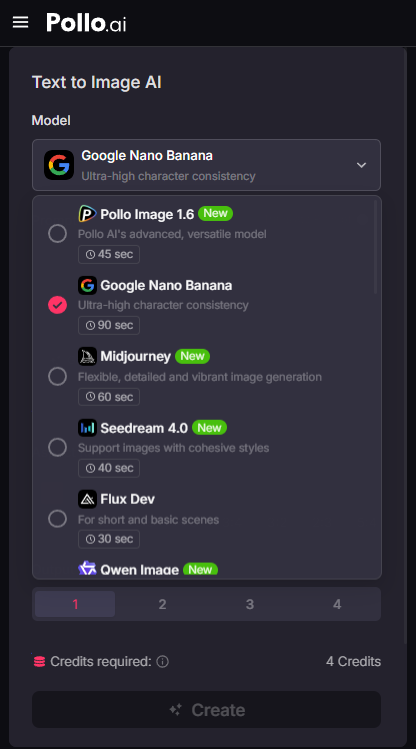
Step 1: Pick Your Model
Pollo AI offers several leading AI models, each with its own personality:
Pollo AI
Each model includes a brief description, and you can quickly grasp its key features.
This makes it easy for anyone to find the right fit—even with no prior experience.
Not sure which one to choose? Start with Flux or Nano Banana—they’re solid all-around performers.
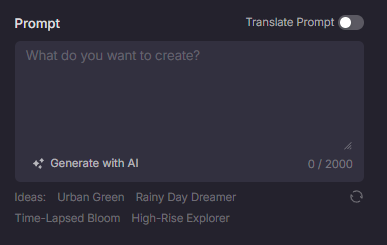
Step 2: Input Your Prompt
Describe what you want to see in the image. The more specific you are, the better your results will be.
Pollo AI
If you don’t know where to start, check the “ideas” below to get your creative juices flowing.
Pollo AI even has a built-in AI prompt helper to make creation easier.
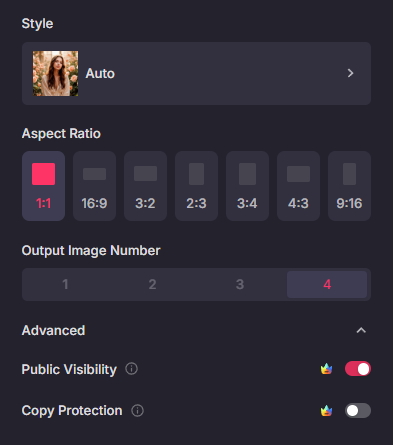
Step 3: Customize Your Settings
Before hitting generate, you can tweak a few settings:
Pollo AI
Style Options: Choose from photorealistic, anime, 3D render, watercolor, oil painting, and more
Aspect Ratio: Match your output to where you’ll use it—square for Instagram, widescreen for YouTube, vertical for TikTok
Number of Images: Generate multiple variations at once to see different interpretations
The available settings vary by model. Part of the fun is experimenting to discover your personal favorite.
Step 4: Generate and Download
Hit that “Create” button and wait. Usually takes somewhere between 10 to 30 seconds.
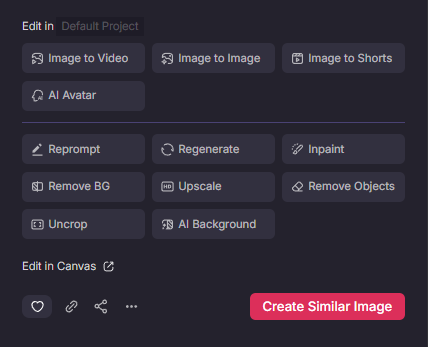
Once your image appears, take a look. Like what you see? Download it straight to your device.
Pollo AI
If the result is not satisfying, regenerate or adjust your prompt. It’s all about experimenting until you nail it.
Why you should consider Pollo AI
Plenty of AI image generators exist, so why use Pollo AI specifically? Here’s my take:
All-in-One Creative Platform
This is the big one. Pollo AI isn’t just an image generator—it’s a complete creative toolkit.
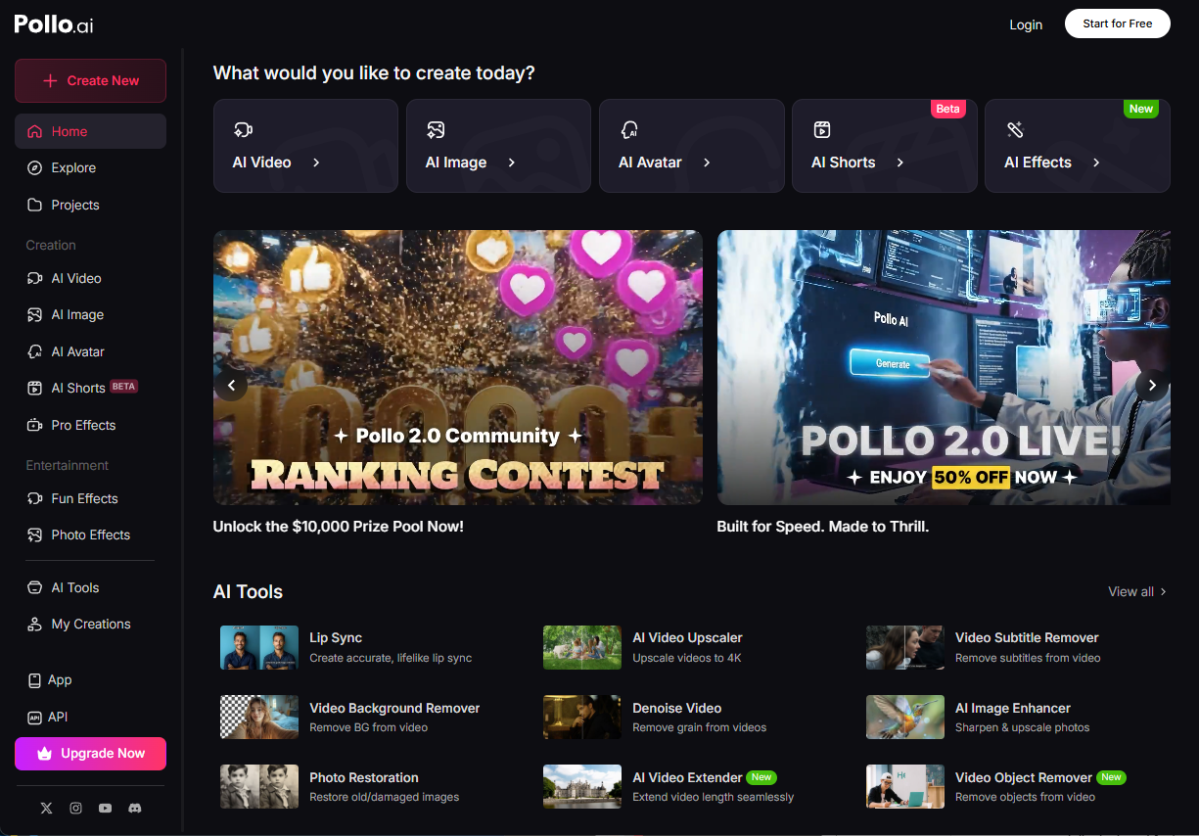
Pollo AI
Beyond AI image generation, you get access to powerful text to video AI and image to video AI capabilities for when you need to create video content.
Depending on your project needs, you can also explore features like AI avatar creation and AI short video generator.
If you want to edit existing visuals, you can find a variety of practical AI tools or adjust your video results through text with the AI Video Editor.
Everything lives under one roof. No need to bounce between different platforms or manage multiple subscriptions.
Multiple Model Options
With access to Flux, Imagen 4, Stable Diffusion, DALL-E, Recraft, Ideogram, and Nano Banana, you’re not locked into one AI’s interpretation of your ideas. Different models, different possibilities.
Suitable for All Users
Whether you are a content creator, an AI art enthusiast, or someone with e-commerce marketing goals, you can unleash your creativity and achieve satisfying results with Pollo AI.
For users who want to enhance their product’s appeal and attract consumers’ attention, Pollo AI offers specially designed features such as the AI Product Avatar.
Even in video effects, you can find creative effects specifically designed for products like AI Xmas Girl Product Ad and AI Chasing Products effect.
Wrapping up
Pollo AI has made visual creation accessible to everyone. You don’t need design software expertise or an art background—just an idea and a few minutes.
Start simple: pick a model (Nano Banana or Flux are good starting points), write a detailed prompt, adjust your settings, and generate. Look at the results, refine your approach, and try again.
The more you use it, the better you’ll get at crafting prompts and knowing which models suit different projects.
Ready to see what you can create? Give Pollo AI’s image generator a try and turn those ideas floating around in your head into actual visuals.