
In summary:
- Tech Advisor explains how to watch Love Island All Stars 2024, which premieres tonight featuring returning contestants like Millie Court and Whitney Adebayo filmed in South Africa.
- International viewers need a VPN with UK servers to access ITVX, though this violates the platform’s terms and may require server switching if blocked.
- The guide covers account setup with UK postcodes and applies to other geo-restricted services like BBC iPlayer. Detailed instructions are provided below.
If this dreary January is getting you down, here’s some news to cheer you up. Love Island UK is returning with a fresh season of All Stars tonight. The series was delayed by wild fires in South Africa where the show is filmed, but it’s been confirmed for a return tonight.
If you want to watch the new season or catch up on previous seasons to find out about the contestants who’ll be returning, keep reading for our step-by-step guide to watching it from abroad – the same way you can watch BBC iPlayer abroad, or watch American channels like The CW and Netflix US.
What is Love Island All Stars?
Love Island is now franchised across a number of countries: Australia, the USA, Poland, Sweden and more. But we’re talking about Love Island UK in this article. This version of the show largely features contestants from the UK and airs on ITV.
But even within the UK, there are two separate Love Island series, one of which airs in the summer and one in the winter.
The main show starts in early June and usually runs for around eight weeks.
But to keep fans going in the meantime, there’s a winter version of the show too: Love Island All Stars. That’s the version that’ll air next. It’s had two previous seasons, so the 2026 incarnation will be Love Island All Stars 3.
As the name suggests, Love Island All Stars features contestants who’ve previously appeared on the show.
It will be filmed in South Africa, like the first two seasons, and Maya Jama will return to host.
If you want to catch up on All Stars seasons 1 and 2, you can watch them on ITVX. We’ve got detailed instructions below if you’ll be tuning in from outside of the UK.
When will the next season of Love Island All Stars air?
Love Island is set to return to our screens at 9pm on 15 January 2026. It airs daily, except for Saturdays, when a round-up of the best “Unseen bits” from the week is shown. However, as the show was delayed by fires in the area, there will be a new episode on Saturday 17 January, instead of clips.
Which contestants will appear?
The starting line-up of contestants has been announced. There are 12 confirmed cast members who you can expect to see tonight:
- Millie Court
- Whitney Adebayo
- Jess Harding
- Belle Hassan
- Ciaran Davies
- Tommy Bradley
- Leanne Amaning
- Helena Ford
- Sean Stone
- Charlie Frederick
- Shaq Muhammad
- Jack Keating
You can get the tea on these contestants by catching up on previous seasons. See our step-by-step how to watch guide below. In addition, more previous cast members will join throughout the season as bombshells.
How to watch Love Island online
If you can’t catch the show on ITV 2, you can also watch it on the ITVX website, via the ITVX app (for Android here or iOS here), or on TVPlayer.com. You can also watch previous episodes on catch-up.
If you’d like to download an episode to watch offline, perhaps on your commute, you can subscribe to ITVX Premium, which is available with a seven-day free trial followed by a fee of £5.99 per month.
How to watch Love Island abroad
ITVX allows you to catch up on Love Island and other shows when you’re abroad. However, it is exclusive to people inside the UK.
There is a way around this, but it’s important to point out that these methods go against ITV’s terms and conditions.
In order to watch Love Island from any country in the world, you’ll need to use a VPN. This is an app that routes your internet connection through a server somewhere on the internet before it goes to the website or service you want to use.
ITVX is a UK-based platform, so you’ll need a UK-based server on your VPN of choice. This means you’ll be able to sign up from any other country abroad, such as Spain or the USA.
We successfully managed to sign up for ITVX with NordVPN, which offers a wide range of servers and affordable pricing. You can find other alternatives in our round-up of the best VPNs.
Once you’ve installed your VPN, here is what you need to do:
- Time to complete: 5 minutes
- Tools required: Laptop or phone
Find a server
Foundry
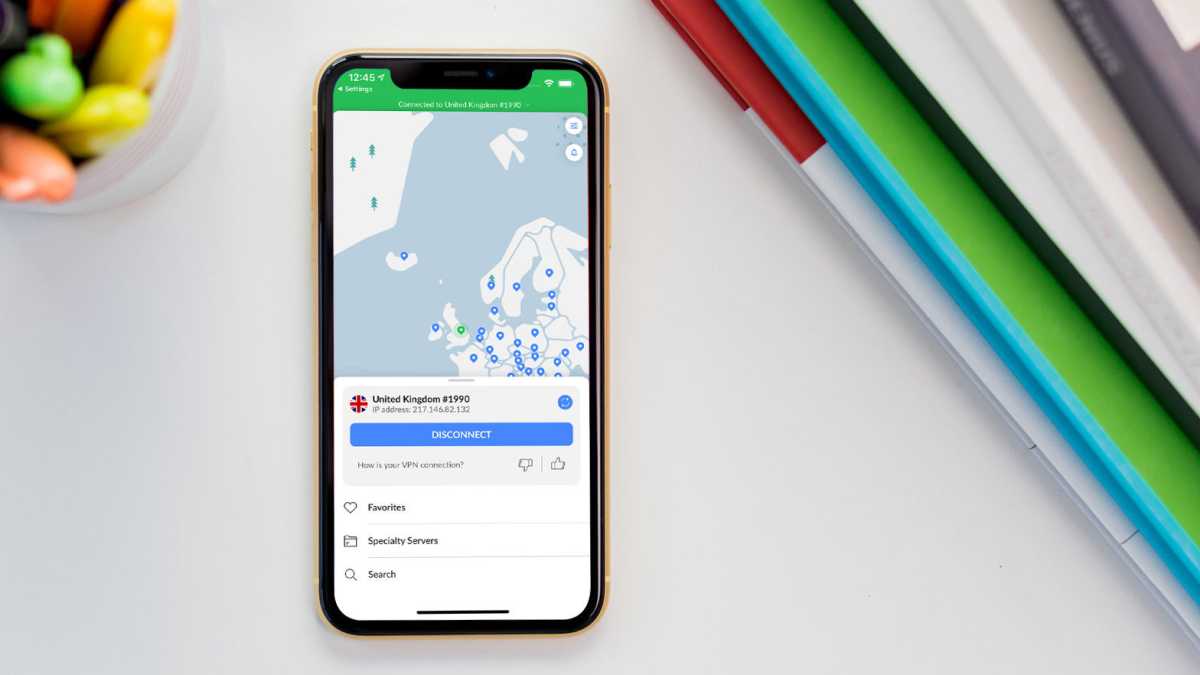
Open your VPN on your phone, laptop, or another device, and choose a server based in the UK.
Launch ITVX
Hannah Cowton / Foundry
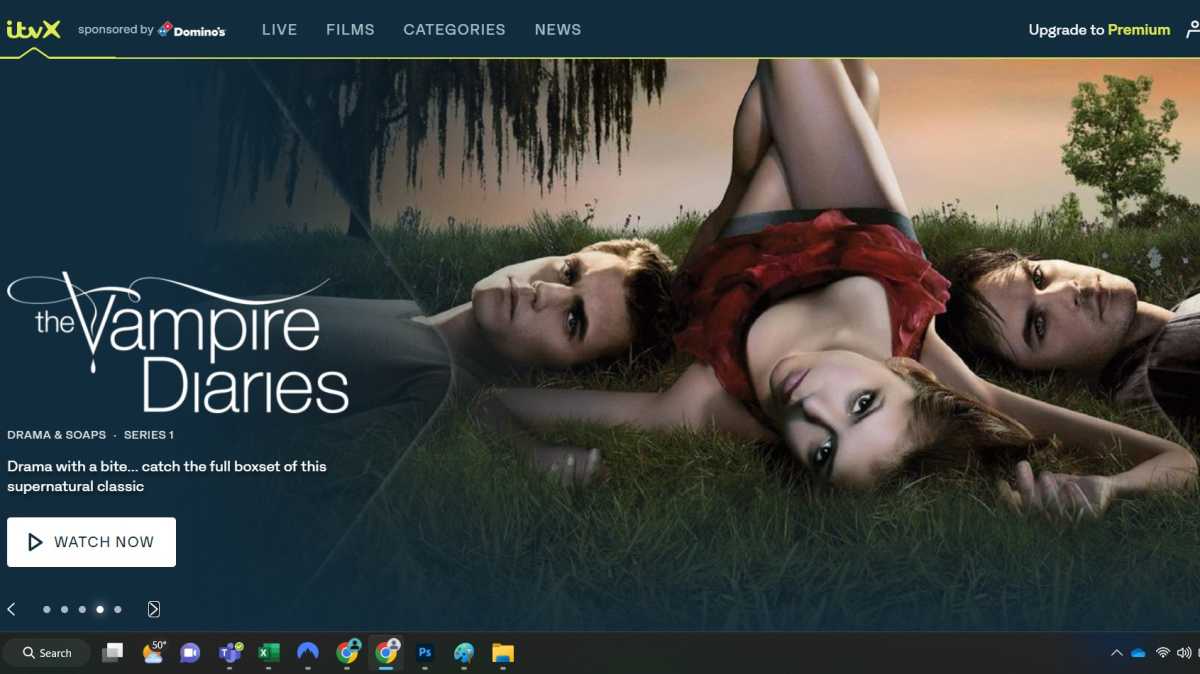
Go to the ITVX website or app on the same device – it should treat you as if you were in the UK.
If for some reason it doesn’t work, try switching to a different UK server on your VPN – streaming platforms like ITVX try to block known VPN IP addresses, so you might need to try a couple of different servers before you find one that works.
It’s also worth noting that if you have an ad blocker on, ITVX might block that – and since some VPNs have built-in ad blocking, you might need to turn off that part of the software.
Sign in
Hannah Cowton / Foundry
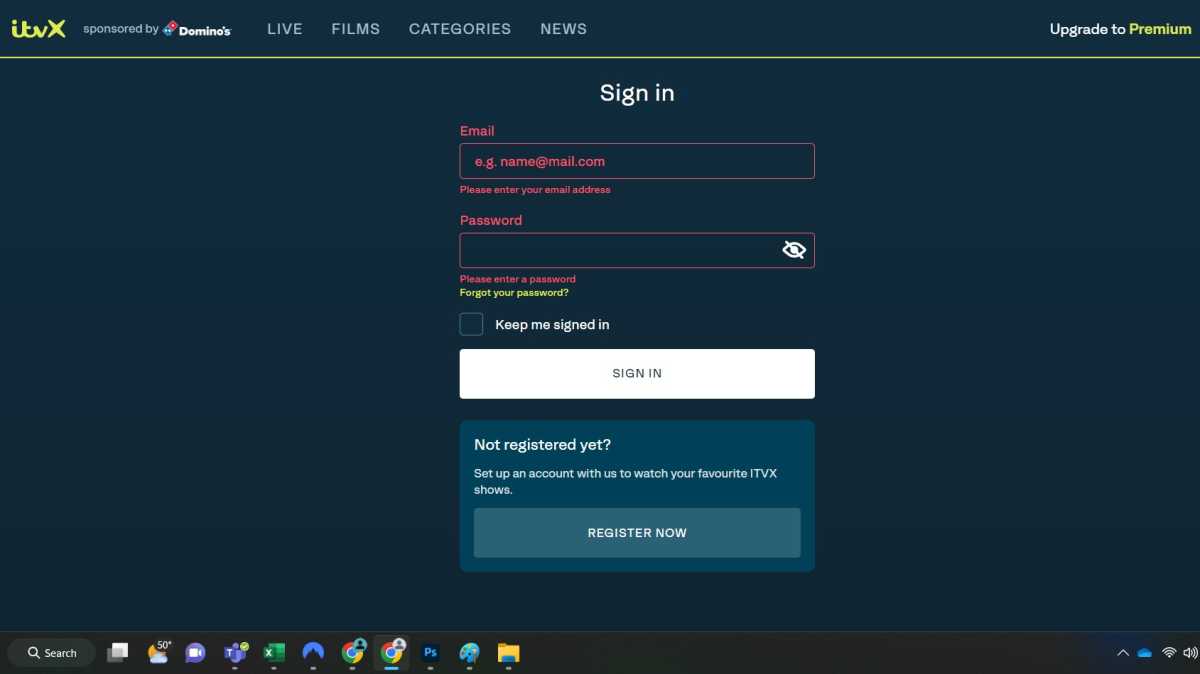
If you haven’t done so already, make sure you sign up for an ITVX account to watch. You’ll need to put in a valid email address, date of birth, and UK postcode. Then you should be able to sign in as normal.
ITVX can block VPNs from working at any time, so it’s possible that it won’t always work. You should be able to contact your VPN’s support to find out why.
It’s worth first checking that you don’t have Location Access enabled on the ITVX app because this can cause issues with using a VPN too. Navigate to the settings for ITVX on your phone or tablet to check.
Most VPNs will work on desktops or mobile, and there are also ways to install and use a VPN on devices such as the Amazon Fire TV Stick and games consoles.