


At a glance
Expert's Rating
Pros
- Stand-out design
- Easy to use Android overlay
- Solid battery life
- Excellent screen
Cons
- Middling software support
- Moto AI needs work
- Charging speed downgraded
Our Verdict
I wish every smartphone looked like the Motorola Edge 60 Pro. It’s simply gorgeous to look at, and feels very comfortable to use in the hand, and while it makes for a great everyday smartphone I do think it’s held back by Moto AI being somewhat undercooked, alongside a limited four years of support which puts it behind the competition. Still, even with those caveats, this is a great all-rounder.
Price When Reviewed
This value will show the geolocated pricing text for product undefined
Best Pricing Today
Best Prices Today: Motorola Edge 60 Pro

Motorola now has a solid track record when it comes to mid-range and budget phones, and that trend only continues with the excellent Motorola Edge 60 Pro.
If you’re looking to upgrade your current handset to a device that doesn’t exceed £600 at the checkout, then you’re spoilt for choice with options from big name brands like the Pixel 9a or the Samsung Galaxy A56. There are also plenty of choices from less widely known manufacturers, including the Honor 400 Pro, but I’d argue that Motorola has just provided a very solid reason for why you should ignore all of them.
Priced at £599.99 (it’s not available in the USA), the Motorola Edge 60 Pro is definitely on the brink of what you can class as mid-range before it moves into full-on flagship territory, but after using the phone for a week, I can easily say that this is one I’ll miss when I have to eventually eject my SIM card from it.
Design & Build
- One of the best designs I’ve seen on a phone
- IP68 and IP69 dust and water protection
- MIL-STD-810H strength rating
It’s fitting to kick things off with the design of the Motorola Edge 60 Pro because it is, by far, my favourite aspect of the entire phone.
There’s been a depressing trend with certain phones (the Honor 400 and Galaxy S25 range come to mind) wherein they’ve adopted the far more mute colours that you see amongst Apple’s iPhone 16 Pro range, and that’s a shame because it just means that much of the competition ends up appearing like a homogenous blob where aesthetics are concerned.
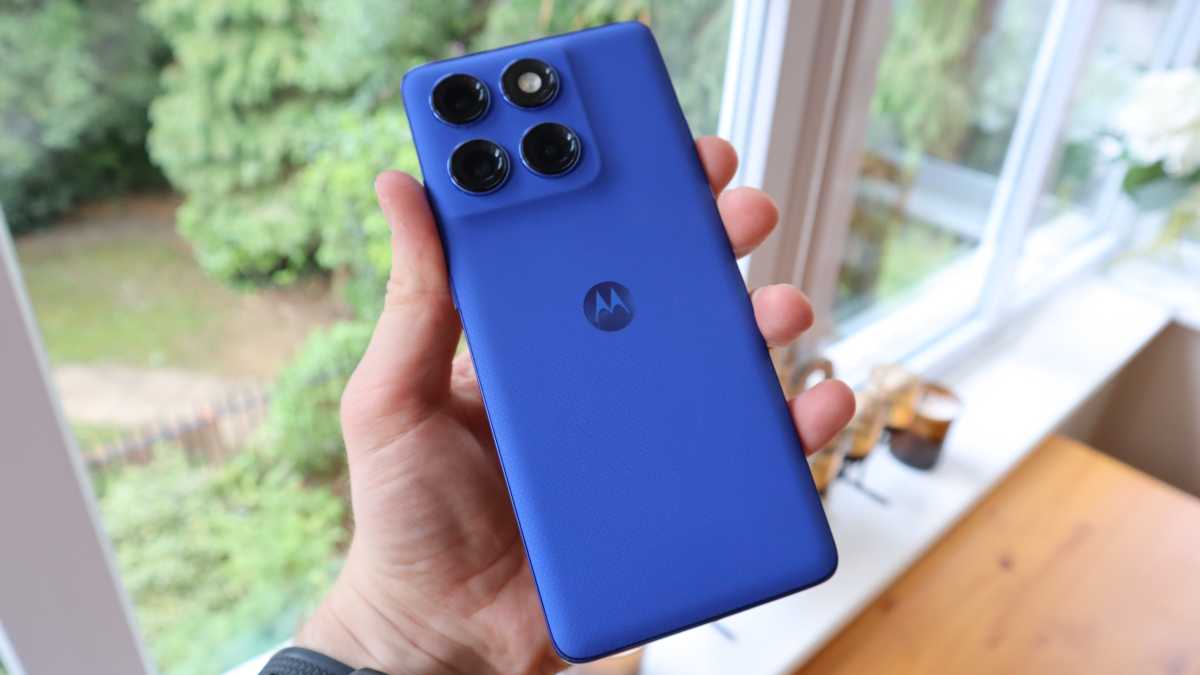
Thankfully, with the help of Pantone, the Edge 60 Pro features three distinct colourways (Dazzling Blue, Sparkling Grape and Shadow), all of which look incredible and offer different textured finishes. My review unit features the Dazzling Blue backing, and even though there is a case included with the phone, I haven’t been able to bring myself to pair the two.
Every time I see the back of this phone, I catch myself just staring at it in admiration – only Nothing through its CMF line injects a similar degree of vibrancy.
Thomas Deehan / Foundry
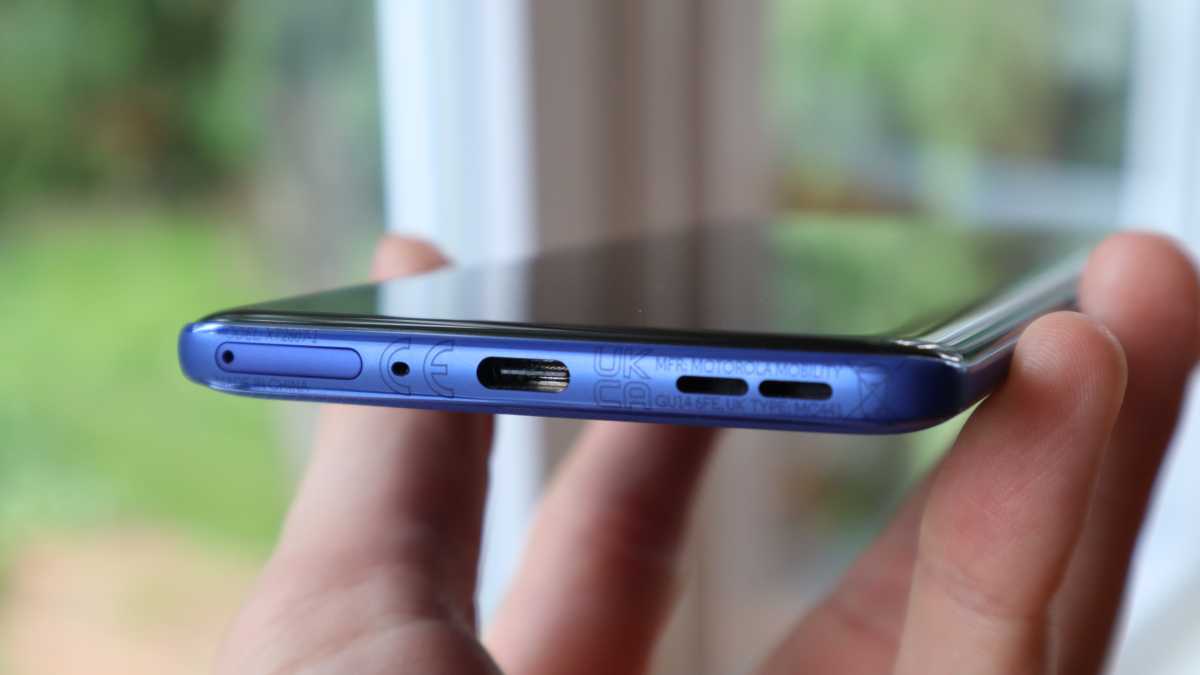
An additional reason why I didn’t fancy adding a case to the phone is that the device itself is brilliantly slim, and by extension, very lightweight in the hand. Coming in at just 186g and with a thickness of 8.2mm (which is barely more than the USB-C port at the bottom of the device), this is a phone that’s very much keeping up with the push for slimmer phones that Samsung has recently cashed in on with the Galaxy S25 Edge.
It’s also worth mentioning that, much like in the Pixel 9a, Motorola has sought to do away with a substantial camera bump on the Edge 60 Pro. It’s certainly some impressive engineering given that there are three camera sensors on the back of this thing, and it means that for the first time in quite a while, I haven’t had to deal with a phone that fights at every turn to burst through the front pocket on my jeans.
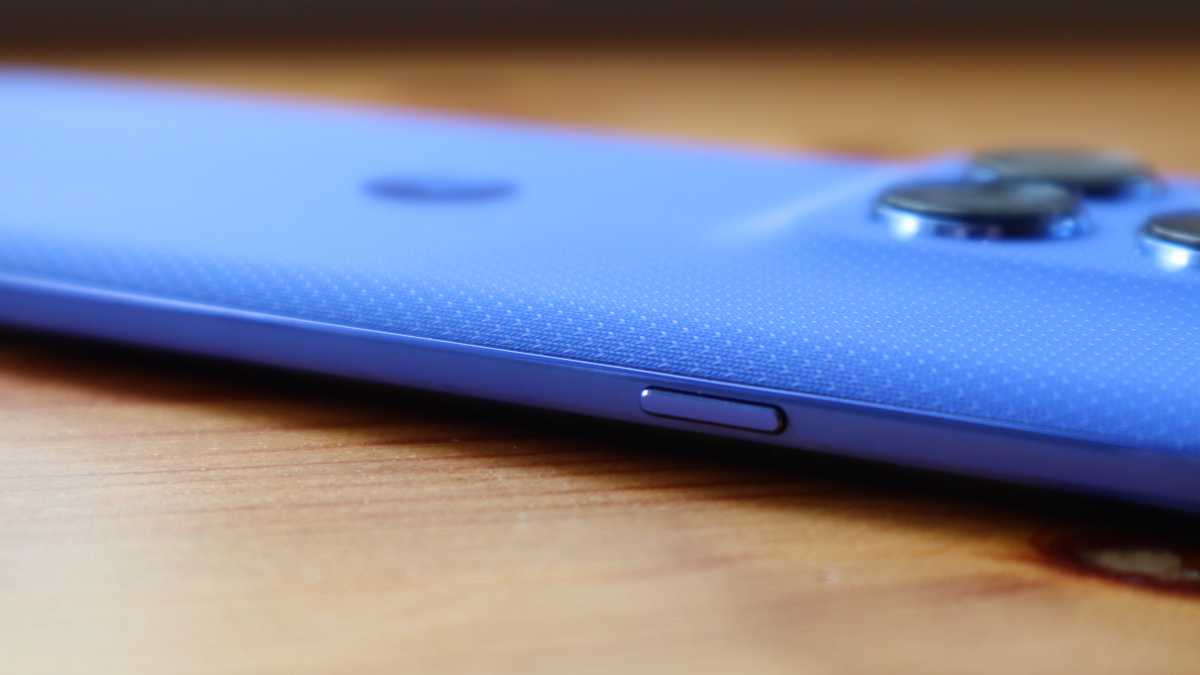
You have the three standard push buttons on the right-hand side, which are wonderfully clicky in use, but there’s also a fourth button on the left that can be used to summon Moto AI. Don’t expect customisation options like Apple’s Action Button, however, it’s just a case of deciding how long the button press needs to be before activation.
Lastly, although over the years Motorola has often opted for a water resistant coating rather than a proper rating, the Edge 60 Pro is both IP68/IP69 certified which is flagship level protection from dust and water.
Screen & Speakers
- A cascading 6.7-inch pOLED panel
- Very immersive for gaming and streaming
- Dolby Atmos stereo speakers
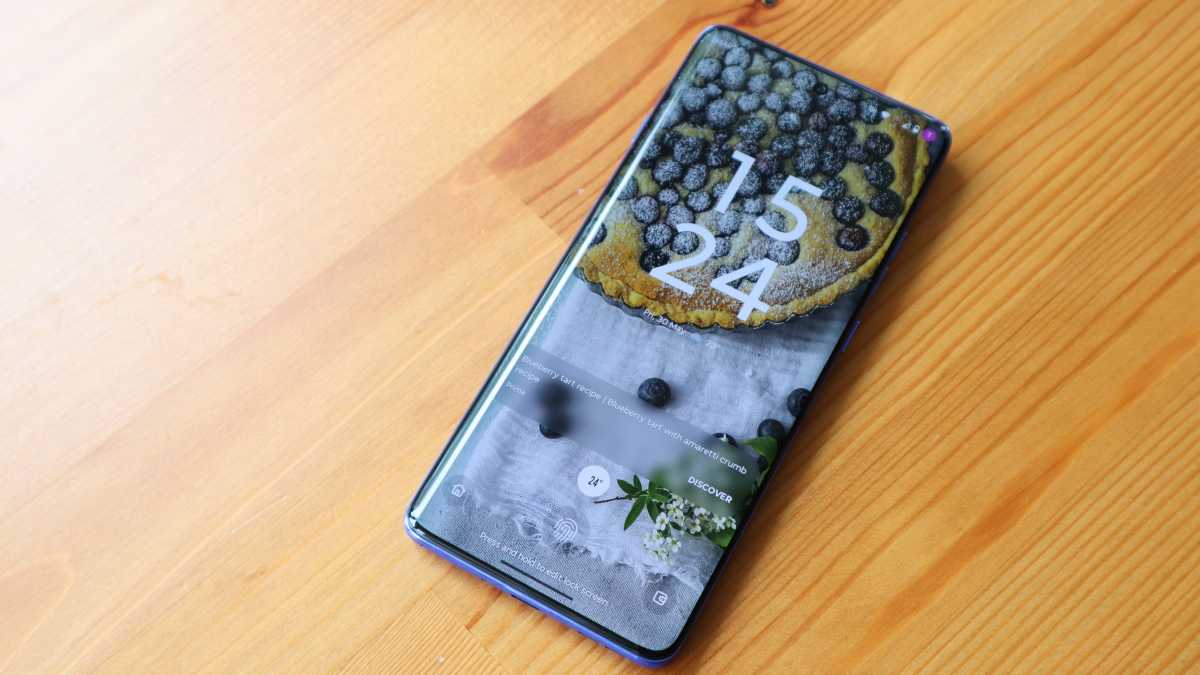
When it comes to the display, Motorola has opted for the same spill-over design that owners of the Edge 50 Pro will be familiar with, and while there are some folks out there who prefer the flat design that’s been popularised by Apple and Samsung, I actually don’t mind it here.
My first-ever smartphone was the Galaxy S6 Edge (way back when), so I’ve always had a soft spot for these types of curved displays, and it does create a slick cascading effect that helps to minimise the bezels on either side, making the screen feel more immersive as a result. Though Samsung has introduced confusion on ‘Edge’ phones as the S25 Edge does not have a curved screen.
I should also point out that in my entire time testing the phone, I only ever encountered one mistouch with the side of the display, so I think Motorola’s done a good job here in that respect.
Thomas Deehan / Foundry
It also helps that the screen itself is drop-dead gorgeous, being a 6.7-inch pOLED panel with a 1220 x 2712 resolution. I’ve been slowly making my way through Invincible’s third season on Amazon Prime Video, but watching the episodes on the Edge 60 Pro’s display has been nothing short of lovely.
Particularly with animation, colours really pop on the phone’s display. Diving into a few scenes in Pixar’s Inside Out, you can see a lot of the finer detail in the character design because the display gives it all room to breathe.
Furthermore, there’s an adaptive refresh rate up to 120Hz, which ensures everything operates smoothly, and there’s a peak brightness of 4500 nits. I will say that, in recently coming off the 5000nits of peak brightness on the Honor 400, I did sometimes have to squint to read text on the Edge 60 Pro against direct sunlight, but it still gets the job done most of the time.
When you don’t fancy bringing a pair of wireless headphones into the fold, you can lean on the Edge 60 Pro’s stereo speakers, which sound pretty great.
The speakers are touted as having Dolby Atmos compatibility, but I always feel that such a concept is a bit redundant when you’re talking about speakers on a phone. They’re never going to carry the same cinematic soundscape that you might find on the best soundbars, but everything still sounds great nonetheless.
You do have a fair bit of customisation when it comes to sound profiles, as you can jump between presets designed for film, podcasts and more, but I found the perpetual sweet spot within the default ‘smart audio’ setting, which independently adapts based on what’s playing.

Thomas Deehan / Foundry
Specs & Performance
- No Snapdragon chip this time around
- An increase to 12GB RAM
- Day to day performance is excellent
If you’ve already read the list of specs for the Motorola Edge 60 Pro then you may have raised an eyebrow at the exclusion of a Snapdragon chipset in favour of the new MediaTek Dimensity 8350 Extreme. While it’s perfectly understandable to have a degree of scepticism over the chipset change, I’m glad to report that the Edge 60 Pro performed beautifully during my time with it.
Helping things along is the increase from 8- to 12GB of RAM, with 512GB storage also being the standard, which is something I always love to see as it means you can store tons of apps, photos and videos on this thing without ever worrying about reaching full capacity.
When it comes to day-to-day operations, I had no issues whatsoever with the Edge 60 Pro. I could jump from one app to the next quickly, have picture-in-picture running perfectly and never feel any worrying degree of heat coming from the phone itself.
Thomas Deehan / Foundry
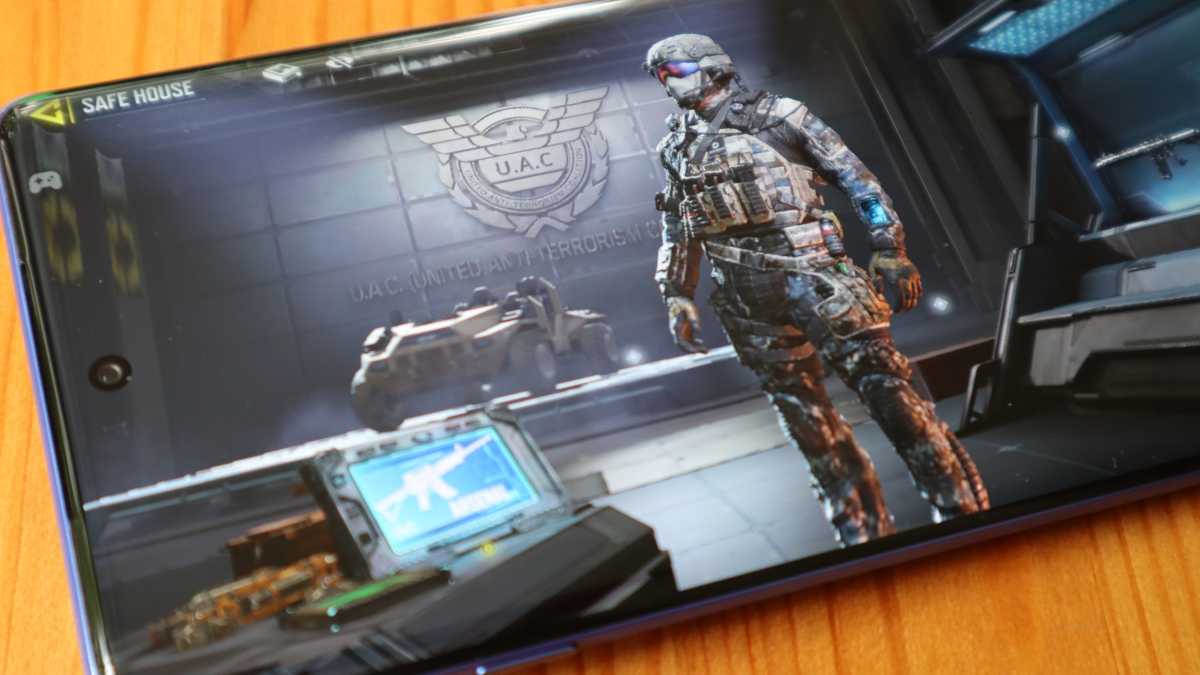
Turning to gaming is where you’ll see a few of the limits come into finer view. For less intensive 3D games, you shouldn’t have an issue. Diving into a match on Call of Duty Mobile, I was able to trounce the other team (for a change), partially because of how smoothly it all ran on the device, and the Edge 60 Pro’s cascading display just makes it feel all the most immersive.
When it came to running through the intro to Honkai: Star Rail, however, I saw the frame rate drop a few times to around 26fps, and there was the occasional bit of frame jumping to go with it. The game is still playable, and I imagine it’ll be fine for most people, but if you are a bit more picky when it comes to gaming performance, then you may want to check out an alternative option like the Red Magic 8S Pro.
Motorola Edge 60 Pro benchmarks
Thomas Deehan / Foundry
Cameras
- Three rear-facing cameras
- The ultra-wide sensor has had an upgrade
- Solid night-time shots from the main sensor
At first glance, it would seem as though not much had changed on the camera front. Like last year, there are still three rear-facing sensors, but it’s the ultra-wide that’s seen the biggest improvement on paper.
So, in addition to a 50Mp f/1.8 wide-angle lens and a 10Mp f2.0 telephoto lens, you’ve now got a 50Mp f/2.0 ultra-wide (up from 13Mp on the Edge 50 Pro).
When the sun’s out, you can expect vibrant and colourful shots from the main camera that do justice to the scene at hand, but I was impressed to see that the camera also holds up with indoor settings. Taking the Edge 60 Pro to London’s Comic Con, held in the cavernous depths of the Excel building, I was impressed to see that the colours of a small R2-D2 gathering were captured incredibly well.


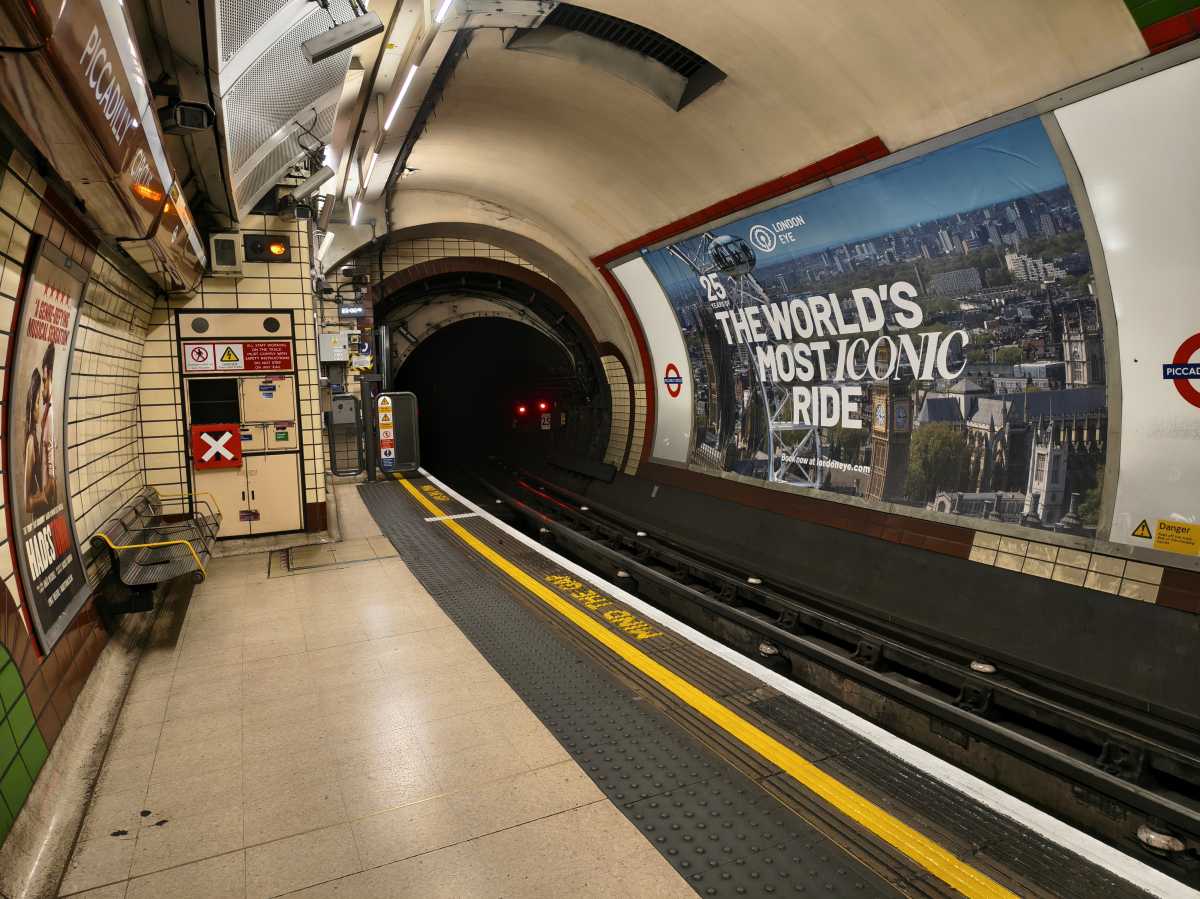


There’s plenty of parity here with the ultra-wide as well, which was helpful for taking shots that conveyed the scale of the event, which I could then share with friends and family. Unfortunately, the same can’t be said for when the sun goes down.
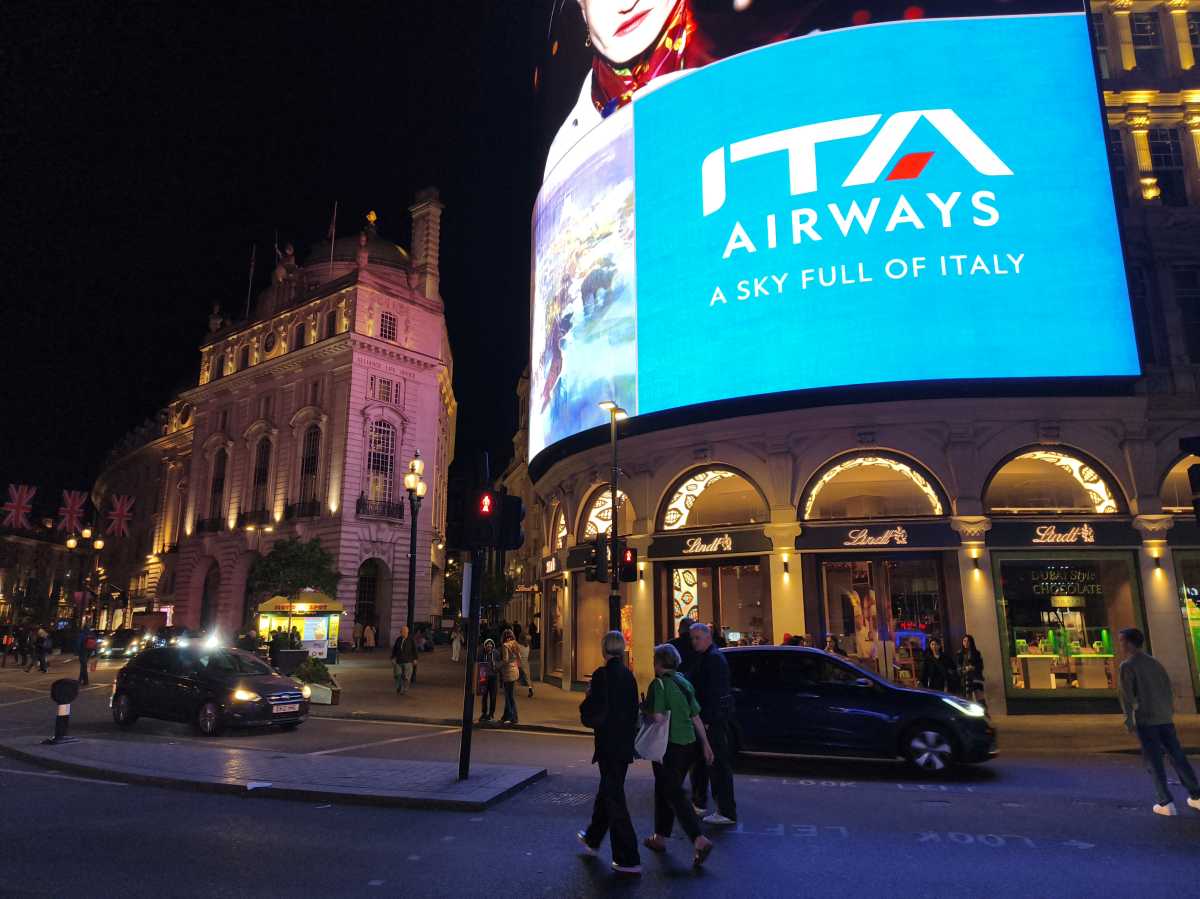
Heading to Picadilly Circus, the main camera was able to show off the dynamic range of the area, capturing not just the lights of the billboards nearby, but also street lamps and shop frontage. The ultra-wide by comparison struggled with that same frontage, coming away with a distinct haloing that makes everything look a bit washed out.

Also, bear in mind that the telephoto lens caps out at 3x zoom, so if you are the type of person who can spot a great photo from some distance away, the Edge 60 Pro isn’t the phone to help you capture it. Thankfully, if you enjoy portrait photography, then I think you’ll get on quite well with what’s on offer here.
Admittedly, the portrait mode does require a decent bit of light to show off its prowess (indoor shots came off as being a bit too dark), but when everything comes together, subjects look great and the bokeh works well in separating them from the background without looking too processed.
I also like that within portrait mode, you don’t choose different zoom lengths but rather focal lengths (24mm, 35mm, etc.), which is a nice touch.


The 50Mp front-facing camera is also great for a quick selfie, and I appreciated the amount of detail it was able to pick up, as it meant I could always crop in for social media without ever feeling like I was losing too much of the photo’s integrity.
As a final note, video capture is unfortunately, a bit of a dud. When filming around London Waterloo station, I was disappointed to see just how flat the colours were after the fact, when there was plenty for the phone to latch on to. If video is your priority, then you might want to turn to the iPhone 16e, which costs the same as the Edge 60 Pro.
Battery Life & Charging
- Larger 6000mAh battery
- Both wired and wireless charging have been downgraded
- The battery can easily get you to the end of the day
For some reason, Motorola has decided to flip the Edge 60 Pro on its head where battery and charging are concerned, leading to something of a give and take situation.
Starting with the bad, the charging speeds have been decreased, dropping from 125W wired and 50W wireless, to 90W and just 15W respectively.
The counteroffer to this is that the battery itself has leapt up from 4500- to 6000mAh. Personally, if I had to choose between faster charging or longer battery life, I’ll always go for the latter.
Thomas Deehan / Foundry
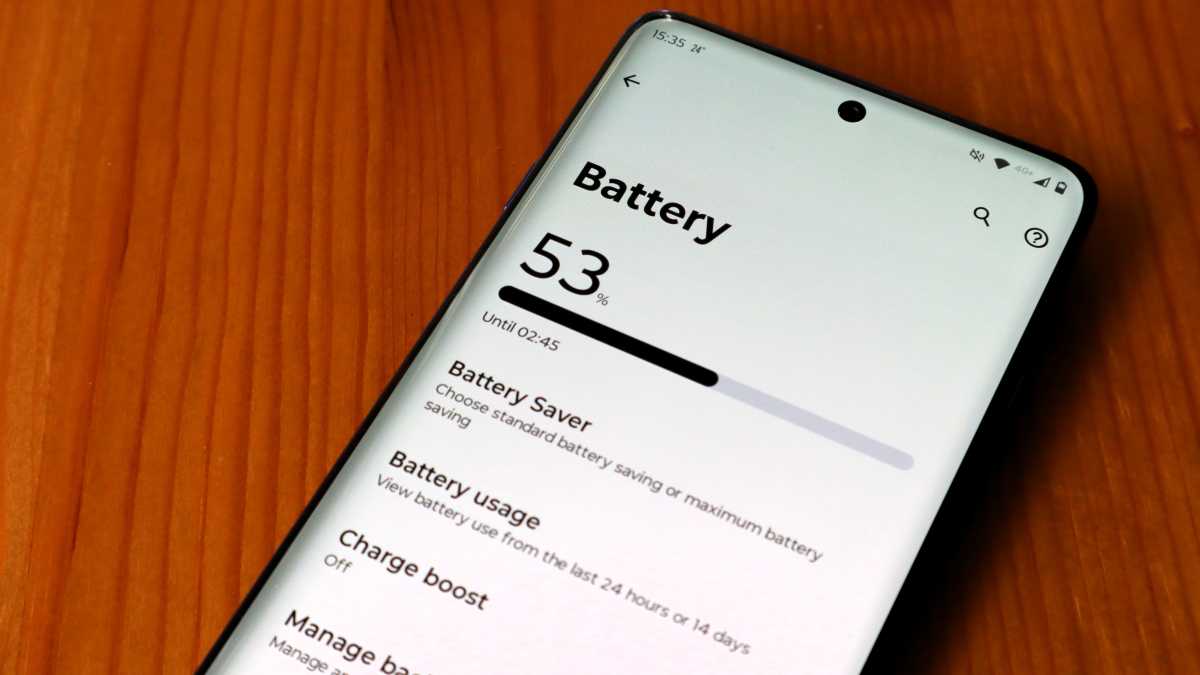
Thankfully, having that larger cell does mean that the Edge 60 Pro can keep on trucking to the end of the day without giving you any major battery anxiety.
When putting the phone through a more intensive day of use than usual, I was able to get from 8:30am to 10:30pm with 41% left in the tank. That day included a combined 86 minutes of social media, 42 minutes of playing Beatstar and using Spotify in the background for nearly three hours for music and podcasts.
That’s not bad at all, and on most days I usually end things with closer to 50% battery remaining.
Unfortunately, the charging situation did feel painfully slow at times, so I recommend topping the phone up as soon as you get out of bed in the morning. When starting a charge at 21% with my 65W adapter, it took one hour and 27 minutes before the Edge 60 Pro was fully topped up.
I was able to get the phone to about 60% fairly quickly (after about 25 minutes of charging), but that’s a bit too slow if you’re in a hurry, and as you might have already guessed, there’s no charger included with the phone so you’ll need to buy one separately.
Software & Apps
- Motorola’s Android overlay is very clean
- Just a small amount of bloatware
- Moto AI just isn’t what it needs to be
While the charging situation on the Edge 60 Pro is far from ideal, the same cannot be said where software is concerned. Motorola has a wonderfully hands-off approach when it comes to its own Android overlay which, after recently using the overly cumbersome MagicOS found on Honor phones, felt like a breath of fresh air.
In fact, using the Edge 60 Pro doesn’t feel all that different from the experience of using stock Android on the best Google Pixel phones, which is a joy. I’ve always admired Pixels for this exact reason, as it ultimately feels like the closest competitor to iOS within the Android space, with tons of customisation options. It’s a similar situation here, and while you don’t get all of the wonderful Material You widgets that Pixel owners do, you still get a say on fonts and overall colourways that can create a wonderful sense of consistency as you move between apps.
Still, as much as I have enjoyed using the Edge 60 Pro, there are a few caveats that stop it from reaching the same heights as the Pixels in this regard. There is some bloatware to contend with, but luckily it’s not an egregious amount, and Motorola’s own-brand apps are inoffensive.
I actually quite like the Moto Unplugged app, which is an easy way of giving yourself a timed break from your smartphone, which, I have to admit, is something I need to make use of.
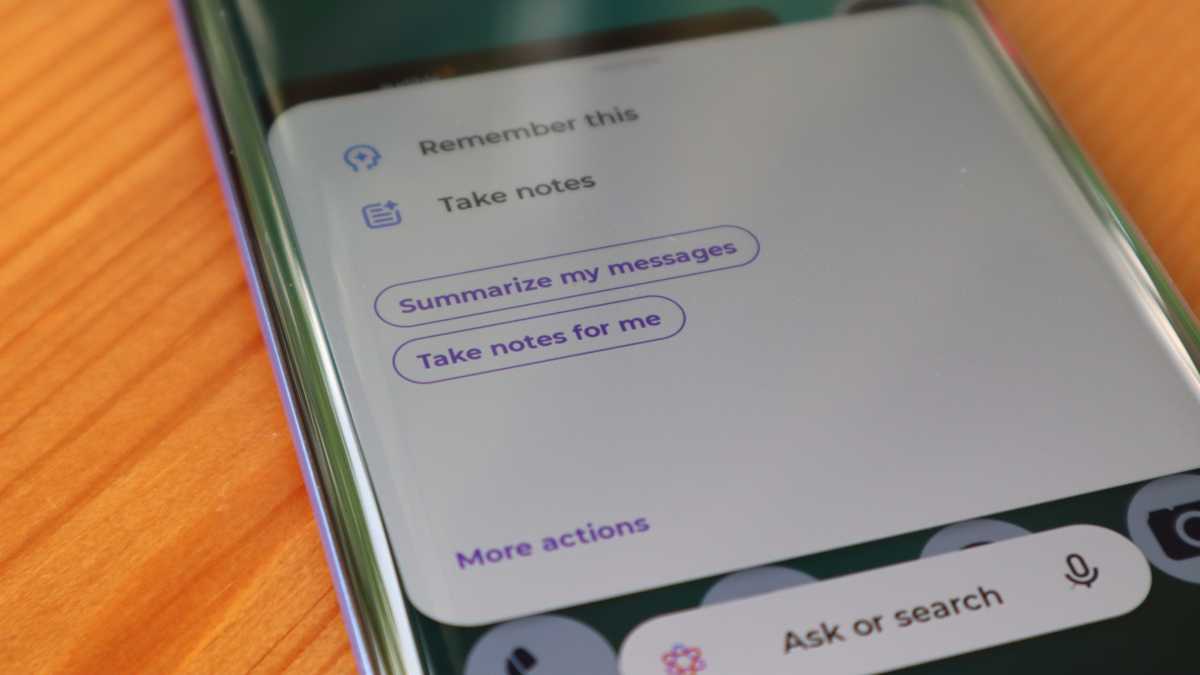
Just like every other company right now, Motorola is attempting to go all in on AI, with its own brand version being the succinctly titled Moto AI. I mentioned earlier that there’s a dedicated button on the left-hand side to access Moto AI quickly, but I did find the software to be a bit of a dud in practice.
Thomas Deehan / Foundry
Moto AI can do a handful of things, one of which is dictate voice recordings and then generate an AI summary based on what’s been said. While the AI did a decent job in separating one speaker from another, the software could still use some work (it transcribed Motorola as mozzarella at one point, which made me laugh).
Using Moto AI to answer basic questions also isn’t as helpful an experience as what you can get with Google Gemini (which is also readily available via the power button below the volume rocker). When asking Moto AI to tell me when the next Liverpool game is set for, it threw back a load of jargon and uncertainty, whereas Gemini got me the exact answer I was looking for right away.
I also feel that the input system on Moto AI is a step behind. If I continue to hold the summoning button once Moto AI has loaded, I expect it to then launch the mic so that I can speak right away, but this isn’t the case. Once Moto AI is loaded, you need to tap on the mic icon before speaking, and then once your request has been heard, you need to press the send button before it’s taken into account. This is far too many steps for what should be a much simpler process.
Still, the fact that you do have quick access to Gemini means that this probably won’t be the most heinous issue for most users, but what certainly will be is the four year cap on updates (three years for software and four years for security patches).
Given that you can get up to seven years with the cheaper Pixel 9a, this limitation does feel quite anti-consumer given that £599.99, while still ‘mid-range’, is hardly an inconsequential amount for most people and you’d want to try and get as much longevity of your next upgrade as possible. Hopefully, Motorola can change things in a successor, because this is the one thing that really holds the Edge 60 Pro back.
Price & Availability
The Motorola Edge 60 Pro is available in both the UK and the EU for £599.99 and €599.99, respectively. At the time of writing, the phone is not available in the US and it appears there is not plan to launch it there.
There’s only one configuration of the phone that comes with 512GB of storage and a sizeable 12GB of RAM to boot. For pure value for money, this is fantastic, as it means you can avoid spending a small fortune on cloud services to store your files and photos, when you should have more than enough space to store them locally.
You can buy it from Motorola as well as retailers like Amazon, Argos, Currys and Very.
Within its price range, the Motorola Edge 60 Pro goes head to head with the iPhone 16e at £599/$599, and the Xiaomi 14T which is available for slightly less at £549.
Also, bear in mind that there are cheaper options within Motorola’s own range, with the Edge 60 being the next one down at £379.99/€430, and the even cheaper Edge 60 Fusion ringing in at £299.99/€329.98.
For more options, check our list of the best mid-range phones.
Thomas Deehan / Foundry
Should you buy the Motorola Edge 60 Pro?
I can recommend the Motorola Edge 60 Pro in a heartbeat, but it depends on what you’re after from your next phone. For instance, I wish that every phone carried the same design as this one. The beautiful textured backing, paired with the almost non-existent camera bump and a slim overall frame just makes the Edge 60 Pro feel great in the hand.
The display also happens to be wonderfully immersive, which makes it great for a spot of gaming and streaming Netflix, and it’s emboldened by solid battery life and respectable everyday performance.
If you do want the best cameras at this price range however then I’d sooner divert your attention towards the Pixel 9a, and I’ll probably cite Google’s handset again when it comes to having a longer stretch of software and security updates (the Samsung Galaxy A56 is also worthy of a shout-out here).
If Motorola had only seen fit to be a bit more pro-consumer in its long term support of this phone, then it almost certainly would have scored higher, but if you’re more than happy with the idea of potentially upgrading four years down the line, then you will not be disappointed with the Motorola Edge 60 Pro.
Specs
- Android 15 with three years of updates, four for security patches
- 6.7-inch pOLED 1220 x 2712 display
- 120Hz refresh rate
- Corning Gorilla Glass 7i
- Mediatek Dimensity 8350 Extreme chipset
- 512GB storage
- 12GB RAM
- 6000mAh battery
- IP68 and IP69 dust and water protection
- 90W wired charging
- 15W wireless charging
- 50MP f/1.8 main camera
- 10MP f/2.0 telephoto lens
- 50MP f/2.0 ultra-wide lens
- 50MP f/2.0 selfie camera
- Stereo speakers
- 5G
- 160.7 x 73.1 x 8.2 mm
- 186g
Best Prices Today: Motorola Edge 60 Pro
Author: Thomas Deehan, Contributor, Tech Advisor

Tom began covering tech all the way back in 2018, initially writing about tech deals for Trusted Reviews before working his way up to being the site's Deputy Editor. Now operating as a freelance writer, you can find Tom testing the latest smartphones, wearables, earbuds and more. In his spare time, you'll either find him trying to get through a backlog of books, games and TV shows, or trying to write his very own novel (if he's feeling productive).