

At a glance
Expert's Rating
Pros
- Great display
- S Pen included in the box
- Solid battery life
- Water-resistant design
- Slim, solid build
Cons
- Expensive
- No Galaxy AI features
- Slightly underwhelming performance
Our Verdict
The Samsung Galaxy Tab S10 FE+ is a great tablet with a lovely, slim and water-resistant design, a huge display and decent battery life. However, despite being Samsung’s more affordable big tablet option, it’s still very expensive, costing around the same as Apple’s very powerful iPad Air (M3) but without the performance to match.
Price When Reviewed
This value will show the geolocated pricing text for product undefined
Best Pricing Today
Best Prices Today: Samsung Galaxy Tab S10 FE+

When it comes to tablets, there isn’t a shortage of options available. I’m going to assume, given you have landed here, however, that you’ve decided Apple’s extensive iPad range isn’t for you and you’re instead in the market for an Android tablet with a comparable build quality and performance.
There isn’t a shortage of those either in the Android tablet world, with brands like OnePlus and Oppo both delivering superb options for less than you’d expect. It’s Samsung that excels at the premium end, however, with not only its flagship Galaxy Tab S10 range, but the Galaxy Tab S10 FE models that sit just below in terms of price but offer many of the same features and similar designs.
The Samsung Galaxy Tab S10+ FE has the largest display the company has put onto its ‘Fan Edition’ tablet range, whilst also featuring a water-resistant body and an S Pen included in the box. But is that enough to justify its premium price tag? I extensively tested the device to find out.
Design & Build
- Slim, aluminium design
- IP68 water and dust resistance
- S Pen included
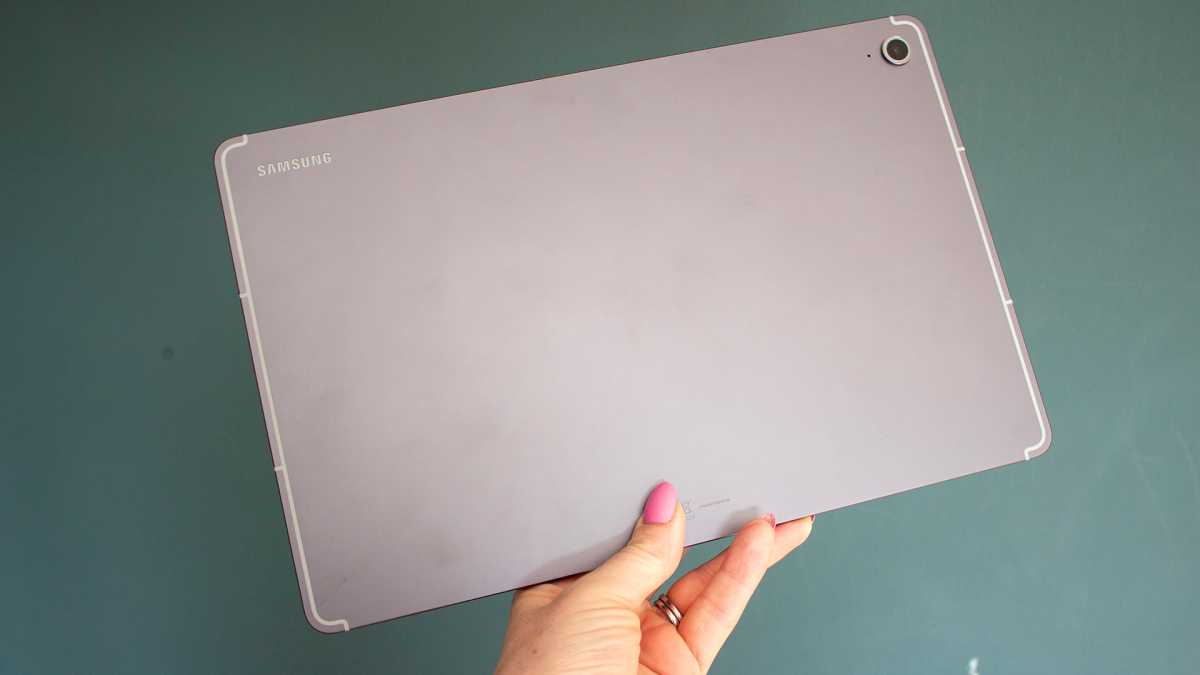
Take one look at the Galaxy Tab S10 FE+ and you would be forgiven for thinking it was the more expensive Galaxy Tab S10+, which is a testament to this tablet rather than a criticism. Like the flagship model, the Galaxy Tab S10+ FE has a gorgeous, slim aluminium body, uniform bezel around its huge display and subtle branding on the rear.
The lovely design has flat edges that are comfortable to hold, just enough space within the bezel to place your thumbs when watching content, and a solid build quality with an IP68 rating, which is something you won’t find on any iPad.

Britta O’Boyle
The Galaxy Tab S10 FE+ is marginally thicker than the Galaxy Tab S10+ at 6.0mm compared to 5.6mm, and it’s a little heavier too at 668g compared to 571g, though you’d only be able to tell if you had the devices side-by-side.
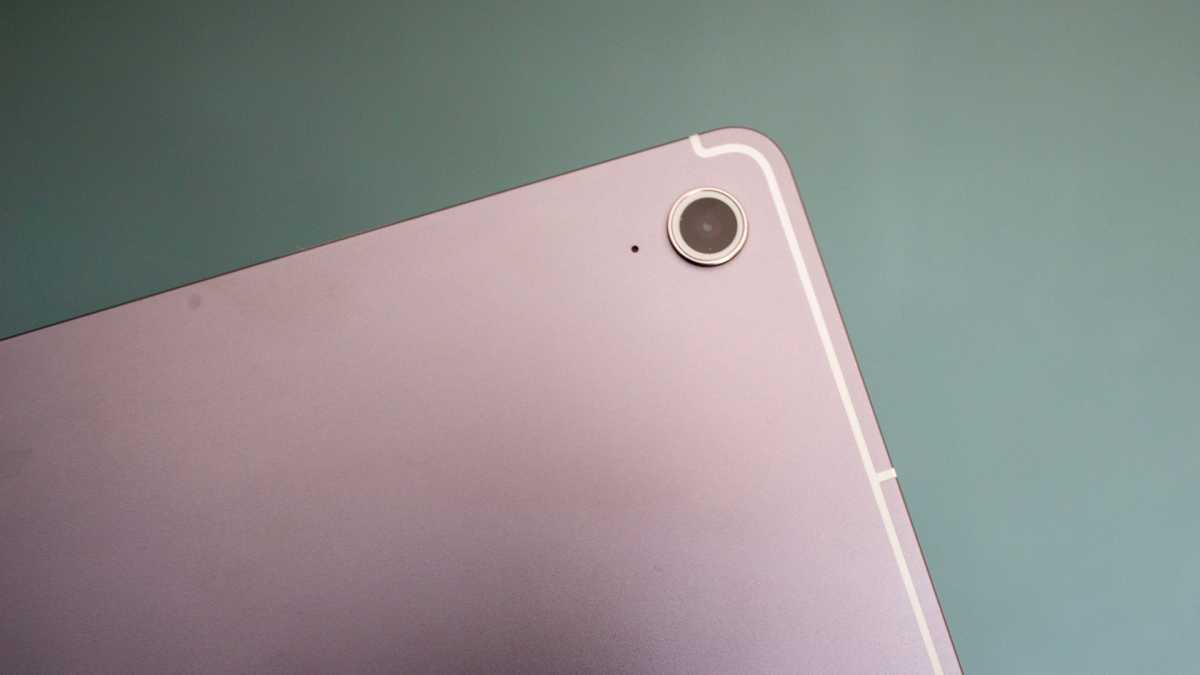
There are a couple of clues that nod towards the Galaxy Tab S10 FE+’s cheaper price point – one being the single camera lens on the rear and the other being the lack of a strip on the back indicating where the S Pen should be attached. Otherwise, this is every bit as premium as its flagship counterpart.
Britta O’Boyle
A few improvements have been made to the Galaxy Tab S10 FE+ compared to the Galaxy Tab S9+ FE, too, and while subtle, they all contribute to the feeling of a premium device.
The antenna lines are slightly closer to the edge of the tablet, the speakers on either side (when held horizontally) are slits rather than grilles, and the rear camera lens features a white inside rim instead of black, matching the design of the Tab S10+.
The Galaxy Tab S10+ FE has a gorgeous, slim aluminium body
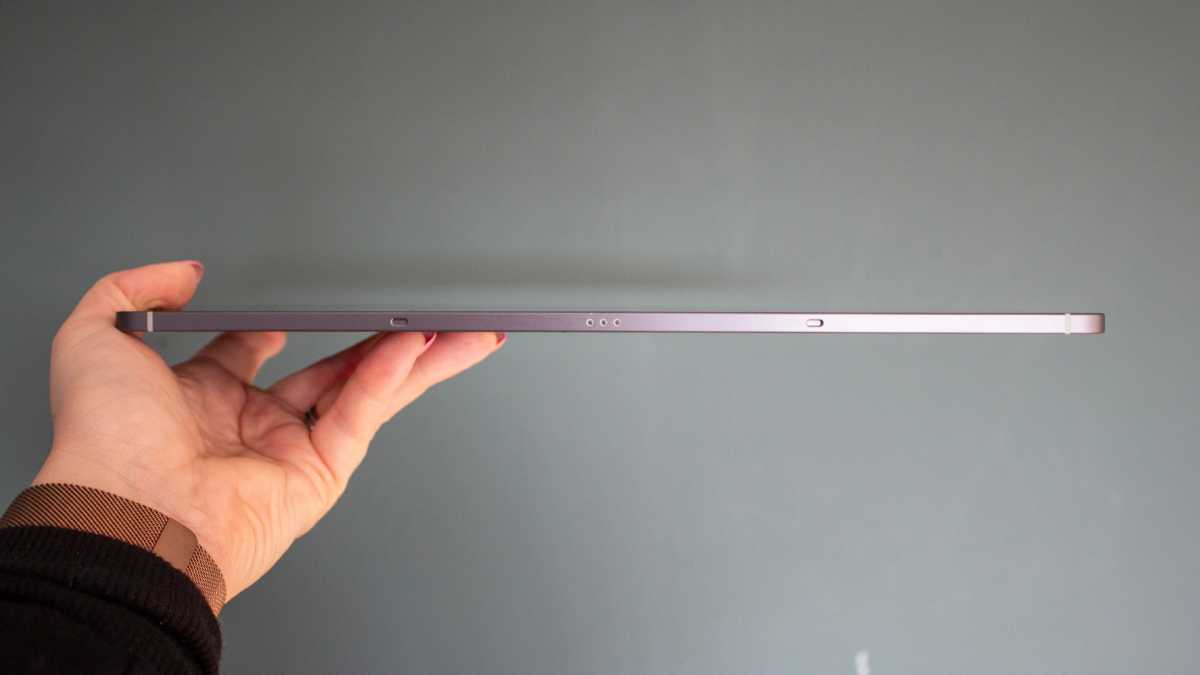
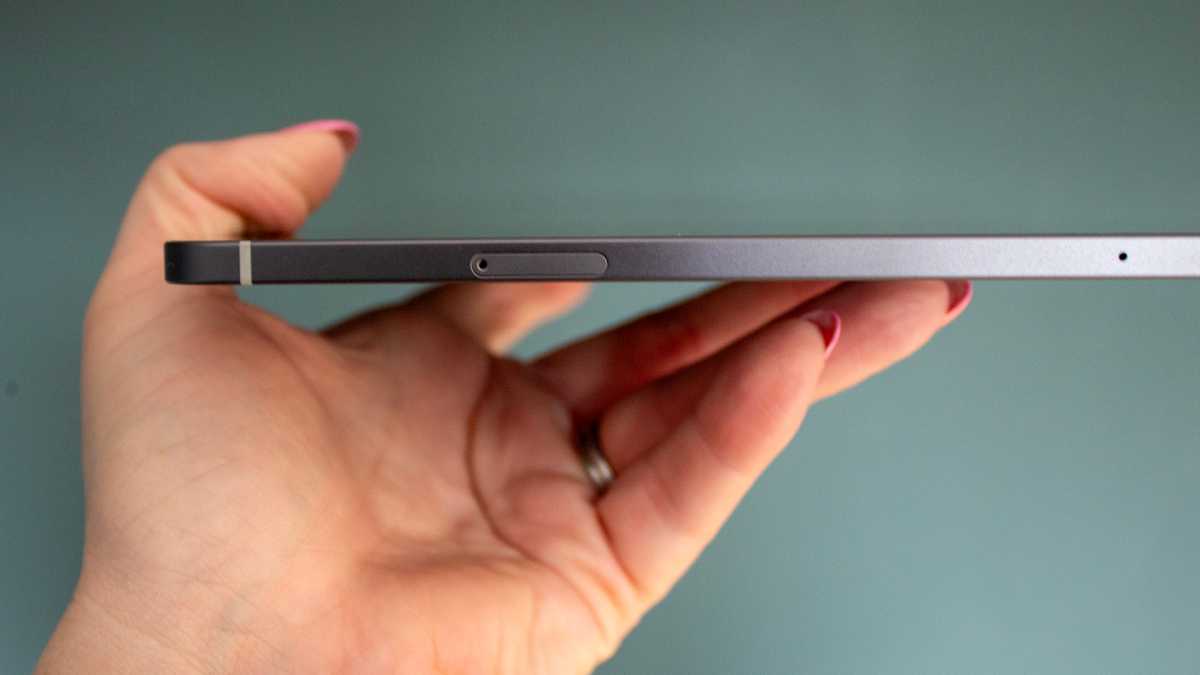
In terms of layout, there’s a power button with a responsive built-in fingerprint sensor on the top right edge (when held vertically), along with the volume rocker directly below and a Micro-SD tray positioned at the bottom of that edge for storage expansion up to 2TB.
Britta O’Boyle
There is no strip on the back of the Galaxy Tab S10 FE+ to pinpoint where the S Pen should attach, as I mentioned, but that’s preferable in my opinion. It looks neater from a design perspective, and the S Pen still attaches magnetically to the same place, should you want it to. It will also attach to the edges, which is where I prefer to keep it.
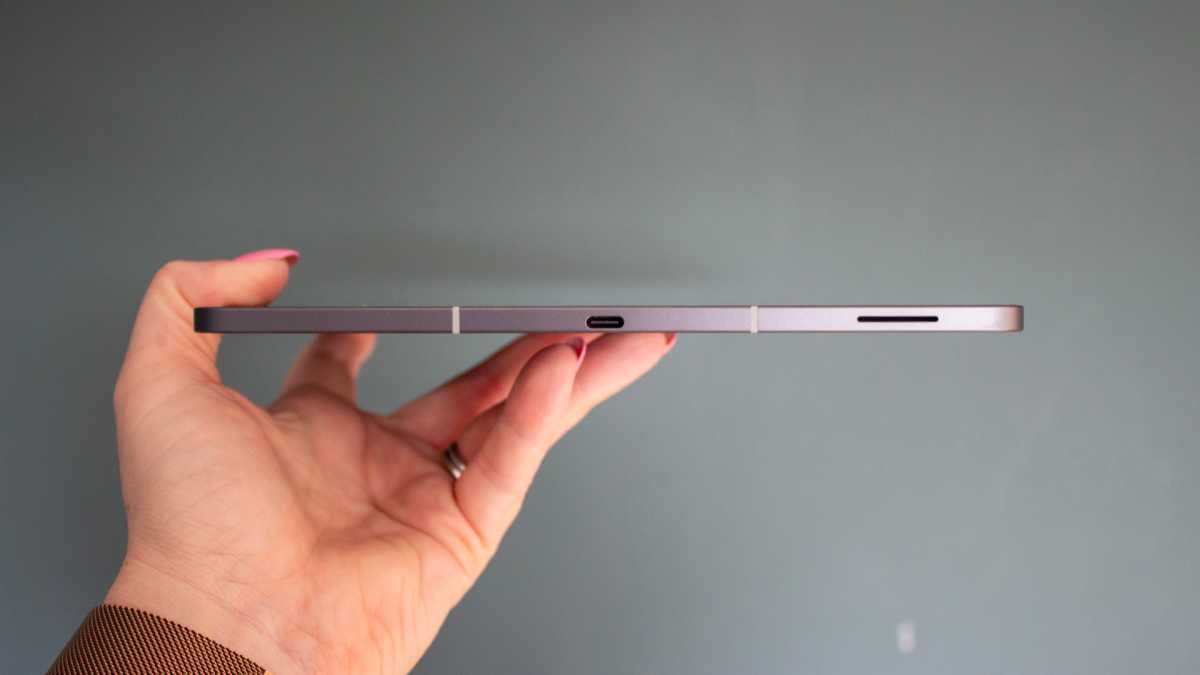
A USB-C port is positioned centrally at the bottom when in a portrait position, while a connector sits on the left edge for attaching accessories, like a keyboard. Given how large the screen is here, the latter is worth considering if you want to work on this tablet.
Screen & Speakers
- 13.1-inch IPS LCD
- 90Hz refresh rate
- Stereo speakers
I mentioned the Samsung Galaxy Tab S10 FE+ has the largest screen of any FE tablet that has gone before it, and that’s arguably the biggest selling point here.
It’s not quite as big as the Galaxy Tab S10 Ultra and its 14.6-inch display, though that is too big in my opinion, with this tablet sitting at a slightly more manageable 13.1-inches, matching that of the larger Apple iPad Air (M3).
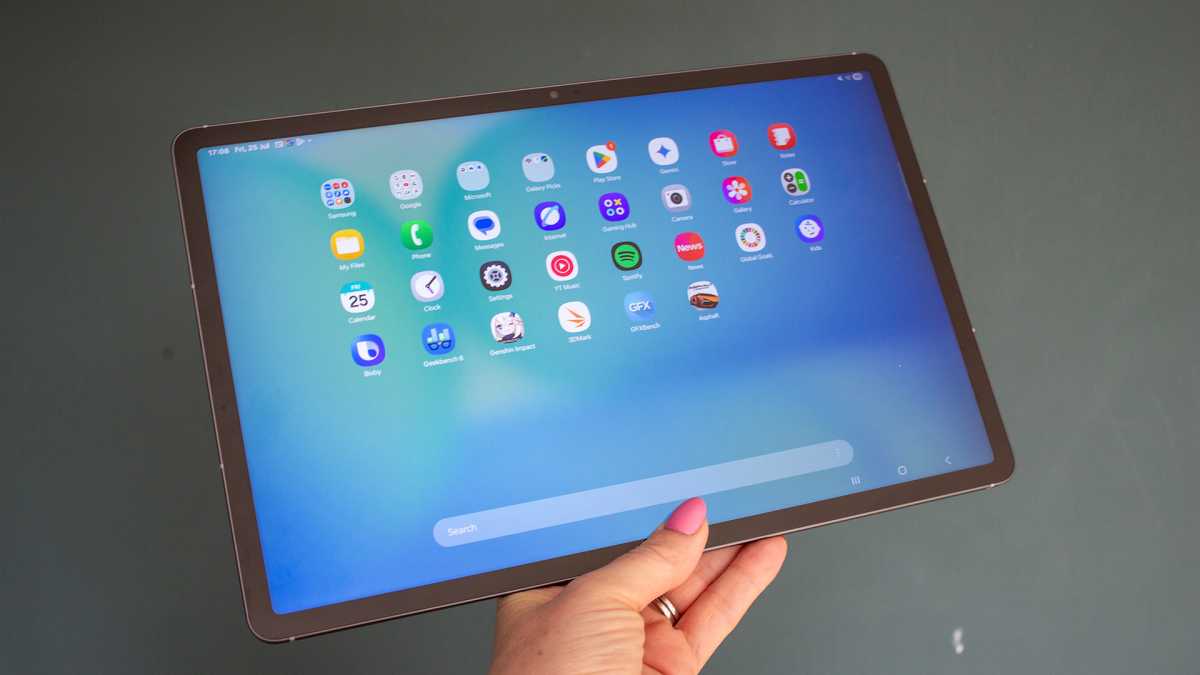
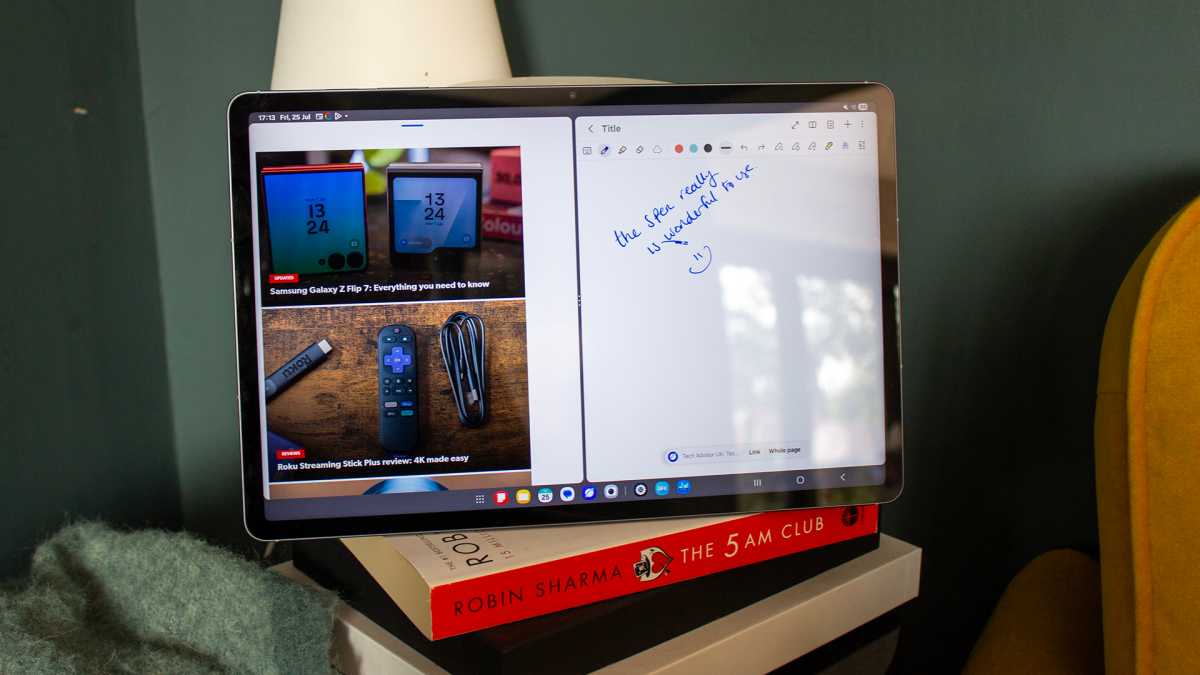
The size makes it superb for watching content, note-taking, and multitasking, with Samsung’s software allowing you to run two apps side-by-side, plus a third in a floating window. You can drag and drop content between them, as you would expect, and DeX is also supported by this tablet, should you want to connect it to an external screen and use it like a desktop.
Britta O’Boyle
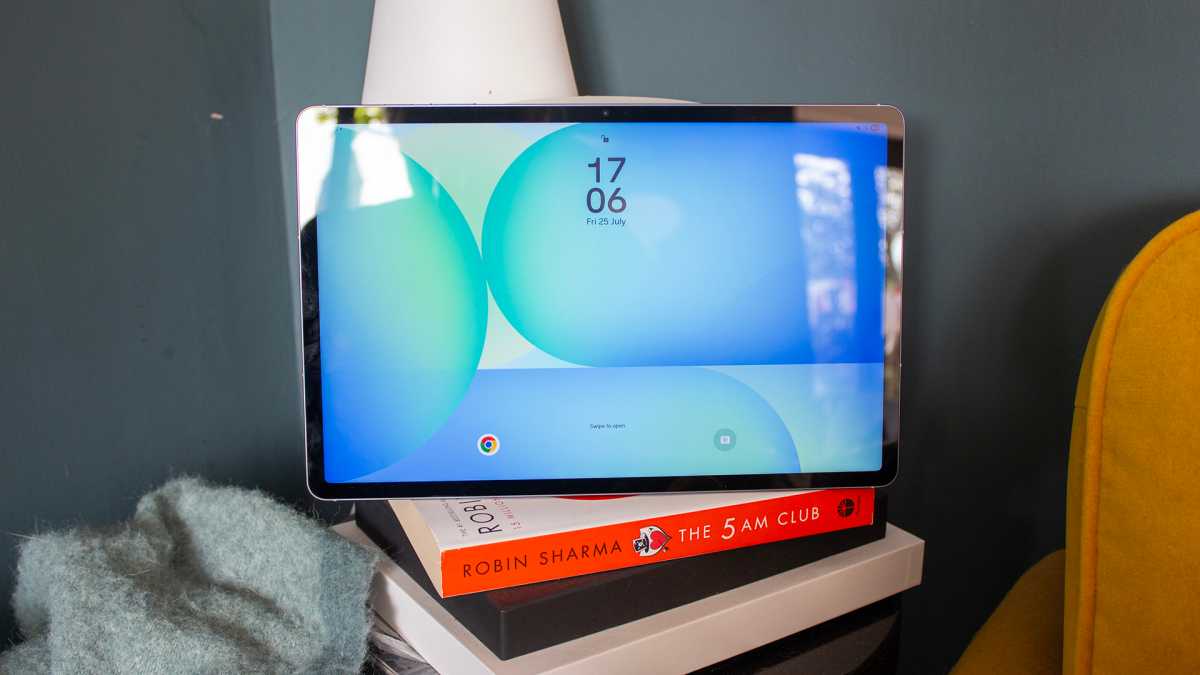
The display is an LCD panel rather than the same AMOLED panel you will find on the Galaxy Tab S10+. That means the contrast isn’t quite as impressive, and the blacks are a little more grey than the rich, inky ones you get on the flagship tablet. All that said, this is still an impressive display, with punchy colours, great vibrancy and decent viewing angles.
This is still an impressive display, with punchy colours, great vibrancy and decent viewing angles
The 2880 x 1800 resolution delivers lovely, sharp detail, meaning everything from notes you take with the S Pen to whatever you’re current binge-watch is on Netflix all look great.
The S Pen is, as ever, a delight to use with its low latency, and unlike the Galaxy S25 Ultra’s built-in S Pen, it supports Bluetooth-powered ‘Air Gestures’ still and doubles as a camera shutter button. I can’t say I used either a lot during my testing period, as I never really felt the need to, but the features are there if they appeal to you.
Britta O’Boyle
One final thing worth mentioning on the display is that it has a 90Hz refresh rate rather than 120Hz like the more expensive Galaxy Tab S10+. It’s not a deal breaker, and there’s a very good chance you wouldn’t notice unless you had a 120Hz screen next to this tablet. But higher refresh rates do allow for smoother scrolling, and they are better for gaming too, so it’s something to keep in mind.
When it comes to the speakers, the Galaxy Tab S10+ FE features stereo speakers with support for Dolby Atmos. They are balanced and loud enough if you don’t have headphones to hand, but you will get a better experience from a good pair of headphones. Keep in mind that you won’t be able to plug them in, though, as there’s no 3.5mm headphone jack on this tablet.
Specs & Performance
- Exynos 1580
- 128GB/8GB or 256GB/12GB
- MicroSD support for up to 2TB
The Samsung Galaxy Tab S10 FE+ is every bit the premium tablet in many ways, but it does fall a little short when it comes to the performance on offer for the price. Under its hood is the Exynos 1580 chipset, which, while still more than capable for everyday tasks, is a mid-range processor.
When compared with the similarly priced Apple iPad Air, which runs on Apple’s M3 silicon chipset, the Galaxy Tab S10+ FE doesn’t even come close.
If you’re looking for a tablet for serious gaming or video editing, you’re better off with something more powerful
I don’t love benchmarks, as I think the experience of a device means more, but they are helpful for visually presenting performance. The iPad Air (M3) and standard iPad (A16) blow this tablet out of the water in terms of scores, and even the OnePlus Pad 2 from 2024 that runs the Qualcomm Snapdragon 8 Gen 3 scores higher despite being over a year old.
Britta O’Boyle
That’s not to say this tablet isn’t capable because everything runs smoothly, apps open quickly and without lag, and depending on what you plan on doing with it, there’s every chance there’s more than enough power here.
It’s also an improvement on the older Galaxy Tab S9+. If you’re looking for a tablet for serious gaming or video editing, you’re better off with something more powerful, such as the iPad Air (M3) or Samsung’s Galaxy Tab S10+.
If, however, you are just planning to watch movies, catch your new favourite TV series, browse the web and maybe dabble in the odd bit of note-taking and work, the Galaxy Tab S10 FE+ is more than adequate.
Samsung Galaxy Tab S10 FE+ benchmarks
Cameras
- 12Mp front-facing camera
- 13Mp rear camera
- Up to 4K 30fps video recording
Cameras are never usually a focus point for tablets, certainly not like they are with smartphones, anyway.
Britta O’Boyle
As such, I’d very rarely recommend using a tablet for photography. They are superb devices for viewing photos you take on your smartphone, but you’d almost always be better off using your smartphone for capturing the photo in the first place, even if it’s a few years old and your tablet is brand new.
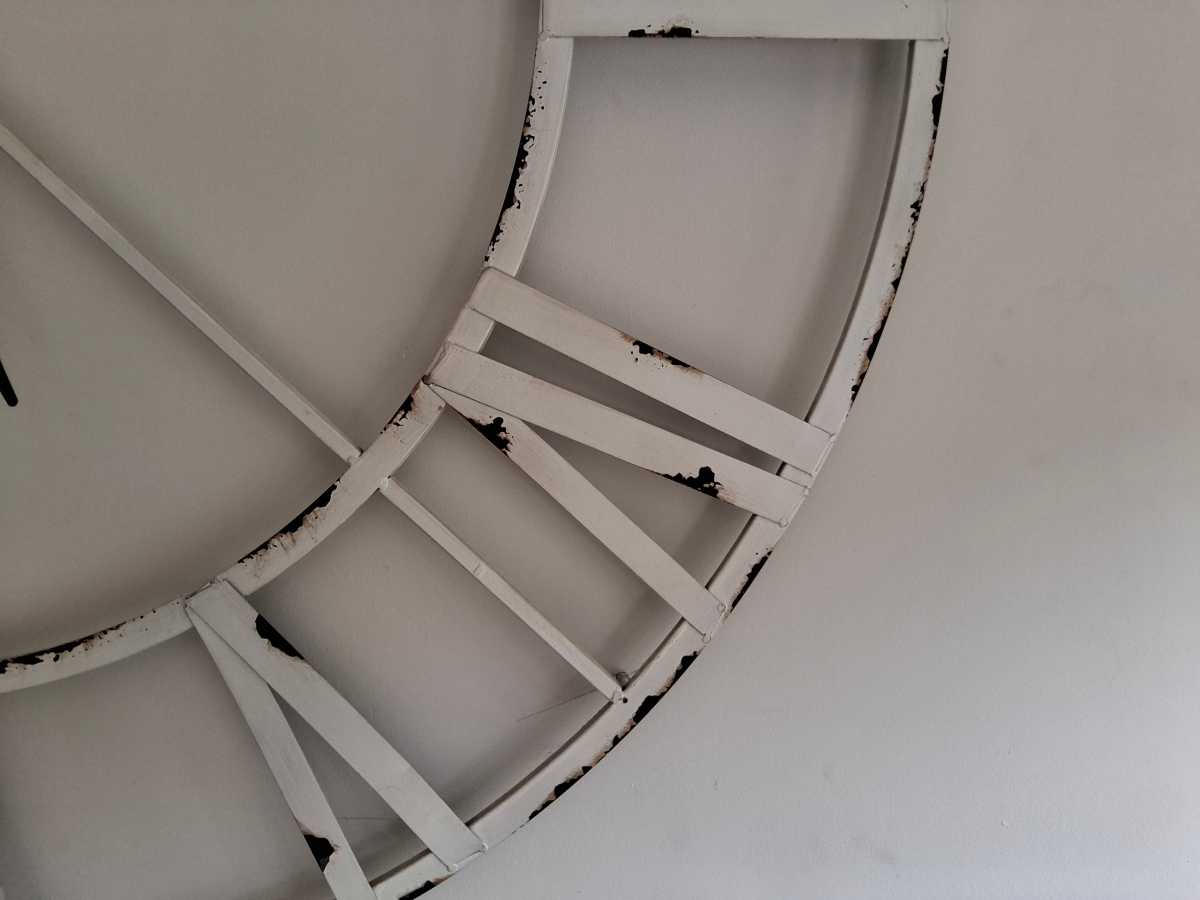
Should you go against that advice, however, the Samsung Galaxy S10 FE+ will take a good enough shot in decent lighting, whether that be of a pet, a child or a document. Noise does creep in for low light, but the same would be said for pretty much all tablets in the market, both mid-range and premium.
The Samsung Galaxy S10 FE+ will take a good enough shot in decent lighting, whether that be of a pet, a child or a document
Samsung ditched the 8Mp ultra-wide sensor on the Galaxy Tab S10+ FE, opting for a new single 13Mp main sensor instead, compared to the Galaxy Tab S9+ FE. The camera app is easy to use, and as I said, the results are more than good enough for taking a picture of a document to upload or an image to share on socials, but you aren’t going to get the detail required to blow up a family portrait for printing, for example.
The front-facing camera is a 12Mp sensor and it will take a decent selfie, whilst also offering good detail and a balanced colour representation for video calls.






Battery Life & Charging
- 10,090mAh battery
- 45W wired charging
- No charger in the box
The Samsung Galaxy Tab S10 FE+ comes with the same size battery as its predecessor, which means there’s a 10,090mAh capacity under the hood. That should get you through a working day no problem, with enough juice to watch a few films back to back, or get some work done if you don’t fancy bringing a laptop around with you for a day.
Britta O’Boyle
Battery will always depend on what kind of user you are, but I was playing various games, watching plenty of content and working on this tablet during my review period, and I didn’t feel like the battery was lacking.
When I’m not testing various features, I usually use a tablet for a couple of hours a day for various tasks, like catching up on emails and reading the news. If you’re the same, you should get around a week before you need to top it up.
When it comes to that top-up, the Galaxy Tab S10 FE+ supports 45W charging, just like the flagship Galaxy smartphones. There is no charger in the box, only a cable, so you will need to have a 45W charger or larger in order to get the fastest charging speeds.
With a 96W charger I already own, I got to 16% in 30 minutes. That would be enough charge to watch at least one film, but it won’t break any records.
Software & Apps
- Android 15
- One UI 7
- Seven years of updates
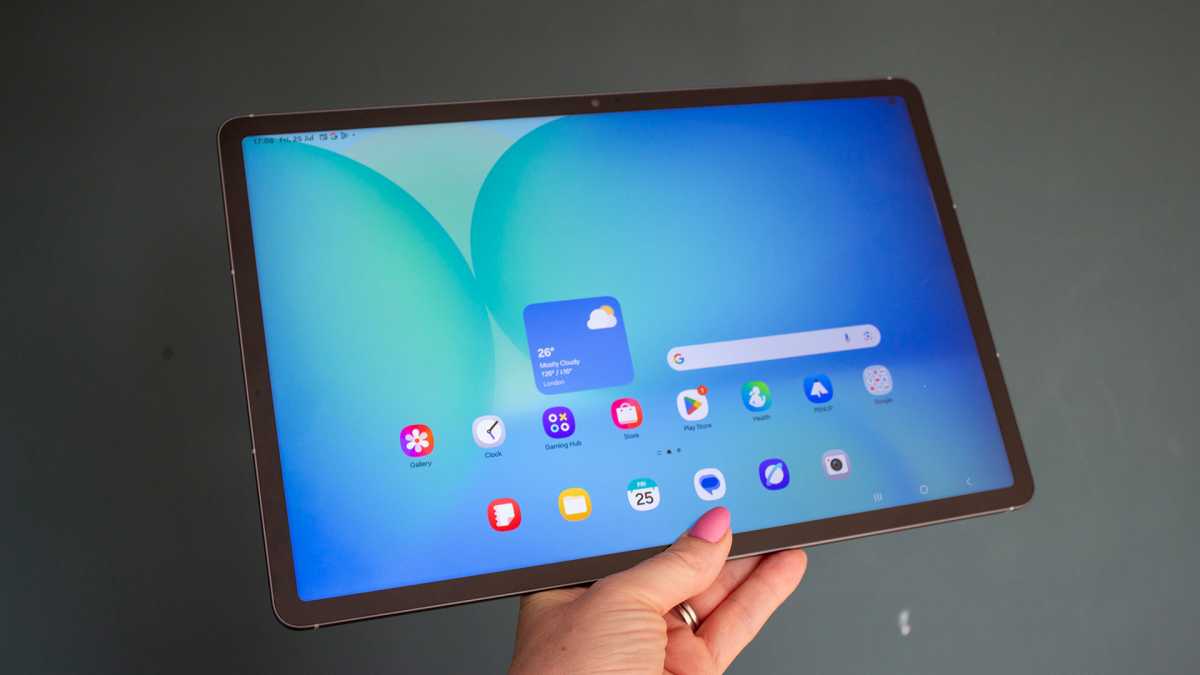
The Samsung Galaxy Tab S10 FE+ runs on Android 15 with One UI 7 over the top, so you get a familiar user experience to Samsung’s other tablets.
It’s a very nice one, too, with crisp icons and a lovely-looking interface overall. There is some bloat with Samsung-specific apps doubling up on Google’s apps, and its own settings menu that’s different to native Android, but One UI is one of the nicest and most accomplished overlays on Android out there.
What’s perhaps more important to mention, however, is that the Galaxy Tab S10 FE+ doesn’t have Samsung’s fully-fledged Galaxy AI features on board. That’s not to say there are no AI features within this tablet, but they aren’t branded as Galaxy AI like the flagship tablets and smartphones from the company.
Britta O’Boyle
There’s Circle to Search, which was announced with the Galaxy S24 series back in 2024, allowing you to draw around something on your display to search for it. AI Select allows you to pull text from an image or a date to add to your calendar. Read Aloud lets you listen to articles and webpages, while Object Eraser to get rid of people and objects from your images.
One UI is one of the nicest and most accomplished overlays on Android out there
Elsewhere on the “intelligent features” front, you’ll find Auto Trim to cut videos to the best moments automatically, and Best Face, which corrects things like closed eyes in images. The suite of AI features is significantly reduced compared to the Galaxy Tab S10+, however, with things like Sketch to Image missing.
Britta O’Boyle
For some, that won’t be a deal breaker. AI, while full of promises, isn’t always brilliant in execution. At this price, however, I think it’s a little mean not to include, especially since the only model in Apple’s lineup not to have Apple Intelligence is the base model, which is half the price of this tablet.
As I said, though, the overall software is smooth, fluid and nicely designed. And lack of AI features aside, this is a great tablet when it comes to the user experience.
Samsung has also committed to a full seven years of both OS and security updates, which is the joint-best you’ll find on any Android tablet. However, it’s not clear how long we’ll be waiting for One UI 8, which is based on Android 16.
Price & Availability
The Samsung Galaxy Tab S10 FE+ starts at £649/$649.99 and it comes in two storage variants of 128GB with 8GB of RAM, or 256GB with 12GB of RAM, with 5G connectivity also available, at least in the UK.
You can buy the device from a variety of retailers, including Samsung or Amazon in the UK and Samsung or Amazon in the US.
All models have Micro-SD support for storage expansion up to 2TB, and they all come in two main colour options – Grey and Silver. There is also a Blue option if you buy this tablet directly from Samsung.
However, even at that starting price, it’s going up against some of the very best tablets you can buy, including the 2025 iPad Air and OnePlus Pad 3.
Should you buy the Samsung Galaxy Tab S10 FE+?
The Samsung Galaxy Tab S10 FE+ is a great tablet with a lovely slim design, a huge display and decent battery life. There’s plenty to like here, from the premium, water-resistant build to the smooth software experience. However, despite being an affordable alternative to flagship Samsung tablets, this is still a very expensive device.
It costs around the same as the iPad Air (M3), but the performance on offer here doesn’t match Apple’s tablet. Samsung has also opted not to include Galaxy AI for the full suite of AI functions, while Apple does offer Apple Intelligence on the iPad Air.
This is a lovely tablet to watch content, casually browse the internet or catch up on the news or your emails, and it is a lot cheaper than Samsung’s flagship tablets whilst still offering an S Pen and solid build. But unless you can snap it up on a good deal, there are better value Android tablets available that are worth considering before you hit buy on this one.
Specs
- Android 15
- 13.1-inch, 2880 x 1800, IPS LCD, 90Hz
- Side-mounted fingerprint sensor
- Samsung Exynos 1580
- 8GB/12GB LPDDR5 RAM
- 128GB/256GB storage
- Micro-SD storage expansion up to 2TB
- 13Mp, f/2.0 main camera
- Up to 4K @ 30fps rear video
- 12Mp front-facing camera
- Stereo speakers
- Wi-Fi 802.11 a/b/g/n/ac/ax
- Bluetooth 5.3
- 10,090mAh battery
- 45W charging
- 300.6 x 194.7 x 6mm
- 664g
- Colours: Silver, Grey, Blue
Best Prices Today: Samsung Galaxy Tab S10 FE+
Author: Britta O’Boyle, Contributor, Tech Advisor

Britta is a freelance technology journalist who has been writing about tech for over a decade. She's covered everything from phones, tablets and wearables to smart home and beauty tech, with a lot in between. She has a fashion journalism degree from London College of Fashion and was previously deputy editor of Pocket-lint.