


At a glance
Expert's Rating
Pros
- Sleek design
- Decent screen
- Excellent quad speakers
- Solid battery life
Cons
- Slow charging
- Basic cameras
- Software quirks
Our Verdict
If you’re looking for a nice-looking multimedia tablet with solid all-round performance at a very affordable price, then the Redmi Pad 2 is a great choice. It has a few downsides, but nothing particularly off-putting or unusual.
Price When Reviewed
This value will show the geolocated pricing text for product undefined
Best Pricing Today
Best Prices Today: Xiaomi Redmi Pad 2

Xiaomi has long established itself as a tour de force in the tech world, making value for money for just about everything, including phones and tablets.
Its latest budget tablet offering is the Redmi Pad 2, a stylish and well-featured Android tablet which costs just £169. That’s more than £200 cheaper than Google’s Pixel Tablet or Samsung’s Galaxy Tab S10 FE.
Of course, it’s also a cheaper alternative to the entry-level iPad, but does Xiaomi do enough here to make the Redmi Pad 2 worth buying or should you steer clear and get a rival like the Samsung Galaxy Tab A9+?
It’s an excellent option for a budget tablet in most use cases, though I’m not sure I would recommend the cheapest model.
Design & Build
- Clean unibody design
- 7.4mm
- 510g
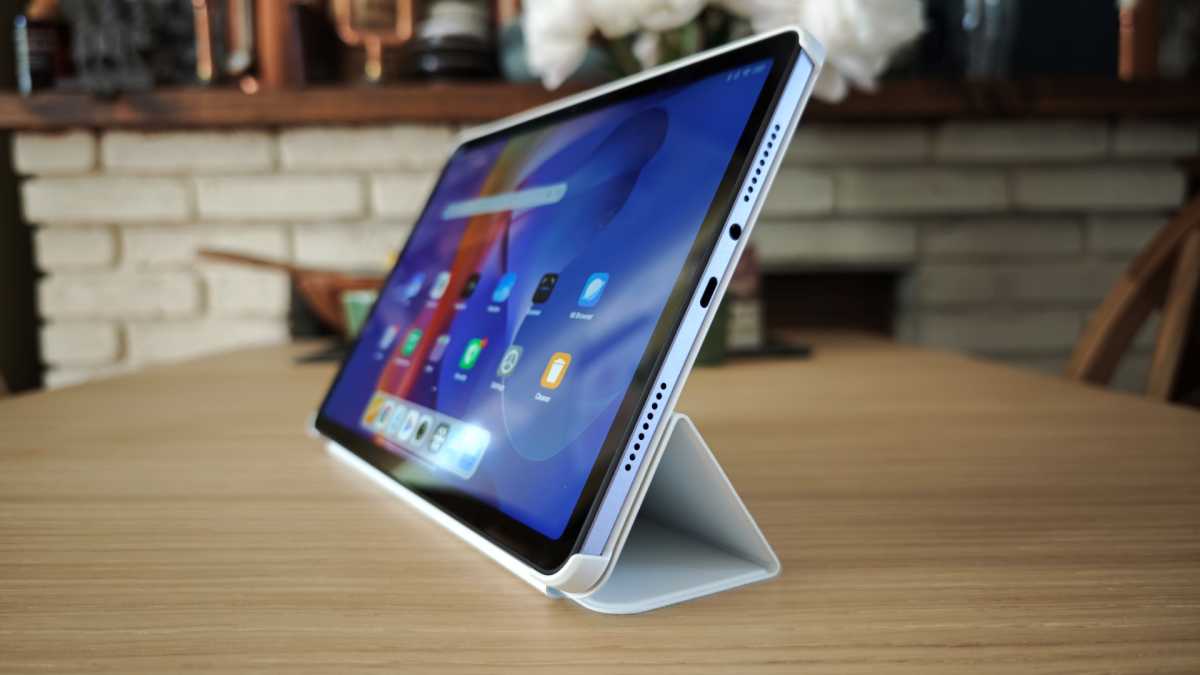
First things first, you would have no idea the Redmi Pad 2 was so cheap if I just handed it over. It looks and feels every bit as good as tablets double the price or even more expensive.
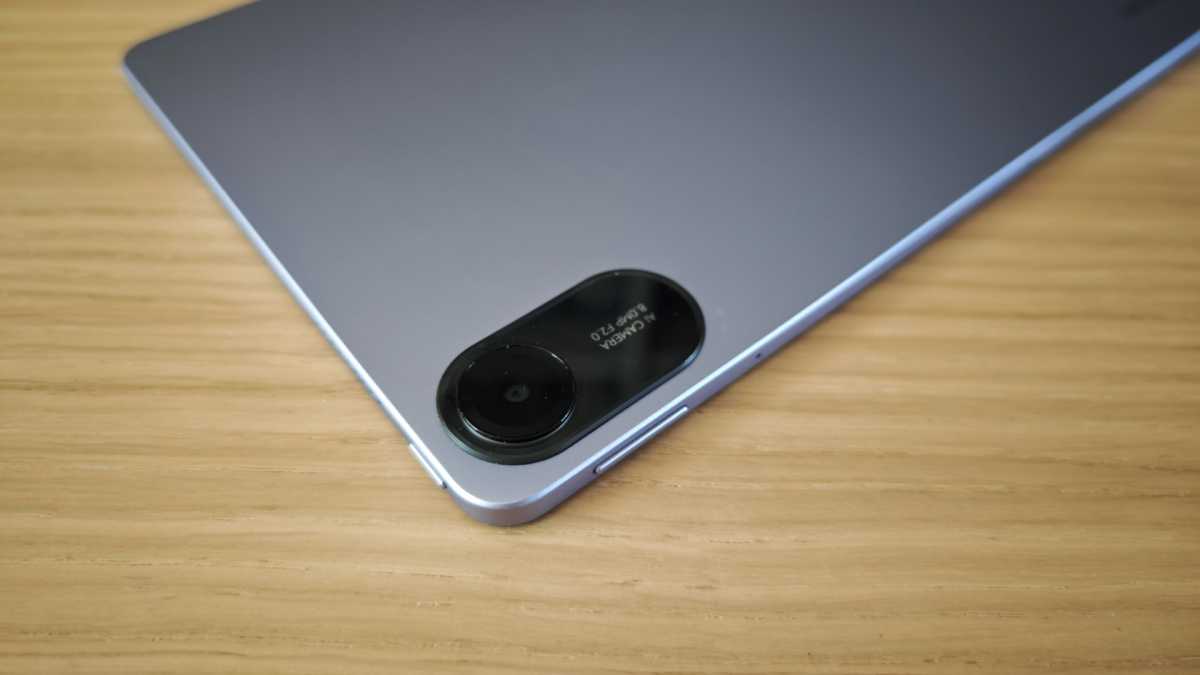
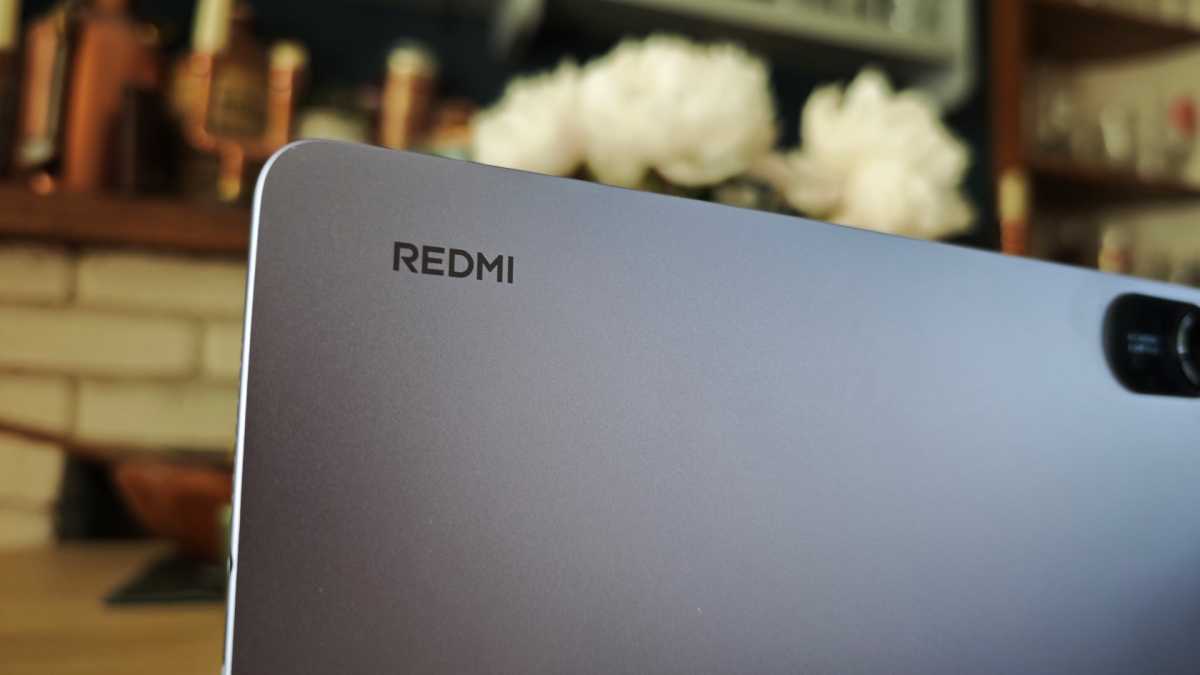
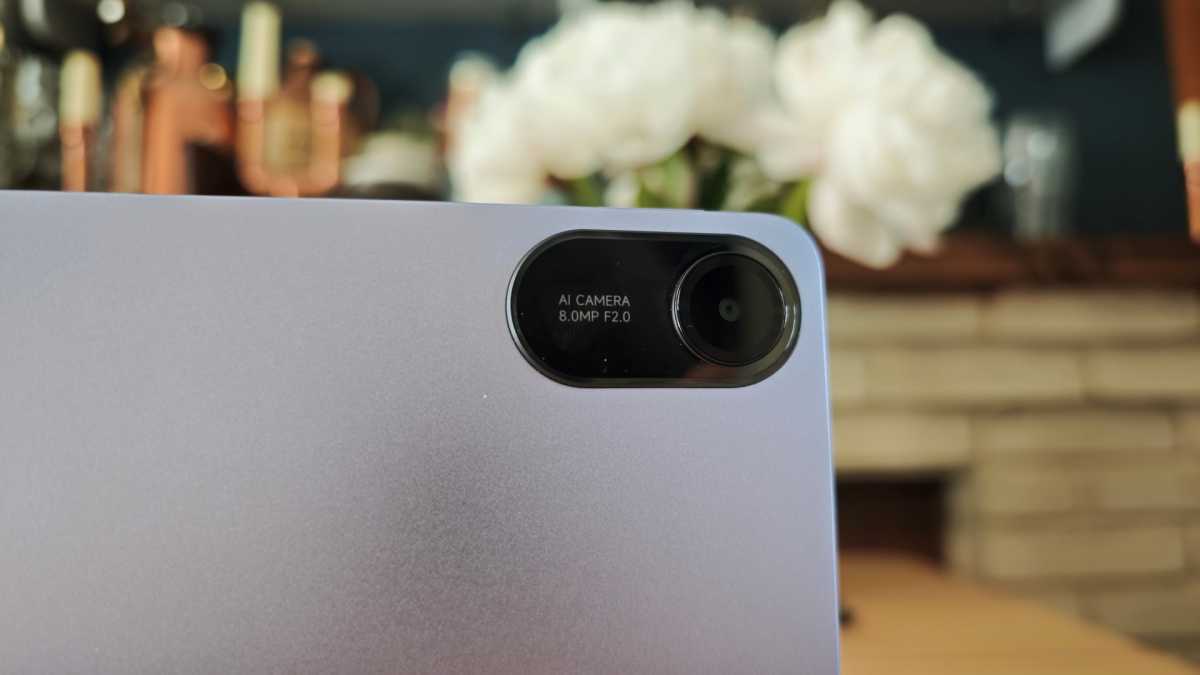
This is largely due to its clean unibody aluminium chassis, which is understated and avoids any unnecessary design elements. I like the simple Redmi logo on the back and the compact camera module in the corner, now in a more pleasing oval shape.
Xiaomi has opted for a flat-sided design much like previous Redmi tablets and the firm’s flagship range, including the Pad 7. The corners and edges are rounded, making it comfortable to handle.
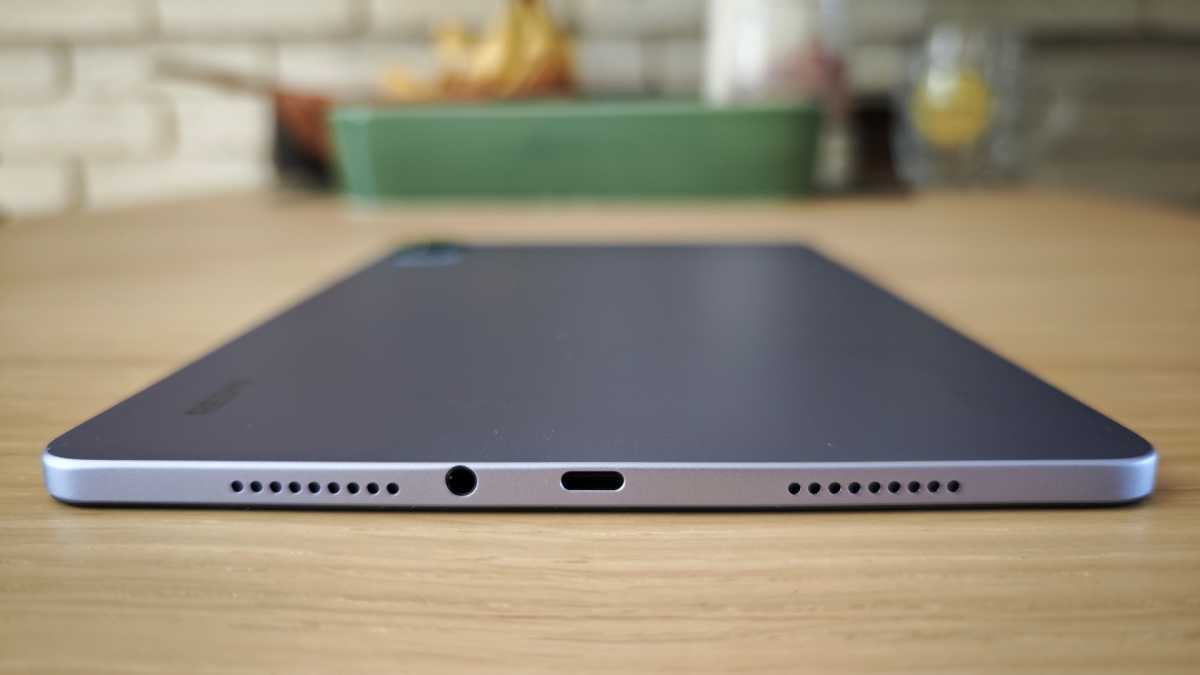
I’m quite taken with the device, apart from how close to the edge the headphone jack is
Chris Martin / Foundry
It’s nice and thin at 7.4mm and although it’s a little heavier than some rivals, 510g is perfectly serviceable and the device doesn’t feel too weighty.
I’ve tested the new Lavender Purple colourway. However, only Graphite Black and Mint Green appear to be available on the Mi UK store.
The design is split-orientated to be used in portrait and landscape modes, but it favours the latter a little bit more due to the placement of the front-facing camera on the longer edge.
Chris Martin / Foundry
One thing that bugs me somewhat is the placement of the power and volume buttons. They are on different sides, and when in landscape the volume rocker works backwards to what you would expect it to do.
Otherwise, I’m quite taken with the device, apart from how close to the edge the headphone jack is.
There’s no IP dust or waterproofing here, but that’s to be expected at this price.
Accessories
A quick note on the Redmi Pad 2 accessories, as I’ve been able to try out a couple.
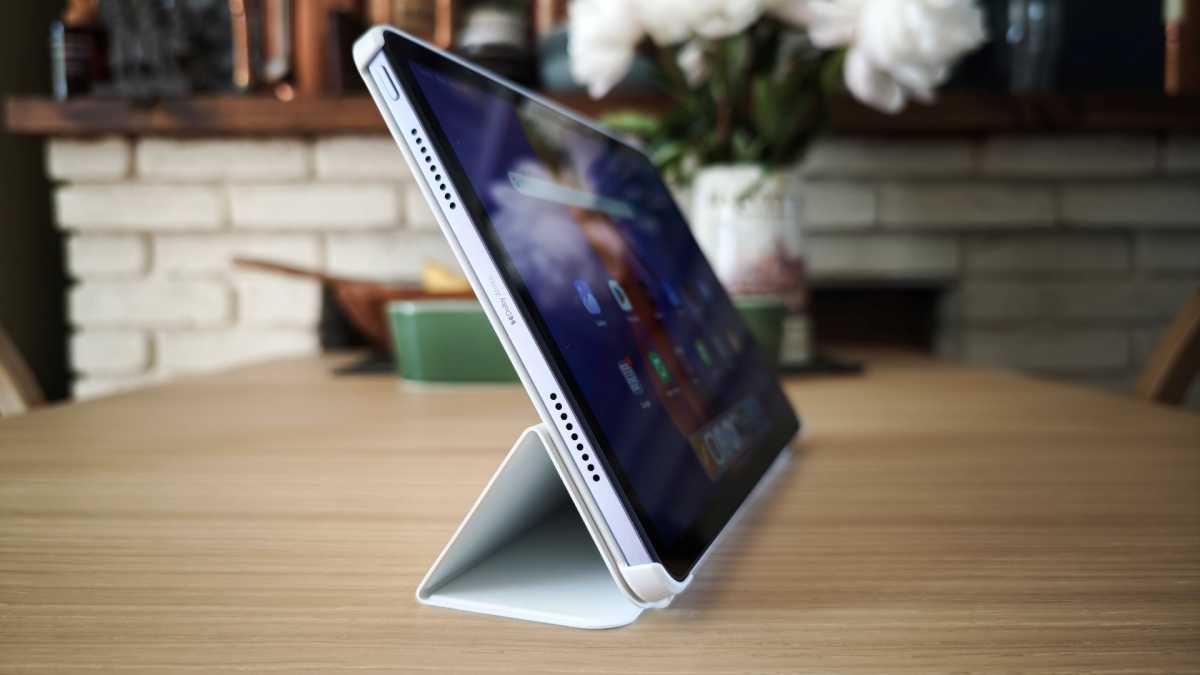
The official case is a worthwhile investment at £29. Not only does it protect the design, but it allows the screen to automatically turn on when you open it and acts like a stand, too. You just need to bend the folding section back a bit after it’s been in stand mode for a while.
Chris Martin / Foundry
There’s also a compatible stylus in the Redmi Smart Pen. It’s £59, but Xiaomi often offers it at a reduced price of £19 when buying the tablet. At that cost, it’s a useful add-on for a spot of sketching, note-taking, relaxing colouring or even just navigation without getting the screen grubby.
Screen & Speakers
- 11-inch LCD
- 90Hz refresh rate
- Higher resolution and brightness
- Quad speakers with Dolby Atmos
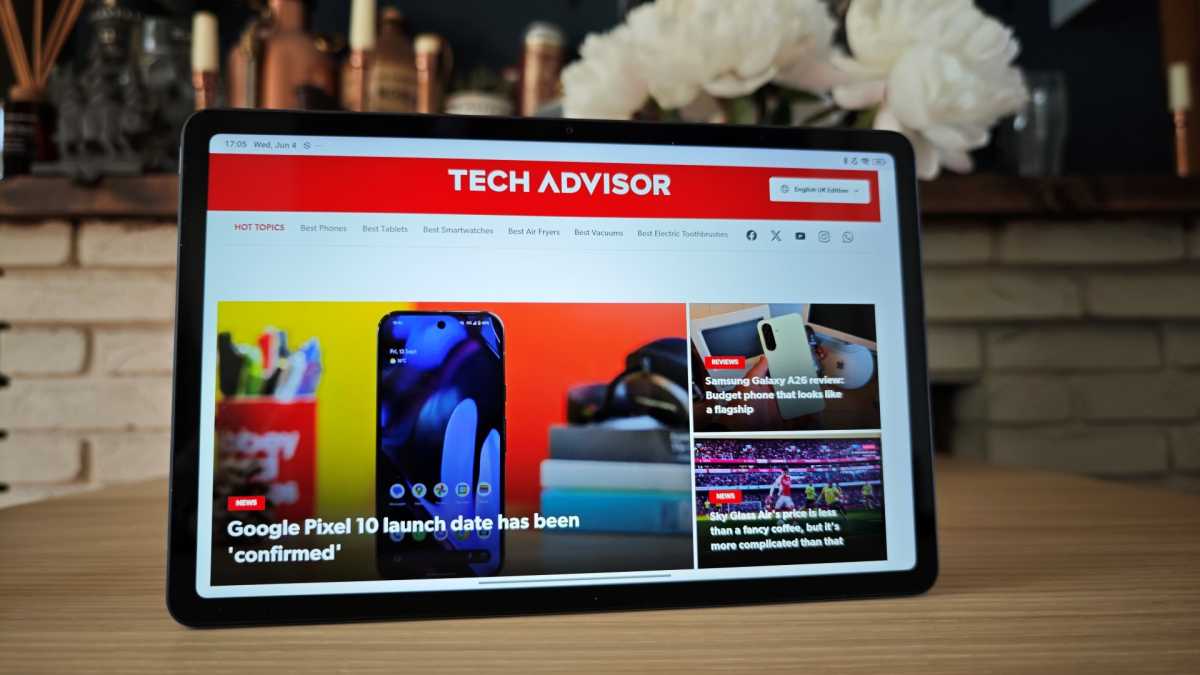
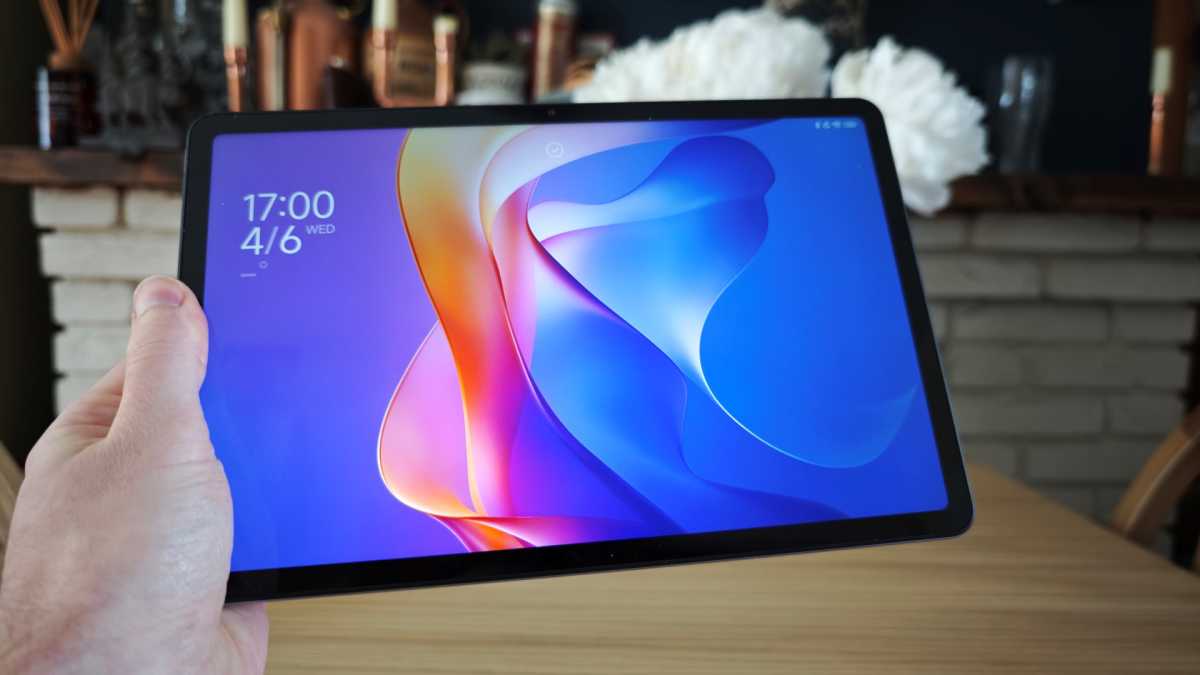
While the screen is still an 11-inch LCD panel with a 90Hz refresh rate, Xiaomi has upgraded the resolution to 1600 x 2560 pixels with a 274ppi density. It’s also brighter than its predecessor at 600 nits compared to 400.
I measured it at 480 nits with a Spyder X colorimeter in normal mode and a decent 570 nits in outdoor mode.
Chris Martin / Foundry
Overall, it’s a nice screen for a budget tablet, with good colour reproduction and contrast. Not only is it as crisp and colourful as many more expensive options, but that 90Hz refresh rate helps keep things smooth, though you will have to switch it into custom 90Hz to use it more as the default auto mode uses 60Hz for most apps.
The bezel is thin enough to look modern while providing an area with which to hold the tablet.
On the downside, though hardly surprising at this price, the Redmi Pad 2 doesn’t have the best viewing angles so ideally, you’ll be using it looking straight on. Other things you have to understandably deal with at this price include reflective glass, uneven backlighting and basic auto brightness.
There’s no fingerprint scanner here – not in the display or power button – but you can use face unlock, which I’ve found to be quite reliable.
Chris Martin / Foundry
I’ve heard plenty of worse-sounding tablets for a lot more money
The audio on the Redmi Pad 2 is really impressive. It’s not uncommon for devices this cheap to just go with the bare minimum, offering either a mono speaker or the most basic stereo speakers.
Xiaomi has fitted the tablet with no less than four speakers – two on each short side – and it also has Dolby Atmos support. The speakers sound great for a range of content and the Atmos support makes a real difference, providing a much more dynamic and spacious audio.
I’ve heard plenty of worse-sounding tablets for a lot more money.
Specs & Performance
- Mediatek Helio G100 Ultra processor
- 4 or 8GB of RAM
- 128 or 256GB storage
The Redmi Pad 2 runs on a Mediatek Helio G100 Ultra processor. A 2024 octa-core chip found in devices from the likes of Xiaomi, Tecno and Infinix.
It’s a step up in name from the G99 found in the original but the pair have very similar specs.
If you buy the cheapest Redmi Pad 2 you get just 4GB of RAM and 128GB of storage. However, for an extra £50 you can upgrade to double both of those specs.
You might not need the additional storage, perhaps (and you can add more via the microSD card slot if needed), but the 8GB of RAM could be an important asset. If you want to use the Redmi Pad 2 for anything demanding like running apps simultaneously or 3D games, then I’d seriously consider getting this model.
It’s the model I’ve been testing here, and I don’t think I’d want to drop down to 4GB of memory.
you can watch video content but don’t try and edit GBs of footage
Chris Martin / Foundry
Sure, the tablet has adequate performance overall for navigating, running various apps and gaming if it’s at the lighter end of the scale, but even with 8GB of RAM, I’ve seen the device occasionally slow down.
It’s one of the best for performance at this price range, but equally, you shouldn’t expect too much of it. In other words, you can watch video content but don’t try and edit GBs of footage. The Galaxy Tab A9 tablets offer better gaming performance if that’s what you’re after.
Elsewhere, you get a sufficient set of specs like Wi-Fi 5, Bluetooth 5.3 and a headphone jack. Nothing exciting but they do the job while keeping the cost down.
Xiaomi has added an LTE model this year (with GPS) so you can get data on the go without having to find a Wi-Fi network, but this doesn’t appear to be on sale in the UK.
Redmi Pad 2 benchmarks
Cameras
- Two cameras total
- 8Mp rear camera
- Downgraded 5Mp front camera
We don’t care about the cameras on tablets much and nor should you (really, just buy a budget phone if photography is important). However, you might find you need them in certain situations.
Primarily, a tablet (especially with a case that works as a stand) can be a useful tool for video calls. It’s frustrating, then, that Xiaomi has done what a lot of tablet makers do and put the better shooter on the back.
Chris Martin / Foundry
Even worse, is that the front camera has been downgraded from 8- to 5Mp. The quality is good enough for a video chat or meeting, provided the lighting is decent (don’t have a window behind you).
Meanwhile, the rear camera is fine if you need some basic snaps – again, only in good lighting – but don’t expect anything that looks better than a phone from 10 years ago.
Battery Life & Charging
- Larger 9000mAh
- Solid longevity
- Slow charging
The Redmi Pad 2 has a 9000mAh battery inside, which makes it almost 2000mAh larger than the Galaxy Tab A9+ and 1000mAh more than its predecessor.
In our usual PCMark for Android battery test, the tablet lasted a respectable 10 hours and two minutes, outpacing the A9+’s eight hours and 32 minutes.
It’s a little behind the Redmi Pad SE’s impressive 13 hours and 16 minutes, but that tablet has a much lower resolution screen.
Considering this is still what Apple quotes for video playback on iPads, it’s a solid result
Chris Martin / Foundry
In my real-world testing, watching an hour of video on YouTube saw the battery drop just over 10%, which is roughly in line with the PCMark result of 10 hours. Considering this is still what Apple quotes for video playback on iPads, it’s a solid result, even if it’s far off the 17 hours the firm claims.
It also offers slightly faster charging than its key Samsung rival at 18W vs 15W. However, this isn’t anything to write home about.
In my test, using a Xiaomi 67W charger, the Redmi Pad 2 went from dead to 21% in 30-minutes. That’s 5% more than the A9+, but not exactly ‘fast’.
A charger doesn’t come in the box, but Xiaomi often adds one in for free on the Mi store.
Software & Apps
- HyperOS 2
- Based on Android 15
- Clean but with quirks and a little bloatware
Software is often something of a sticking point with Xiaomi devices. MIUI, the firm’s own user interface, was divisive, and the pivot to HyperOS isn’t actually that different.
I find the operating system more intuitive and suitable for tablets compared to smartphones
Chris Martin / Foundry
I’ve personally found it a lot better over the last couple of years and I find the operating system more intuitive and suitable for tablets compared to smartphones.
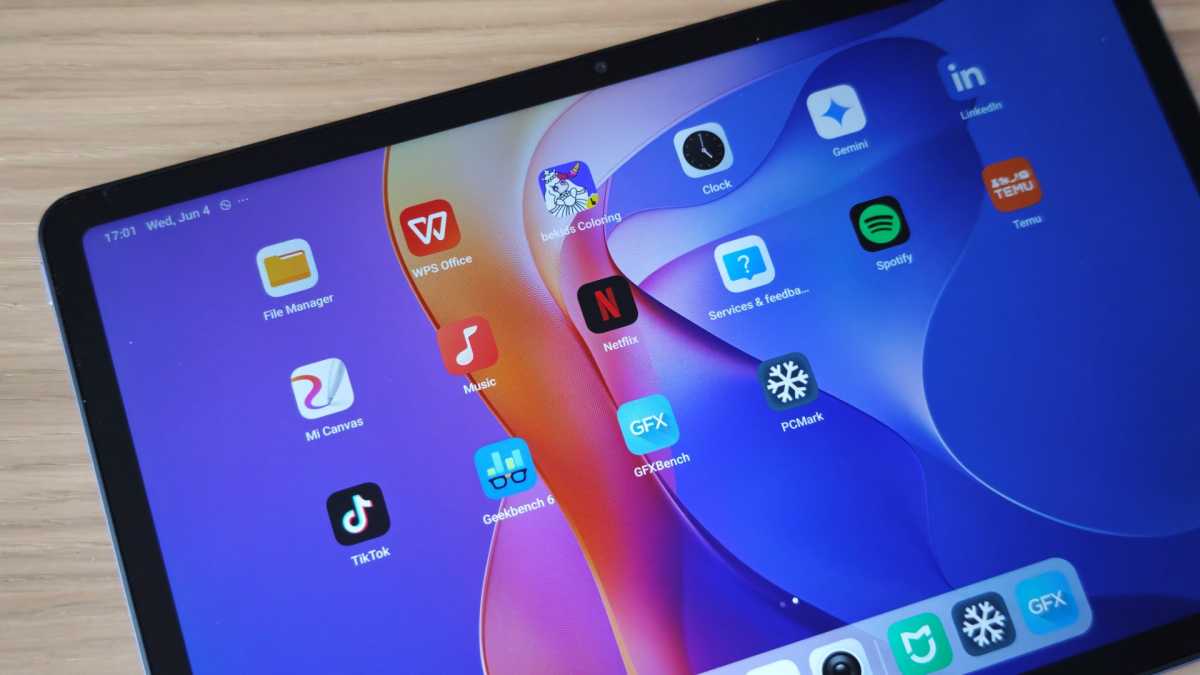
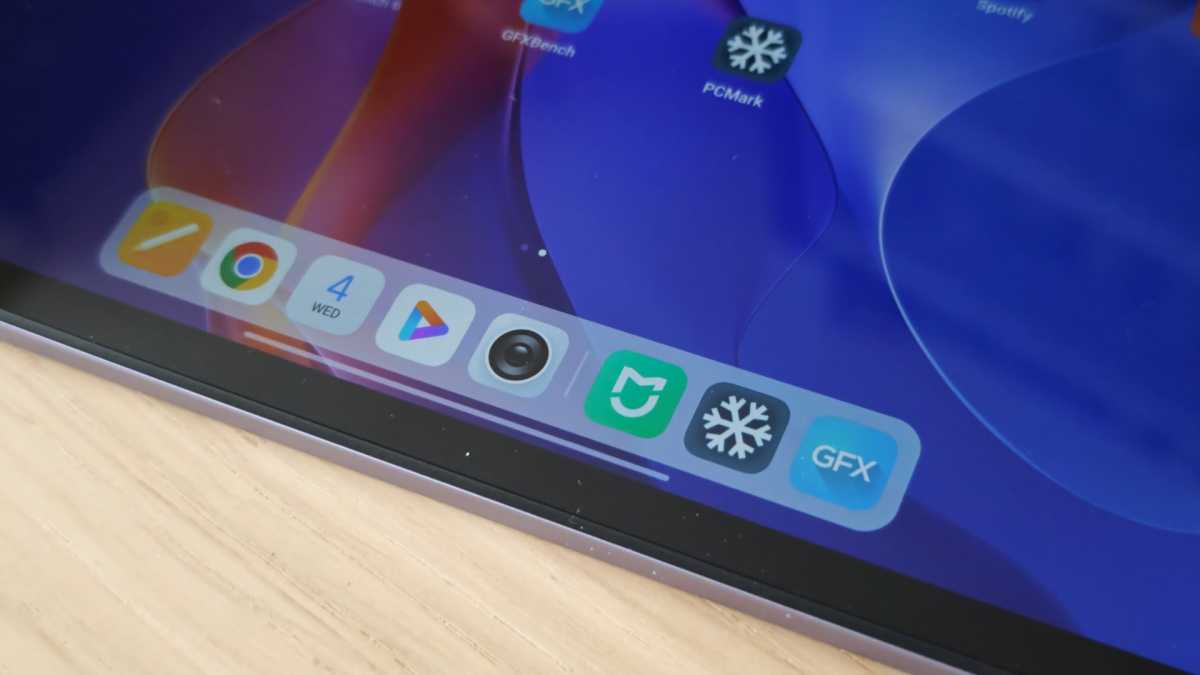
Overall, the HyperOS 2 software based on Android 15 – which by the way is the most recent version and not a given on cheap tech – looks nice and is far cleaner and more intuitive than it used to be. I particularly like the static launcher bar at the bottom which shows your favourite and recent apps.
Elsewhere, you have the Google Discover feed to the left of the main home page and typical Android gesture-based navigation (or you can use buttons if you prefer).
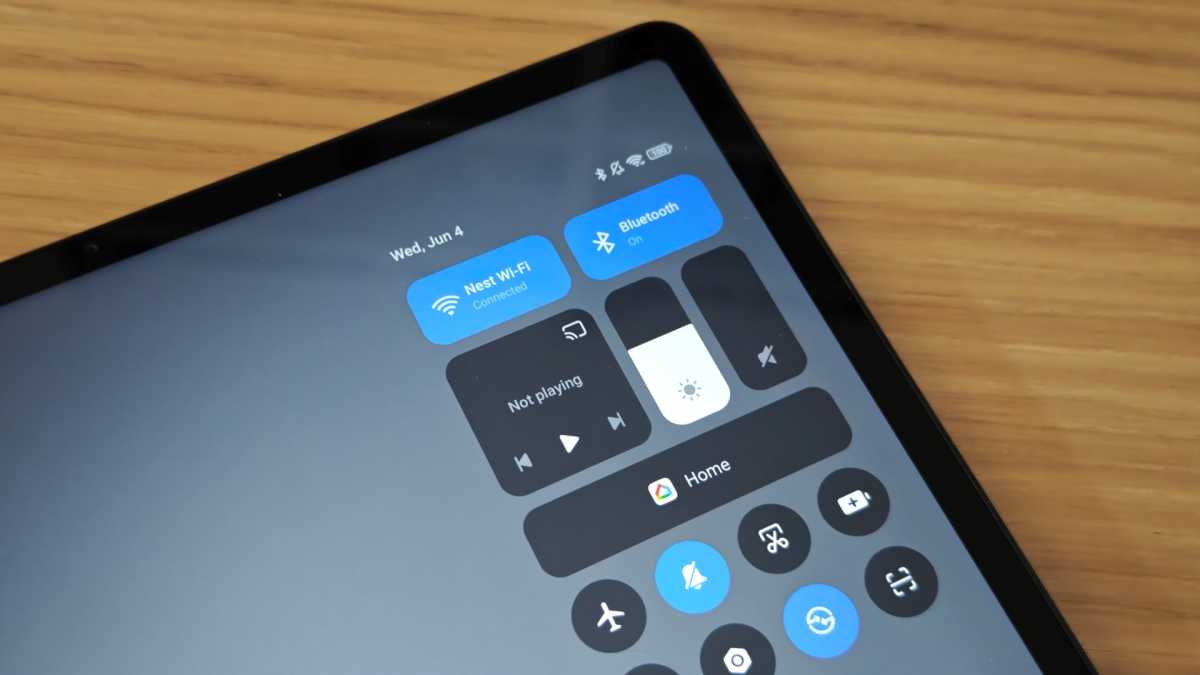
If you’re new to HyperOS, it might take a while to get used to the Apple-style system of splitting the notification and quick settings panels. You’ll need to swipe down from left or right, respectively, depending on which you need.
Chris Martin / Foundry
The Redmi Pad 2 comes with bloatware in different forms, but nothing too bad. First up, you have Xiaomi’s own apps like the Mi Browser, which duplicate Google’s better ones (why would I use that instead of Chrome?).
Some may come in useful, such as Recorder, Mi Canvas and Security, but others can be simply hidden and forgotten about.
Then you get pre-loaded apps like WPS Office, LinkedIn, Netflix, Spotify, Temu and TikTok – some of which might save you the hassle of downloading them to be fair. Ones you’re not keen on can fortunately be quickly uninstalled.
A frustrating omission is the ability to run two apps simultaneously in a split-screen view. This is a feature in HyperOS 2 on other devices but not on the Redmi Pad 2. This may be because the performance may suffer, or Xiaomi wants to give you a reason to buy something more expensive.
Chris Martin / Foundry
Regardless of the reason, don’t buy it if this is a non-negotiable. What Xiaomi is pushing instead is Xiaomi Interconnectivity, which means you can sync things like calls and clipboard, as well as automatically hotspot to your phone.
You’ll need a compatible Xiaomi device, of course, and, to be honest, I’d rather just be able to split-screen apps.
I’m waiting for confirmation from Xiaomi but it looks like the Redmi Pad 2 will get two years of OS updates and three years of security updates. It’s not much, but also fairly standard for something this cheap.
Price & Availability
The Xiaomi Redmi Pad 2 is available now starting at just £169, which will get you the basic model with 4GB of RAM and 128GB of storage.
If you need the device for anything more than the most basic tasks, I’d recommend upgrading to the 8/256GB model to double both those specs for £219.
You can buy it from the Mi store as well as other retailers like Amazon.
For comparison, the Samsung Galaxy Tab A9+, which also has an 11-inch screen, starts at £239 for the 64GB model. The Oppo Pad Air is £239 and the Amazon Fire Max 11 is £249.
Check out our list of the best budget tablets to see our top recommendations.
Should you buy the Xiaomi Redmi Pad 2?
If you’re looking for a very cheap Android tablet with a nice design and mostly decent specs and performance, then the Redmi Pad 2 certainly fits the bill.
For starters, it looks and feels like a much more expensive tablet thanks to its clean metal unibody design.
It then offers similar or better specs than its pricier key rival, the Samsung Galaxy Tab A9+. Everything is sufficient for the kind of usage a budget tablet offers, even if nothing is particularly exciting.
Optional accessories, particularly the stylus, make it an interesting option, especially when Xiaomi bundles these in or offers them at a sizable discount.
Overall, the Redmi Pad 2 is an excellent all-round value tablet, and the downsides are mostly to be expected at this price anyway. Just carefully consider what you want it for if opting for the cheaper model with only 4GB of RAM.
Specs
- HyperOS 2 (Android 15)
- 11-inch FHD+ LCD display, 90Hz
- Mediatek Helio G100 Ultra
- Memory: 4/8GB
- Storage: 128/256GB + microSD up to 2TB
- Cameras: 8Mp rear, 5Mp front
- Ports: USB-C, 3.5mm Headphone Jack
- Wi-Fi 5
- Bluetooth 5.3
- Quad speakers with Dolby Atmos support
- 9000mAh battery
- 18W charging
- 254.6×166.0x7.4mm
- 510g
- Launch colours: Mint Green, Graphite Grey and Lavender Purple
Best Prices Today: Xiaomi Redmi Pad 2
Author: Chris Martin, Managing Editor, Tech Advisor

Tech Advisor Managing Editor Chris got his break as a reporter at infamous site The Inquirer and has been with us for more than 12 years. With a BA degree in Music Technology, audio is his specialism, but over the years he has reviewed all kinds of gadgets, from smartwatches to mesh Wi-Fi to coffee machines.