
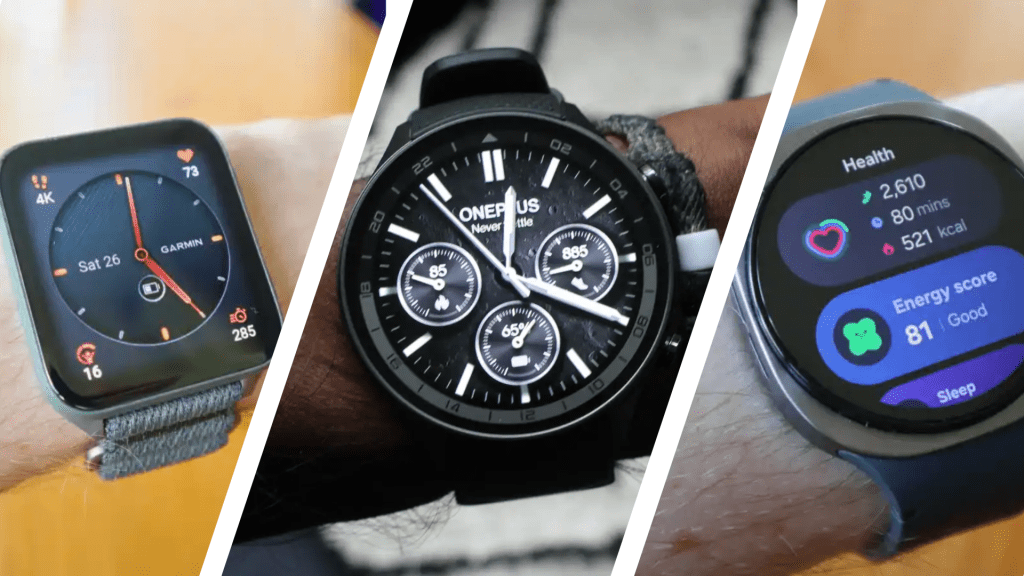

Though smart rings have emerged as a very popular wearable, smartwatches are the mainstay of the market and these are the best models you can buy right now.
As we head into 2026, there will be plenty of new smartwatches on the way. In fact, we saw a selection of new models announced at CES 2026, including the Motorola Moto Watch and Pebble Round 2.
If you want a smartwatch right now, however, this guide contains our top 10 expert picks from the wearable market. The Apple Watch is an obvious choice iPhone users, but even Apple has various models to choose from. Google Wear OS devices provide a wealth of choice and there are others too, including models from Samsung, Xiaomi and Google’s own Pixel Watch.
There are also plenty of other options on the market running different software, so you’ll find the likes of Garmin, Huawei and others featured as well. All of which have been thoroughly tested by our expert team, and you can click through to full reviews for more information.
Below the rankings, you’ll find in-depth buying advice to help you choose the best smartwatch for your needs. Check out the best budget smartwatches if you have less to spend on a wearable and you might also consider a smart ring as an alternative or even in addition.
Best smartwatch reviews
1. Google Pixel Watch 4 – Best Overall
Pros
- Gorgeous, repairable design
- Stunning domed display
- New quick charging dock
- User-friendly and feature-rich
Cons
- Fitbit Premium needed for some features
- Slow loading at times
- Gemini doesn’t always do what you expect

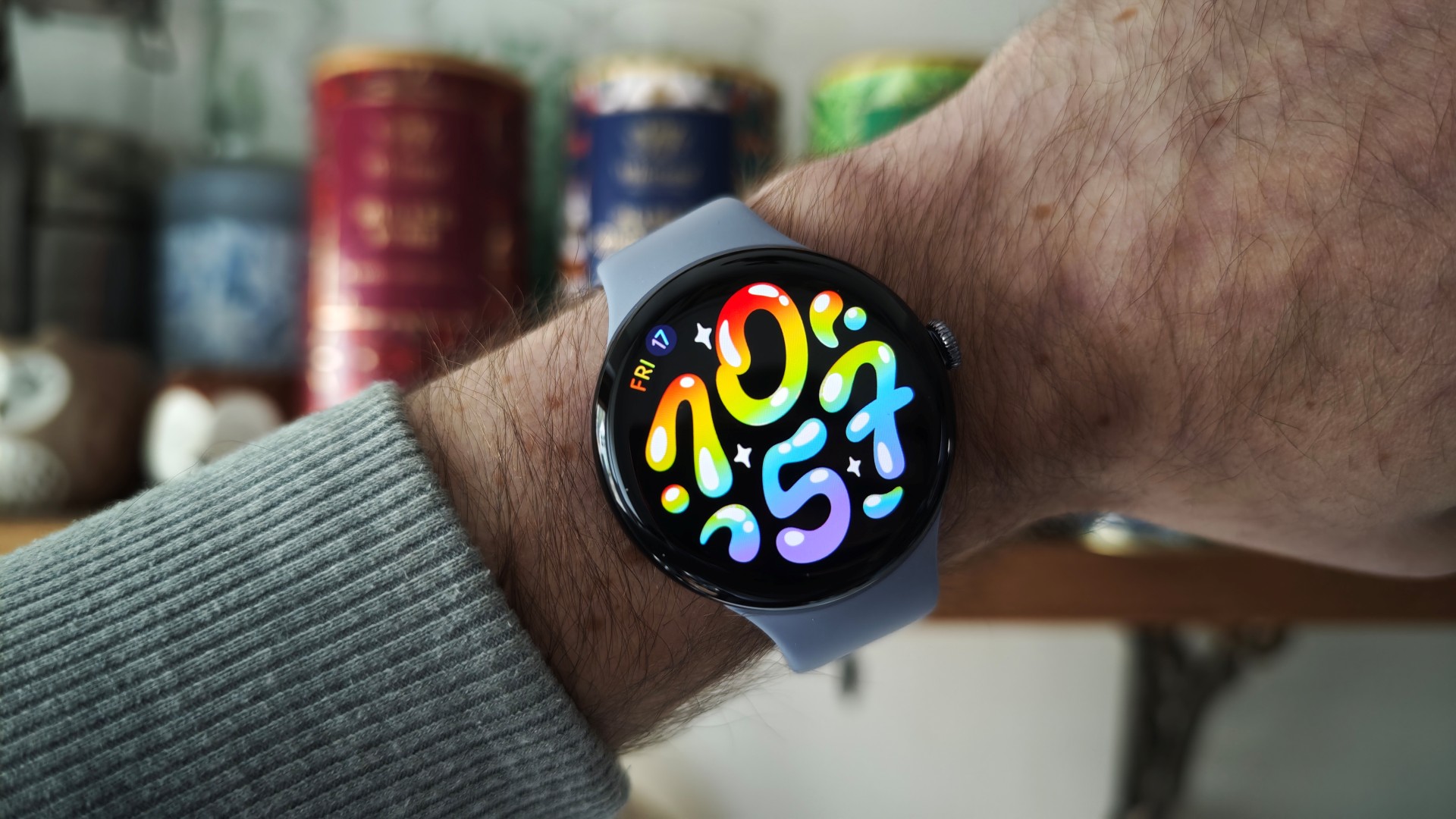
With this fourth-generation model, Google has really hit its own-brand smartwatch stride. The Pixel Watch 4 is the best all-round Wear OS smartwatch you can buy thanks to a number of big upgrades compared to its predecessor, yet costing the same.
It might look the same, but the device is now repairable (at home, even) and the new Moonstone colourway looks classy.
Google has also added a unique domed Actua 360 display which, combined with the Material 3 Expressive design of Wear OS and an upgraded haptic engine, results in an excellent user experience.
Battery life is also solid – though you can find longer lasting Wear OS watches – but that might not matter so much when the new Quick Charge Dock is so fast, and a neater solution to most proprietary chargers.
Needing to pay for Fitbit Premium for your Readiness score and other advanced features remains a sticking point, but you get a 6-month trial to test it out at least. Not everything is zippy fast to load, Smart Replies aren’t that smart and Gemini takes some trial and error, but the latter should improve with time.
These small downsides aren’t enough to stop it landing at the top spot of our smartwatch chart.
Who should buy the Google Pixel Watch 4?
You’re looking for the best all-round Wear OS smartwatch, especially to pair with a Pixel phone.
Google Pixel Watch 4: Further Considerations
There are cheaper options with longer battery life, such as the OnePlus Watch 3.
Read our full Google Pixel Watch 4 review
2. Oneplus Watch 2R – Best Value
Pros
- Affordable
- Excellent battery life
- Lightweight design
- Solid fitness tracking
Cons
- Downgraded materials vs flagship
- Only one size
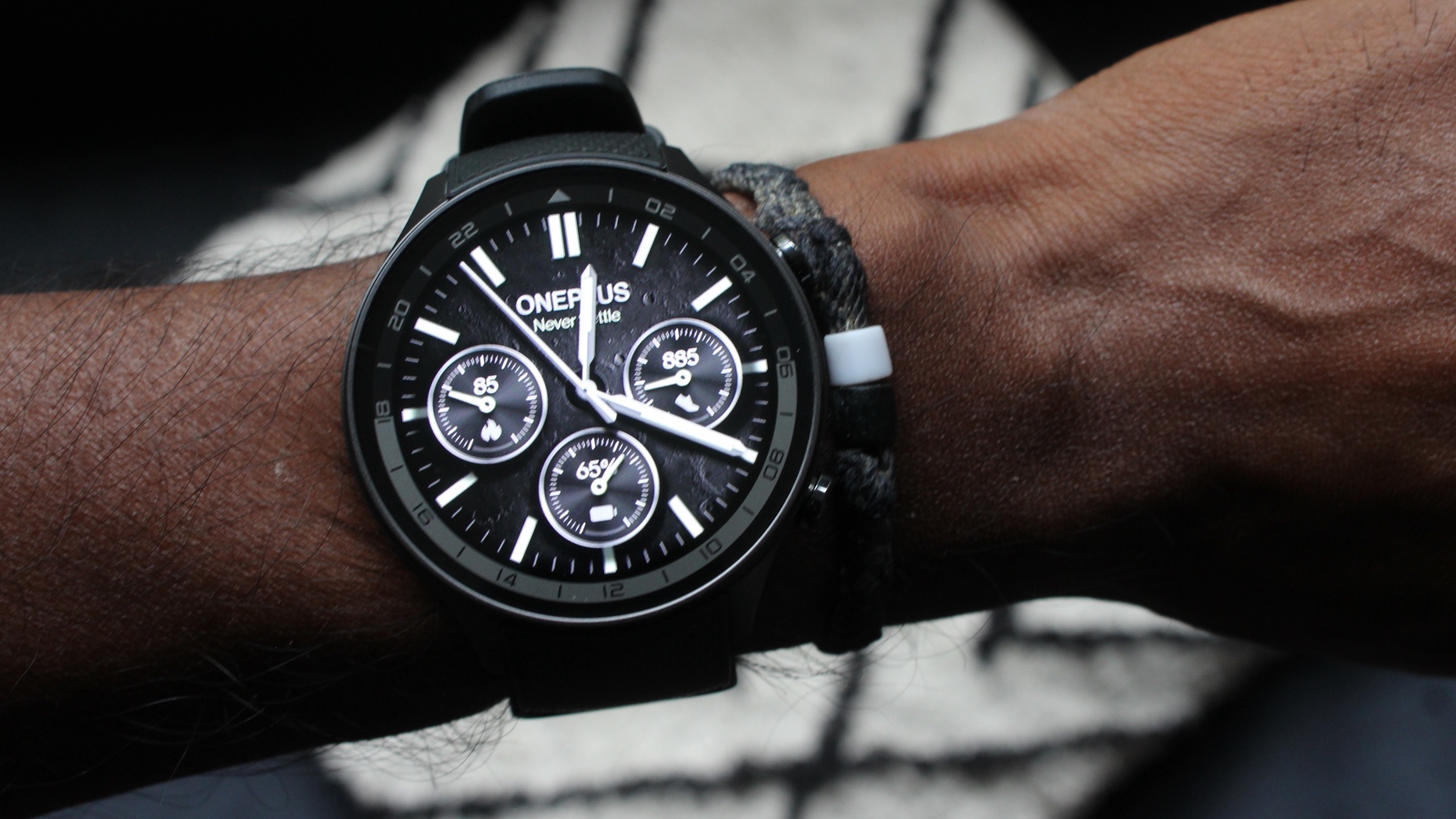
The OnePlus Watch 2R has performed so well that it’s actually better than the flagship OnePlus Watch 2.
It might not have that same alluring look as the Watch 2 Nordic Blue edition, but the software and power inside it are the same and that gives you the same great all-round smartwatch with some good fitness features that I think make it the better option.
Other Wear OS smartwatches will offer you more in the way of health monitoring and cellular connectivity, which will be desirable to some, but those watches outside of the TicWatch Pro 5, can’t do what OnePlus manages to do for Wear OS and battery performance.
The look is nice enough, and it’s at a much nicer price than most other Wear OS options and, crucially, is just as good a smartwatch that will have you thinking slightly less about charging it compared to more expensive Wear OS smartwatches.
It would just be nice if there was a smaller size.
Who should buy the OnePlus Watch 2R?
Anyone in the market for an affordable Wear OS watch that doesn’t skimp on features and battery life.
OnePlus Watch 2R: Further considerations
The watch isn’t quite as durable as some that cost just a tiny bit more.
Read our full OnePlus Watch 2R review
3. Samsung Galaxy Watch 8 – Best for Samsung Users
Pros
- Comfortable design
- Nice, bright display
- Excellent fitness and health tracking
- Smooth performance and friendly UI
Cons
- No battery life improvement
- Needs 3 apps
- Price bump
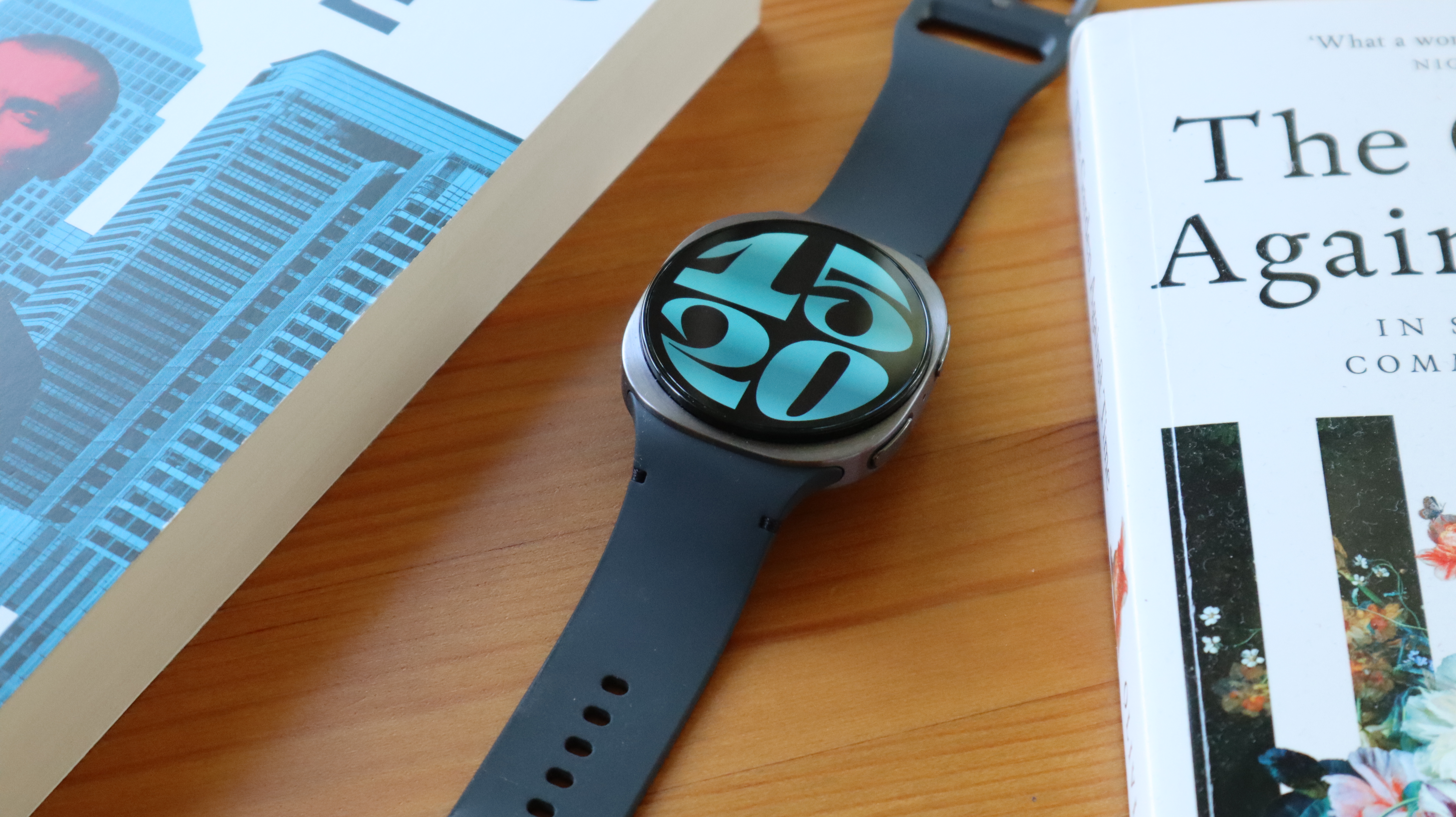
Even though it won’t be wowing any long-term Samsung fans with major upgrades over the Galaxy Watch 7, the Watch 8 is still a solid device that easily stands as one of the most competent Wear OS watches you can buy right now, and it’s largely down to the iterative changes that Samsung has made over the years.
Samsung’s One UI Watch overlay is right up there with the software experience provided by Google’s own Pixel Watch, offering a clean, yet wonderfully stylised take on Wear OS that now feels like a genuine competitor to Apple’s watchOS. The tile system in particular remains a great feature that we wish Apple would replicate, as it gives you quick access to your most important apps.
Arguably, the biggest change on the software front is the move from Google Assistant to Google Gemini right out of the box. Having access to a fully fledged AI on your wrist is a game changer, as you can get detailed answers to intricate questions, and have a conversation that retains the context of what’s already been said, all of which is leagues ahead of anything Siri can do
Just like previous Galaxy Watches, the fitness tracking experience is as good as it’s ever been, flanked by detailed sleep tracking metrics that put all of that data into tangible, clearly worded advice.
Admittedly, the Galaxy Watch Ultra inspired design might not be to everyone’s tastes, but we’re big fans of the change, and overall the Galaxy Watch 8 shows off just how far Wear OS has come in the last few years. As a side note, while we have reviewed the Samsung Galaxy Watch 8 Classic, we found the device to be lacking in a way that the standard Watch 8 isn’t.
Who should buy the Samsung Galaxy Watch 8?
Those who want a great all-round Wear OS smartwatch with solid fitness tracking.
Samsung Galaxy Watch 8: Further considerations
The day-long battery life is still a pain, and it’s a problem the OnePlus Watch 3 doesn’t have.
Read our full Samsung Galaxy Watch 8 review
4. OnePlus Watch 3 – Best Battery Life
Pros
- Bigger display
- Long battery life
- Slick experience
Cons
- No ECG at launch
- More expensive
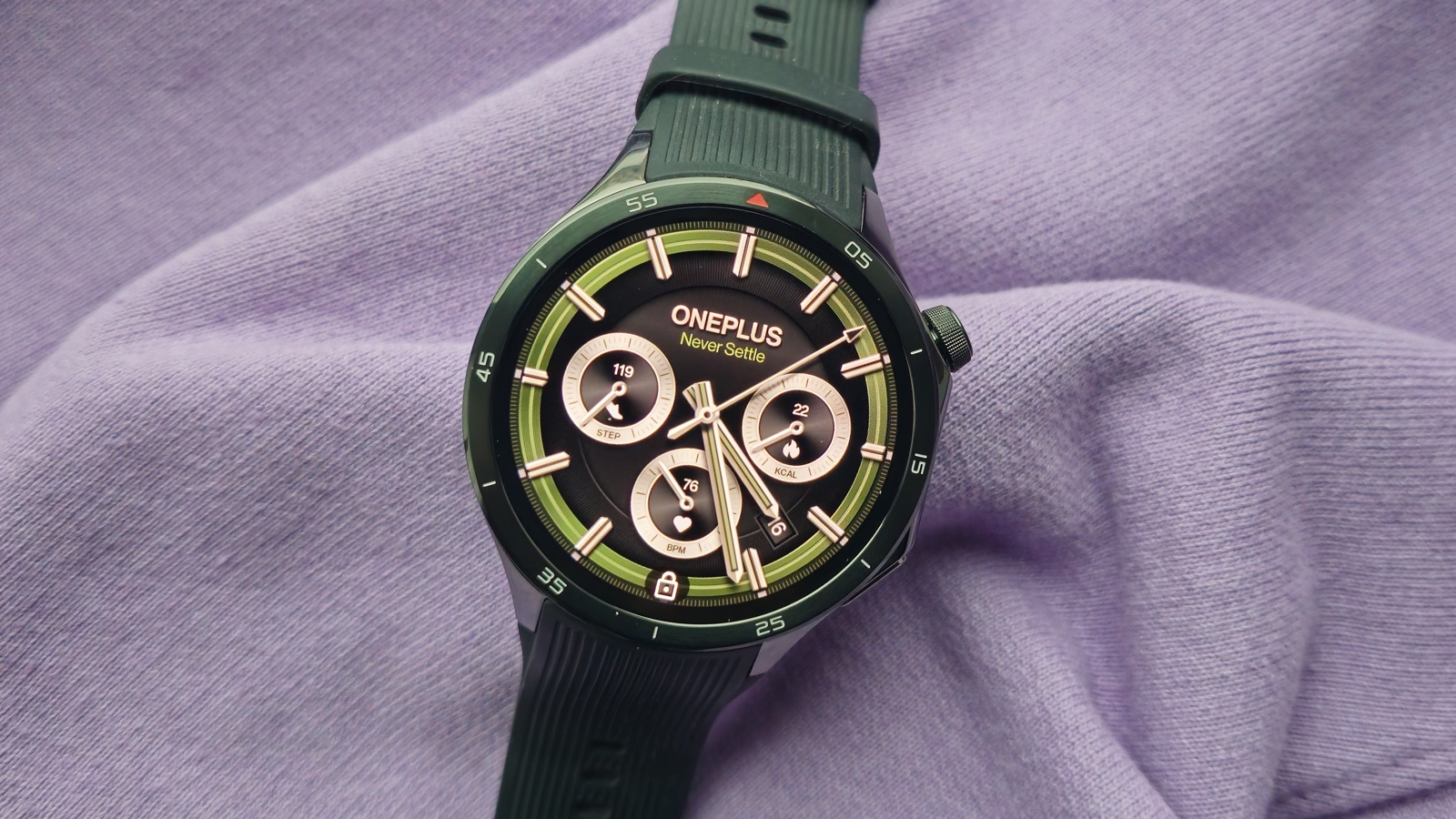
The OnePlus Watch 3 builds on the good work OnePlus did with the Watch 2, which made it one of the best WearOS smartwatches and smartwatches outright.
For the Watch 3, it has stuck to the same case size (although a smaller 43mm was made available at a later date) and has grown the size of the display all while still managing to offer a battery life that makes it go further than the likes of the Samsung Galaxy Watch and the Google Pixel Watch.
The WearOS experience remains strong too and now runs on WearOS 5, bringing richer Google app integration, with an upgrade on its double chipset setup also made to make software run smoother overall.
There are big changes on the health tracking front, where OnePlus has added ECG, where support for the feature at launch will vary until OnePlus gets the regulatory clearance to enable it.
It will also let you track your temperature and keep a check on your vascular health, so if you were hoping for a OnePlus Watch with more health tracking, you’ve now got it.
Who should buy the OnePlus Watch 3?
Anyone who values battery life above all in their smartwatch.
OnePlus Watch 3: Further considerations
It’s not quite as much of a looker as the Pixel Watch 3 or even the Galaxy Watch 8.
Read our full OnePlus Watch 3 review
5. Apple Watch Series 11 – Best for iPhone
Pros
- Improved health tracking
- 5G connectivity
- The best battery life of any standard Apple Watch
- Durable and comfortable
Cons
- Similar to Series 10
- Sleep score lacks advice
- Workout Buddy requires iPhone
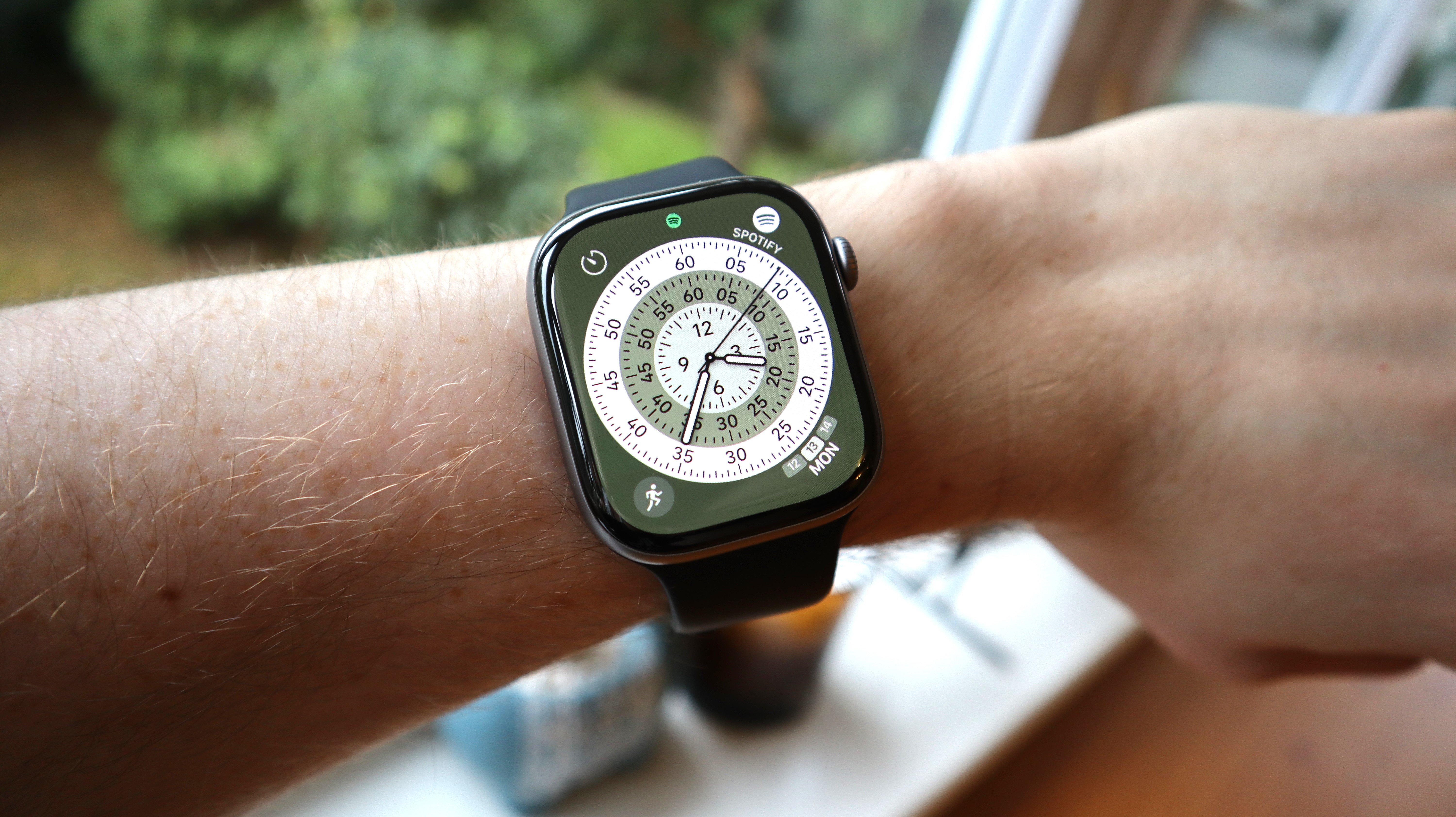
As with so many devices in tech, the Series 11 is more of the same from Apple – additional polish to an already shiny smartwatch, as it were.
While it’s very similar to its predecessor, the latest flagship Apple smartwatch does bring a selection of upgrades and improvements. One of the most important is battery life, which has finally jumped to 24 hours. We’d like more, of course, but it’s an improvement nonetheless and we’ve seen it go much longer when used for only basic tasks like notifications.
Elsewhere the design is more durable with Ion-X glass, optional 5G connectivity and more in the way of health tracking. However, the sleep score still needs work to match what you can get elsewhere.
Once again, it sits neatly in the middle of the Apple Watch range as a sweet spot, but you may want to go Ultra or SE for more or less.
Who should buy the Apple Watch Series 11?
Apple users who want to have the best wearable experience possible, without paying for a Watch Ultra.
Apple Watch Series 11: Further considerations
The Series 10 or SE 3 is a better value choice.
Read our full Apple Watch Series 11 review
6. Apple Watch SE 3 – Best Value for iPhone
Pros
- Good value
- Core features work well
- Always-on screen
- Fast charging
Cons
- Chunky bezel
- Only two colours
- Limited battery life
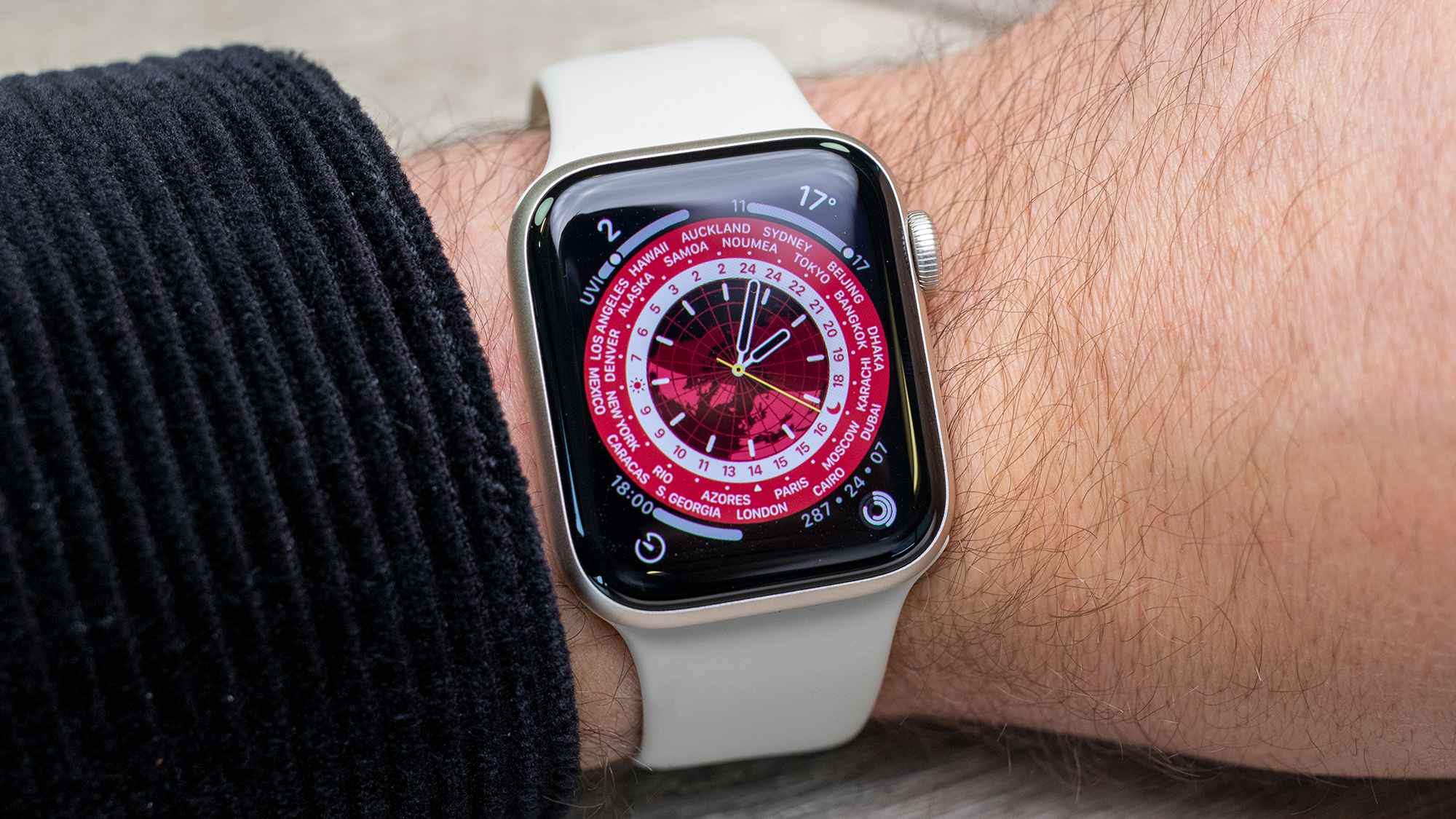
The Apple Watch SE range has always been an easy option to recommend for any iPhone users who want a competent, feature-packed smartwatch that doesn’t cost a fortune, but that value proposition has only gotten better with the Apple Watch SE 3. Even though this newer wearable has a ton of features that are worth the upgrade, it comes at no extra cost over its predecessor.
The big update this time around is the addition of an always-on display. Given that the lack of AOD always seemed like the big distinguishing feature between the Watch SE and more powerful options in the range, we’re still a bit surprised that Apple has bridged the gap, but it’s appreciated nonetheless. Having an always-on watch face makes it much easier to quickly glance at the time and any key bits of info without fully raising your wrist.
Similar to how the SE 2 mirrored the Apple Watch 8, the SE 3 packs the same S10 chipset as the Apple Watch Series 11, so there’s no downgrade in terms of performance. Jumping between apps feels zippy, and we didn’t encounter any software bugs that would otherwise diminish the brilliance of Apple’s watchOS.
There are still two caveats in that you have to put up with fairly chunky bezels as well as a one-day battery life that requires daily charging as a result. Given that so many Wear OS watches have made strides in this area, it would have been nice to see the SE 3 get some sort of battery upgrade, but it’s hard to argue when you consider just how useful the SE 3 is as a smartwatch for both apps and fitness.
Who should buy the Apple Watch SE 3?
Apple fans who want an affordable yet optimised watch to pair with their iPhone.
Apple Watch SE 3: Further considerations
The one-day battery life can be a killer for more intensive users.
Read our full Apple Watch SE 3 review
7. Huawei Watch 5 – Best Health Tracking
Pros
- Two sizes
- Attractive and durable design
- Lots of new health insights
- Improved battery life
Cons
- Health data can be overwhelming
- Questionable placement of sensor in some scenarios
- Some software quirks
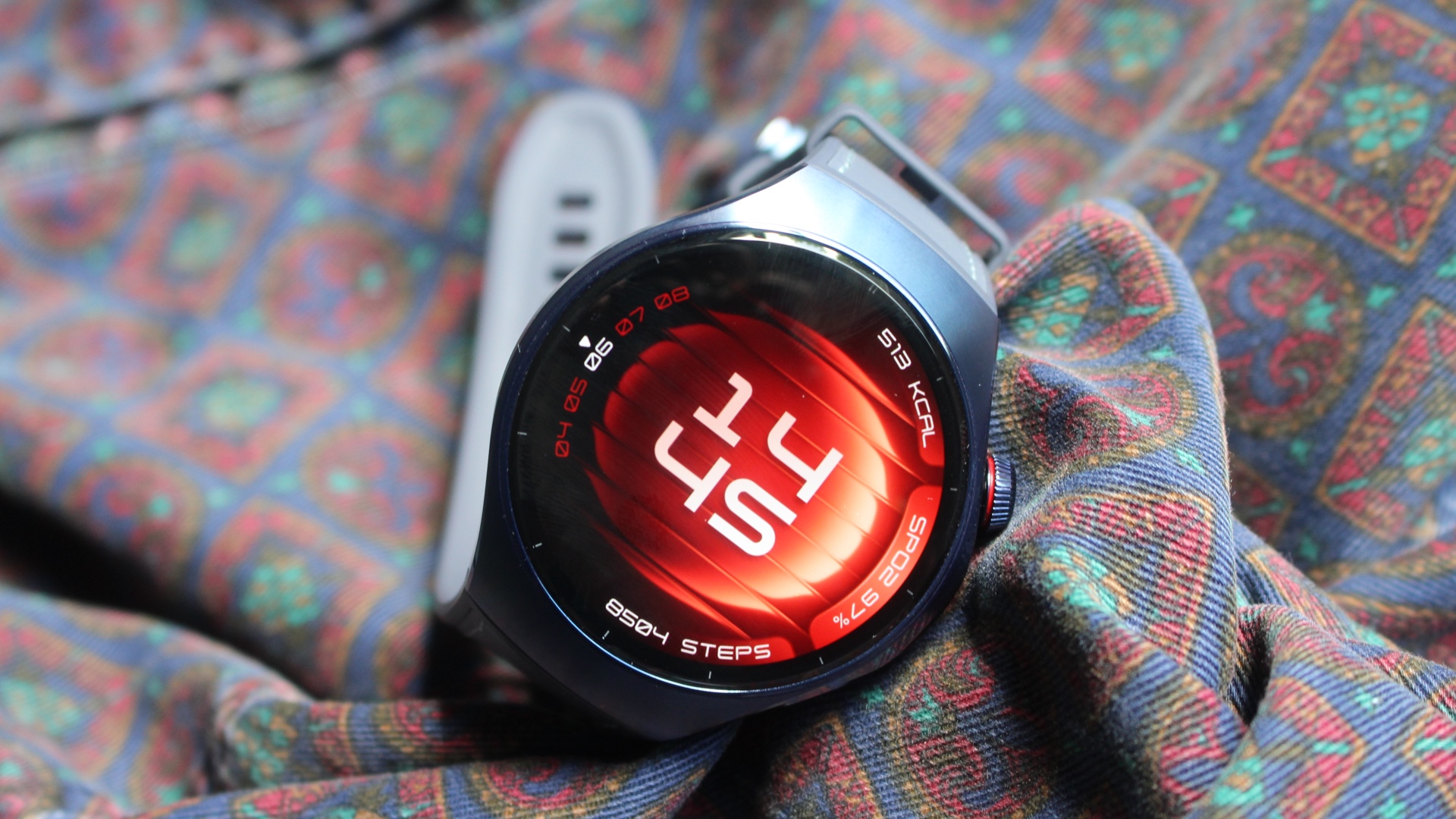
If you want a smartwatch with more of a health focus and don’t need the blood pressure capabilities of the Huawei Watch D2, then this is the way Huawei has gone with the Watch 5.
This centres around a new X-Tap sensor made up of a pressure, ECG and PPG sensors. It’s not best placed for everything on the side of the watch, but allows for a one-tap Health Glance of no less than nine indicators to help you check if something’s not right, so you can take action.
The health side of the Watch 5 might even be a bit overwhelming at times, but it is still the main reason to buy it over rivals.
It’s attractive, durable and available in two sizes, but that’s not a hard combination to find in the smartwatch world these days. The smartwatch side of things isn’t quite up to the top competition with sub-par experiences when it comes to payments, music controls and app support.
Huawei has made it compatible with Android and iOS and it features good battery life, eSIM and a Titanium build, so there’s lots to lure you.
Who should buy the Huawei Watch 5?
Anyone who’s obsessed with health tracking metrics.
Huawei Watch 5: Further considerations
Huawei’s ecosystem doesn’t feature the same level of app functionality to what you’ll find on Wear OS and watchOS.
Read our full Huawei Watch 5 review
8. Garmin Venu X1 – Best for Running
Pros
- Super slim design
- Large, bright display
- User interface is a joy to use
- Outstanding heart rate monitoring
Cons
- Other Garmins last longer
- Raise to wake can be a bit slow
- Single-band GPS
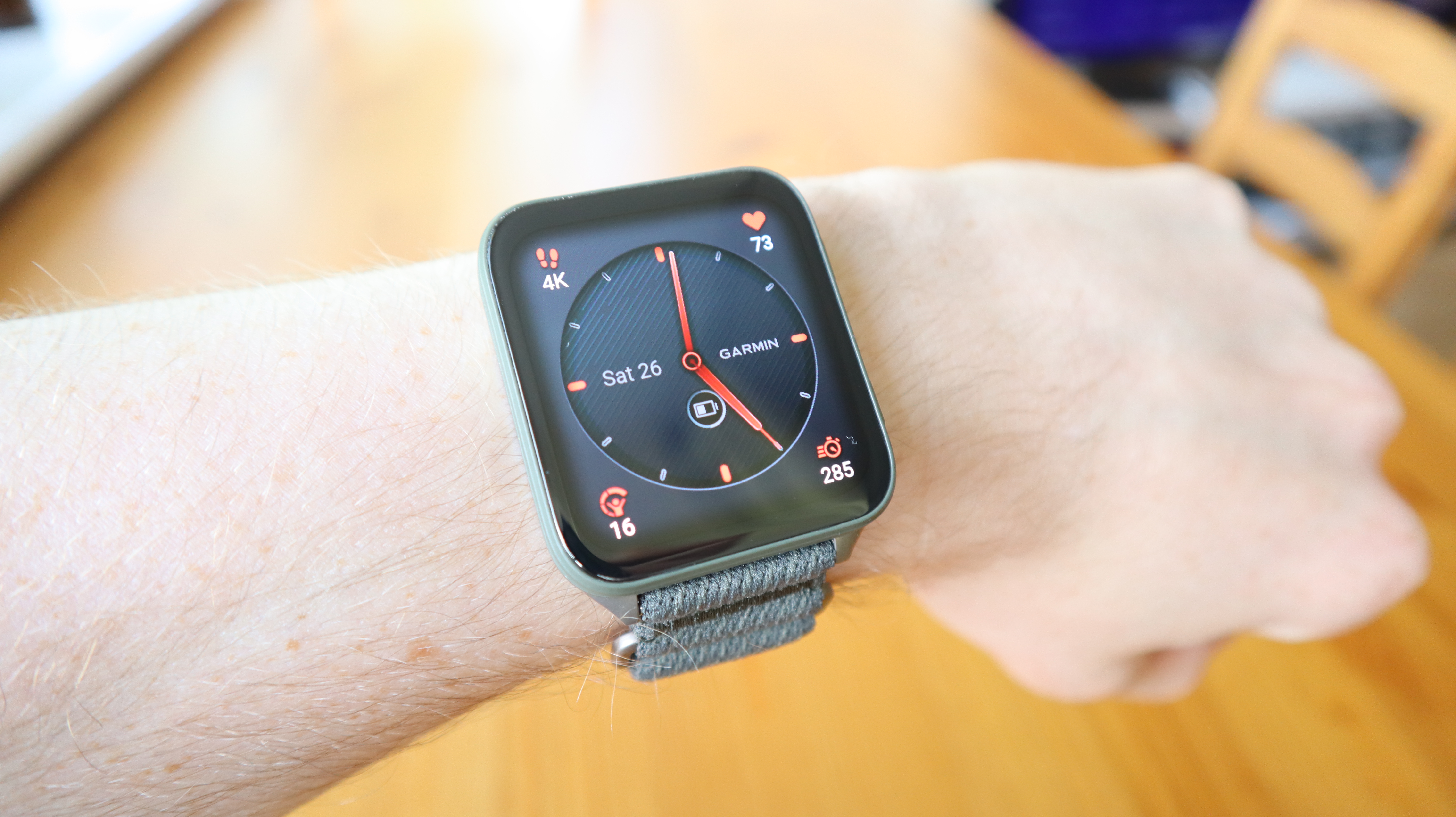
As much as we love Garmin watches, the abundance of options at the higher end has always made things tricky when deciding which specific model to buy. Thankfully, the brand has now made things much easier for anyone who’s been thinking about picking up the Apple Watch Ultra 2, as the Garmin Venu X1 serves as a direct competitor to Apple’s outdoor-ready smartwatch.
Unlike Garmin’s rounded chassis of old, the Venu X1 looks exactly like an Apple Watch from a distance, adhering to a square design that harks back to the lesser powered Garmin Venu Sq range. This refresh not only adds a large (and bright) two-inch display that’s easy to read at all hours of the day, it also slims it all down to the point where the watch is only 7.9mm thick, making it very comfortable to wear.
Despite its new design however, the Venu X1 benefits from all the sports and fitness tracking features that Garmin fans have come to expect, and in our testing of the heart-rate monitor, we found the results to be closely in line with a dedicated chest-worn HRM strap, which in turn helps to accurately inform the watch’s recommendations for rest and recovery.
It is a bit unfortunate that the watch doesn’t boast dual-band GPS tracking as you can find it on cheaper smartwatches nowadays, but it didn’t have a major impact on our GPS results during testing. Plus, the Venu X1 still benefits from eight days of battery life which trounces Apple and Samsung’s two-day longevity for their respective ‘Ultra’ watches.
Who should buy the Garmin Venu X1?
Fitness enthusiasts who want a running watch with plenty of modern sensibilities.
Garmin Venu X1: Further considerations
Dual-band GPS isn’t available, but you can get it on the Apple Watch Ultra 2 and the Galaxy Watch Ultra.
Read our full Garmin Venu X1 review
9. Xiaomi Watch 2 Pro – Affordable Wear OS Watch
Pros
- Impressive Wear OS software
- Excellent design and display
- Extensive health and sleep tracking
- 4G option
Cons
- Disappointing battery life
- Cluttered companion app
- Heavy and bulky
- No automatic workout tracking
The Watch 2 Pro is the first premium Xiaomi smartwatch that we can recommend, and there’s one big reason for that: Wear OS. Switching to Google’s software allows for access to third-party apps via the Play Store, making it a much more powerful device.
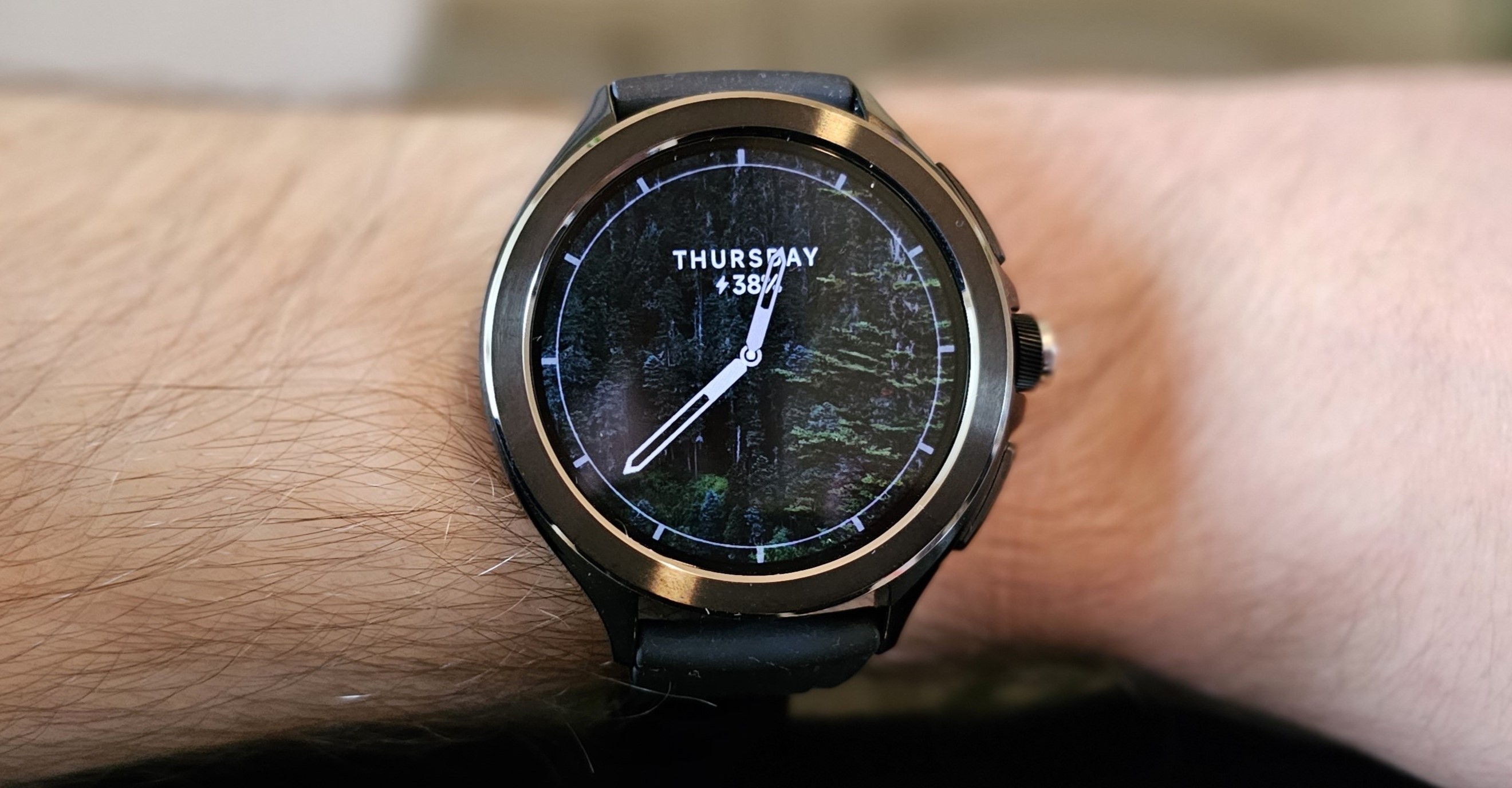
And with Qualcomm’s flagship Snapdragon W5+ Gen 1 processor under the hood, performance is also very good. An attractive stainless steel bezel around the attractive 1.43-inch touchscreen gives the Watch 2 Pro a premium aesthetic, while a rotating physical crown makes navigation easy.
And with loads of health and fitness features (including sleep tracking), built-in GPS and the option for 4G, there’s a lot to like about the Watch 2 Pro.
Provided you can live with just one day of battery life, that is. The lack of automatic workout tracking, cluttered companion app and bulky design aren’t dealbreakers, but do you mind have to charge it every night? If not, the affordable price makes the Watch 2 Pro a real contender.
Who should buy the Xiaomi Watch 2 Pro?
Wear OS fans who simply want an affordable smartwatch that also packs an eye-catching design and display.
Xiaomi Watch 2 Pro: Further considerations
The lack of automatic workout tracking is a big loss for anyone invested in keeping tabs on their daily exertion.
Read our full Xiaomi Watch 2 Pro review
10. Apple Watch Ultra 3 – Best for Outdoor Sports
Pros
- Big and bright display
- Excellent build quality
- Wide selection of features
- Great fitness tracking performance
Cons
- Lacks some metrics compared to rivals
- Very similar to Watch Ultra 2
- Expensive
Although it’s a very minor update on what came before, the Apple Watch Ultra 3 doubles down on what makes the company’s most expensive smartwatch such a tempting buy in the first place, namely the larger display, better battery life and improved connectivity for outdoor use.
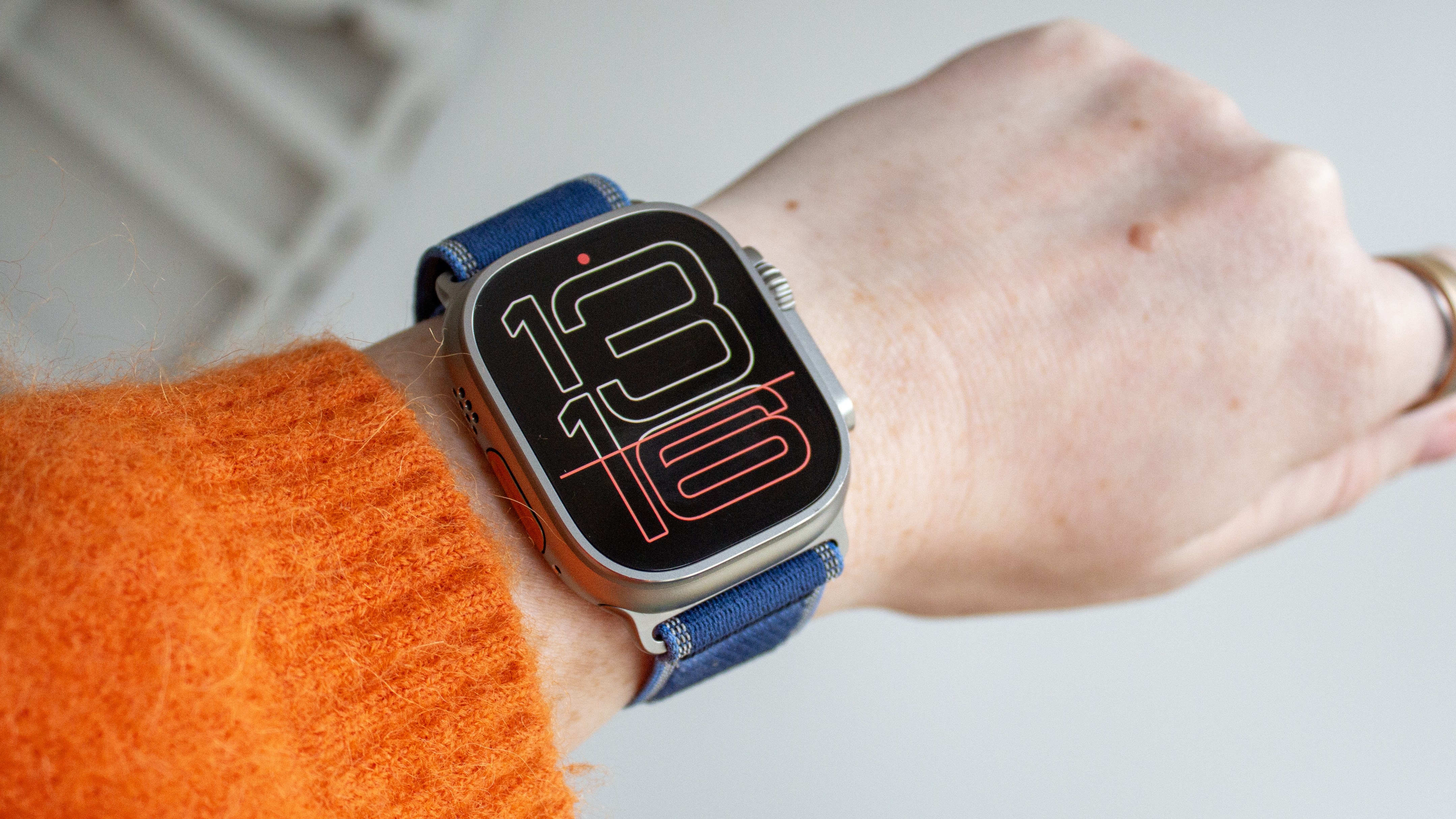
With a 1.98-inch LTPO3 OLED panel, you simply won’t find a better looking Apple Watch display than what you get with the Ultra 3. It’s truly gorgeous to look at, and it gives Apple’s collection of eye-catching watch faces a chance to really spread out and let you admire their craftsmanship. The 3,000 nits of peak brightness go a long way towards helping you read the display in the great outdoors, too.
When you are out on a run, 5G connectivity means you can leave your phone at home and still enjoy speedy music and podcast streaming, not to mention access to messages. If you’re going further afield then satellite connectivity can kick in to get you out of a tricky situation, much like how Emergency SOS works on iPhone.
All of this sits on top of a leap in battery life, seeing the Ultra 3 through 42-hours of use on a single charge, although that can extend to 72-hours in Low Power Mode. With these upgrades, and the brilliance of watchOS, the Apple Watch Ultra 3 is a great smartwatch, but unless you’re dead-set on having an Apple-made wearable, you’ll find far better value by opting for a competing Garmin wearable, much like the Venu X1.
Who should buy the Apple Watch Ultra 3?
Avid runners who want access to Apple’s ecosystem on their wrist.
Apple Watch Ultra 3: Further considerations
Garmin wearables can offer a lot more, and often at a lower price. The Ultra 2 is very similar.
Read our full Apple Watch Ultra 3 review
Other smartwatches tested
Although the current crop of our favourite smartwatches encompasses a good breadth of pricing options, those who want high-end specs but at a great value price should certainly check out previous-gen options from the big names within this space. For instance, the Galaxy Watch 7 and the Pixel Watch 3 are still available to buy at a handful of retailers, but at a price that massively undercuts their successors.
The Apple Watch Series 10 is another great example of this, as it now doesn’t cost that much more than the budget-friendly Apple Watch SE, if you know where to look. Given that Apple products tend to come at a premium, any chance to save on upgrades is well worth seeking out, and the Series 10 will no doubt be supported for quite some time to come, so you won’t have to worry about missing out on crucial software and security updates.
We also make the same argument for the Apple Watch Ultra 2, given that it isn’t all that much different to its successor. You’re still getting a great, outdoor-ready watch that’s packed full of smart features, and there is no shortage of refurbished or second-hand units going cheap.
If keeping tabs on your fitness is the main reason why you want a smartwatch, then you may be better suited checking out the Garmin Forerunner 165 or, if you have a little bit more money to spend, the Amazfit T-Rex 3. While they don’t compare to Wear OS and watchOS powered devices in terms of smart features, they do hold their own with giving you detailed fitness data that can be a big help towards reaching your personal goals.
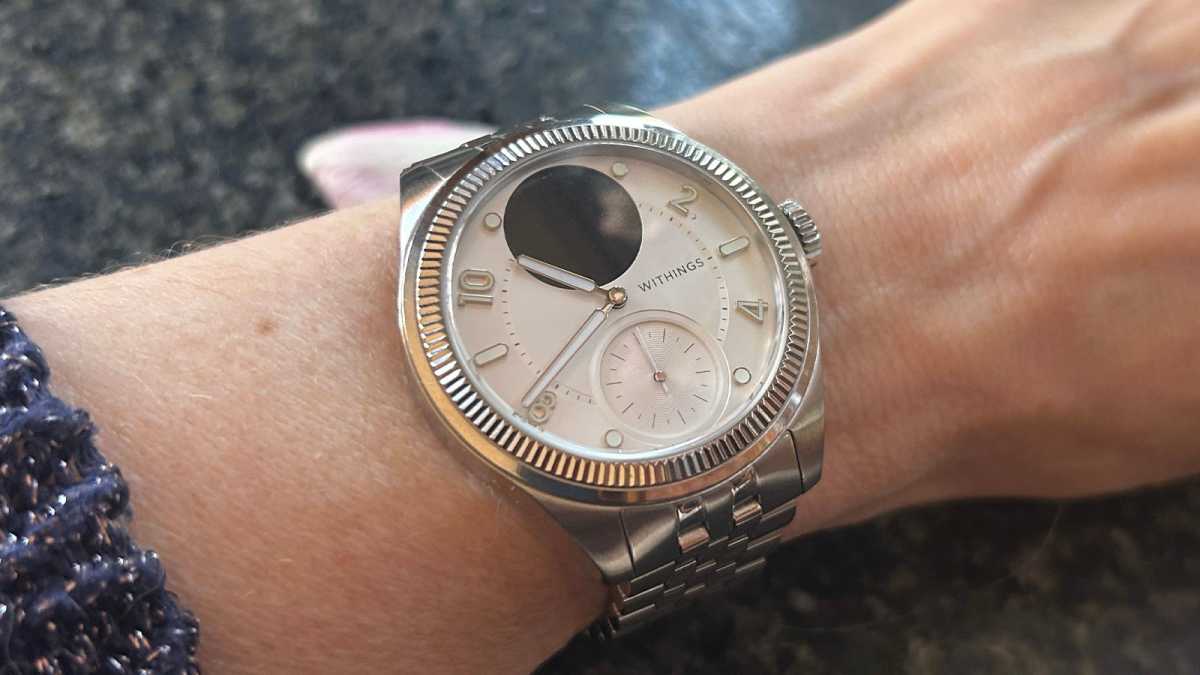
For the folks who are still on the fence about having a smartwatch at all, after years of wearing an analogue watch, you’ll feel right at home with the ScanWatch Nova. Unlike most smartwatches, the Nova looks like a traditional timepiece from a distance, but the small screen at the top can feature notifications and there’s fitness tracking software built into the device as well, making for a good stepping stone into the world of smarter wearables, without fully embracing an ecosystem full of apps.
Emma Rowley / Foundry
Smartwatch news that could affect your buying decision
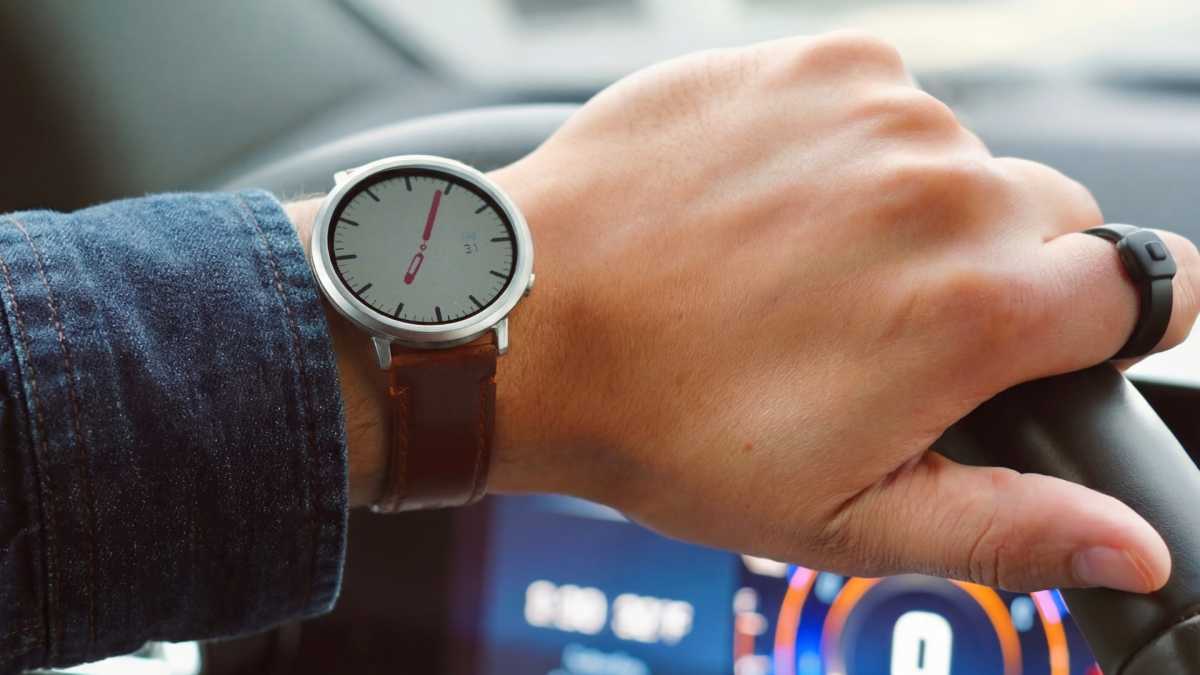
In the first few months of 2026, we aren’t anticipating any major replacements for the key wearables from Apple, Samsung and the rest as they typically see their successors appear later on in the yearly schedule. However, that doesn’t mean that there aren’t a few other contenders that are worth keeping an eye on, the most obvious of which is the return of Pebble.
After playing a key role in the proliferation of smartwatches before being acquired by Fitbit (and then Google as a result), the Pebble brand has been dead for quite some time but it’s now making a big comeback in the Pebble Round 2 (below). With a style to die for, alongside an e-paper display that’s very easy on the eyes, the Round 2 might end up being a great option for folks who don’t like traditional smartwatches.
Pebble
Can I get a better smartwatch deal?
All of the retailer prices that you see in this article have been picked up in real time so you can always know in an instant, where you can go to get the best price possible. Of course, if you don’t mind holding off and delaying your upgrade, you can benefit from even cheaper price during Amazon’s sales event (both Prime Day and Prime Big Deal Days in July and October) and Black Friday.
Smartwatch discounts are a well-worn staple of these sales, so don’t be too surprised if the latest wearables see a price reduction for a short time here. Even Apple watches tend to have some sort of offer available during Black Friday, only a month or so after they’ve hit store shelves, so it can be worth waiting to see what happens if you want to get the most out of your money.
It’s also not uncommon to see a handful of tempting offers and incentives appear around December and January, with smartwatch manufacturers hoping to catch the attention of anyone with fitness-related New Year’s resolutions in mind. In the interim, you can always check out our coverage for the best wearable deals as we see them.
How we test smartwatches
To give you a full understanding of what it’s like to use a smartwatch, our testers will use the watch in question for at least a week, giving them the chance to truly dive into key metrics such as battery life, sleep tracking, the time it takes to charge and any issues that might plague users from day to day. We also compare heart rate data with dedicated chest-worn heart rate monitors and, where possible, dedicated rest and recovery trackers like the Oura Ring or Whoop Strap.
Read more about how we test smartwatches.
Why you should trust Tech Advisor for smartwatch reviews and buying advice
At Tech Advisor, we’ve been testing technology for almost 30 years and we specialise in buying advice. We’ve reviewed hundreds of smartwatches over the years from many different brands in all kinds of shapes, sizes and prices. All our in-house team and freelance contributors are trained experts in rigorously testing devices.
Who curated this article?
As Tech Advisor’s Managing Editor, Chris Martin has had his finger on the pulse for all things smartwatch for well over a decade. He was one of the first journalists to see the LG G Watch, the first Wear OS device, behind closed doors. Having witnessed the dawn of the first Apple Watch and seeing the industry grow into what it is today, his context for what makes a great smartwatch is rare. All of the picks included in this list have been given Chris’ personal seal of approval, ensuring that you get a top-tier experience regardless of which one you buy.
How to choose the best smartwatch
When it comes to buying a new smartwatch, there are quite a few things to consider. One aspect that does make the buying process a bit easier is considering the ecosystem that you’re already a part of.
If, for example, you use an iPhone, then you’re just going to have a simpler time overall by picking up an Apple Watch, and the same goes for a Wear OS device for anyone currently using an Android phone.
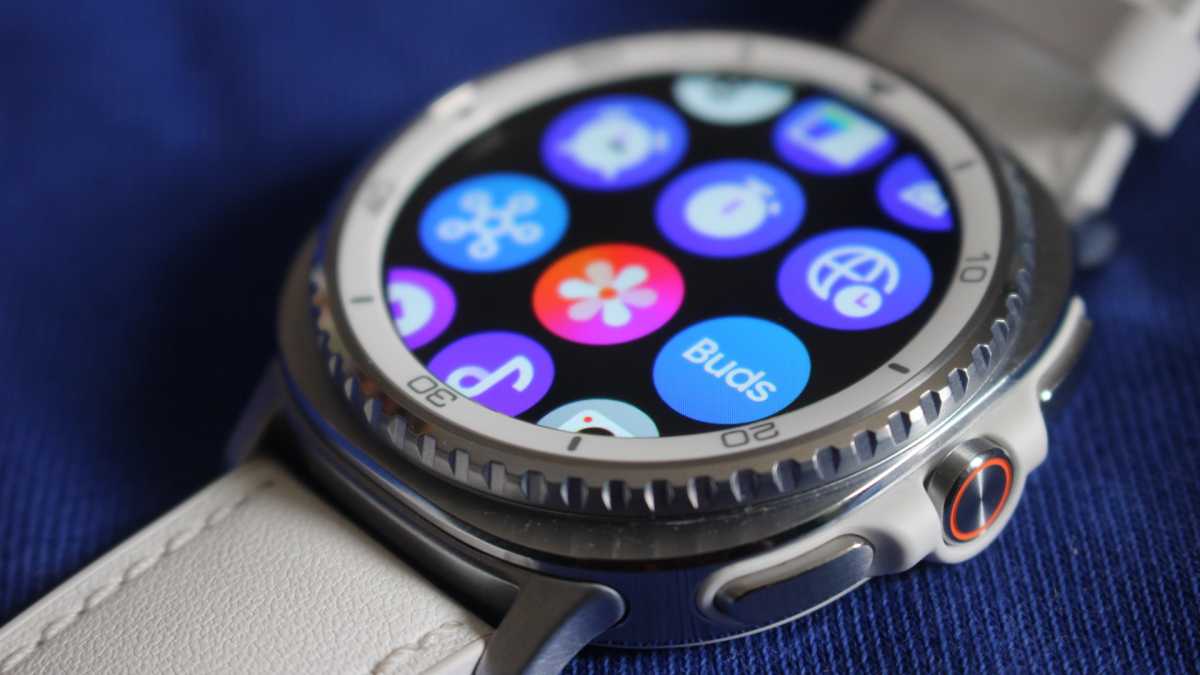
At the very least, if you do go with a watchOS or Wear OS-toting wearable then you’re going to have a much better experience when it comes to apps. Not only can you have access to first-party apps on your wrist like Apple/Google Maps and Apple/Google Wallet, but third-party brands like Strava, Spotify and Outlook are also available.
Mike Sawh
If you care more about fitness tracking than you do about apps then you can broaden your scope a bit to include watches from brands like Garmin, Coros, Fitbit and Huawei. These brands have invested plenty in beefing up their sensors, all in an effort to offer users more accurate health and fitness data, giving them a leg up against the Apple Watch and Samsung/Pixel watches.
There is one feature, however, that could end up dictating your buying decision entirely, and that’s battery life. Unfortunately, the app-filed watches from Apple, Samsung and Google have pretty bad battery lives, rarely lasting more than a day on a single charge.
It’s a well-known compromise that has to be accepted for the time being, but if you do want a watch that lasts longer than your phone, those aforementioned brands that have cornered the fitness space also provide much longer periods of use, sometimes for a week and beyond.
Buying guide to smartwatches
Why do you need a smartwatch?
There’s an interesting theory that smartwatches are to the smartphone what wristwatches were to the pocket watch. Picture the way the average gentleman used to have to rummage through his pocket for his watch prior to the 20th century. Skip forward 100+ years and the average smartphone user still has to dive into their pocket to check their phone.
The kicker now is that your smartphone holds far more information than a pocket watch ever did, all of which is still locked into your pocket.
Smartwatches aren’t for making phone calls – although some can – instead, they (among other things) provide a quick and easy way to check your phone’s notifications, so you can decide whether it’s worth delving into your pocket or searching around your bag to fetch your smartphone and properly action anything.
But more than ever, the primary purpose of a smartwatch is as a health companion. Most can track your fitness, sleep and many other metrics of physical health, though this varies considerably depending on the smartwatch you choose.
What makes a good smartwatch?
When testing for the best smartwatch, the important factors to consider are ‘how many of your smartphone’s functions can it perform?’, and ‘how well does it handle each task?’, the final attribute is obviously style – it’s still bling after all.
You’ll also want to make sure it’s compatible with your smartphone – some are only for iPhone or Android, while others support most phones.
If you’re an Android user, then a Wear OS smartwatch is the obvious choice, while iPhone users should probably start by looking at an Apple Watch – but there are alternatives.
Fitbit watches still run their own operating system (despite being owned by Google) and so will work well with iPhones too – and even some Wear OS watches are compatible with iOS too. Meanwhile, other manufacturers like Amazfit and Huawei also run their own software, and often work well with both types of phone.
Fitness fans will want to look for a device with a heart rate monitor and built-in GPS, even though they often can’t compare to a chest-worn monitor in terms of accuracy. Many also come with NFC, which can be used for contactless payments via services such as Apple Pay and Google Pay.
We consider the important factors of a smartwatch to be the level of notification detail, battery life, style, water resistance, device compatibility and additional features, such as microphones and Wi-Fi support. Find out how we test wearables for more information.
What’s the difference between a smartwatch and a fitness tracker?
The difference between smartwatches and fitness trackers is a bit of a grey area – after all, most fitness trackers also double as watches, and many include smart features.
To draw the line, we factor in how a manufacturer positions its product, but for the most part the main question is how smart the device is. If all it can do is record exercise then it’s a fitness tracker, but if it also allows you to install apps, take phone calls, and check notifications, then we’re more likely to consider it a smartwatch.
This is really why this ranking doesn’t currently feature any Fitbit smartwatches. We reviewed both the Sense 2 and Versa 4, but found that both have had their smart features stripped back so much that they’re difficult to recommend as smartwatches in their own right.
The lines are always blurry, though, so make sure to check out our fitness tracker round-up to see more options.
What about hybrid watches?
There are two types of smartwatches around at the moment: those with a colourful touchscreen – similarly to what you’d find on your phone – and those which combine a regular analogue watch with smart features.
These are known as ‘hybrid’ smartwatches; some have the smart bits almost completely hidden, while some give you information via a small integrated display (the Withings ScanWatch Nova is a good example of a hybrid watch).
While a fully-fledged smartwatch can do a lot more, that juice-guzzling screen results in shorter battery life. Hybrid watches benefit from longer battery life with some even having separate cells for the watch and smart features. Since they’re not true smartwatches, you’ll find hybrid watches from Withings and others in our separate fitness tracker chart.
Author: Chris Martin, Managing Editor, Tech Advisor

Tech Advisor Managing Editor Chris got his break as a reporter at infamous site The Inquirer and has been with us for more than 12 years. With a BA degree in Music Technology, audio is his specialism, but over the years he has reviewed all kinds of gadgets, from smartwatches to mesh Wi-Fi to coffee machines.