

Not too long ago, the only way to have two separate phone numbers was to carry two different phones.
But in 2026, there’s an easy alternative: a dual-SIM phone. As the name suggests, these handsets allow for two or more SIM cards (and therefore, phone numbers) to be used interchangeably on the same device.
It means you can switch from a work number to a personal one and back again at the touch of a button. In this article, we’re focusing on phones with two physical SIM card slots, but plenty more support one physical and one eSIM, which can be even more convenient.
However, the good news is that most modern handsets have slots for two physical cards, anyway. As you’ll see below, there’s plenty of overlap with our overall best phones guide, but also some notable differences – no iPhones or Google Pixel phones, for a start!
This article caters to a variety of different form factors and price points. But if you’re shopping on a specific budget, most of the devices in our best mid-range phones and best budget phones guides support dual-SIM.
Best dual-SIM phone reviews
1. Oppo Find X9 Pro – Best Overall
Pros
- Phenomenal cameras
- Gigantic battery
- Excellent performance and software
- One of the nicest screens around
- Awesome accessories
Cons
- Not available in the US
- Only 5 years of Android OS updates

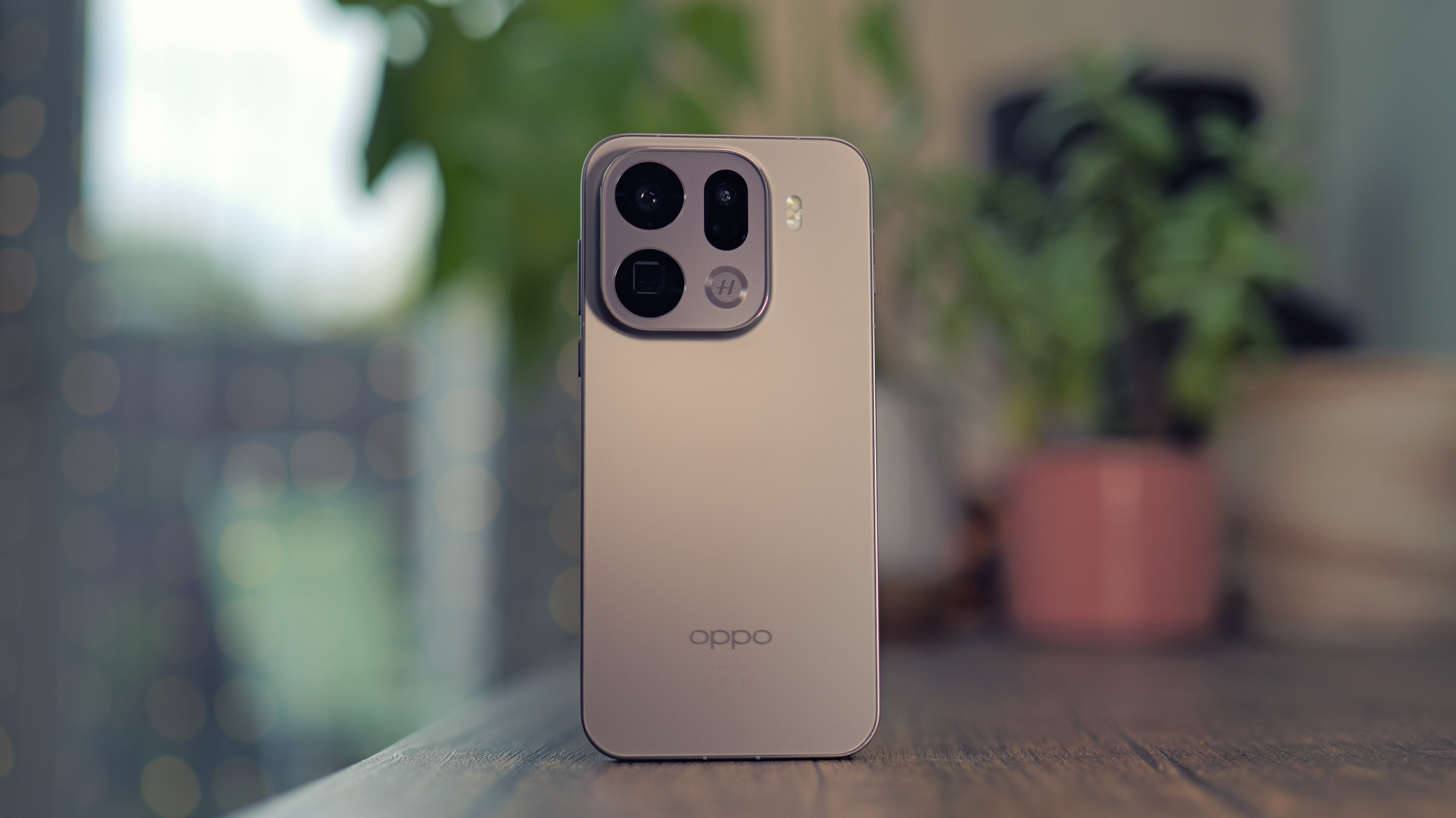
Given just how high a bar was set with the Find X8 Pro, we wouldn’t have been surprised if Oppo had struggled to follow it up with a successor that packed the same wow factor.
But in what is a testament to the company’s ambition to rarely rest on its laurels, the Oppo Find X9 Pro has raised that bar once more to become one of the absolute best phones you can buy right now (depending on where you live).
There are quite a few reasons to love this phone, but it’s the onboard cameras that have driven the most amount of eye-catching headlines. Simply put, these three rear-facing snappers, which now include a staggering 200Mp 3x telephoto lens, make short work of any scenario they’re pitted against. It was almost impossible to take a bad picture in our time with the phone, with each shot looking like it had come from a dedicated camera.
The other standout feature is the upgraded 7500mAh silicon-carbon battery, which is so far ahead of the competition that it almost doesn’t feel fair. Under the right use cases, it’s possible to get the Find X9 Pro to run for up to three days between charges, and the speedy 80W charging ensures that you won’t have to wait around for long when the phone does need a top-up.
It’s a shame that with all of this innovation at hand, the phone is nowhere to be found in the US, meaning that our American readers will have to look elsewhere. The promised five years of software updates also lags behind Google and Samsung, so that’s worth bearing in mind, depending on how long you plan on using the phone for.
Who should buy the Oppo Find X9 Pro?
Android users who just want the best of everything, no matter the price.
Oppo Find X9 Pro: Further considerations
The phone isn’t on sale in the US, so we’d recommend one of the options lower in this list rather than trying to import one.
Read our full Oppo Find X9 Pro review
2. Samsung Galaxy S26 Ultra – Best for Productivity
Pros
- Slick software
- Still the best AI tools
- Exclusive Privacy Display
- APV codec and Horizontal Lock video
- Faster charging
Cons
- Barely any hardware upgrades
- S-Pen positioning is irksome
- No Qi2 magnets
- Expensive
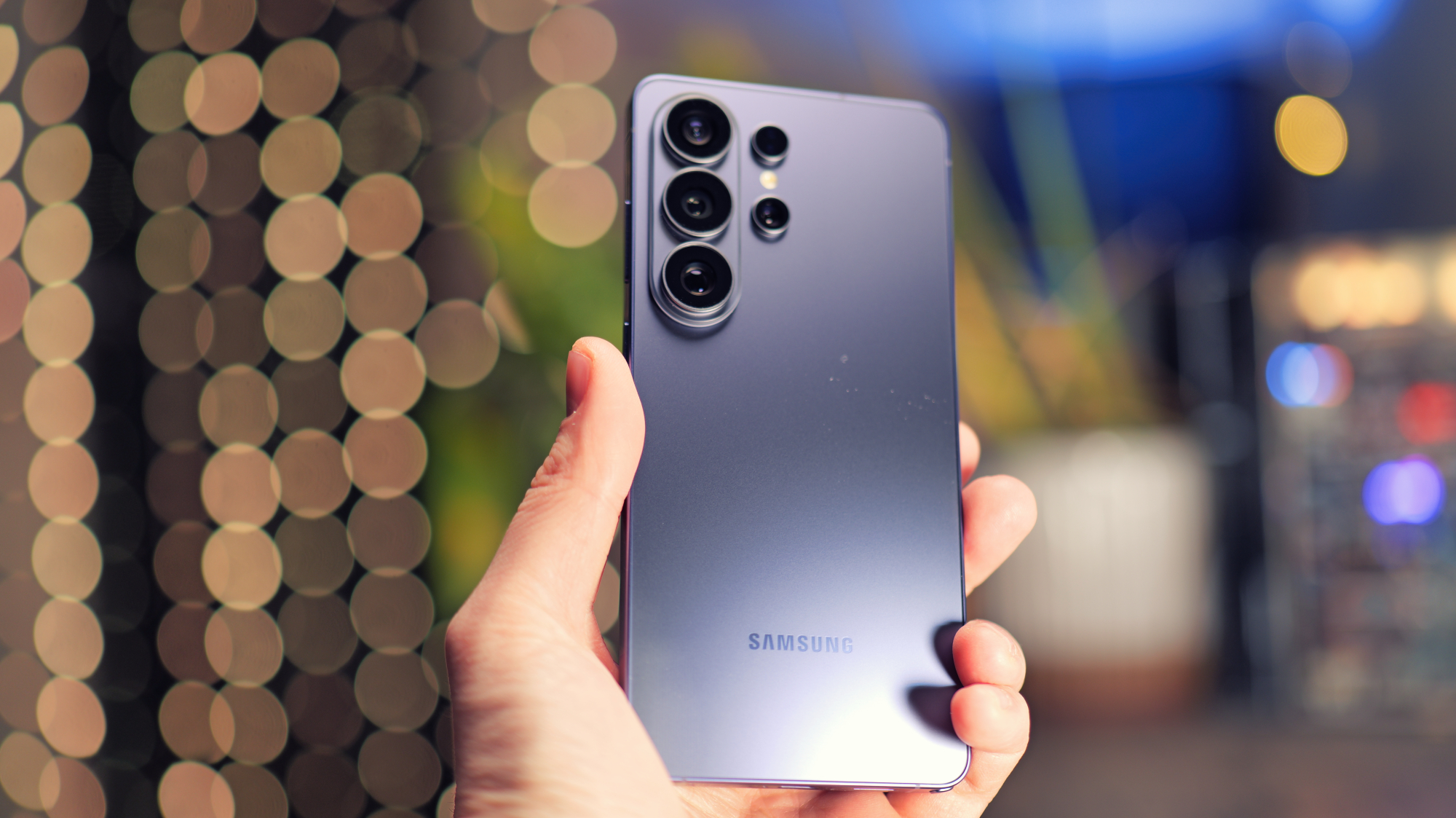
Given that the very idea of a dual-SIM phone revolves around having a single handset that can be used for both work and personal calls, it makes sense for a lot of users to have a device that can back up that concept with plenty of tools for on-the-go productivity. To our minds, no other phone better encapsulates that concept than the powerful Samsung Galaxy S26 Ultra.
Even though it’s a bit more expensive than its predecessor, no element of the S26 Ultra feels underdeveloped as the Snapdragon 8 Elite Gen 5 for Galaxy chipset boasts incredible speeds and shows absolutely no sign of buckling when you have two apps running side by side on the phone’s massive 6.9-inch display.
The included S Pen accessory also gives the Ultra a leg up as it allows users to quickly jot down notes during a meeting, or annotate a document that’s just been sent over. It’s also a great way of quickly brainstorming a concept without feeling tempted to quickly jump over to another app.
The new Privacy Display is the big addition here as it allows the S26 Ultra to hide sensitive information when viewed from an angle. For instance, you can scroll through your banking app and see everything without issue, but any nefarious actors around you will only be met with a blank screen. It’s the only major upgrade over the S25 Ultra, alongside faster charging, so the previous-gen model might be more tempting to professionals on a budget.
Who should buy the Samsung Galaxy S26 Ultra?
Professionals who need a portable workstation that doesn’t skimp on performance.
Samsung Galaxy S26 Ultra: Further considerations
It’s very similar to the S25 Ultra, which can now be found for much less.
Read our full Samsung Galaxy S26 Ultra review
3. OnePlus 15 – Best Performance
Pros
- Best-in-class performance
- Great user experience with nice AI additions
- Outlandish battery life
- Super-fast charging
Cons
- Software borrows heavily from iOS
- Software support could be longer
- Magnetic accessories only work with case
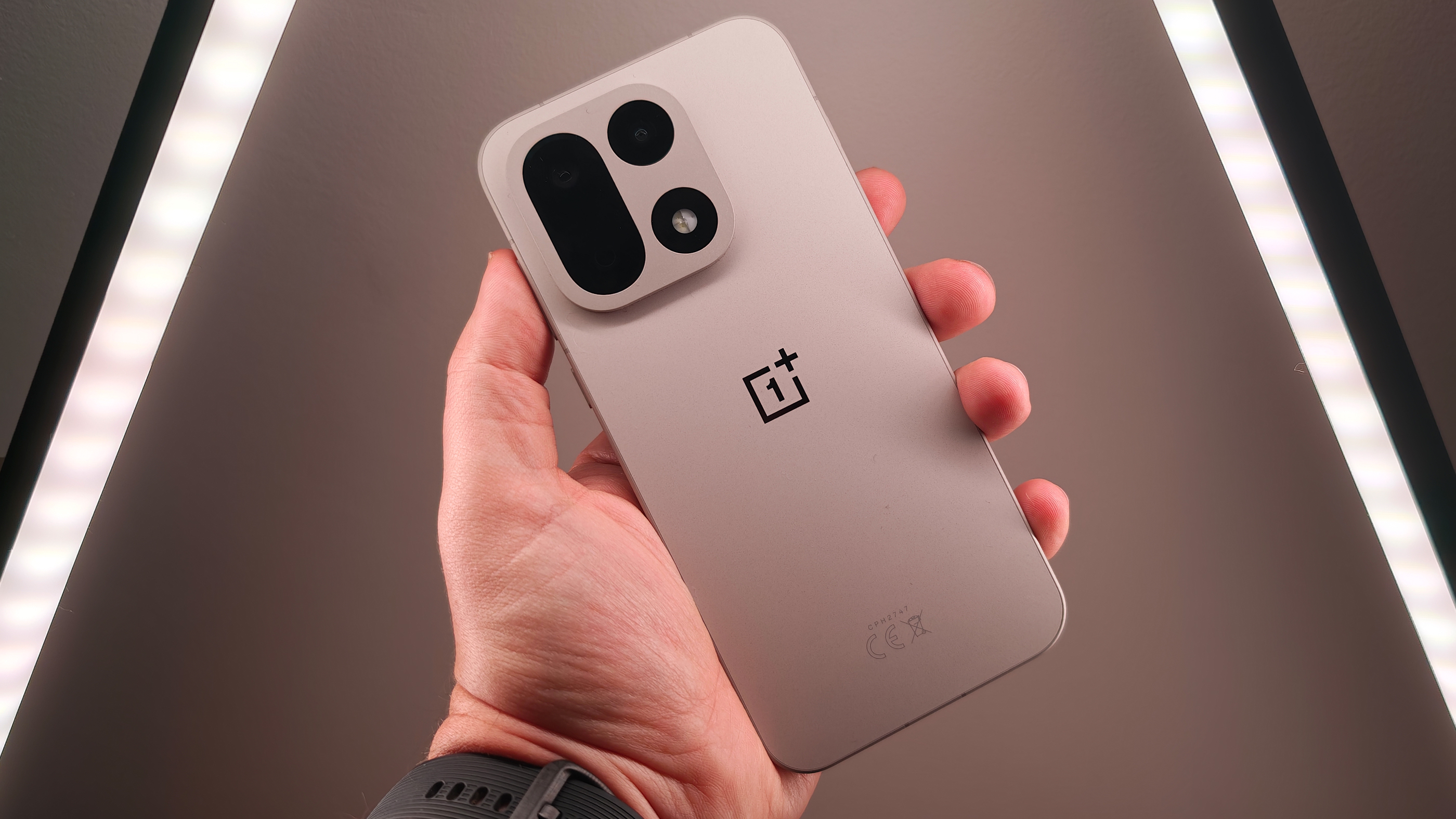
The OnePlus 15 is a very different phone to the OnePlus 13, which launched only a few months earlier. And it totally excels in two key areas: performance and battery life.
Under the hood, the Snapdragon 8 Elite Gen 5 enables staggering performance, especially when combined with that gorgeous 6.78-inch OLED display and its ultra-smooth 165Hz refresh rate.
Elsewhere, a huge 7300mAh battery utilises silicon-carbon tech to avoid any excess bulk while ensuring two full days on a charge for almost everyone. It’s supported by incredible 120W fast wired charging, though you will need to buy the necessary charger separately.
The OnePlus 15 is equally impressive on the software side, with its slick OxygenOS 16 skin (based on Android 16) offering an intuitive design, lots of customisation and thoughtful AI features. However, its iOS-inspired design and only four years of OS updates (six of security patches) may rankle with some.
Then there are the cameras, which offer slightly downgraded hardware compared to the OnePlus 13, but very similar results. As usual, the OnePlus 15 can take great photos, but it’s not quite up there with the very best camera phones.
But overall, the OnePlus 15 is a truly excellent smartphone that just so happens to support dual SIM cards.
Who should buy the OnePlus 15?
Users who want some of the best performance and battery life you’ll find on any phone.
OnePlus 15: Further considerations
The Oppo Find X9 Pro and Samsung Galaxy S25 Ultra both offer better cameras.
Read our full OnePlus 15 review
4. Samsung Galaxy S25 FE – Best Mid-Range Phone
Pros
- Flagship design and build
- Strong main and selfie cameras
- Impressive battery life
- One UI is slick and intuitive
- Seven years of updates
Cons
- Supporting cameras could be better
- Occasional software bugs
- Not suitable for demanding gaming
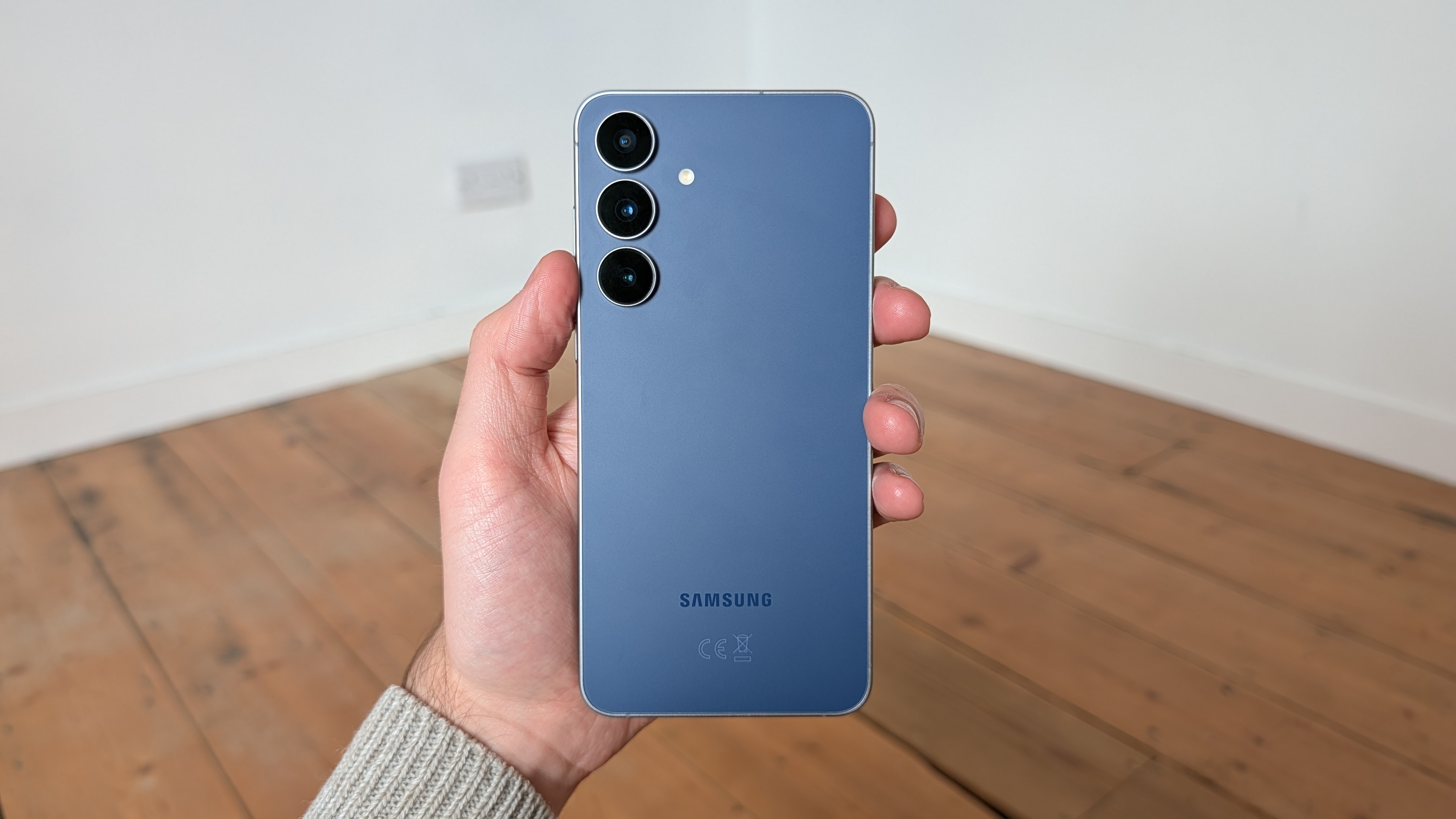
The FE range of Samsung phones (an abbreviation for ‘Fan Edition’) has oftentimes felt out of place, not just on the mid-range market but also within Samsung’s own assortment of handsets.
With the Samsung Galaxy S25 FE, however, this is no longer the case: Samsung has finally hit the perfect balance of features to make it a more tempting buy than the standard Galaxy S25.
Helping to fuel this sense of balance is the move to use the Exynos 2400 chipset (the same one featured in the Galaxy S24). This CPU finally brings the FE up to a standard where it can run pretty much any app with ease and even let you dabble in a spot of low to mid-tier gaming, effectively offering up the level of performance that matches the needs of most people.
You’re also getting a much larger 6.7-inch display compared to the Galaxy S25, which just makes for a far better experience when it comes to streaming films and TV shows, not to mention having more room for multitasking with more than one app open at a time. The speakers are also quite powerful, so if you don’t have a pair of earbuds to hand when you’re relaxing at home, you can still enjoy stereo sound by default.
Top all of this off with the promised seven years of software updates, and the £649/$649 Galaxy S25 FE offers some of the best value you’re going to find on the mid-range market. It’s bested in the camera department by the Xiaomi 15T Pro, and the Redmagic 10S Pro has the upper hand in gaming, but for most people, the S25 FE represents one tantalising package.
Who should buy the Samsung Galaxy S25 FE?
Value-conscious consumers who want a mid-range phone that’ll last well into the future.
Samsung Galaxy S25 FE: Further considerations
Doesn’t quite dethrone Xiaomi when it comes to mid-range camera performance.
Read our full Samsung Galaxy S25 FE review
5. Xiaomi 15 Ultra – Best Cameras
Pros
- Incredible camera performance
- Excellent screen
- Solid battery life & fast charging
- Silky performance
Cons
- Some design backsteps
- Not the best Android skin
- Mixed bag of AI features
- Not available in the US
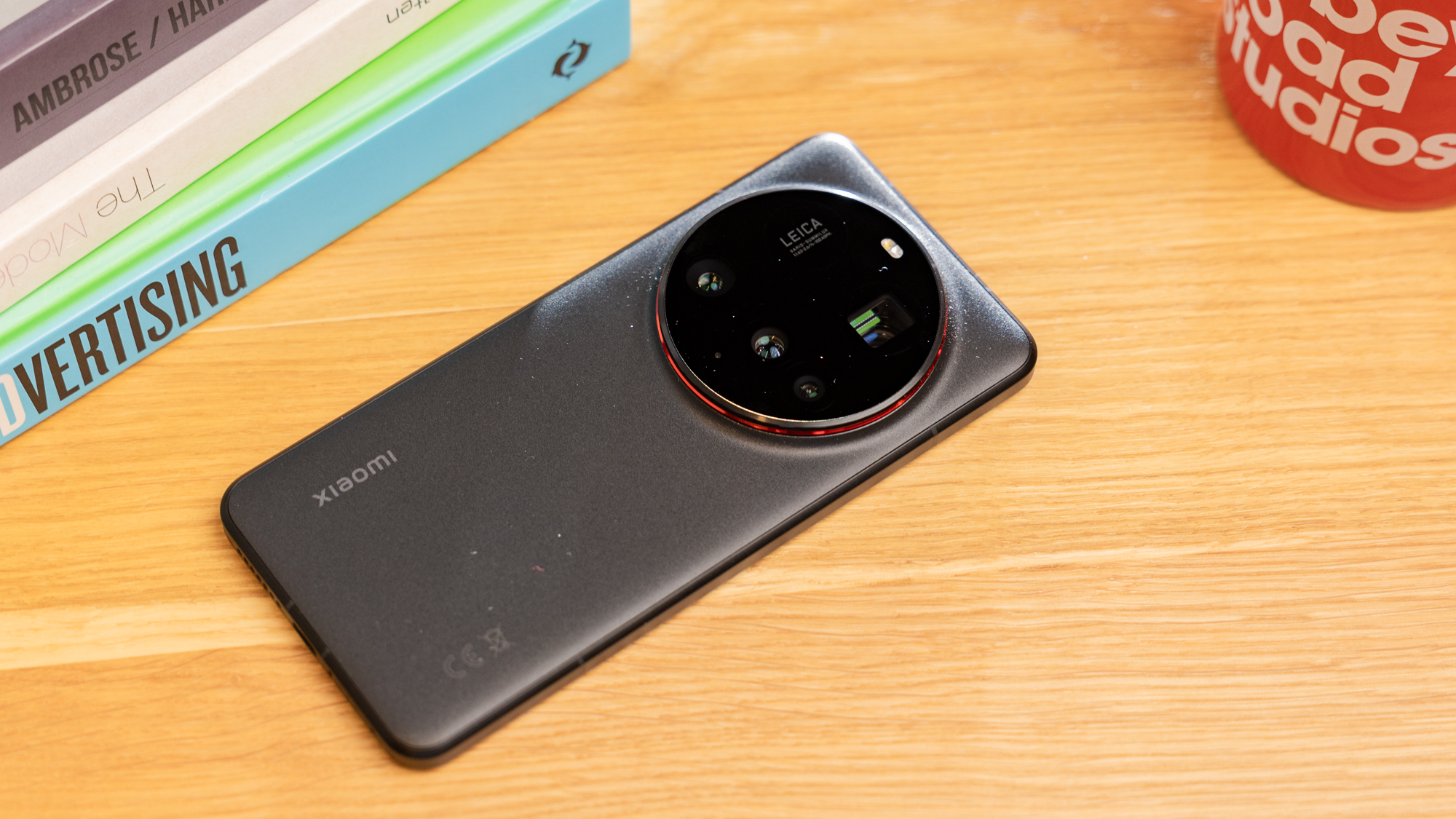
If photography is your top priority, there’s no better phone than the Xiaomi 15 Ultra right now. When it comes to stills, the handset is in a league of its own.
Alongside a trio of 50Mp lenses (main, ultrawide and 3x telephoto), you also now get a 200Mp periscope with 4.3x optical zoom. That enables some of the best zoom shots you’ll find on any phone, though the loss of variable aperture on the main lens makes it slightly less flexible when the subject is closer.
Still, with the optional Photography Kit accessory, it comes closer to replacing a DSLR than any other handset. A very capable 32Mp selfie camera is the icing on the cake.
However, you won’t be taking photos all the time, so it’s good to know that the Xiaomi 15 Ultra boasts top-tier performance, a gorgeous display and strong battery life (plus 90W fast charging), all with a durable yet chunky design.
Its main drawback is on the software side, where Xiaomi’s HyperOS 2 skin doesn’t feel particularly intuitive, and AI features aren’t always flawless.
Given the high price tag, there are better options out there if you’re happy with photos that are just ‘very good’. But if you want the absolute best photography experience out there, the Xiaomi 15 Ultra is the phone for you.
However, it’s also worth considering the regular Xiaomi 15, which is more compact and affordable but retains dual-SIM support. Neither is available in the US, though.
Who should buy the Xiaomi 15 Ultra?
Anyone who wants next-level cameras above any other feature – it’s like having a DSLR in your pocket.
Xiaomi 15 Ultra: Further considerations
Xiaomi’s take on Android still falls behind the experience you’ll find on Samsung, Nothing and OnePlus phones. We’ll also have a review of the Xiaomi 17 Ultra soon.
Read our full Xiaomi 15 Ultra review
6. Nothing Phone (4a) – Best Value
Pros
- Iconic Nothing design
- Great display
- Ad-free Nothing OS user experience
- Excellent cameras for the price
Cons
- Larger, heavier, less durable than rivals
- Minimal performance gains
- Software support could be longer
- Loses Glyph Fill Light in camera
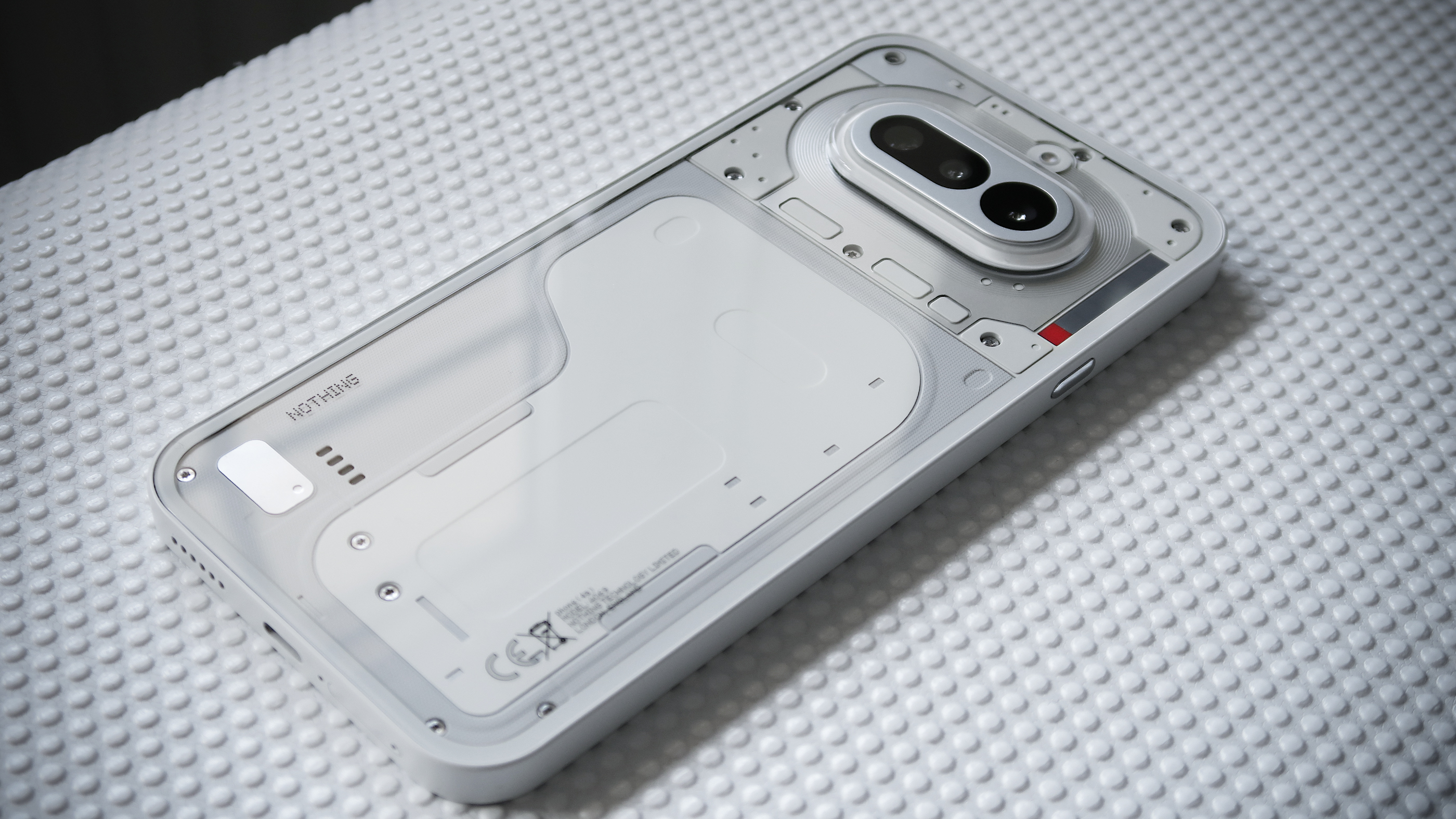
In the comparatively short time that it’s been around, Nothing has excelled in putting out affordable phones that look like they’ve come off the flagship line, and this very much remains the case with the Nothing Phone (4a). Despite being only £349, the Nothing Phone (4a) is one of the most eye-catching handsets we’ve ever tested, and it makes something like the Galaxy S26 Ultra seem boring by comparison.
The space-age look of the device is instantly captivating, and yet it’s also a more refined take on what the Nothing Phone (3a) brought to the table as the Glyph Light configuration has been swapped out for the compact Glyph Bar. This small handful of square lights can be used to indicate incoming calls and texts, which is great for anyone who only wants to interact with their phone when it’s necessary.
What also flies in the face of typical wisdom around the cheaper end of the market is the slick Nothing OS overlay. Unlike a lot of what the competition puts out, this UI isn’t flooded with annoying bloatware, but rather an eye for consistency which feels very reminiscent of iOS.
The main camera has also been improved, allowing it to capture more light and better detail as a result. The only area where the Nothing Phone (4a) stumbles is in overall performance. It’s not a sluggish phone by any means, but the Snapdragon 7s Gen 4 represents a minor upgrade on the (3a) and you can find better performing phones for not that much more, although they certainly won’t have the same degree of style.
Who should buy the Nothing Phone (4a)?
Bargain hunters who want pure bang for their buck.
Nothing Phone (4a): Further considerations
Nothing only offers three years of software updates, which lags behind the competition.
Read our full Nothing Phone (4a) review
7. CMF Phone 2 Pro – Best Budget
Pros
- Impressive cameras
- Excellent display
- Strong performance
- Excellent value for money
- Fun accessories
Cons
- Only IP54 rated
- Longer software support elsewhere
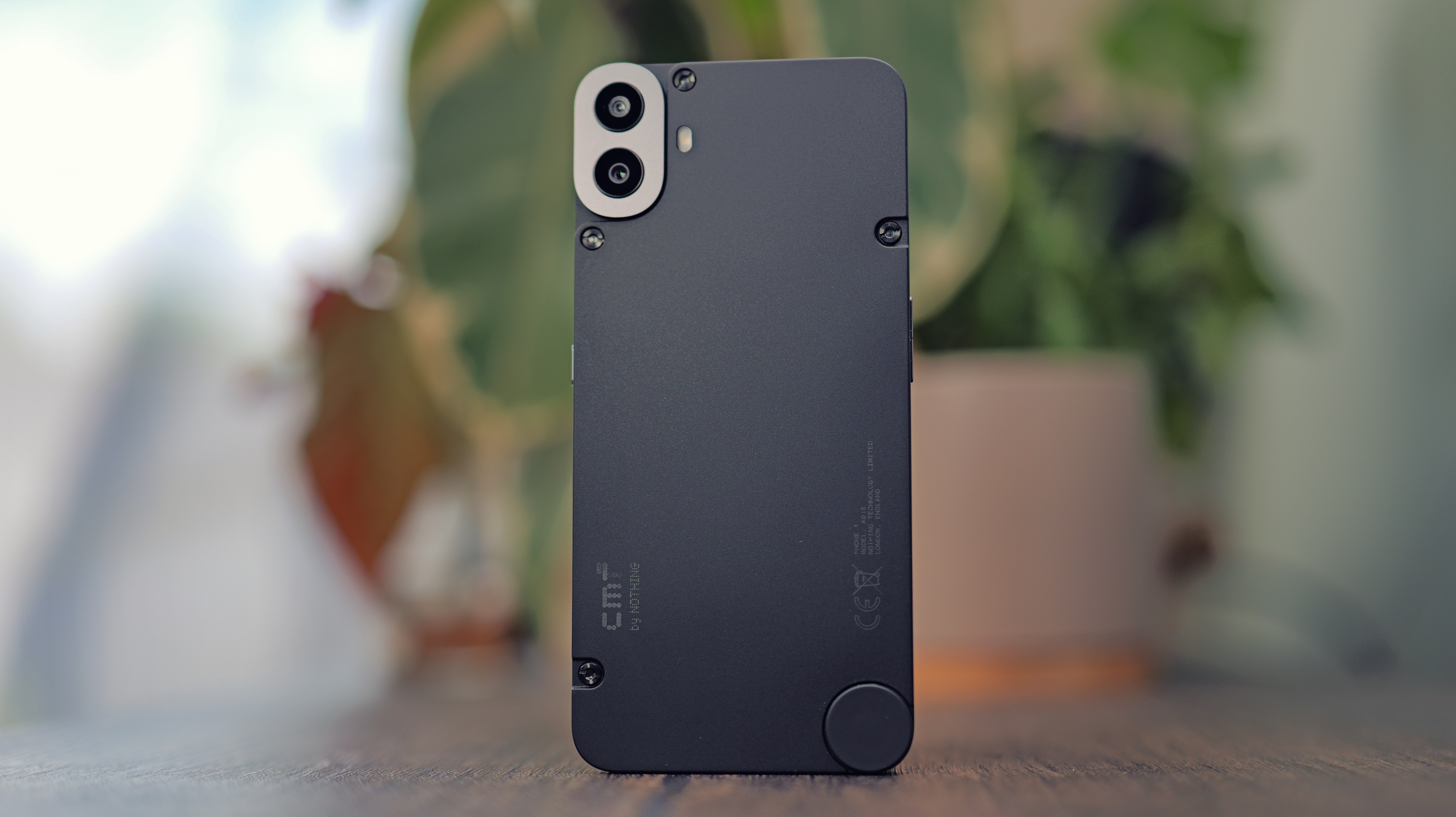
Nothing sub-brand CMF’s second phone might adopt the ‘Pro’ name, but it’s still very much a budget phone. And with a starting price of just £219/$279 (more storage in the US), you won’t find a better handset for the money. The fact that it supports dual SIM cards is the icing on the cake.
What makes the Phone 2 Pro so special? Essentially, it takes everything that made the CMF Phone 1 so good and makes it significantly better, in exchange for only a small price increase.
We’re talking two brand-new camera sensors, with the main lens also getting significantly better. For the price, you can expect some of the best photos around.
Add that to a brighter, more accurate display, a nice performance boost and the all-important NFC that was missing from the original (enabling contactless payments), and the Phone 2 Pro has a lot going for it.
The standout, customisable design remains, as does Nothing’s user-friendly take on Android 15. The three years of OS updates are a little underwhelming, while you don’t get full water or dust resistance, the CMF Phone 2 Pro undoubtedly has a lot going for it.
Who should buy the CMF Phone 2 Pro?
Anyone who isn’t able to spend more than £300 on a phone – this handset goes above and beyond its budget price tag.
CMF Phone 2 Pro: Further considerations
With only an IP54 rating, the phone isn’t quite as well-suited to being used in the great outdoors.
Read our full CMF Phone 2 Pro review
8. Xiaomi 15T Pro – Best Mid-Range Cameras
Pros
- Stylish design
- Massive screen
- Powerful performance
- Long battery life and speedy charging
- Solid camera system
Cons
- Ultrawide camera could be better
- HyperOS is a little divisive
- Not available in the US
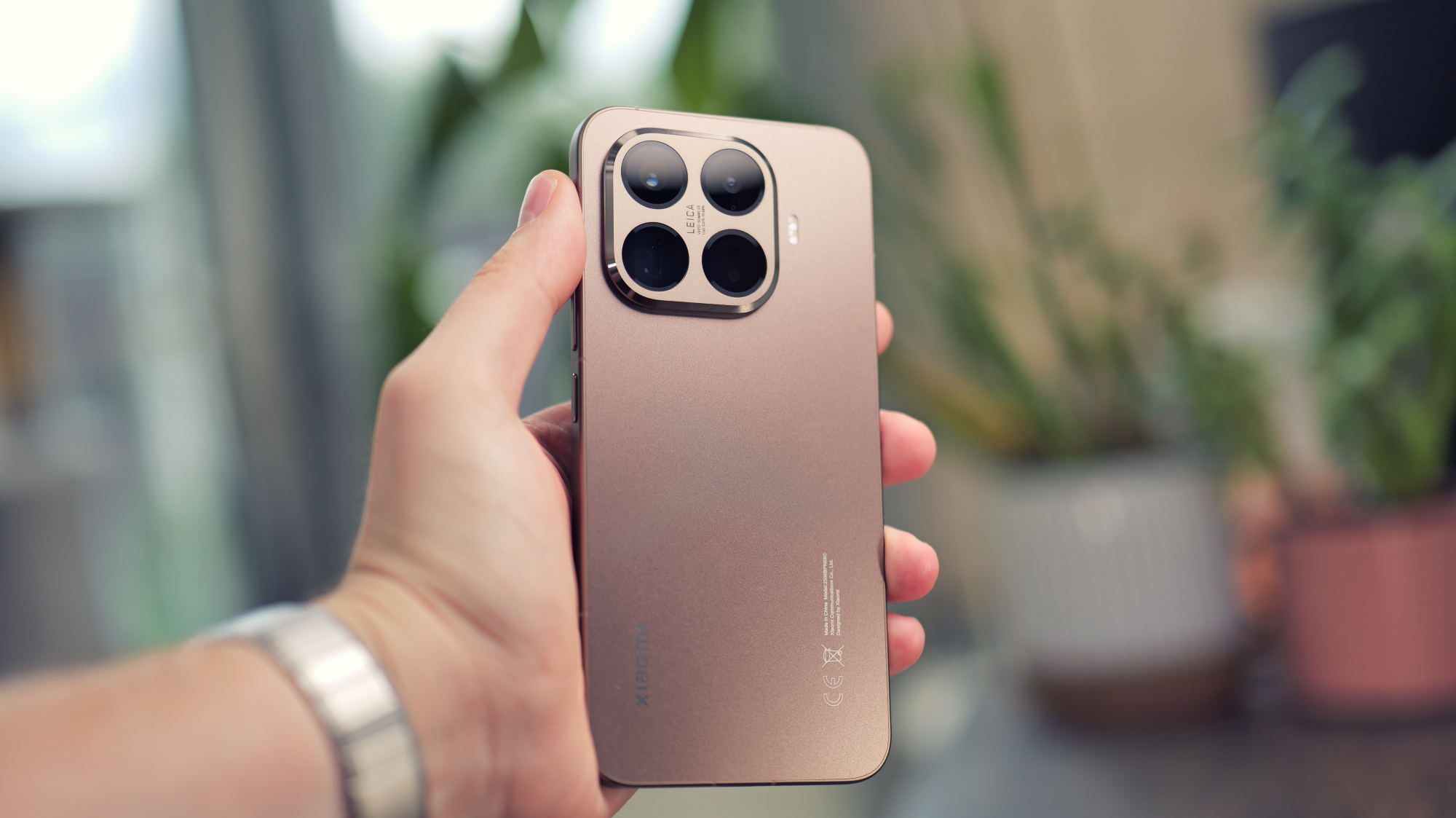
The Xiaomi 15T Pro is one of those handsets that makes you scratch your head and wonder what the likes of Apple, Samsung and Google are even doing at the flagship end when you can nab a mid-range phone like this that’s packed with so many features, especially when it comes to the camera offering.
Xiaomi already has a track record of offering some of the best camera phones out there, and the 15T Pro just elevates that concept even further. The triple camera array features a 50Mp main sensor, a 50Mp telephoto and a 12Mp ultrawide, all of which combine to give the phone unparalleled levels of versatility in its price range, so you’ll rarely (if ever) come up against a scene that you can’t take a good picture of.
The telephoto lens arguably stands out from the pack with 5x zoom, capturing stunning detail and colours from a distance. When you consider that the phone is only slightly more expensive than the iPhone 16e, which has just one rear-facing camera, it becomes clear that Xiaomi is playing in a different league to its closest competitors.
Of the few issues we have with the phone, it would be nice to see Xiaomi provide its HyperOS Android overlay with an overhaul somewhere down the line, and a more competent ultrawide camera would be nice, but these are small points of contention in what is an undeniable winner on almost every other account.
Who should buy the Xiaomi 15T Pro?
Mid-range buyers who value camera ability above all when purchasing a new phone.
Xiaomi 15T Pro: Further considerations
Xiaomi’s take on Android just isn’t as smooth or intuitive as what Samsung or OnePlus offer.
Read our full Xiaomi 15T Pro review
9. Samsung Galaxy Z Fold 7 – Best Foldable
Pros
- Incredibly slim and lightweight
- Upgraded cameras
- Less noticeable crease
- Excellent software
Cons
- No S Pen support
- No battery or charging upgrades
- Can throttle while gaming
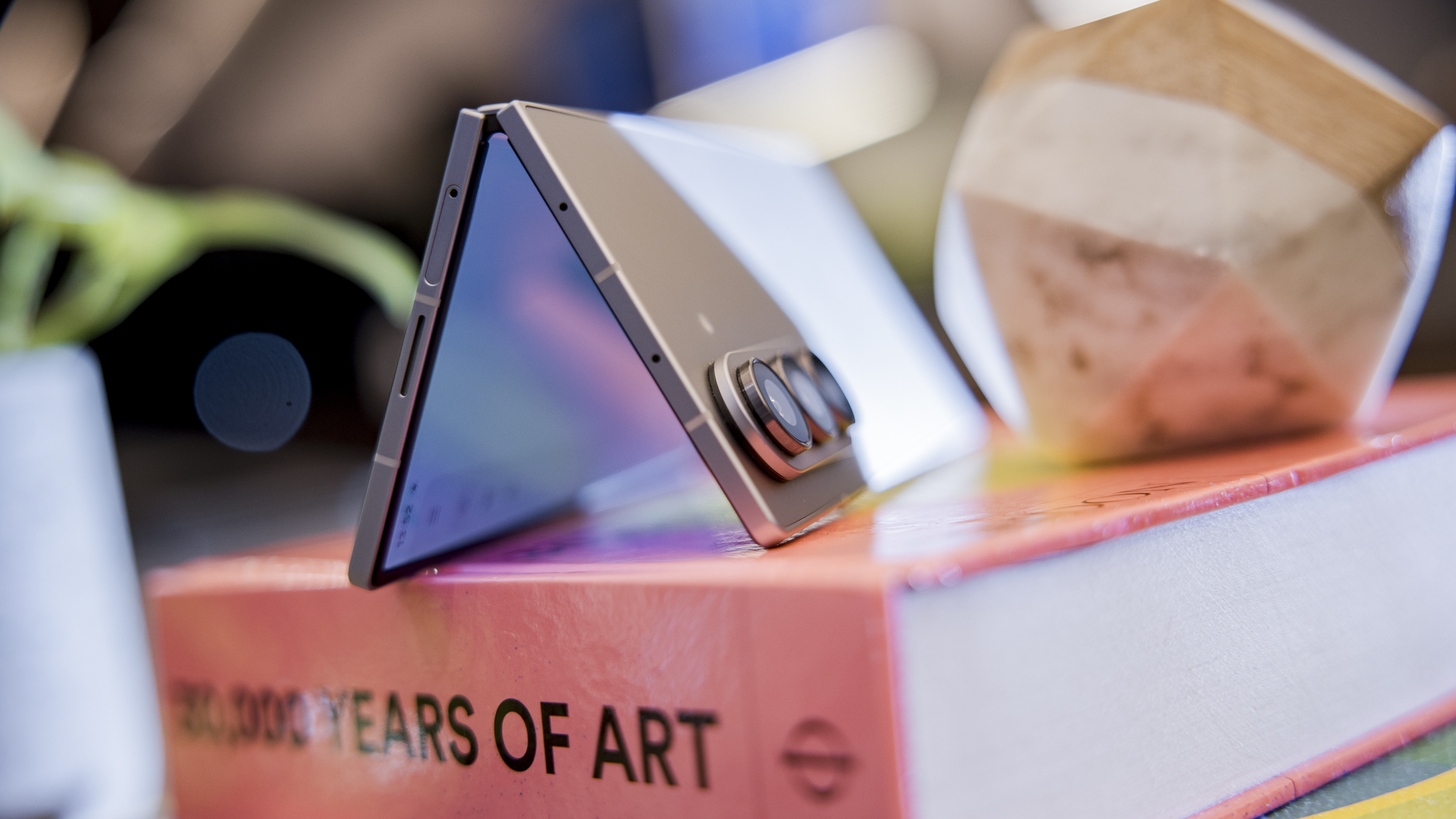
Given just how iterative a lot of Samsung’s phones have been over the last few years, we’re still a bit gobsmacked that the company went all in with a big shift for the Galaxy Z Fold 7, but in doing so, it put out the absolute best foldable phone to date. There’s definitely stiff competition from the likes of the Honor Magic V5, but the Z Fold 7 just about clinches it.
The biggest update can be spotted right away, especially if you’ve used or held one of the previous Z Fold phones. At only 8.9mm thin when closed and just 4.2mm when opened, the Z Fold 7 is a far cry from the bulky foldable phones of old. We’re finally at the point where adopters of the foldable concept no longer have to feel as if they’re trying to squish two phones into the same pocket.
This upgrade is only bolstered by the fact that Samsung has the best software experience you’ll find on a foldable (outside of the OnePlus Open). One UI 8 is incredibly slick, with an eye-catching design and easy access to apps that are in use thanks to the ‘Now Bar’, which appears at the bottom of the lock screen.
The camera set-up has been given an uplift as well, mainly by taking the 200Mp main sensor found on the S25 Ultra and using it as its own. It would have been nice to see some of that attention paid to improving either the battery life or the available charging speed (which caps out at a slow 25W), but there’s plenty to fawn over here, especially compared to the Z Fold 7’s predecessor.
Who should buy the Samsung Galaxy Z Fold 7?
Productivity users who need more screen space for multitasking.
Samsung Galaxy Z Fold 7: Further considerations
It’s miles behind the Honor Magic V5 in terms of battery life and charging.
Read our full Samsung Galaxy Z Fold 7 review
10. Samsung Galaxy Z Flip 7 – Best Flip Phone
Pros
- Superb cover screen
- Great internal display
- Excellent main rear camera
- Top-tier software experience
- Seven years of updates
Cons
- Battery life could be better
- Painfully slow 25W charging
- Still no telephoto camera
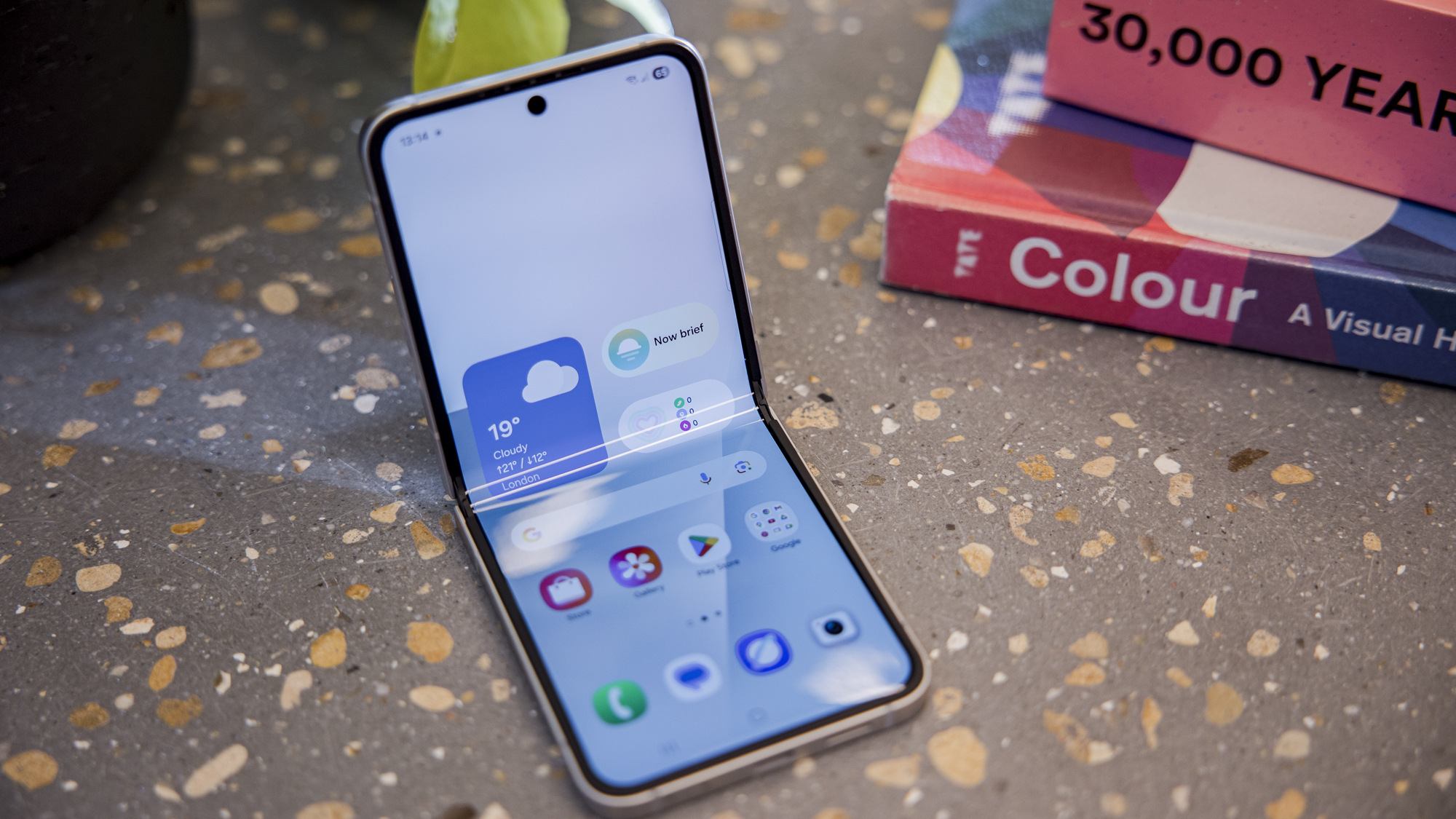
Just like with the latest Z Fold, the Samsung Galaxy Z Flip 7 also represents a major leap forward over what came before, with Samsung finally recognising the improvements that competing companies like Motorola had brought to the table. With a much larger four-inch cover screen, the flip phone concept has never felt more polished than with the Z Flip 7.
Because of the greater amount of room that the cover screen now provides, you can easily use it to check in on your messages or quickly look up directions via Google Maps, all without getting sucked into a session of doomscrolling. That aspect of mindful phone usage is something that Samsung has been pushing for a while, but only now does it feel fully realised, with hoops to jump through in order to run any app.
Still, if you do want to use a larger screen for watching some TV on your commute or even enjoying a spot of gaming on a flight, then the stunning 6.9-inch AMOLED inner display can do the trick. From our testing, the main 50Mp camera is also worth shouting about as it captures the same vivid colour palette that Samsung phones are known for, and with plenty of detail to boot. It’s very easy to take great selfies with this phone.
The one area where the Z Flip 7 still feels like it’s lagging behind the competition is the battery. The uptick to featuring a 4300mAh cell is nice, but having 25W charging speeds feels painfully slow for a phone as premium as this. Still, so long as you time your charging sessions to fit around your day, this shouldn’t be a huge problem.
Who should buy the Samsung Galaxy Z Flip 7?
Flip phone fans who want great software and a long update cycle to boot.
Samsung Galaxy Z Flip 7: Further considerations
Samsung still lags behind the Motorola Razr series on battery life and charging.
Read our full Samsung Galaxy Z Flip 7 review
Other phones tested
Just because the phones featured above have beaten out the competition to be selected as our top 10 recommended handsets in this area, it doesn’t mean that there aren’t other great smartphones vying for a top spot.
For instance, plenty of last-gen options like the Oppo Find X8 Pro and the Xiaomi 14T were part of this list until their successors came to market, but that doesn’t mean that they are no longer recommended as great upgrades now. In fact, because their prices have plummeted in the time that they’ve been around, there’s a case to be made that both of these phones are now better options for budget-conscious consumers.
The same concept applies to the Samsung Galaxy Z Fold 6 and the Galaxy Z Flip 6. Although Samsung’s most recent foldable phones (featured above) are worth picking up if you can stretch your budget to accommodate their high asking price, the Z 6 range can now be found for far less if you shop around.
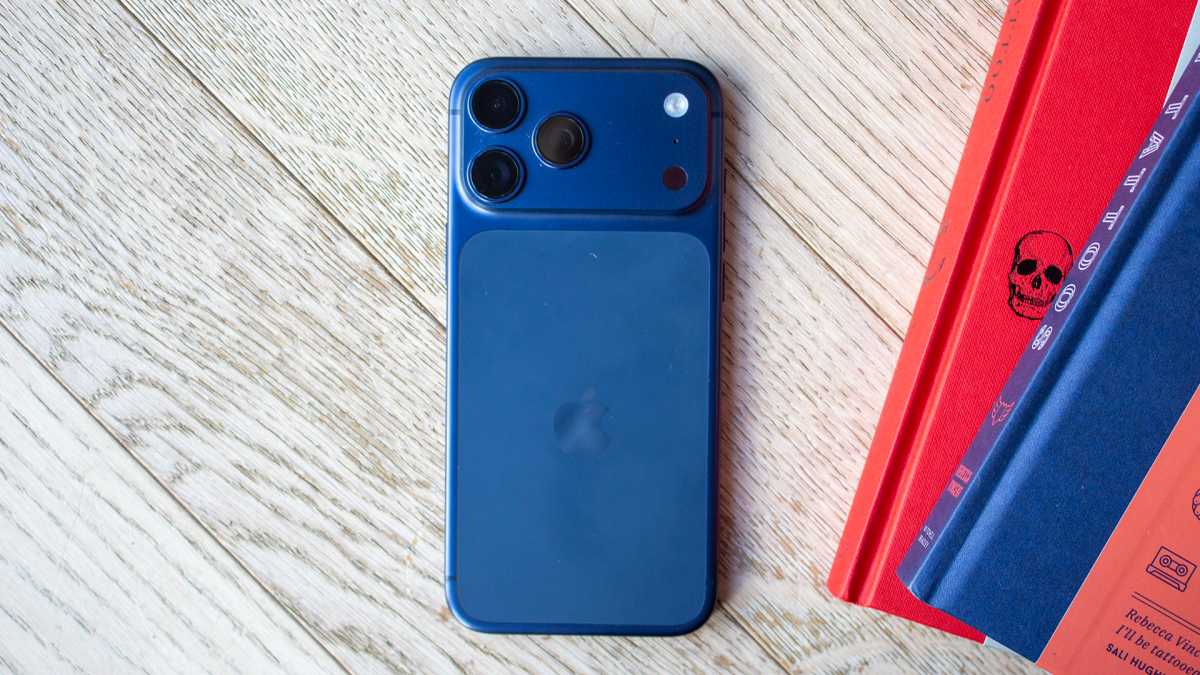
None of Apple’s iPhone 17 range offers dual physical SIM cards, which is a requirement for inclusion here. If you don’t mind your second number being on eSIM, we’d highly recommend either the regular iPhone 17 or 17 Pro Max (shown below), though you only have the option for eSIM in the US.
Britta O’Boyle
Similarly, Google’s Pixel 10 range includes the best phone you can buy right now, the Pixel 10 Pro XL. Like the iPhones, the only way to use it as dual-SIM is to use eSIM as one of the two.
Phone news that could affect your buying decision
There isn’t any breaking news in the world of SIM cards to speak of currently, although the major discourse in this area revolves around the gradual shift towards eSIM functionality.
In the US, the iPhone has been eSIM-only with no physical card slot since the iPhone 14. It’s still available with one physical slot elsewhere on the iPhone 17 series, but the iPhone Air is eSIM-only everywhere. A feature in iOS 26 allows compatible iPhones to switch to a geographically appropriate eSIM automatically when you travel, with Global64 being the first company to make use of it.
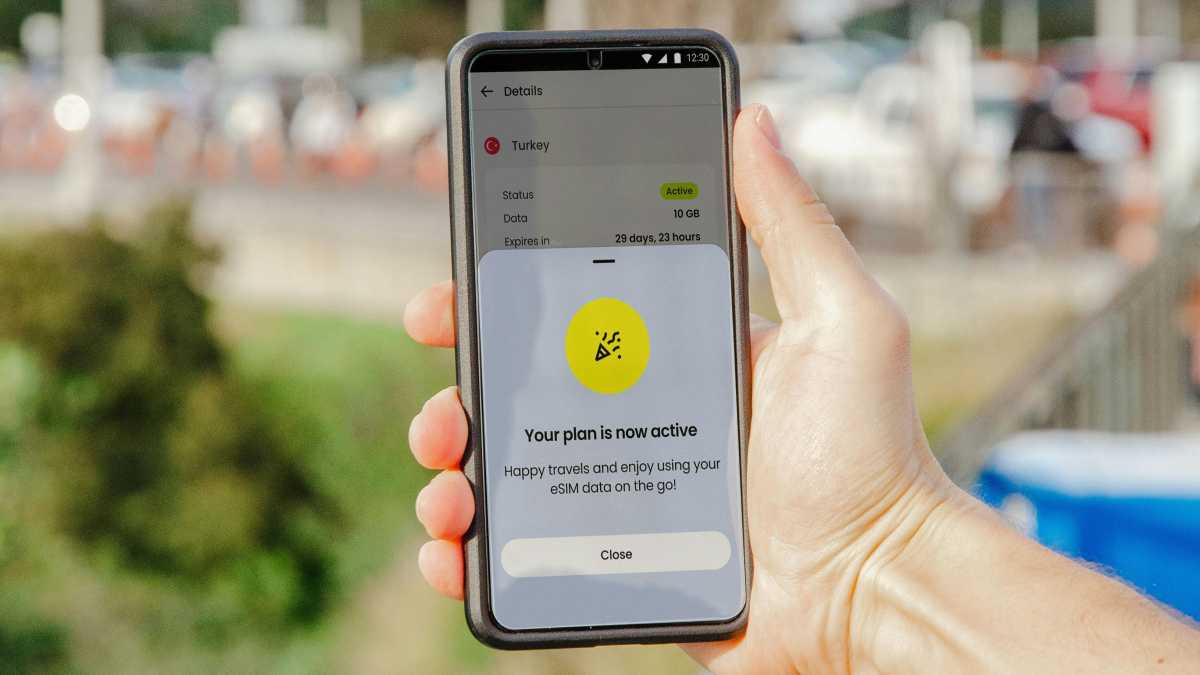
As eSIMs grow in popularity, it’s now less common for phones to have two physical slots for SIM cards, instead having a slot for just one SIM card, whilst a second can be installed as an eSIM.
This shift is quite helpful for international travel as it makes the process of connecting to networks abroad much easier, helping you to avoid roaming costs in the process.
Some networks are now starting to incentivise customers to move over to eSIM, with O2 being one of the most recent examples. The brand is now providing 5G+ to users who make the switch to eSIM, giving them faster internet speeds than what is possible with standard 5G.
Check our complete guide to the best eSIMs for more information.
Jacob via Pexels
Can I get a better phone deal?
Every deals widget that you see on this page is automatically updated to feature the latest prices for every phone on this list. This means that you don’t have to worry about spending hours mindlessly scrolling through Amazon and other retailers, as you’ll know right away, from this very page, which retailer is offering the lowest price.
With that said, there are times of the year when prices tend to be lower. In the summer, you have Amazon Prime Day, which gives Prime subscribers access to a ton of deals on smartphones of all shapes and sizes.
In the autumn, Amazon is first out of the gate again with the Prime Big Deal Days sale, which is another event aimed at bringing the best prices to Prime members, but if you wait another month, then you get to indulge in the big one: Black Friday.
Unlike Amazon’s sales, you won’t have to worry about having a Prime membership, as practically every major retailer gets in on the action, and they all compete to offer the best prices possible. You’ll also see plenty of mobile networks join in, so you can get a great contract deal for just a fraction of the price that you’d pay at any other time of year.
If, for whatever reason, you simply can’t wait until the next sale, then we have you covered in the meantime with our collection of the best refurbished phone deals, and you can pair those handsets with our best SIM-only deals page, saving you a ton of money overall.
Another option is to use a service like Raylo to get your phone (or other tech) on a monthly subscription basis.
How we test phones
To make sure that we provide you with the most in-depth reviews possible, every phone sent in for testing is then used as our main communications device for at least a week. This also involves one of our tech experts using their personal SIM card in the phone itself, so we know what it’s like to use the device on a day-by-day basis. Phones are then put through our rigorous series of tests, the results of which are made clear and easy to understand in every review.
Read more about how we test smartphones.
Why you should trust Tech Advisor for phone reviews and buying advice
Smartphone testing has been a key vertical of Tech Advisor’s coverage since 2007, so our team of experts have seen it all from the launch of the first-ever iPhone to the proliferation of foldable phones and everything in between. From our in-house team of experts to long-running contributors, the wider family of Tech Advisor writers have decades of experience between them and a firm understanding of what makes a great smartphone.
Who curated this article?
This guide was put together by Tech Advisor’s Mobile Editor, Anyron Copeman, who, as you can imagine, knows more about mobile phones than almost any other tech journalist working today. Every phone that appears on this list has been approved by Anyron before inclusion, so you can rest assured that you’ll be getting a top-tier device regardless of which one you buy. He is assisted by our Managing Editor, Chris Martin, who has nearly 15 years of experience writing about phones.
How to choose the best dual-SIM phone
Given that having two SIM cards running at the same time can have quite an impact on battery life, we’d argue that the key factors that you should consider are the longevity from a single charge and the time it takes to top up the phone thereafter.
Having a high wattage count for wired charging is key (anything above 45W is usually a good sign), although the convenience of wireless charging can also be very helpful if you want to top up your handset on the go without the need to carry around a USB-C cable.
If you are planning to use your dual-SIM phone as your main work device, then it also makes sense to invest in software that’s easy to use and isn’t bogged down with a cumbersome overlay and bloatware. OnePlus, Google and Samsung phones are very good at offering intuitive takes on Android, whilst any iPhone can benefit from the carefully constructed aesthetic of iOS.
Depending on the type of work you want to do, having a book-style foldable phone can be a huge boon for productivity. With a larger internal display available at all times, you’ll have more room for multitasking, as well as a less cramped experience when it comes to typing out documents, as the keyboard can sprawl out a bit.
As a final note, if your work involves content creation, then the cameras are arguably more important than the software. To that end, the likes of Xiaomi and Oppo can provide shots that look like they’ve been taken on a dedicated camera, although iPhones still rule the roost where video capture is concerned.
Dual-SIM phone FAQ
How do dual-SIM phones work?
Something we’ve noticed when shopping for dual-SIM phones is that the manufacturer very rarely provides any information about the functionality other than the fact it exists. It doesn’t tell you how the dual-SIM functionality works in practice, nor whether both SIMs support 4G/5G, or even what size SIM cards they accept.
You can never assume; you’ll need to contact the manufacturer or check spec tables, reviews, or forums to find out this information.
In all the dual-SIM phones we’ve tested, both SIMs are on standby at all times (known as dual-standby phones), but you can actively use only one SIM at a time. This means that either SIM can accept a phone call or text at any time, without you having to actively swap between them or reboot the phone.
However, if you get a call on one number while a call is active on the other, it won’t start ringing in your ear or give you the option to put the first caller on hold – the call will simply not come through.
What is the difference between Dual-Standby and Dual-Active?
Dual-active SIM phones use two modems and allow you to receive calls on both numbers at once.
If it’s you who wants to make a call or send a text, Android has a standard SIM Management menu that lets you specify which SIM should be used for voice calls, video calls, messages and mobile data. You can either specify a particular SIM for each of these tasks or leave the setting as ‘Always Ask’.
The data connection is where there seems to be a lot of confusion when it comes to dual-SIM phones. Whereas both SIM slots on some dual-SIM phones are capable of supporting 4G or 5G connections, you can use data connectivity on only one SIM at a time.
Unlike with calls and texts, typically speaking, the data connection can’t be on standby for both SIMs; you must specify which SIM you want to use rather than select one when prompted – though some phones will let you set them to switch to the other SIM when the first can’t make a connection.
By default, when you are using the data connection on one SIM and a phone call comes in to the other, it will pause the data connection on the first.
Can you use a Dual-SIM with a Micro-SD memory card?
If you want to take advantage of both SIM card slots and expandable storage, your options will be limited.
While most phones with expandable Micro-SD storage also offer dual-SIM, typically the SD card has to use that second SIM slot, forcing you to choose between storage and the SIM.
If this is a priority for you, make sure to check reviews and specs carefully for phones that support two SIMs and a Micro-SD card simultaneously – there are some out there – or look out for a combo of Micro-SD and eSIM support.
Are there any Dual-SIM iPhones?
Yes and no. iPhones only ship with two physical SIM trays in mainland China, Hong Kong, and Macau, and even then, it’s only some models.
So, if you don’t live there, then you can’t use two physical SIM cards in an iPhone. That’s why we haven’t included any iPhones in our list above.
However, every iPhone that supports eSIM – those from the XS and XR onwards – allows you to use a single physical SIM card along with an eSIM, and those from the iPhone 13 onwards even allow you to set up dual-SIM with two eSIMs.
Are there any dual-SIM Google Pixel phones?
It’s a similar story for Google as for Apple. Phones from the Pixel 3a onwards allow you to use a single physical SIM along with a second eSIM, while the latest models – from the 7 onwards – include support for dual eSIM.
However, none of the Pixel phones allow you to install two physical SIM cards simultaneously.
Author: Anyron Copeman, Mobile Editor, Tech Advisor

Anyron is Mobile Editor at Tech Advisor, where he’s been a mainstay of the editorial team since 2019. In his current role, Anyron is responsible for all smartphone, tablet and mobile network coverage on the site. A BA Journalism graduate, he has experience with a wide range of consumer tech products and services, including smartphones, tablets, foldables, wearables and more.